
On this page
Start here
Quick answer
Check that the ice maker switch or Ice On control is enabled, the refrigerator has power, the ice bin and door are correctly positioned, and the freezer is cold enough. If the model-specific test does not cycle, request service rather than forcing the tray.
Before you begin
Safety first
- Do not force the tray or insert tools into moving parts.
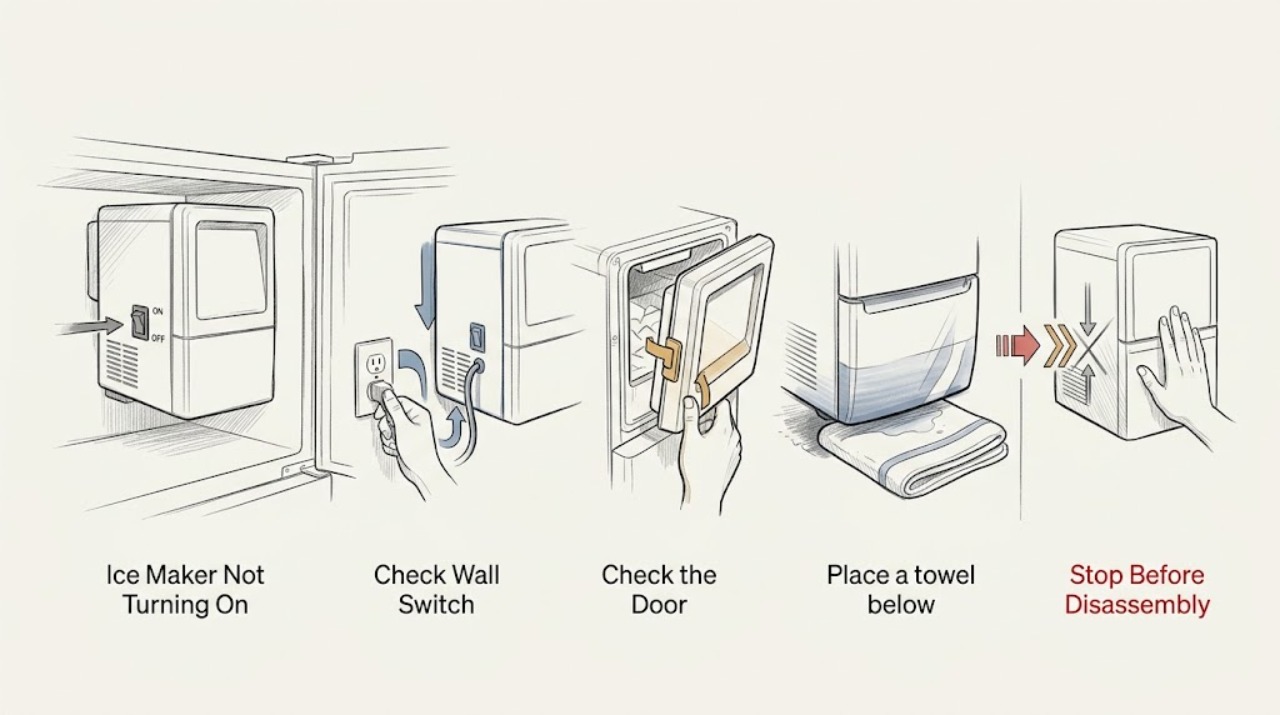
Work through in order
Diagnostic checks
Use only checks that match the exact appliance or system and its official guide.
-
Check 1
Confirm refrigerator power and check the physical ice-maker switch or control-panel Ice On/Ice Off setting.
Expected result: The maker is off or Ice On is not illuminated.
Next step: Enable it using the model instructions and allow the stated production time.
Why this matters
Why: LG says ice production stops when the maker is off; controls vary by model.
-
Check 2
Check that the ice-room door closes, the bin is installed and not full, and the freezer reaches the model recommendation.
Expected result: A door/bin/temperature condition is incorrect.
Next step: Correct the accessible condition without forcing moving parts and allow stabilization.
Why this matters
Why: Warm air, a full bin, or a sensor obstruction can stop or delay production.
-
Check 3
Place a towel below the maker and run its model-specific test button for about three seconds.
Expected result: The maker cycles or remains still.
Next step: Stop if the button or tray is unclear or jammed and request service.
Why this matters
Why: A successful cycle shows the mechanism can move; no movement after correct setup needs diagnosis.
Use your observations
Decision map
Find the observation that best matches what you see, then follow the next safe action.
-
PATH 01Next step
What you see
The maker was off or bin/door conditions were wrong and it responds after correction
Do this next
Leave it enabled and monitor production.
Why this path and its safety boundary
Why it matters: A setting or operating condition was likely.
-
PATH 02Next step
What you see
The maker is enabled but the test does not cycle
Do this next
Do not force the mechanism; request LG service.
Why this path and its safety boundary
Why it matters: A motor, sensor, water, or control fault remains possible.
When checks do not resolve it
Need a professional?
Arrange service for a failed model-specific test.
Safety scope: Do not force the tray or insert tools into moving parts.
Common questions
FAQ
How long should I wait after turning the maker on?
Use the exact model guidance; LG's general guide allows up to 24 hours for a newly installed unit.
What if the test button does not move the tray?
Do not force it. Request service after confirming the maker is enabled and the bin and door are correctly positioned.
Read the exact guide
Official sources
- LG Refrigerator – Why is My Refrigerator Not Making Ice?LG USA Support · LG refrigerator ice makers
Community feedback
Share a repair observation
Share a plain-text repair observation. Accepted observations are published automatically; this page may take a moment to update.