
On this page
Start here
Quick answer
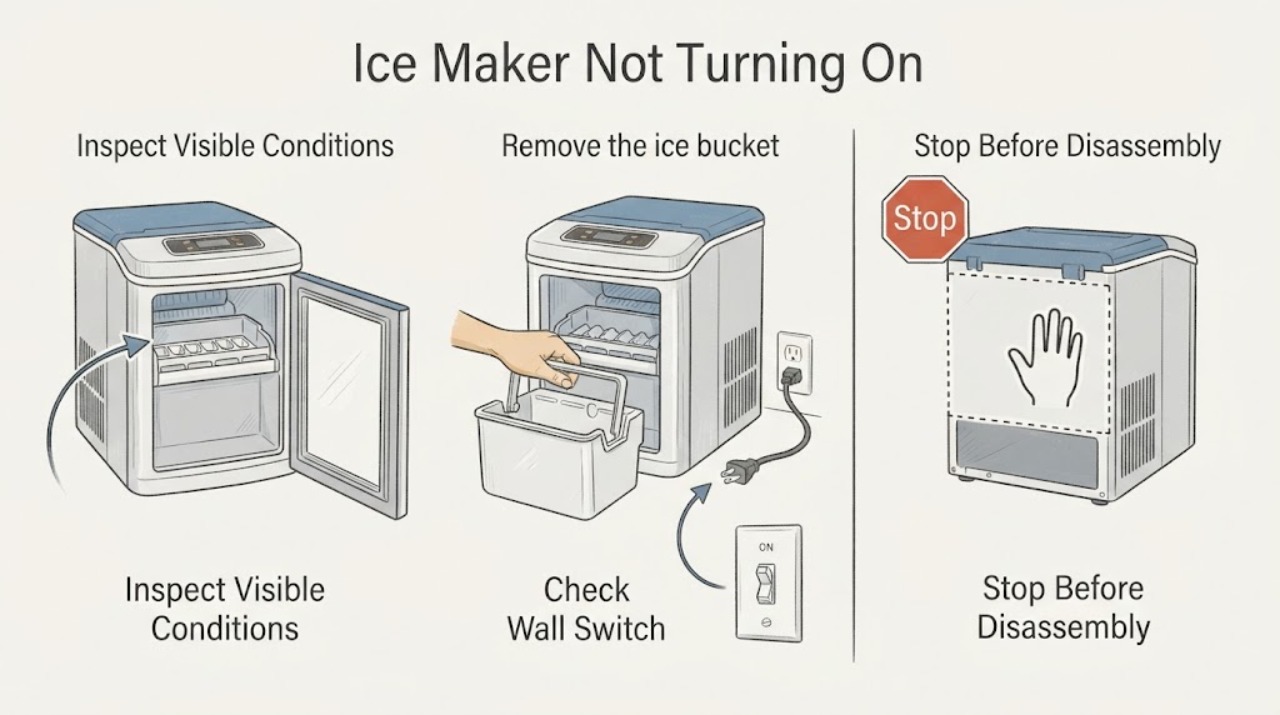
A Samsung ice maker that appears not to turn on should be checked at the control setting and Test button before any part is considered. Verify the maker is enabled, remove the bucket only as the model directs, and observe whether the test chimes or moves. If a correct test remains completely unresponsive after one safe refrigerator power cycle, stop and arrange service.
Work through in order
Diagnostic checks
Use only checks that match the exact appliance or system and its official guide.
-
Check 1
Look for the Ice Off indicator or Ice Maker setting on the refrigerator panel or connected app, and for top-freezer models check that the Ice On indicator is active.
Expected result: The intended maker is disabled, or the control indicates it is enabled.
Next step: Enable the intended maker using the model's controls and wait for the display to settle before running one Test cycle.
Why this matters
Why: A disabled setting prevents operation without an assembly fault; an enabled setting means the response test is needed.
-
Check 2
Remove the ice bucket or cover only according to the model manual, then locate and press the Test button until the maker chimes or shows movement.
Expected result: A chime or movement occurs, the maker moves without a chime, or there is no response at all.
Next step: If it moved, continue with the relevant fill or production diagnosis; if silent, continue to the one-time power-cycle check.
Why this matters
Why: Any movement indicates the maker received the test command; complete silence and no movement after a correctly accessed button indicate a control or maker fault.
-
Check 3
If there was no response, unplug the refrigerator or switch it off at the circuit breaker for two minutes, restore power, and perform the Test command once more.
Expected result: The maker chimes or moves after power is restored, or it remains silent and still.
Next step: Do not repeat resets; request service if the maker remains unresponsive or an error appears after power returns.
Why this matters
Why: A recovered response suggests a control state that cleared after power cycling; persistent silence makes an internal control, wiring, or assembly issue more likely.
-
Check 4
After a responding test, note whether the maker completes its movement and whether the valve hums and supplies water at the end.
Expected result: The test completes and fills, completes but stays dry, or stops with an error or abnormal noise.
Next step: Follow the separate not-filling or not-ice-making path for a normal response; stop for an error or abnormal mechanical behavior.
Why this matters
Why: A completed fill shifts the issue to freezing/production timing; a dry tray indicates the water path; an error or abnormal stop needs service-oriented diagnosis.
Use your observations
Decision map
Find the observation that best matches what you see, then follow the next safe action.
-
PATH 01Next step
What you see
Ice Off is active and the Test button has not yet been used.
Do this next
Enable the intended maker and then perform one model-specific test.
Why this path and its safety boundary
Why it matters: A control setting, not a dead maker, is the simplest explanation.
-
PATH 02Next step
What you see
The maker moves after the Test command but does not admit water.
Do this next
Use the Samsung water-fill checks and stop before opening the refrigerator water or electrical system.
Why this path and its safety boundary
Why it matters: The control has responded, while water supply, filter, pressure, or fill-valve delivery is the next decision axis.
-
PATH 03Next step
What you see
The maker remains silent and motionless after a correctly performed test and one two-minute power cycle.
Do this next
Stop using the maker and arrange qualified appliance service.
Why this path and its safety boundary
Why it matters: An internal control, wiring, or ice-maker assembly fault is more likely than an Ice Off setting.
Helpful context
Understand the symptom
Treat ‘not turning on’ as a response test
An Ice Off setting, a mis-seated bucket, or an inaccessible test button can look like a dead maker. The decisive low-risk observation is whether the maker responds to its model-specific Test command, not whether a tray is currently empty.
Only after diagnosis
Potential parts
- ice-maker assembly
Consider only when the maker remains unresponsive after the setting, Test, and one power-cycle checks and service diagnosis identifies the assembly.
Confirm the exact refrigerator model and have service verify the correct assembly before ordering.
When checks do not resolve it
Need a professional?
Request service when the maker has no response after the enabled-setting check and one safe power cycle, when an error returns, or when access would require removing panels or handling wiring. Do not repeatedly press Test on a tray containing water or ice.
Common questions
FAQ
Does no ice prove that a Samsung ice maker is not turning on?
No. Ice Off, a bucket or seal issue, low water, or normal freezing time can all prevent ice. Use the Test button to observe response before treating the maker as electrically dead.
What should I do if the Samsung ice-maker Test button does nothing?
Confirm you reached the correct button with the bucket or cover removed as the manual describes, then power-cycle the refrigerator once for two minutes and test again. Persistent silence and no movement need service.
Read the exact guide
Official sources
- Reset the ice maker in the back of freezer doorSamsung · Samsung ice-maker Test button access, response, and safe reset limits
- Samsung ice maker is not workingSamsung · Samsung refrigerator Ice Off setting, Test response, water fill, and service boundary
Community feedback
Share a repair observation
Share a plain-text repair observation. Accepted observations are published automatically; this page may take a moment to update.