
On this page
Start here
Quick answer
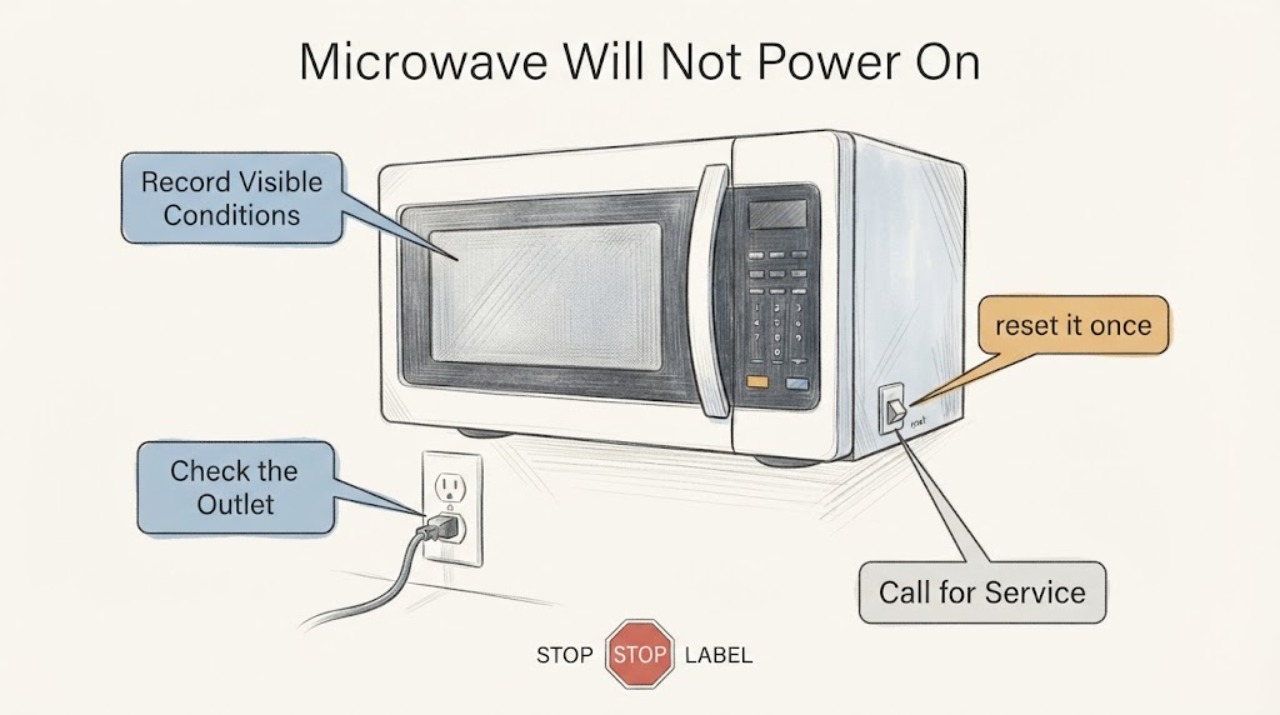
For an LG LMV2031ST that appears dead, begin with the visible power path: check whether the display is merely in an energy-saving state, confirm the cord is firmly in the grounded wall outlet, and check a GFCI or the microwave circuit breaker once. LG's no-power guidance says a working test device at the outlet with a still-dead microwave points to service. If the display wakes but Start does not respond, check that the door closes normally and use the exact model manual for any lock setting. Do not remove the microwave cover, defeat the door interlocks, or touch high-voltage parts; a damaged door, sparking, burning smell, repeated breaker trip, or persistent no-power condition needs qualified service.
Work through in order
Diagnostic checks
Use only checks that match the exact appliance or system and its official guide.
-
Check 1
From outside the installed microwave, note whether the clock/display is completely blank, whether any key produces a response, and whether the interior light appears only when the door is opened. If the display returns after a key press or a normal door open-and-close, record that behavior before continuing.
Expected result: The display is blank but wakes after a key or door movement, or no display, chime, or light response occurs at all.
Next step: If the display wakes, follow the door/control branch below. If it remains fully dead, check the external power path. Do not remove the cover or try to access internal electrical parts.
Stop if: Stop if there is smoke, a burning smell, visible arcing, a damaged cord, or a damaged door, hinge, latch, seal, or glass.
Why this matters
Why: A display that returns after inactivity can be an energy-saving state. A completely unresponsive unit is more consistent with an interrupted supply or an appliance fault, but these observations do not identify an internal part.
-
Check 2
Inspect the accessible plug and cord without moving the built-in oven. Confirm that the cord is firmly seated in the grounded wall outlet and that no extension cord or surge protector is being used. Look only for visible crushing, scorching, looseness, or moisture.
Expected result: The plug is loose, the outlet connection is interrupted, or the cord/outlet shows damage; alternatively, the connection looks normal and the microwave remains blank.
Next step: Restore only a normal, undamaged plug connection if it is safe to do so. Have a qualified electrician assess a damaged or uncertain outlet/cord. If the connection is normal, continue to the GFCI and breaker check.
Why this matters
Why: A poor outlet connection can account for a no-power symptom. Visible damage or moisture creates an electrical hazard and cannot be safely corrected by a control reset.
-
Check 3
If the supplying outlet has a GFCI, reset it once. At the electrical panel, check the microwave circuit breaker; if it is tripped and there is no visible damage or active hazard, turn it fully off, wait five seconds, and turn it back on once.
Expected result: The display returns and stays on, the GFCI or breaker trips again, or the display remains blank after the one reset.
Next step: If power returns, make one normal start attempt only. If the protection device trips again or will not remain on, leave it off and contact a qualified electrician or LG service. If the outlet is live but the microwave stays blank, arrange service.
Stop if: Stop immediately for sparks, smoke, heat, burning odor, or any breaker/GFCI behavior that repeats.
Why this matters
Why: Power returning points to an interrupted external supply. A repeat trip indicates an unresolved electrical or appliance fault; a persistent blank display after a confirmed supply needs service rather than repeated resets.
-
Check 4
If the display is lit but Start does not begin a cycle, inspect the outside of the door and the contact area for an obvious obstruction, then close the door normally. Note any lock indication, error code, or door that will not close squarely; do not force the door or bypass its interlock.
Expected result: The door closes normally and the display responds, or the door is damaged/misaligned or the control remains locked or unresponsive.
Next step: Use the LMV2031ST owner manual linked from LG's exact support page for any model-specific lock sequence. If the door is damaged or Start still fails after the documented external check, request qualified service.
Stop if: Stop using the microwave if the door, hinge, latch, seal, or glass is damaged or does not close properly.
Why this matters
Why: LG identifies door closure, a control lock, or a control-panel issue as possible reasons a microwave will not start. A damaged door or interlock cannot be distinguished from a safe external check.
-
Check 5
After documenting the state and only when the cord, outlet, breaker, and door show no hazard, perform one control reset by unplugging the unit or switching off its breaker for two to three minutes, then restore power once.
Expected result: The display and controls return normally, or the microwave remains dead, will not start, or causes the protection device to trip again.
Next step: If the fault remains, stop troubleshooting and give LG or a qualified technician the model LMV2031ST, the display/breaker behavior, visible cord/outlet findings, and whether the door closes normally.
Why this matters
Why: A single reset can clear a temporary control communication condition, but it cannot prove or repair an internal high-voltage or interlock fault.
Use your observations
Decision map
Find the observation that best matches what you see, then follow the next safe action.
-
PATH 01Next step
What you see
The display was blank but returns after a key press or a normal door open-and-close, and the unit does not show other power symptoms.
Do this next
Continue normal operation only if the door is undamaged and the controls respond; if the display repeatedly disappears or the unit stops, record the pattern and request service.
Why this path and its safety boundary
Why it matters: LG documents an energy-saving state that can turn the display off after inactivity.
-
PATH 02Next step
What you see
The outlet/GFCI/breaker restores power and the display stays on after one external reset.
Do this next
Make one normal start attempt and stop if the breaker or GFCI trips again.
Why this path and its safety boundary
Why it matters: The initial symptom was consistent with an interrupted external supply; it does not identify a failed microwave component.
-
PATH 03Next step
What you see
The outlet appears supplied but the LMV2031ST remains completely blank, or a breaker/GFCI trips again.
Do this next
Leave the circuit off when protection trips and arrange qualified LG service or an electrician. Do not open the microwave cabinet or test high-voltage parts.
Why this path and its safety boundary
Why it matters: LG's external checks have not restored operation; a persistent no-power condition or repeated protection trip requires appliance or electrical diagnosis.
-
PATH 04Next step
What you see
The display is active but Start does not work, or the door will not close squarely.
Do this next
Use the exact LMV2031ST manual for a lock setting and request service for a damaged door or persistent no-start condition.
Why this path and its safety boundary
Why it matters: The symptom is no longer a simple total-power loss; LG identifies door closure, control lock, or control-panel conditions as possible start blockers, while a damaged door is a safety condition.
Helpful context
Understand the symptom
Separate a blank display from a truly dead appliance
The LMV2031ST is an over-the-range microwave in LG's LMV2031 family. A blank display can reflect the energy-saving display state, an interrupted outlet supply, or a fault that requires service. Record exactly what responds before changing power so the next check follows the observed state.
Keep the investigation outside the cabinet
The safe user scope is the plug, accessible outlet or GFCI, breaker position, display response, and undamaged door closure. The installation manual warns against defeating interlocks and opening or repairing the oven; do not use a no-power symptom to infer a fuse, capacitor, magnetron, control board, or door switch failure.
When checks do not resolve it
Need a professional?
Provide LG or the technician with LMV2031ST, whether the display was blank or active, the outlet/GFCI/breaker result, any visible cord or door damage, and whether one reset changed the behavior.
Common questions
FAQ
Is a blank display always a failed control board on the LMV2031ST?
No. Check the energy-saving display state, outlet connection, GFCI, and breaker first. A display that remains blank with a confirmed supply needs service; the external symptom does not identify a board or other internal part.
What should I do if the breaker trips again after the microwave reset?
Leave the circuit off and arrange qualified electrical or LG service. Repeatedly resetting protection can leave an unresolved electrical fault energized; do not open the microwave or test its high-voltage parts.
Can I bypass the door switch to see if the LMV2031ST works?
No. LG warns against defeating the microwave safety interlocks and says a damaged or improperly closing door requires qualified service.
Read the exact guide
Official sources
- LG Microwave - What should I do when a product stops and display turns off?LG USA Support · LG microwave family display guidance applied to LMV2031 ST (product code LMV2031ST) as a conditional explanation for a blank display after inactivity, not as proof of a power fault.
- 3828W5U0377LG Electronics USA · LMV2031 family installation document applicable to the assigned LMV2031 ST (product code LMV2031ST) variant for grounded supply and external door/interlock safety boundaries; it is not used for internal repair instructions.
- LG Microwave Oven – Troubleshooting No Power IssueLG USA Support · LG microwave family guidance applied to the assigned LMV2031 ST (product code LMV2031ST) only for external power checks; it does not establish an internal component diagnosis.
- LG LMV2031ST: Support, Manuals, Warranty & More | LG USA Product Support PageLG USA Support · Exact assigned model phrase LMV2031 ST (product code LMV2031ST); used to confirm the product identity and the model-specific owner-manual entry, not to infer an internal fault.
- LG Microwave - Troubleshooting the Start Button Not WorkingLG USA Support · LG microwave family guidance applied to LMV2031 ST (product code LMV2031ST) only when the display is active but Start does not respond; model-specific lock sequences must come from the assigned model manual.
- LMV2031_ BUILDERLG Electronics USA · Exact assigned model phrase LMV2031 ST (product code LMV2031ST) is listed in the model-family finish table; power and grounded three-prong supply specifications apply to the LMV2031 family.
Community feedback
Share a repair observation
Share a plain-text repair observation. Accepted observations are published automatically; this page may take a moment to update.