
On this page
Start here
Quick answer
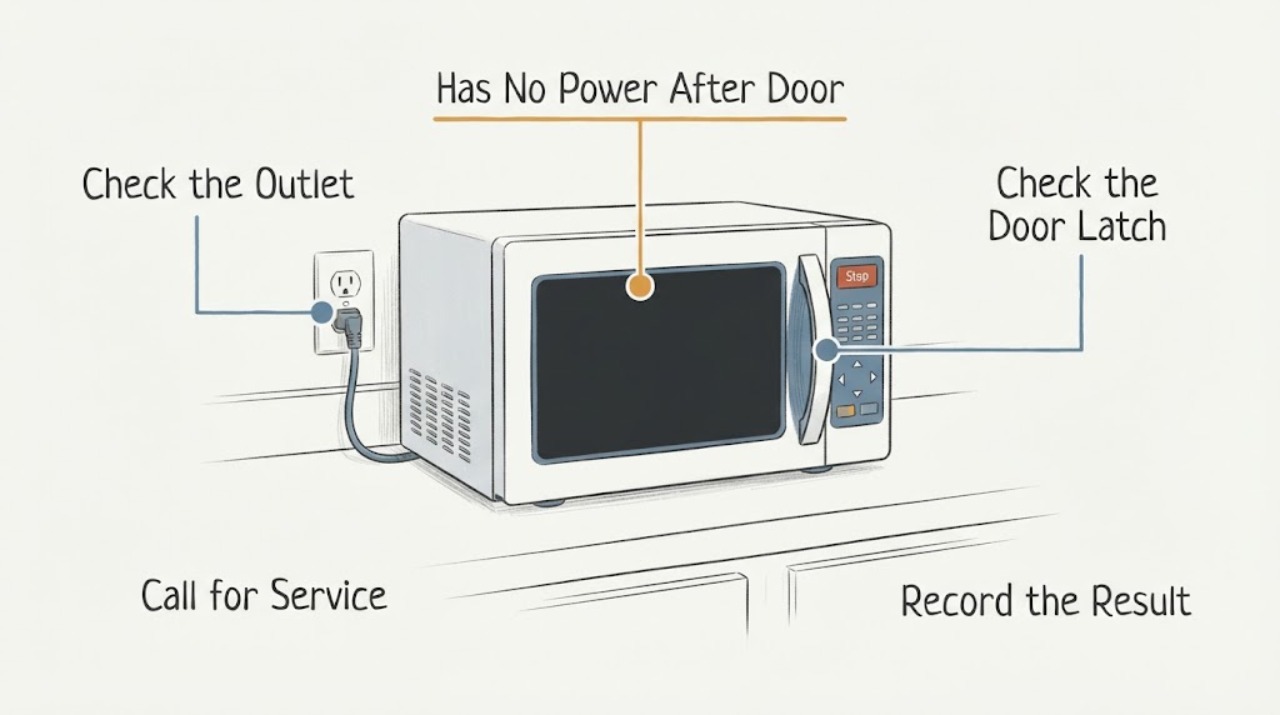
If a Panasonic NN-SN73S went completely dead after door work, separate an external power problem from a door-related safety problem before assuming an internal part failed. With the microwave unplugged or switched off only from a safe accessible wall position, confirm the cord and dedicated outlet, check the breaker without repeatedly resetting it, and inspect the closed door, latch, hinges, and sealing surfaces for visible damage or obstruction. Do not remove the outer panel, bypass or test the door interlock, replace an internal fuse, or make a high-voltage measurement. If the display stays blank after one safe external power check, or the door was adjusted and the unit remains dead, stop and use an authorized Panasonic service center.
Work through in order
Diagnostic checks
Use only checks that match the exact appliance or system and its official guide.
-
Check 1
Read the rating label and record the complete model and suffix, then note whether the display is completely blank, partially lit, showing Child or Lock, or showing an error. Record exactly what changed after the door repair: door alignment, latch, hinge, door button, or any panel work.
Expected result: The nameplate matches NN-SN73S, the display is blank, the display is alive but cooking will not start, or the door no longer closes flush or feels loose.
Next step: Continue only with the matching external branch. If the door is bent, the latch or hinge is loose, the seal is damaged, or the model suffix is different, stop operation and use the exact manual or authorized service.
Stop if: Do not open the cabinet or repeat door adjustments to make the unit power up.
Why this matters
Why: A blank display and a live display are different diagnostic paths. Panasonic's published family manual covers nearby NN-SN733/NN-SN743/NN-SN933/NN-SN943 variants, so the exact suffix must be preserved rather than assuming that an adjacent model's wiring or door parts apply.
-
Check 2
If the power cord and wall receptacle are safely reachable, unplug the microwave from the wall once, wait about 10 seconds, and reconnect it directly to a known-working dedicated three-prong outlet. If the outlet is inaccessible or doing this would move or strain the unit, stop instead. Check the breaker visually and do not repeatedly reset a breaker that trips again.
Expected result: The outlet is dead, another appliance also fails there, the breaker is tripped, the microwave display returns after reconnection, or the outlet and breaker are normal but the display remains blank.
Next step: Use an electrician for a faulty receptacle or recurring breaker trip. If the outlet is normal and the display remains blank, stop testing and request Panasonic service; do not inspect or replace an internal fuse.
Stop if: Stop for heat, a damaged cord or plug, arcing, smoke, burning smell, moisture at the outlet, or any breaker that trips again.
Why this matters
Why: Panasonic lists an unsecured plug, an outlet problem, a tripped breaker, and standby behavior among the external no-power possibilities. A normal outlet and blank display after one safe reconnection shift the problem toward an internal appliance fault, not a reason to open the unit.
-
Check 3
With the microwave disconnected from wall power, inspect only the visible front of the door: confirm it closes squarely, the hinges and latch are not visibly loose or bent, and no debris or repair material sits between the door and the sealing surfaces. Do not press, defeat, bridge, or continuity-test a door interlock.
Expected result: The door closes normally with no visible damage, the latch or hinge is loose or misaligned, the door remains partly open, or a switch or actuator is exposed from the prior repair.
Next step: Clean only visible residue with a soft, dry cloth and leave the door hardware untouched. If alignment or latch condition changed during the repair, keep the microwave out of service and provide the repair history to an authorized technician.
Stop if: Do not remove the door, adjust the latch screws, bypass a switch, operate with the door open, or use a meter on the interlock.
Why this matters
Why: Panasonic warns that the door must close properly and that damaged hinges, latches, seals, or sealing surfaces make operation unsafe. A normal front view cannot prove that an internal interlock switch is correctly adjusted, while an exposed or disturbed switch requires service.
-
Check 4
If the display returns, check only the reader-facing controls: if Child appears, use the model's Stop/Reset sequence once; if the display is alive but a program will not start, close the door securely, cancel the current program with Stop/Reset, and enter one simple program according to the exact manual. Do not repeatedly start the oven to test a repaired door.
Expected result: The display shows Child or Lock, the controls respond but cooking will not start, the display remains blank, an H00/H97/H98-type code appears, or the fan/turntable behaves with the door open.
Next step: Clear only a clearly displayed user lock or cancelled program once. For an H-code, fan or turntable operation with the door open, no response, or a repeat failure after the safe control check, stop and request service.
Stop if: Do not run an empty oven, bypass the door, continue cycling an abnormal unit, or investigate the magnetron, inverter, capacitor, transformer, or fuse.
Why this matters
Why: The family manual identifies Child-lock and incomplete-door/program states as user-control possibilities, but it directs generation-system indications and unsafe door-open behavior to authorized service. A blank display is not a Child-lock diagnosis.
-
Check 5
Prepare a service record instead of opening the microwave: exact model and suffix, whether the display is blank or alive, outlet and breaker result, the door repair performed, visible latch or hinge condition, any error text, and whether the unit was dead immediately after the repair or later.
Expected result: The microwave remains completely dead after a known-good external supply, the door hardware was disturbed, a breaker trips again, or an error or unsafe door symptom appears.
Next step: Keep the microwave unplugged or otherwise out of service and contact an authorized Panasonic service center or qualified microwave technician. Include the exact door-repair scope and do not send a guessed part number.
Stop if: Do not remove the cover, replace an internal fuse, make high-voltage measurements, or resume use to see whether the fault clears.
Why this matters
Why: The combined timing and observations help a technician distinguish external supply, door-recognition, and internal power faults without exposing the user to microwave high voltage. Panasonic's own safety instructions reserve cabinet and interlock work for qualified personnel.
Use your observations
Decision map
Find the observation that best matches what you see, then follow the next safe action.
-
PATH 01Next step
What you see
The outlet and breaker are normal, the cord is intact, and the display stays completely blank after one safe external reconnection.
Do this next
Leave the microwave out of service and request authorized Panasonic service. Do not open the cabinet or replace a fuse.
Why this path and its safety boundary
Why it matters: The external supply checks did not restore power; an internal power or control fault remains possible, but no internal part can be selected from a blank display alone.
-
PATH 02Next step
What you see
The display returns, but the microwave will not start after the door repair, the latch does not close squarely, or the door hardware feels loose or exposed.
Do this next
Do not bypass or adjust the interlock. Keep the oven out of service and give an authorized technician the exact door work and model suffix.
Why this path and its safety boundary
Why it matters: The repair may have left the door alignment or safety-interlock path outside its safe operating condition. The front view cannot prove switch timing or microwave leakage safety.
-
PATH 03Next step
What you see
The outlet is dead or the breaker trips again when the microwave is connected, or there is heat, smoke, arcing, burning odor, or cord/plug damage.
Do this next
Stop resetting the breaker and stop using the microwave. Use an electrician for the house circuit and qualified appliance service for the microwave; use emergency procedures for an active fire.
Why this path and its safety boundary
Why it matters: This is an electrical or fire-safety branch, not a microwave door adjustment. A repeated protective-device trip can indicate a fault or circuit problem.
-
PATH 04Next step
What you see
The display is alive, a visible Child lock or cancelled program explains the no-start, and the door closes normally with no error or unsafe behavior.
Do this next
Clear the displayed lock or program once using the exact manual, then stop if the issue returns. Do not perform repeated start tests or use the oven if the door behaves abnormally.
Why this path and its safety boundary
Why it matters: A documented user-control state is more likely than a proven internal failure, but it does not validate a door repair that changed latch or interlock behavior.
-
PATH 05Next step
What you see
An H00/H97/H98-type code appears, the fan or turntable runs with the door open, or the microwave remains dead after external checks.
Do this next
Unplug or stop using the microwave from a safe external position and contact an authorized service center. Preserve the exact display and door-repair history.
Why this path and its safety boundary
Why it matters: Panasonic treats generation-system indications and unsafe door-open operation as service conditions. The symptom does not justify a consumer diagnosis of a magnetron, inverter, fuse, or switch.
Helpful context
Understand the symptom
The timing after door repair matters, but it does not identify a fuse, switch, control board, or other part from the outside. A completely blank display points first to the wall supply, cord, breaker, or an internal power fault. A lit display with no cooking points to a different branch, such as the door not being recognized as closed, a lock or program state, or a control problem. Panasonic's public guidance supports the external checks only; it does not make the door switch a consumer test point.
Microwaves can retain hazardous energy inside after they are unplugged. The Panasonic family manual says not to remove the outer panel or tamper with the door, control-panel frame, or safety interlock switches. Treat any repair that requires opening the cabinet, reaching the latch-switch area, handling a fuse, or measuring internal voltage as authorized-service work.
When checks do not resolve it
Need a professional?
Request authorized Panasonic service for a persistent no-power condition after external outlet and breaker checks, or for any door-related symptom after repair. The Panasonic family manual reserves cabinet and interlock work for qualified personnel.
Have this ready
- Provide the exact rating-label model and suffix, blank-versus-live display state, outlet and breaker result, date and scope of the door repair, visible latch/hinge condition, any error text, and whether any smoke, heat, arcing, or repeated trip occurred.
Common questions
FAQ
Could the Panasonic NN-SN73S door repair have caused the no-power condition?
The timing makes the door and latch worth documenting, but it does not prove a failed switch or fuse. Check only that the door closes squarely and that the outlet and display behave normally; do not adjust, bypass, or meter the safety interlock. Have an authorized technician inspect any disturbed door hardware.
What can I safely check when a Panasonic microwave has no display?
Check the cord and wall receptacle from an accessible position, verify the breaker without repeated resets, and reconnect once to a known-good dedicated outlet if safe. If the display remains blank, stop. Do not remove the cover, handle the internal fuse, or measure high voltage.
Can I test or bypass the Panasonic microwave door switch?
No. Panasonic's operating instructions explicitly warn not to tamper with the safety interlocks or repair the door and control-panel frame, and they reserve repair for qualified personnel. A door switch is not a safe consumer test point.
What if the display comes back but the microwave still will not start?
If the display shows Child or a cancelled program, use the exact manual's one-time user control sequence. If the door does not close squarely, the latch feels loose, an error appears, or the problem returns, keep the oven out of service and request authorized repair.
Read the exact guide
Official sources
- Troubleshooting - Physical problem with your Microwave Door, Cavity, Cabinet, Tray (Turntable) or other physical pieces.Panasonic · Opened official Panasonic physical-problem troubleshooting page; it supports visible door/display observations and directs persistent door or keypad problems to warranty or service guidance.
- Operating InstructionsPanasonic · Opened official Panasonic operating-instructions PDF whose parts list includes NN-SN733B/SN733W and NN-SN743B/SN743W variants. It is used for the shared safety and external troubleshooting boundary, not to assert an unverified NN-SN73S suffix or internal layout.
- Troubleshooting - Microwave power, fan or motor problems.Panasonic · Opened official Panasonic North America support guidance; it gives brand-level external checks and directs installed units with persistent power or unsafe door behavior to service. Exact model requirements remain controlled by the model manual.
Community feedback
Share a repair observation
Share a plain-text repair observation. Accepted observations are published automatically; this page may take a moment to update.