
On this page
Start here
Quick answer
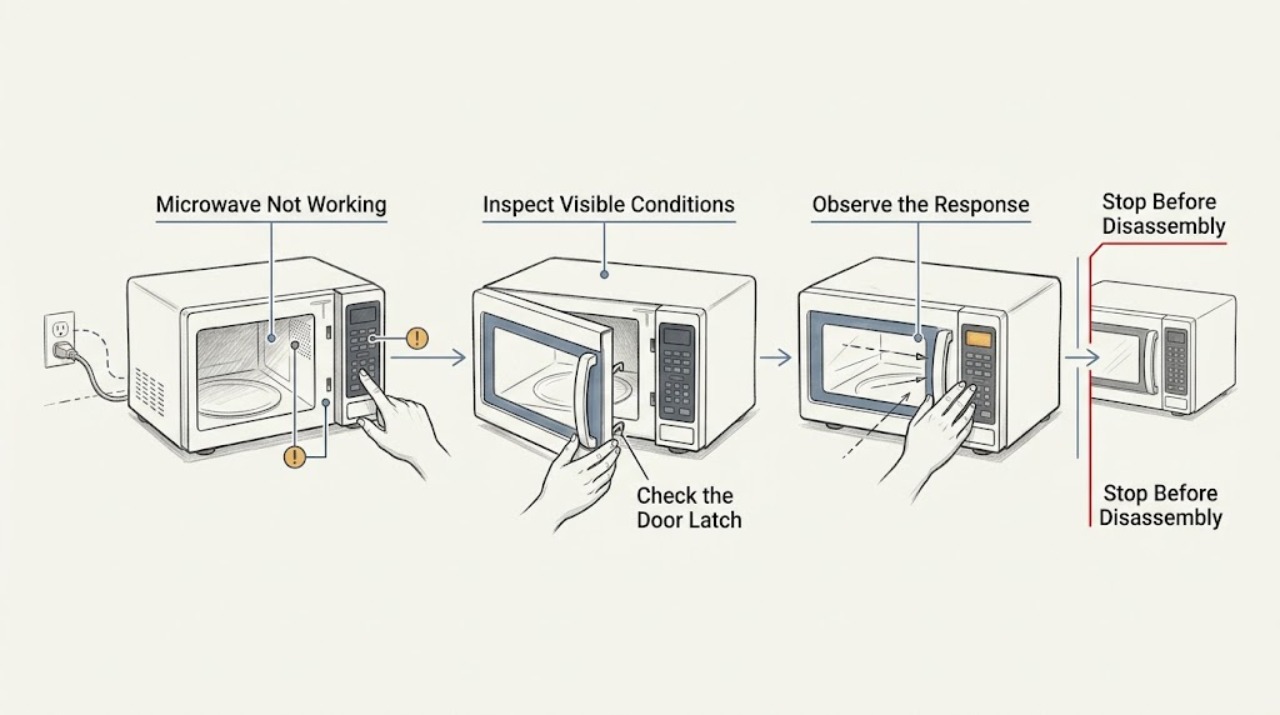
Classify the LG microwave problem as no display, no response, no start, or a running cycle with no heat. Check the visible power connection, door/latch, control lock, and a cup-of-water test only when the unit starts normally. Stop for smoke, arcing, a damaged door, repeat breaker trips, or a cold water test.
Before you begin
Safety first
- Do not access high-voltage parts, replace internal fuses, or bypass the door interlock.
Work through in order
Diagnostic checks
Use only checks that match the exact appliance or system and its official guide.
-
Check 1
Observe the display and interior lamp, press one ordinary control, and record whether the panel responds or remains completely dark.
Expected result: The display is blank, wakes after a key/door movement, or stays dark with no response.
Next step: Wake the display once if safe; for no response, check the cord and outlet without opening the appliance.
Why this matters
Why: LG documents an energy-saving display state, but a dead display and lamp with no response require a power-path check.
-
Check 2
Inspect the door edge and latch area for visible food or packaging obstruction, then close the door gently and try a normal start if the controls respond.
Expected result: The cycle starts, the Start key alone fails, or the door will not close flush.
Next step: Remove only visible obstruction and use the exact lock instructions. Stop for door damage, a gap, or persistent no-start.
Why this matters
Why: A door-state or Control Lock issue can prevent starting; a damaged or misaligned door is a service condition.
-
Check 3
If a normal timed cycle starts, place one cup of water in a microwave-safe container and observe whether the water warms; do not run an empty cavity.
Expected result: The timer runs and water warms, or the timer runs while water stays cold.
Next step: Stop using the unit for a cold water test and arrange qualified service. Do not open the cabinet.
Why this matters
Why: Warm water moves the investigation toward food/load settings; a cold water test indicates a heating or control fault.
Use your observations
Decision map
Find the observation that best matches what you see, then follow the next safe action.
-
PATH 01Next step
What you see
The display wakes and the microwave starts after a door or lock correction
Do this next
Use the model instructions and monitor the next normal cycle.
-
PATH 02Next step
What you see
The display is live but the door will not latch or Start remains inactive
Do this next
Keep the microwave off and arrange service; never bypass the interlock.
-
PATH 03Next step
What you see
The timer runs but a cup of water stays cold
Do this next
Stop use and request qualified microwave diagnosis.
Helpful context
Understand the symptom
“Not working” needs one observable split
A blank display, a silent keypad, a no-start with a live display, and a timer that runs without heating lead to different next checks. Recording what still works prevents an unsafe guess at a part.
When checks do not resolve it
Need a professional?
Report the last function that still worked: display, keypad, start, timer, tray, or heat.
Safety scope: Do not access high-voltage parts, replace internal fuses, or bypass the door interlock.
Common questions
FAQ
What is the first thing to record when an LG microwave is not working?
Record whether the display, lamp, keypad, door, timer, tray, and heating still work. That split determines whether to check power, controls, door, or service.
Can a microwave look normal but still not heat?
Yes. Use the water test only in a normal started cycle. If the water stays cold, stop and arrange service.
Read the exact guide
Official sources
- LG Microwave Owner's ManualLG Electronics · LG microwave operation and no-start safety
- LG Microwave - What should I do when a product stops and display turns off?LG USA Support · LG microwave display energy saving and power checks
- LG Microwave - Troubleshooting the Start Button Not WorkingLG USA Support · LG microwave door, keypad, lock, and reset checks
- LG Microwave - Why is My Microwave Not Heating Properly?LG USA Support · LG microwave water and tray heating checks
Community feedback
Share a repair observation
Share a plain-text repair observation. Accepted observations are published automatically; this page may take a moment to update.