
On this page
Start here
Quick answer
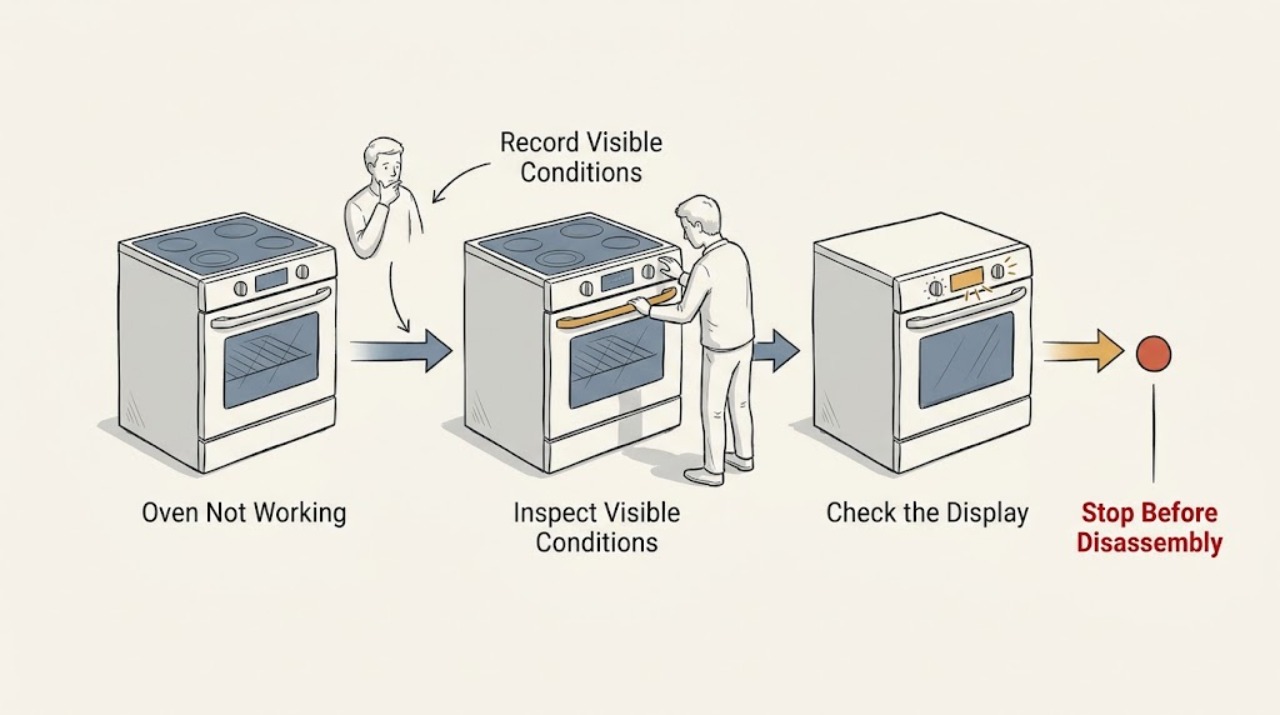
An LG oven that is not working can have no incoming power, power with a locked or delayed control, a model-specific error, or a heating or ignition problem. First identify whether the display is completely blank or responds to controls. Then make only external checks: confirm the cord and dedicated breaker are in good condition, select the correct cooking mode and temperature, press Start, and look for Control Lock, Oven Lockout, Delay Start, or an exact error code. If the unit still will not run, if an error returns after the one model-authorized reset, or if it smells of gas, smokes, sparks, overheats, or trips the breaker again, stop using it and arrange qualified service.
Work through in order
Diagnostic checks
Use only checks that match the exact appliance or system and its official guide.
-
Check 1
With the oven cool and all controls off, classify the symptom: is the display completely blank, does it show a clock or other information, or does a selected cycle start and then stop? Record the exact model number and any displayed text or code.
Expected result: A blank display is different from a powered display that ignores Start, and a cycle that begins then stops is different from a unit that never begins.
Next step: Use the blank-display branch for no power; otherwise continue with the powered-control and error-code checks. Do not guess what an incomplete code means across LG models.
Why this matters
Why: Blank display sends the diagnosis to external power and the breaker. A powered display sends it to settings, lockout, delay, error, door, or an internal control/heating path.
-
Check 2
For a blank display, look at the plug and cord without moving or opening the range. Confirm the plug is fully seated in the intended wall connection, that no extension cord or power strip is being used, and that the dedicated appliance breaker is not visibly tripped. If the breaker is tripped and there is no smell, smoke, spark, heat, or damaged wiring, one normal reset may be attempted from a safe standing position.
Expected result: If the display returns and stays on, the interruption was in the supply or control state. If the breaker will not reset, trips again, or the display remains blank, the supply or appliance needs qualified diagnosis.
Next step: Stop after the single safe reset if power does not remain stable; arrange appliance service, and use a licensed electrician when the receptacle, branch circuit, or breaker is implicated.
Why this matters
Why: LG identifies the cord, outlet, and breaker as the first no-power checks and says persistent no power requires service. A breaker that trips again is a fault signal, not permission to use a larger breaker or keep trying.
-
Check 3
For a lit display that will not run, select the intended oven mode and temperature exactly as the model manual shows, close the door, and press Start. Check whether the display says OVEN LOCKOUT, CHILD LOCK, CONTROL LOCK, or DELAY START; use only the model's labeled key sequence to clear a lock or cancel a delay.
Expected result: If the cycle begins after Start or after a clearly identified lock/delay is canceled, the earlier symptom was a control state. If the controls respond but the cycle still will not begin, or the lock returns, the control or door-lock path remains suspect.
Next step: If the correct settings, one lock/delay cancellation, and Start do not produce a cycle, stop changing settings and move to the error, door, or service branch.
Why this matters
Why: LG says settings must be confirmed with Start, lockout prevents operation, and Delay Start can make a working oven appear inactive. The exact unlock key varies by model, so a generic sequence is not a universal repair.
-
Check 4
If an error appears, photograph or write down the complete code, the oven cavity or zone involved, and what the oven was doing when it appeared. Press CLEAR/OFF only as the LG error page or the model manual directs; if that same guidance calls for a breaker cycle, perform it once with the oven idle and cool.
Expected result: A code that clears and does not return may have been a transient state. A code that returns, a code not listed for the model, or a reset that cannot be performed points to service rather than more resets.
Next step: Give the technician the exact code, model, and operating context. Do not substitute a code from another LG model or bypass a lock or sensor.
Why this matters
Why: LG's error list assigns different meanings to different codes, including heating, sensor, communication, voltage, fan, and door-lock faults, and repeatedly directs service when the code returns.
-
Check 5
If the oven accepts a cycle but does not heat or ignite, first identify whether the model is electric or gas from its manual or rating information. Observe only from outside the appliance: for an electric model note whether the selected cycle produces any normal heat response; for a gas model note whether other controls work and whether there is any gas odor. Never remove the bottom panel, expose an igniter, or repeatedly attempt ignition.
Expected result: A powered oven with no heat after correct settings points toward a heating-control, element, sensor, or (where applicable) ignition/gas path. Any gas odor, delayed ignition, abnormal flame, smoke, or repeated failed ignition changes the result to immediate stop.
Next step: For a clean no-heat symptom with no hazard sign, record the mode and timing and request appliance service. For any gas odor or abnormal flame, do not operate controls or test again; leave the area and follow local gas-emergency guidance from a safe location.
Why this matters
Why: LG's heating guidance separates gas and electric ranges and notes that gas ignition and the gas valve are model-dependent. A safe external observation cannot prove which internal part failed.
-
Check 6
Check the closed-door and lock state without forcing the door. If the oven recently ran Self Clean or Easy Clean, allow it to cool fully and look for a lock indicator or an oven-lock error; use CLEAR/OFF or the model manual's unlock instruction only after the cavity is cool. If the door is misaligned, will not latch, or remains locked after the documented step, stop.
Expected result: A lock that releases after cooling and the model-specific instruction can explain why the oven will not start. A door that will not latch, an F10/F20-style lock fault, or a lock that returns after a single power cycle indicates a service issue.
Next step: Do not pry the door, bypass the latch, or run a heating cycle with a damaged or unreliable door. Arrange qualified appliance service.
Why this matters
Why: LG says the door can remain locked while the oven cools after a cleaning cycle, and its lock guidance directs service when the documented unlock and power-cycle steps do not work.
Use your observations
Decision map
Find the observation that best matches what you see, then follow the next safe action.
-
PATH 01Next step
What you see
Display is blank and the cord, outlet, or breaker is abnormal, or the breaker trips again.
Do this next
Stop using the oven. Have the circuit checked by a licensed electrician and the appliance checked by qualified service; do not install a larger breaker.
-
PATH 02Next step
What you see
Display is blank but external power is stable after the single safe check.
Do this next
Do not open the range. Treat persistent blank display as an appliance power or control fault and request service.
-
PATH 03Next step
What you see
Display is on, but Lockout, Child Lock, Control Lock, or Delay Start explains the apparent no-start and clears with the model instruction.
Do this next
Select the intended mode and temperature again, press Start, and observe one normal start; if it fails again, stop and escalate.
-
PATH 04Next step
What you see
An exact error code returns after CLEAR/OFF and the one model-authorized power cycle, or the code is not listed for the model.
Do this next
Keep the code and context for qualified service; do not interpret a different LG model's code or repeat resets.
-
PATH 05Next step
What you see
The oven starts but does not heat or ignite, with stable power and no gas odor, smoke, spark, or abnormal flame.
Do this next
Record the model, fuel type, mode, and timing, then request appliance service for the heating, sensor, control, or ignition path.
-
PATH 06Next step
What you see
There is gas odor, delayed ignition, an abnormal flame, smoke, visible spark or arc, a hot outlet or cord, a shock, or repeated breaker operation.
Do this next
Stop immediately. Avoid flames and electrical switches, leave the area if gas is suspected, and contact the appropriate emergency or qualified professional from a safe location.
Helpful context
Understand the symptom
Start by naming the failure
“Not working” is not one LG failure mode. A blank display points toward the supply path; a lit display with no heat or no response points toward settings, a lock, an error, or an internal control or heating circuit. The oven may be electric, gas, or a combination appliance, so use the model's manual and nameplate to decide which branch applies rather than assuming a component. If the display shows a code, preserve the complete code and the operating mode before clearing anything.
Keep the checks external
These checks are limited to the plug or breaker, visible controls, the closed door, and what can be observed without removing a panel. Do not probe live terminals, bypass a door switch, open a gas connection, or remove an oven panel to look for an igniter. A repair technician can use the model number, exact code, symptom timing, and the result of these safe checks to choose the correct diagnostic path.
A reset is a diagnostic boundary, not a repair
LG's error-code guidance commonly uses CLEAR/OFF followed by one circuit-breaker power cycle when the code returns, with service if the code or failure persists. A reset can clear a transient control state; it cannot make a hot outlet, damaged cord, failed lock, heating circuit, or gas fault safe. If the same fault returns, stop repeating the cycle and keep the code for service.
Safety boundary
Stop conditions
- Stop using the oven for any gas odor, delayed ignition, abnormal flame, smoke, fire, visible spark or arc, or uncontrolled heating. Do not operate switches or attempt another ignition when gas may be present.
- Stop and isolate the appliance when the plug, cord, or receptacle is hot, melted, discolored, damaged, buzzing, or gives a shock; when a breaker trips again; or when there is water near electrical parts. Do not use a larger breaker or continue resetting.
- Do not force a locked or misaligned door, bypass a latch or sensor, probe live wiring, remove panels, open a gas connection, or repeat a failed reset. Arrange qualified service.
When checks do not resolve it
Need a professional?
Call qualified appliance service when the LG oven remains blank after the safe external power check, will not run with correct settings, returns an error after the one documented reset, does not heat, will not ignite, or has a door-lock fault. Use a licensed electrician for a hot or damaged receptacle, wiring concern, or recurring breaker trip. Treat gas odor, smoke, fire, sparks, shock, or uncontrolled heat as an immediate safety stop.
Common questions
FAQ
Why does my LG oven have power but not start?
Confirm the mode and temperature, press Start, and look for Oven Lockout, Child Lock, Control Lock, or Delay Start. If the correct settings and one model-specific lock or delay step do not start a cycle, arrange service.
Should I keep resetting the breaker when the LG oven will not work?
No. A single normal reset may be part of LG's documented troubleshooting when the oven is idle and there are no hazard signs. If the breaker trips again, or the outlet or cord is hot or damaged, stop and obtain qualified electrical and appliance help.
What should I do when an LG oven shows an F code?
Record the entire code and model, use the LG error list or the model manual, and follow only its documented CLEAR/OFF or single power-cycle step. If the code returns or is not listed for that model, request service.
Can I unlock an LG oven that stayed locked after cleaning?
Let the oven cool fully, then use the model's documented CLEAR/OFF or unlock instruction. Do not force the door. If it remains locked after the documented step and one power cycle, arrange service.
When is an LG oven problem an emergency?
Stop immediately for gas odor, smoke, fire, visible arcing or sparks, shock, uncontrolled heat, a hot or damaged cord or receptacle, or a breaker that trips again. Avoid unsafe operation and contact the appropriate emergency or qualified professional from a safe location.
Read the exact guide
Official sources
- LG Range - Error Codes ListLG USA Support · LG model-specific error meanings, CLEAR/OFF and one breaker-cycle guidance, and service escalation
- CPSC Guide to Home Wiring HazardsU.S. Consumer Product Safety Commission · CPSC guidance on repeated breaker trips, hot receptacles, arcing, sparks, smoke, and damaged appliance cords
- Home Wiring Safety TipsElectrical Safety Foundation International · ESFI signs of electrical danger including frequent breaker trips, arcs, sparks, overheating, odors, and shocks
- LG Electric Range / Gas Range: Power IssuesLG USA Support · LG range troubleshooting for no power and a powered unit that will not run
- LG Range, Oven, Electric Cooktop: Powers On, Won't RunLG USA Support · LG electric and gas cooking appliance steps for Start, breaker, lockout, delay start, and service
- Oven Not Heating- Gas and Electric RangesLG USA Support · LG guidance to select the gas or electric range path and confirm the operating settings
- LG Range - Troubleshooting A Locked OvenLG USA Support · LG guidance for allowing cool-down, CLEAR/OFF, a model-dependent unlock, and service when the lock remains
Community feedback
Share a repair observation
Share a plain-text repair observation. Accepted observations are published automatically; this page may take a moment to update.