
On this page
Start here
Quick answer
If the LG LWS3063ST display actually goes blank or restarts when the oven is hot, stop trying to reproduce it and arrange qualified service; do not assume the control board or a temperature sensor is at fault. First record whether only the elements or fan cycle while the display and clock stay stable, or whether the entire display resets, and note the set temperature, cycle, any F-code, and whether a breaker changed. This is a 120/208 or 120/240 VAC built-in wall oven, so do not remove panels, open the electrical service panel, or perform live voltage tests.
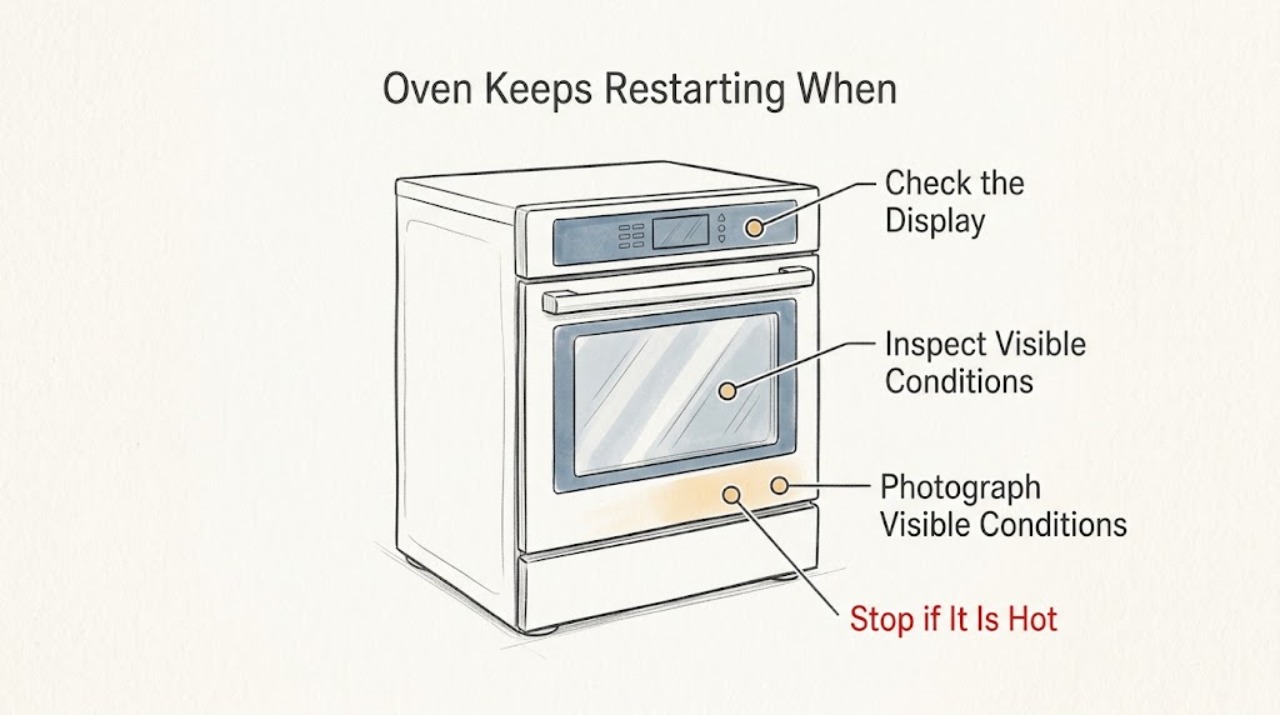
Work through in order
Diagnostic checks
Use only checks that match the exact appliance or system and its official guide.
-
Check 1
Turn the oven function off normally and let the cavity, door, controls, and surrounding trim cool completely. Do not start a bake, broil, or cleaning cycle to reproduce the high-temperature restart.
Expected result: Write down the cycle, set temperature, approximate point in the cycle, and whether the display stayed lit, went blank, or returned to an initial screen. Note any clock or cooking-time reset.
Next step: Keep the oven off if the whole display reset, the event repeats, or the temperature behavior was uncontrolled. Use the notes and a photo of the display for service.
Stop if: Stop immediately for smoke, burning or electrical odor, arcing, a hot or damaged control area, uncontrolled heating, or a tripped breaker.
Why this matters
Why: A stable display with only a heating or fan change is not proof of power loss; a blank display or reset clock is a true power/control symptom that needs a different service handoff.
-
Check 2
From outside the cool appliance, observe the display and clock after the event and note whether other lights or appliances lost power. If visible without opening anything, note whether the dedicated breaker handle is in its normal position; do not switch it repeatedly to test the oven.
Expected result: There are three useful records: only oven sounds or heat output changed; the oven display restarted while the breaker looked unchanged; or the breaker moved/tripped or other household power changed.
Next step: For a breaker change or wider power loss, leave the oven off and have a qualified electrician or appliance technician assess the supply and installation. For an isolated display reboot, arrange LG-qualified appliance service.
Stop if: Do not open the electrical service panel, remove the oven from its cabinet, remove covers, reset a hot appliance repeatedly, or perform a voltage test.
Why this matters
Why: LG identifies settings and the power supply as possible causes when an electric cooking appliance will not run and warns that an insufficient circuit can trip. The observation narrows the handoff but does not identify a board, sensor, or wiring part.
-
Check 3
If any characters remain on the display, transcribe the complete message or F-code exactly as shown, including leading zeros, dashes, or whether it alternates with another message. Photograph it only from a safe, cool position.
Expected result: The display either has no code, shows a complete code, or shows a partial/ambiguous character string after the restart.
Next step: Use the exact LWS3063ST support materials for a complete code. If no exact code is available or the display repeatedly resets, give the technician the recording and do not substitute a code from another LG appliance.
Stop if: Do not enter a service mode, short contacts, remove a control panel, or continue heating just to make a code appear.
Why this matters
Why: LG says an error code is normally an F followed by a number and should be handled with the guidance for that exact code. A partial or unverified code cannot safely identify a component.
-
Check 4
Verify the model identity from the rating label or the owner's paperwork and compare it with LG's LWS3063ST support page. Record whether the oven is the stainless LWS3063ST variant and whether installation or wiring work occurred recently.
Expected result: The identity matches LWS3063ST, the suffix is different, or the label cannot be read; installation history may be unchanged, recent, or unknown.
Next step: Give the complete label information and installation history to LG or a qualified technician. Until identity and the power symptom are clear, do not follow a procedure for another model.
Stop if: Do not alter terminal connections, grounding, cabinet ventilation, or wiring as a homeowner troubleshooting step.
Why this matters
Why: LG publishes separate product and installation documents, and the installation guide lists LWS3063ST among the covered built-in electric oven models. A different suffix or uncertain identity can change the correct code and wiring guidance.
-
Check 5
Prepare a service handoff containing the temperature and cycle, the exact display behavior, the complete code if any, breaker observations, odors or sounds, and whether the event occurred during ordinary baking, broiling, convection, or cleaning.
Expected result: The report shows a repeatable high-temperature display reset, a supply/breaker event, an exact error code, or only normal heat/fan cycling without a reset.
Next step: For a display reset, breaker event, persistent code, abnormal heat, or repeat failure, keep the oven off and book qualified LG appliance service. If the display never reset and only normal cycling was observed, follow the exact owner manual for ordinary use and monitor without deliberately reproducing the fault.
Stop if: Do not resume use after smoke, electrical odor, arcing, uncontrolled heat, repeated breaker trips, or visible heat damage.
Why this matters
Why: These patterns point to different diagnostic paths, but the available user-safe evidence does not prove a particular board, sensor, element, fan, or wiring fault.
Use your observations
Decision map
Find the observation that best matches what you see, then follow the next safe action.
-
PATH 01Next step
What you see
The display and clock remain stable while the elements, convection fan, or cavity make ordinary cycling sounds or change heat output.
Do this next
Do not chase a part from this observation. Follow the exact LWS3063ST manual for normal use and arrange service if the sound is new, severe, accompanied by an error, or the display later resets.
Why this path and its safety boundary
Why it matters: This is not a confirmed power cycle. LG describes periodic oven fan cycling and temperature-related cavity sounds as possible normal operation, although a new or disruptive noise still warrants service.
-
PATH 02Next step
What you see
The entire display goes blank or restarts at high temperature, the clock/settings reset, and the breaker appears unchanged.
Do this next
Keep the oven off and arrange qualified LG appliance service with the exact temperature, cycle, timing, display photo, and code history. Do not repeatedly restart it or name a replacement board from this symptom alone.
Why this path and its safety boundary
Why it matters: The pattern is an isolated appliance power/control symptom. It does not distinguish a supply connection, thermal protection, control, or another internal cause from outside the appliance.
-
PATH 03Next step
What you see
The oven breaker trips, the handle will not stay on, or other household power changes at the same time.
Do this next
Leave the oven off. From a safe location, contact a qualified electrician or appliance technician and report the appliance rating and the exact event. Have the oven installation and supply checked before use.
Why this path and its safety boundary
Why it matters: LG identifies the power supply and circuit capacity as possible causes for an electric cooking appliance that will not run. A 120/208 or 120/240 VAC built-in oven requires qualified electrical assessment; this is not a reason to keep resetting the breaker.
-
PATH 04Next step
What you see
A complete F-code or other error message appears after the restart, or the display is too incomplete to read confidently.
Do this next
Record the code exactly and use only LWS3063ST/LG documentation. If the code returns, the display resets again, or no matching guidance exists, stop use and arrange qualified service.
Why this path and its safety boundary
Why it matters: LG directs users to the exact displayed error code. Without a complete code and matching model documentation, cross-model interpretation would be guesswork.
-
PATH 05Safety boundary
What you see
There is smoke, burning or electrical odor, arcing, uncontrolled heat, visible damage, or a hot control area.
Do this next
Stop using the oven and leave the area for active smoke or fire as appropriate. From a safe location, contact local emergency services for an active emergency and arrange qualified appliance/electrical service before any further use.
Why this path and its safety boundary
Why it matters: A possible fire, electrical, or thermal hazard overrides ordinary troubleshooting.
Safety stop: Do not touch hot wiring or controls, open panels, reset the breaker to retry, or reproduce the event.
Helpful context
Understand the symptom
What counts as a restart
The LWS3063ST is a built-in electric wall oven. Heating elements, the convection fan, or the cavity can make sounds or change state as temperature changes. That is not the same as the control display going blank, rebooting, losing the clock, or returning to its startup state. Because the reported trigger is high temperature, capture the event without deliberately heating the oven again.
Stay within safe checks
LG's installation material places electrical connections and installation with a qualified installer or technician and warns that power should be off during electrical connections. The LWS3063ST specification lists 120/208 VAC or 120/240 VAC supply. A homeowner can observe the display and the breaker handle from a safe position, but should not remove the oven, open the breaker panel, remove covers, or measure live voltage.
When checks do not resolve it
Need a professional?
Request qualified service for a true display restart, repeated high-temperature power loss, a persistent exact error code, a breaker event, or any abnormal heat, odor, arcing, or visible damage.
Have this ready
- Provide the complete LWS3063ST identity, set temperature and cycle, whether the display/clock reset, the complete code, breaker observations, and installation history.
Common questions
FAQ
Is it normal for the LG LWS3063ST oven to cycle while holding temperature?
Heat output, a convection fan, or temperature-related sounds can cycle without a power restart. A blank display, reset clock, or startup screen is different; record it and arrange service rather than assuming it is normal.
Should I replace the control board or temperature sensor first?
No. A high-temperature restart does not identify a specific part from outside the appliance. Record the display, code, breaker, temperature, and cycle, then have the exact model and power symptom diagnosed.
Can I reset the breaker to see whether the oven works again?
Do not repeatedly reset it or use a breaker reset to reproduce a hot restart. If it tripped or will not stay on, leave the oven off and arrange qualified electrical or appliance service.
Read the exact guide
Official sources
- LWS3063ST.BSTLLGA — LG USA Product SupportLG Electronics USA · Exact LG LWS3063ST built-in wall oven support page and model-specific manuals
- LWS3063_ Built-In Wall Oven Product Features and SpecificationsLG Electronics USA · Exact LWS3063ST electrical ratings and built-in wall oven specifications
- INSTALLATIONLG Electronics USA · LG built-in electric oven installation and safety guidance covering LWS3063ST
- LG Range – Troubleshooting Noises During Operation | LG USA SupportLG Electronics USA · LG oven operating-sound guidance used only to distinguish fan/temperature cycling from a display reboot
- LG Range, Oven, Electric Cooktop: Powers On, Won't Run | LG USA SupportLG Electronics USA · LG electric cooking appliance power-supply, breaker, and exact error-code guidance
- 4.7 cu. ft. Single Built-In Wall Oven - LWS3063ST | LG USALG Electronics USA · Exact LG LWS3063ST product identity and built-in wall oven features
Community feedback
Share a repair observation
Share a plain-text repair observation. Accepted observations are published automatically; this page may take a moment to update.