
On this page
Start here
Quick answer
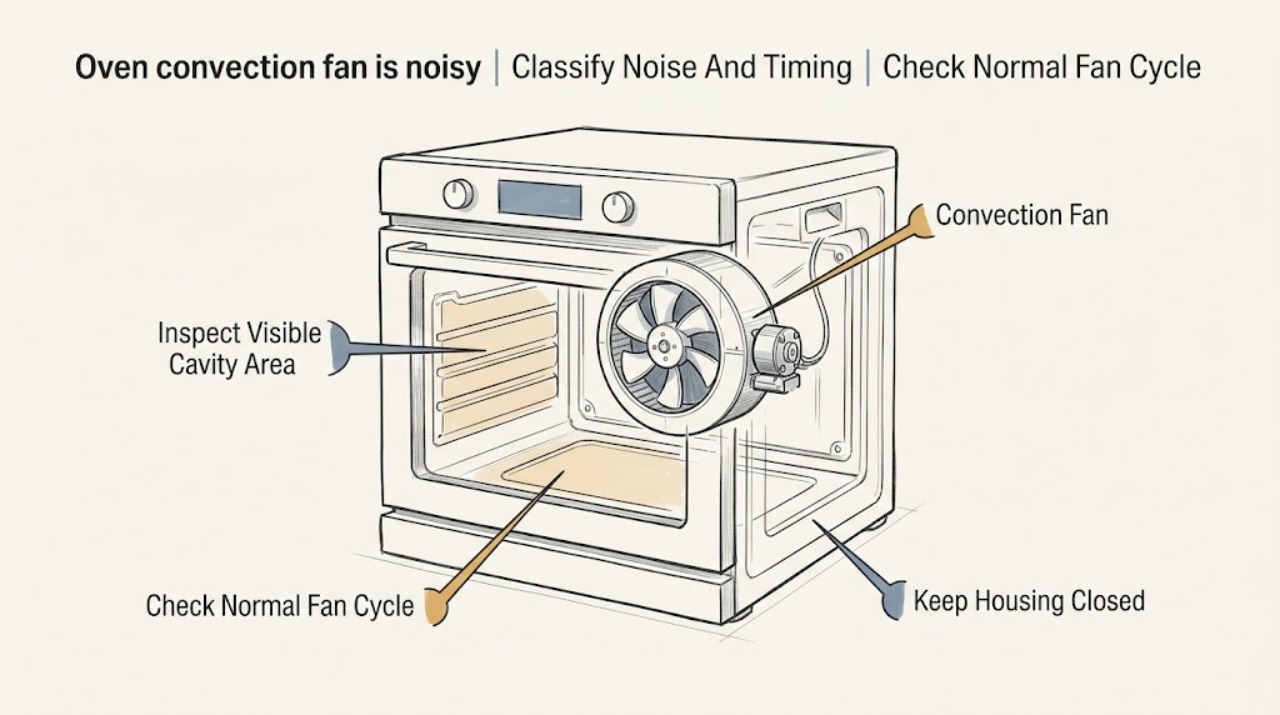
A soft hum and periodic cycling from an LG oven convection fan can be normal during convection bake, convection roast, or a cool-down period. A new rattle points toward the fan motor or housing; scraping or clanking points toward a blade that is damaged or contacting its chamber. First note the mode and timing, then let the oven cool and inspect only the ordinary visible area for a loose rack, foil, or residue near the fan guard. Do not touch the blade, remove a guard or rear panel, or work on a hot or energized oven. If the sound is harsh, repeats in every mode, lasts beyond the model's normal cool-down, appears with a fan error, or affects heating, stop using the affected mode and arrange qualified LG appliance service.
Before you begin
Safety first
- This article covers listening, mode and timing observation, reading the model guide, removing only loose user-accessible items after the oven is cool and isolated as directed, and reading the display. A technician must handle the fan blade, motor, housing, guard, wiring, controls, sensors, panels, and electrical testing.
Work through in order
Diagnostic checks
Use only checks that match the exact appliance or system and its official guide.
-
Check 1
From a safe distance, note whether the noise occurs during convection bake, convection roast, ordinary bake, or after cooking. Describe it as a smooth hum, a rattle, a scrape or clank, a buzz, or another sound, and note whether it cycles with the fan.
Expected result: The sound is a soft periodic hum only when convection runs, or it is a new rattle, scrape, clank, or harsh noise that follows the fan across modes or continues after cooking.
Next step: Treat a smooth mode-linked hum as an operating characteristic and continue to the cool-down check. Stop the affected mode and arrange service for a harsh, metallic, worsening, or mode-independent noise.
Stop if: Stop immediately for smoke, a burning smell, sparks, a tripped breaker, a damaged cord, exposed wiring, or a noise accompanied by loss of heat or control response.
Why this matters
Why: LG identifies periodic convection-fan humming as normal. Rattling makes a fan motor or housing issue more likely; clanking or scraping makes blade damage or contact more likely.
-
Check 2
Use the exact LG owner's manual to confirm the expected fan behavior for the selected mode. If the oven has just been used, cancel the cycle normally and observe the fan from outside while the oven cools; do not open service access or place anything near the fan.
Expected result: The fan starts, stops, or continues briefly as the manual describes, or it remains noisy or runs continuously well beyond the model's normal cool-down.
Next step: If the behavior matches the manual and the sound is a smooth hum, monitor it. If the fan remains loud or continuous beyond the model's stated period, stop using the oven and request service.
Stop if: Do not force the fan to stop, block vents, unplug a hot oven, or keep running it to see whether a mechanical noise worsens.
Why this matters
Why: Convection airflow and a brief post-cooking cooling period can be normal. A fan that stays loud or does not stop as expected shifts concern toward the fan assembly, control, temperature sensing, or airflow system.
-
Check 3
Once the oven is off, cool, and isolated from power according to the owner's manual, remove only loose cookware or racks that are meant to be user-removed. Look at the ordinary visible fan-guard area for a loose foil edge, pan contact, or obvious residue; do not touch the blade or remove the guard.
Expected result: A loose item is touching or close to the guard, the area is visibly clear, or the fan guard, blade, or rear area appears damaged or cannot be inspected without removing a panel.
Next step: Remove only a loose user-accessible item, restore the racks correctly, and perform at most one cool, model-directed test. Arrange service for any damaged fan part, hidden obstruction, or noise that remains.
Stop if: Never reach through a guard, spin the fan by hand, scrape residue from a blade, remove a rear cover, or use a tool inside the fan area.
Why this matters
Why: A loose visible item can explain a new noise only if it can be removed without tools and without entering the fan assembly. A clear cavity with a repeating mechanical sound makes the motor, housing, blade, or hidden mount more likely.
-
Check 4
Check the display for a fan-related code before clearing anything. Write down the full code and the mode in which it appeared; only then follow the exact LG model's Clear/Off and breaker-reset instructions if the guide permits that reset.
Expected result: A convection or fan code appears, the code clears and does not return, the code returns after one reset, or no code appears while the noise remains.
Next step: If a code returns or the fan remains noisy, stop repeated resets and arrange qualified service with the exact code. If no code appears, continue using the noise pattern and physical-access result rather than assuming the fan is healthy.
Stop if: Do not bypass a code, test live wiring, remove the control panel, or keep using the oven after a fan error with smoke, heat damage, or loss of temperature control.
Why this matters
Why: LG lists F7 and F17 as convection-fan errors and F45 and F46 as fan errors on applicable ranges. A returned code supports an electronic, motor, wiring, or fan-assembly fault even if the sound briefly changes after reset.
-
Check 5
After one safe, model-directed correction of a loose visible item, record whether the oven heats evenly, the fan starts normally, and the sound returns in the same mode. Do not run a long cooking cycle solely as a noise test.
Expected result: The smooth hum remains mode-linked and heating is normal, the noise returns immediately, the sound changes to scraping or rattling, or heating, airflow, or temperature control is abnormal.
Next step: Use the oven only within the model guidance when operation is stable. For recurrence or any heating/airflow change, stop the affected function and arrange service; provide the sound description and test conditions.
Stop if: Stop use for repeated scraping or rattling, a loose or vibrating fan assembly, an error, overheating, uneven heating, smoke, or any electrical symptom.
Why this matters
Why: A stable mode-linked hum with normal operation is consistent with normal convection. Immediate recurrence, a metallic sound, or poor heating indicates a fan blade, motor, housing, control, or related airflow fault that a user inspection cannot confirm.
-
Check 6
If the noise persists, document the exact model, gas or electric configuration, selected mode, door state, when the noise starts and stops, error code, and whether the oven still heats. Make a short recording from outside the oven only if doing so is safe.
Expected result: The sound is repeatable and the operating conditions are known, or it is intermittent, cannot be located safely, or is accompanied by a safety or heating problem.
Next step: Arrange qualified LG appliance service and provide the model, code, timing, sound description, and any visible evidence. Leave the oven off if the noise is harsh, electrical, or associated with abnormal heating.
Stop if: Do not remove panels or attempt motor, blade, wiring, bearing, or control replacement as a user diagnosis.
Why this matters
Why: Repeatable conditions help a technician separate normal fan cycling from a blade, motor, housing, control, or cooling-fan fault. An intermittent or safety-linked symptom should not be chased by repeated operation.
Use your observations
Decision map
Find the observation that best matches what you see, then follow the next safe action.
-
PATH 01Safety boundary
What you see
The sound is a smooth, periodic hum only during convection bake or roast, the fan cycles normally, and heating is stable.
Do this next
Use the exact model's normal operating guidance and monitor for a change in sound, timing, or heating.
Why this path and its safety boundary
Why it matters: This pattern matches LG's description of normal internal convection-fan operation rather than a confirmed failed part.
Safety stop: Stop if the hum becomes a rattle, scrape, clank, or harsh vibration, or if a fan code or heating issue appears.
-
PATH 02Safety boundary
What you see
A rattling or vibrating sound starts when the convection fan runs, especially if the cavity is clear and no loose rack or foil is visible.
Do this next
Stop the affected mode and arrange service for diagnosis. Do not tighten, align, or lubricate the fan assembly yourself.
Why this path and its safety boundary
Why it matters: LG identifies rattling as a possible fan-motor or fan-housing problem; a clear visible area makes a hidden assembly issue more likely.
Safety stop: Stop all oven use for smoke, burning odor, sparks, a loose assembly, or loss of temperature control.
-
PATH 03Safety boundary
What you see
A metallic scraping or clanking sound follows the fan and repeats after the cavity is cool and free of loose user-accessible items.
Do this next
Leave the oven off and arrange qualified service to inspect the blade, chamber clearance, motor, and housing.
Why this path and its safety boundary
Why it matters: LG says a dented fan blade can interfere with the chamber. The sound supports blade contact or damage, but the blade and its mount should not be handled by the user.
Safety stop: Do not spin the blade, bend it back, remove its guard, or run the oven to see whether contact worsens.
-
PATH 04Safety boundary
What you see
A fan-related code returns after one model-directed reset, or the cooling fan remains loud or operating beyond the model's normal post-cooking period.
Do this next
Record the code and timing, stop the affected function, and arrange qualified LG appliance service.
Why this path and its safety boundary
Why it matters: A recurring code or excessive cool-down activity supports a fan, control, sensor, wiring, or airflow fault that needs service rather than further resets.
Safety stop: Do not bypass the code, work inside the control area, or continue cooking when the oven overheats, loses control, or shows electrical symptoms.
Helpful context
Understand the symptom
Separate normal airflow from a mechanical noise
The convection fan circulates heated air, so an LG oven may hum and cycle while a convection mode runs. The sound's character and timing matter more than volume alone: a smooth periodic hum during the mode is different from a metallic scrape, repeated rattle, or noise that begins only after the fan warms up. Compare the mode, door position, and cool-down timing without placing a hand near the fan.
Only inspect ordinary-access areas
After the oven is off and fully cool, look through the cavity at the fan cover and nearby rack area. A loose rack, foil edge, pan, or visible food residue can change airflow or make a sound, but a blade, motor, guard, wiring, and rear service area are not user adjustment points. If the source cannot be seen without removing a cover, stop and use the model guide or arrange service.
Treat codes and persistent cool-down noise as service clues
LG's range code guidance lists several convection or fan errors and recommends clearing the function, then cycling the circuit breaker once if the code returns. A cooling fan can also continue briefly after cooking; LG's guidance says a fan that continues beyond the stated cool-down window needs service. The exact behavior depends on the model, so record the code and consult its manual rather than repeatedly resetting the appliance.
Safety boundary
Stop conditions
- Stop immediately for smoke, a burning odor, sparks, exposed wiring, a damaged cord, a tripped breaker, overheating, loss of temperature control, or a fan that appears loose.
- Do not touch the convection blade, spin it by hand, remove its guard, remove rear or control panels, test live wiring, or lubricate the motor.
- Do not block oven vents, run a long cycle to reproduce a harsh sound, or keep resetting a recurring fan code.
- If a loose rack, foil edge, pan, or visible residue is not removable without tools or entry into the fan assembly, stop and arrange service.
- Stop after one model-directed visible-area check when the rattle, scrape, or clank returns, the fan runs beyond its expected cool-down, or heating changes.
Only after diagnosis
Potential parts
- convection fan blade
Consider this category only if a technician confirms a dented, cracked, loose, or contacting blade after the exact model's assembly is inspected.
Confirm the exact LG model, oven position, blade shape, mounting method, and manufacturer's fit information before ordering. - convection fan motor or housing
Consider this category only if a technician confirms the motor or housing is the source of a recurring rattle, vibration, or fan error.
Confirm the exact LG model, motor rating, connector, housing design, and manufacturer's fit information before ordering. - oven fan control or sensor
Consider this category only when a qualified diagnosis links a returned fan code or abnormal cool-down to the control or sensor rather than the fan assembly.
Confirm the exact LG model, control revision, sensor type, connectors, and manufacturer's fit information; do not bypass or live-test the part.
When checks do not resolve it
Need a professional?
Arrange qualified LG appliance service for rattling, scraping, clanking, harsh vibration, a returned fan code, fan operation beyond the model's expected cool-down, a damaged blade or housing, poor heating or airflow, or any noise that persists after a safe visible-area check. Panel removal, fan or motor diagnosis, wiring tests, control work, and replacement of a fan assembly require a technician.
Safety scope: This article covers listening, mode and timing observation, reading the model guide, removing only loose user-accessible items after the oven is cool and isolated as directed, and reading the display. A technician must handle the fan blade, motor, housing, guard, wiring, controls, sensors, panels, and electrical testing.
Common questions
FAQ
Is a humming convection fan normal on an LG oven?
Often, yes. LG describes a smooth internal convection-fan hum and periodic cycling during convection bake or roast as normal. A rattle, scrape, clank, harsh vibration, or noise that changes heating needs service rather than a normal-operation assumption.
Why does the fan make a rattling sound?
LG lists the fan motor or housing as possible causes of a rattle. First remove only a loose, user-accessible item after the oven is cool and isolated as directed. If the cavity is clear or the rattle returns, leave the affected mode off and arrange service.
What does scraping or clanking from the convection fan mean?
LG says a dented blade can interfere with the chamber. Do not bend, spin, or remove the blade or guard. Stop the affected function and have a technician inspect the fan assembly and clearance.
What should I do if an LG oven shows a fan error?
Record the full code and follow the exact model guide. LG lists several fan and convection-fan codes and allows a Clear/Off attempt followed by one 30-second breaker cycle on applicable models; if the code returns, service is required. Do not keep resetting it.
How long should an LG oven cooling fan run after cooking?
The timing depends on the model and the heat remaining in the oven. LG explains that a cooling fan can continue after cooking, while its support guidance directs service when it continues beyond the stated model window. Use the owner's manual and arrange service for prolonged loud operation or abnormal heating.
Read the exact guide
Official sources
- LG Range – Troubleshooting Noises During OperationLG USA Support · Direct LG range guidance for oven noises; exact sound and access can differ by model.
- [LG DIOS lightwave oven] A humming noise is heard continuously after useLG USA Support · LG support guidance for a cooling-fan example; the model owner's manual controls the timing for other ovens.
- LG Range - Understanding Convection CookingLG USA Support · Official LG explanation of convection operation; controls and fan timing vary by model.
- LG Range - Error Codes ListLG USA Support · Official LG code guidance; code availability and meaning depend on the range model.
Community feedback
Share a repair observation
Share a plain-text repair observation. Accepted observations are published automatically; this page may take a moment to update.