
On this page
Start here
Quick answer
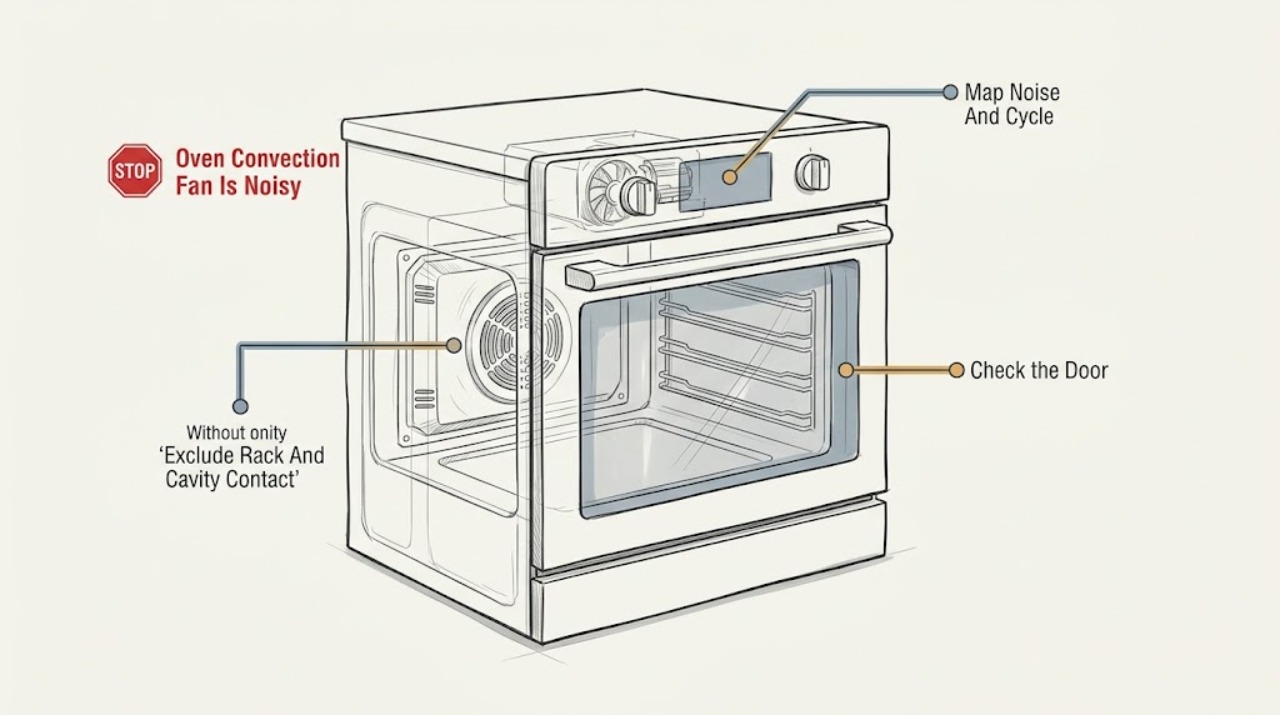
If an oven's convection fan is noisy and no rack is loose, first determine whether the sound is a normal fan or cooling-fan sound or a new rubbing, scraping, grinding, or strong vibration. Convection fans may run during preheat and some non-convection cycles, and a cooling fan may continue after cooking. With the oven off and cool, check that cookware, foil, food residue, and visible debris are not touching the fan area, and confirm the noise is not from a panel, rack support, or cooling fan. Do not reach through a guard, remove an internal cover, or test a hot or energized fan. Arrange qualified appliance service for metal-on-metal rubbing, a fan that runs with the door open when the model says it should stop, worsening noise, an error, smoke, or a fan that cannot turn normally when inspected only as the manual allows.
Before you begin
Safety first
- This article covers safe sound localization, cool cavity and rack checks, visible obstruction and vent checks, model-manual fan-sequence comparison, and one brief external retest. A technician must handle internal fan, motor, guard, control, wiring, insulation, and electrical diagnosis.
Work through in order
Diagnostic checks
Use only checks that match the exact appliance or system and its official guide.
-
Check 1
From outside the oven, record whether the noise is a steady airflow or hum, a normal on-and-off fan cycle, a rattle, scraping, grinding, metal-on-metal rubbing, or strong vibration. Note whether it occurs during preheat, convection cooking, ordinary bake, cooldown, or with the oven door open, and whether cooking performance changed.
Expected result: The sound is a consistent fan or airflow sound, appears only during a documented cycle, continues after the oven is off, changes with the door position, or is a new harsh mechanical sound.
Next step: Record the mode and timing, then continue with safe external checks. Stop using the oven and arrange service for metal-on-metal noise, grinding, smoke, burning odor, electrical buzzing, or worsening vibration.
Stop if: Do not put a hand, utensil, camera, or cloth near an operating fan or through an oven opening.
Why this matters
Why: Consistent operation during preheat, cooking, or cooldown can be normal for the model. Rubbing, grinding, strong vibration, or an unexpected fan state is less likely to be normal and is more useful for service diagnosis than the word noisy alone.
-
Check 2
When the oven is fully cool, remove cookware and the rack only if the manual permits, and inspect the rack supports, rear fan cover, and cavity for foil, food residue, broken ceramic, or an object that could touch the fan area. Confirm the rack is seated and no bakeware is leaning against the rear wall; do not remove a fixed fan cover.
Expected result: A piece of foil, residue, bakeware, broken part, or rack support is near the fan area; the rack is mis-seated; or the cavity and rack are clear and stable.
Next step: Remove only a loose, cool object that is plainly accessible, reseat the rack, and perform one brief retest. If the noise remains or any fixed cover, fan, or motor appears involved, stop and arrange service.
Stop if: Do not scrape the fan cover, pry a fixed part, reach behind the cover, or continue if glass, insulation, wiring, or a sharp edge is exposed.
Why this matters
Why: A loose object or contact point can imitate a fan bearing or motor noise even when the rack itself is not loose. A clear cavity with the same noise shifts suspicion toward the fan assembly, cooling fan, panel, motor, or control.
-
Check 3
Use the owner's manual to determine whether the model's convection fan should stop when the door opens. If a door-position comparison is permitted, make it only when the door can be opened without reaching into a hot cavity and observe from outside; otherwise compare the sound across documented modes without opening the door.
Expected result: The fan sound reduces or stops as the manual indicates, continues when the door is open even though it should stop, or the door comparison is not safe or does not change the sound.
Next step: Do not repeat the test. Record the model's expected behavior and arrange service for abnormal door-open operation, a fan that never stops, or a harsh noise that does not follow the expected cycle.
Stop if: Never open a hot oven for a sound test, defeat a door switch, or touch the fan, guard, element, or cavity surfaces.
Why this matters
Why: A sound that changes with door position supports the convection fan as the source. Operation with the door open when the model says it should stop, or a sound unaffected by the door, raises concern for a fan-control, cooling-fan, motor, or mechanical issue.
-
Check 4
Compare the noise during one documented convection preheat, one ordinary bake or roast cycle if the manual permits, and cooldown after the oven is turned off. Listen from the cavity front, control area, and lower or rear exterior without opening panels.
Expected result: The noise occurs only with convection, only during preheat, only after cooking, during every mode, or from the control or lower cabinet rather than the cavity.
Next step: Use the model manual to label the expected fan sequence and provide it to a technician. Do not assume that a fan running after shutdown is faulty, but arrange service for harsh noise, abnormal duration, heat, or electrical symptoms.
Stop if: Do not remove the control panel, bottom drawer, rear cover, or fan guard to locate the sound.
Why this matters
Why: A convection-only sound points toward the cavity fan assembly; a post-cycle sound can be the separate cooling fan. Noise in every mode or near controls may involve a cooling fan, panel, motor, or control rather than a loose rack.
-
Check 5
With the oven cool and power isolated only as the manual directs, inspect visible oven vents and the exterior around the cooling-air path for grease, crumbs, or objects blocking the opening. Clean only accessible surfaces with the manual-approved method and keep combustible material away from the appliance.
Expected result: A visible vent or cooling-air path is blocked or dirty, the exterior is clear, or the noise remains after an approved external cleaning.
Next step: Restore only the documented external airflow path and perform one brief retest after the oven is cool. Arrange service if the fan remains noisy, the controls overheat, or the noise returns.
Stop if: Do not spray cleaner into vents, insert tools, remove panels, or operate the oven with covers or guards missing.
Why this matters
Why: Restricted cooling airflow can make a cooling fan run harder or longer and may transmit an airflow noise. A clear path with a persistent mechanical sound makes an internal fan, motor, panel, or control issue more likely.
-
Check 6
After the external checks, record the oven model, noise description, source location, cooking mode, door state, timing, whether the sound continues during cooldown, and any error, heat, smell, smoke, or cooking-performance change. Stop the test once the noise is persistent or abnormal.
Expected result: The noise is gone after a loose-object or airflow correction, remains but matches normal model operation, returns in one mode, worsens, or is accompanied by an error, overheating, smoke, odor, or uneven cooking.
Next step: Use the oven only when it operates normally and safely. Otherwise arrange qualified appliance service and provide the recorded pattern; do not order a fan or motor from appearance or sound alone.
Stop if: Stop immediately for smoke, burning odor, arcing, a tripped breaker, exposed wiring, a fan contacting metal, or an oven door or panel that will not close safely.
Why this matters
Why: A lasting correction supports an accessible object or airflow cause. Recurring noise or a mode-specific abnormality can indicate the fan blade, guard, motor, control, or cooling assembly; symptoms do not identify a compatible part.
Use your observations
Decision map
Find the observation that best matches what you see, then follow the next safe action.
-
PATH 01Next step
What you see
The fan runs during preheat, convection or another documented cooking mode, or continues during normal cooldown without rubbing, grinding, or performance problems.
Do this next
Follow the owner's manual for the expected sequence and monitor. Arrange service if the sound becomes harsh, begins rubbing, runs in an abnormal door state, or affects cooking.
Why this path and its safety boundary
Why it matters: Normal convection or cooling-fan operation is more likely than a failed fan, and fan cycling may vary by model and mode.
-
PATH 02Next step
What you see
A cool loose object, foil, residue, mis-seated rack, or blocked visible vent is found near the fan or cooling-air path.
Do this next
Remove only the plainly accessible object, reseat the rack, or clean the documented external surface, then retest once. Call service if the noise persists or the obstruction is behind a fixed cover.
Why this path and its safety boundary
Why it matters: The accessible contact or airflow restriction can explain the noise even though the rack itself was not loose.
-
PATH 03Safety boundary
What you see
The sound is present only when the convection fan operates, changes with the door state as expected, but is scraping, grinding, or metal-on-metal.
Do this next
Stop using the noisy mode and arrange qualified appliance service. Do not remove the rear fan cover or attempt to align or lubricate the fan.
Why this path and its safety boundary
Why it matters: The convection fan assembly, blade clearance, guard, motor, bearing, or control is more likely than the rack.
Safety stop: Do not operate with fan contact, exposed parts, or a sound that is worsening.
-
PATH 04Next step
What you see
The noise occurs after cooking, around the control or lower cabinet, in every mode, or when the convection fan is not expected to run.
Do this next
Keep vents clear and provide the timing and location to a technician. Arrange service for harsh noise, excessive heat, abnormal duration, or electrical symptoms.
Why this path and its safety boundary
Why it matters: A separate cooling fan, panel, motor, or control may be involved; the sound is not established as a convection-fan fault from timing alone.
-
PATH 05Safety boundary
What you see
The fan noise is accompanied by smoke, burning odor, arcing, a tripped breaker, exposed wiring, overheating, an error, or uneven or incomplete cooking.
Do this next
Turn the oven off, isolate power only if safe and accessible, keep people away from hot or energized areas, and arrange prompt qualified service. Do not continue cooking to reproduce the sound.
Why this path and its safety boundary
Why it matters: This is an appliance-safety or performance fault, not a normal fan-sound question.
Safety stop: Do not touch the fan, wiring, controls, or hot surfaces while the hazard is present.
Helpful context
Understand the symptom
A convection fan can be audible without being faulty
Many ovens run the convection fan during preheat, during a convection mode, and sometimes during ordinary bake or roast. Some models also use a separate cooling fan to protect controls and can leave it running after the cycle. Fan cycling alone is not proof of failure. The useful distinction is a new rubbing, metal-on-metal, scraping, grinding, or harsh vibration, especially when it changes cooking performance or occurs in a mode where the fan should not operate.
No loose rack narrows the search but does not identify the part
If the rack and its supports are stable, the sound may still come from the fan blade or guard, a panel, residue or debris, a cooling fan, the fan motor, or a control that is commanding an unexpected cycle. Oven designs differ: electric models may start the convection fan at different times, gas models may wait for preheat, and some fans reverse or change speed. Use the model manual for the expected sequence instead of choosing a motor from the symptom.
Keep the diagnosis outside hot and energized areas
Let the oven cool before looking for visible contact or residue, and disconnect power only when the model manual directs it for an approved cleaning step. Do not remove the rear oven cover, fan guard, control panel, or wiring. A technician can inspect fan clearance, bearings, motor, control, insulation, and electrical connections without turning a noise complaint into a burn, shock, or appliance-damage risk.
Safety boundary
Stop conditions
- Do not reach through the fan guard, touch a moving blade or hot cavity, defeat a door switch, or operate the oven with a cover or guard removed.
- Do not remove the rear fan cover, control panel, bottom or rear panels, wiring, insulation, or internal electrical parts to locate a noise.
- Do not scrape, pry, lubricate, bend, or realign the convection fan or use sharp tools near the cavity or element.
- Stop and arrange prompt service for metal-on-metal rubbing, grinding, fan contact, smoke, burning odor, arcing, a tripped breaker, exposed wiring, overheating, an error, or uneven cooking.
- Disconnect power only by the normal plug or breaker when safe and when the owner's manual directs it for an approved external cleaning step; never spray cleaner into vents or operate without required covers.
Only after diagnosis
Potential parts
- Convection fan blade or motor
Consider this category only when a technician confirms the convection fan is the noise source and finds blade contact, motor wear, bearing noise, or a motor fault after accessible obstruction checks.
Confirm the exact oven model, fan assembly, blade clearance, connector, and service procedure before ordering. - Convection fan guard or rear cover
Consider this category only when a qualified diagnosis finds a damaged, loose, or distorted model-specific guard or cover causing contact or vibration.
Do not remove a fixed guard as a homeowner; confirm exact model, fasteners, insulation clearance, and heat-rated part identity. - Oven cooling fan motor
Consider this category only when noise occurs during cooldown or around the control area and a technician confirms the separate cooling fan is defective.
Confirm the oven model, fan location, motor assembly, temperature rating, and service procedure before ordering. - Oven fan control or relay
Consider this category only when the fan runs in an incorrect mode or door state and professional diagnosis confirms a control or relay fault.
Confirm the exact model and control revision; internal electrical diagnosis and replacement require qualified service.
When checks do not resolve it
Need a professional?
Arrange qualified appliance service when an oven convection fan makes persistent rubbing, scraping, grinding, metal-on-metal, or strong vibration noise; when it runs in an abnormal door state, a separate cooling fan is noisy, a panel or motor is involved, or the sound returns after one accessible obstruction or airflow correction. Seek prompt help for smoke, burning odor, arcing, a tripped breaker, exposed wiring, overheating, an error, or uneven or incomplete cooking.
Safety scope: This article covers safe sound localization, cool cavity and rack checks, visible obstruction and vent checks, model-manual fan-sequence comparison, and one brief external retest. A technician must handle internal fan, motor, guard, control, wiring, insulation, and electrical diagnosis.
Common questions
FAQ
Is it normal for an oven convection fan to make noise?
A steady fan or airflow sound and fan cycling during preheat or cooking can be normal, and a separate cooling fan may run after the oven is off. New rubbing, grinding, metal-on-metal noise, strong vibration, or abnormal door-open operation is not a normal assumption and needs service.
Why is my oven fan noisy when no rack is loose?
The sound may come from a fan blade or guard, food residue or foil, a cooling fan, a panel, motor, or control. A stable rack rules out one source but does not identify the fan part. Inspect only the cool, accessible cavity and use the model manual for expected fan timing.
Should an oven convection fan stop when the door opens?
Behavior varies by oven design. Whirlpool's wall-oven guidance describes the convection fan stopping when the door opens on the listed models, while other models have different sequences. Check the owner's manual and do not defeat the door switch or reach toward a fan to test it.
Why does the oven fan continue after I turn the oven off?
Many ovens use a separate cooling fan to protect internal components, and it may continue until the oven cools. A normal, quiet cooldown fan is different from a scraping, grinding, overheated, or unusually persistent noise; record the timing and call service if it is abnormal for the model.
Can foil or food residue make a convection fan sound noisy?
A loose object, foil, residue, or cookware touching the rear fan area can imitate a mechanical fan fault. With the oven completely cool, remove only a plainly accessible object and do not scrape or remove the fixed fan cover. Persistent noise needs service.
Can I remove the rear fan cover to inspect the oven fan?
No. Keep the cover, wiring, and internal parts in place. Turn the oven off and let it cool for any permitted external check, then arrange qualified service for fan contact, grinding, a damaged guard, or a noise that remains after a safe obstruction check.
When should I call for a noisy oven convection fan?
Call when the fan makes rubbing, scraping, grinding, metal-on-metal, or strong vibration noise; operates in an abnormal door state; remains noisy after one accessible correction; or cooking performance changes. Seek prompt service for smoke, burning odor, arcing, a tripped breaker, overheating, exposed wiring, or an error.
Read the exact guide
Official sources
- Range & Wall Oven - Fan Noise and Normal OperationGE Appliances · Official GE range and wall-oven support guidance; exact oven model determines fan timing and door behavior.
- Normal Convection Fan Sounds - Wall OvenWhirlpool Corporation · Official Whirlpool wall-oven support guidance; exact model manual controls the expected fan sequence for another oven.
- Understanding Fan or Humming Noise in OvenWhirlpool Corporation · Official Whirlpool oven noise guidance across listed oven and range families; the model manual controls the final interpretation.
- Ranges - Is it normal for a fan to come on while using my range and when does it stop running?Frigidaire · Official Frigidaire range support guidance; use the assigned oven's manual for model-specific fan behavior.
Community feedback
Share a repair observation
Share a plain-text repair observation. Accepted observations are published automatically; this page may take a moment to update.