
On this page
Start here
Quick answer
A fan sound in an Amana oven is not automatically a failure. Amana says the convection fan can run or cycle during preheating and some non-convection functions, and it normally turns off when the oven door is opened. The separate cooling fan can run during or after a cooking cycle to cool the cavity and controls. From a safe position, note whether the sound stops when the door is opened normally, when it starts, whether it is airflow, hum, rattle, scraping, or grinding, and whether it continues after the oven has cooled. Do not reach through the door, remove the rear cover, touch the fan, or run the oven repeatedly to test a harsh noise. Arrange appliance service for a new rubbing or grinding sound, a fan that runs with the door open, a fan that appears obstructed or stops unexpectedly, poor heating, an error, smoke, burning odor, or any electrical warning sign.
Before you begin
Safety first
- Do not remove the rear cover, access the fan assembly, hand-spin a blade, test wiring, bypass the door response, or work inside a hot or energized oven. Keep the appliance off for electrical or thermal warning signs.
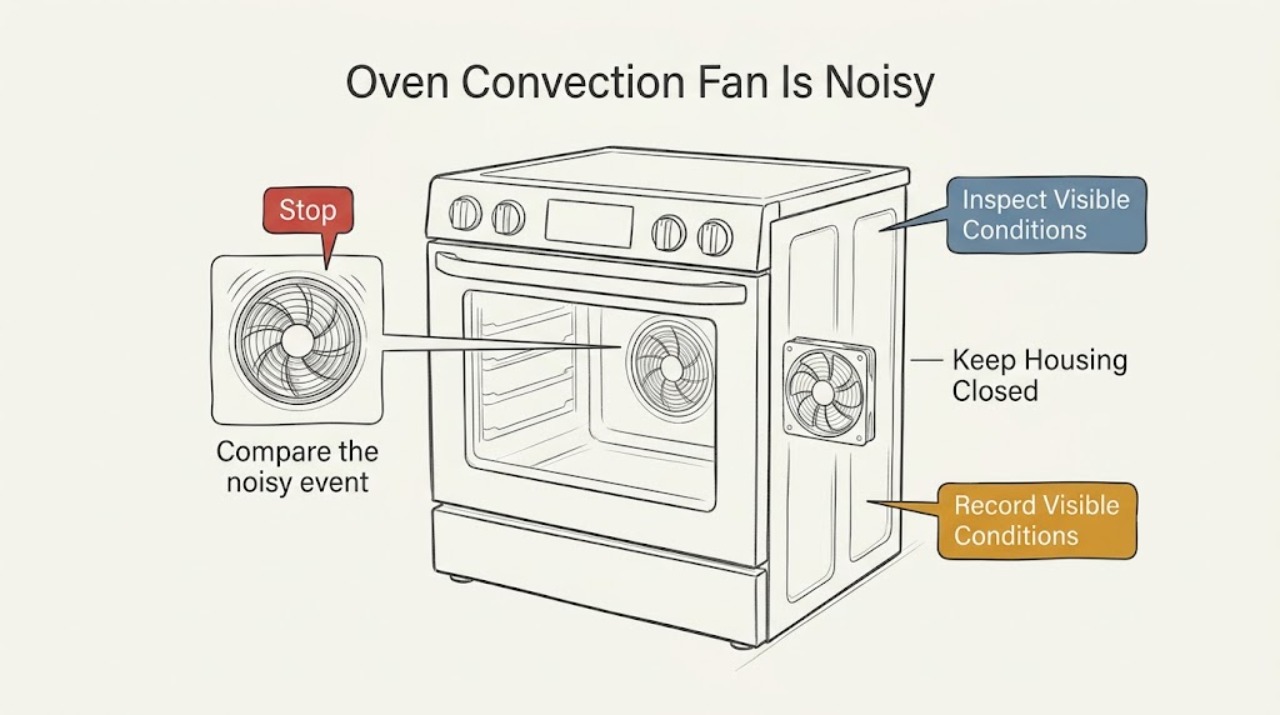
Work through in order
Diagnostic checks
Use only checks that match the exact appliance or system and its official guide.
-
Check 1
From outside the oven cavity, record the noise type and timing: airflow, hum, buzz, rattle, scrape, grind, or vibration; preheat, active cooking, door opening, shutdown, or post-cycle cooling. Do not place hands near the door opening or fan area.
Expected result: The sound may be a short airflow cycle, a steady hum, a repeated click or buzz, or a new rubbing, scraping, grinding, or vibration that changes as the oven heats.
Next step: Save the timing and a recording from a safe distance. Keep the oven out of service for grinding, rubbing, smoke, odor, sparks, abnormal heat, or a sound that is getting worse, and arrange appliance service.
Why this matters
Why: Timing separates expected fan operation from a sound that is new or mechanically harsh. A sound label alone cannot identify a motor, blade, shroud, bearing, or control fault.
-
Check 2
During an ordinary cycle, observe from the controls and doorway whether the fan-related noise changes or stops when the oven door is opened normally. Keep your face and hands away from escaping heat and do not reach into the cavity while the fan is moving.
Expected result: The sound may stop when the door opens, continue unchanged, or be impossible to compare safely because the oven is too hot or the door should remain closed for the selected function.
Next step: Use the result to describe the likely fan to a technician. Do not repeat the door test for a harsh noise, and do not use door position to bypass a normal cooking or safety function.
Why this matters
Why: Amana uses this response to distinguish the convection fan from the cooling fan: a sound that stops with the door open is a convection-fan clue, while a continuing sound may be the cooling fan. Neither result confirms that the fan is healthy.
-
Check 3
Compare the noisy event with the selected function and stage without repeatedly cycling the oven: preheat, bake, broil, convection, or the period after the cycle ends. Check the owner's manual for the exact behavior of the complete model.
Expected result: The fan may run during preheat or a convection function, cycle during a non-convection function, or continue after cooking while the oven and controls cool.
Next step: If the sound matches the model's normal stage and has no other symptom, monitor and keep the manual. If it is new, loud, rubbing, grinding, or persists beyond the expected cooling behavior, stop testing and request service.
Why this matters
Why: Amana says convection operation can occur during preheat and some non-convection functions, and a cooling fan can continue after a cycle. A sound that appears only in an expected stage is less concerning than a new harsh sound or a fan running outside the documented pattern.
-
Check 4
When the oven is completely cool and disconnected from normal operation at the controls, inspect only the visible cavity for a loose rack, pan, foil, or item that could vibrate against the cavity. Do not remove the rear fan cover or touch a blade, heater, sensor, or wiring.
Expected result: The cavity may be clear, or an accessible rack, pan, foil edge, or other item may be loose and able to vibrate; the fan assembly itself may remain hidden behind its cover.
Next step: Remove or reseat only an accessible cooking item after the oven is cool. If the sound returns with the cavity clear, leave the fan assembly closed and arrange appliance service.
Why this matters
Why: A loose cooking item can create a vibration that is not a fan fault, but a clear cavity does not rule out fan mounting, blade, motor, or control trouble. Hidden fan parts are not confirmed by looking through the cavity.
-
Check 5
Check the visible operating result without opening the oven: note whether the fan runs with the door open, fails to run during a selected convection operation, stops and restarts unexpectedly, or is accompanied by uneven heating, a control message, or a cycle that will not complete.
Expected result: The fan may follow the normal selected cycle, run outside the expected door response, stop unexpectedly, or coincide with a cooking or control problem.
Next step: Record the exact display message and function, then stop using the affected function and arrange service for abnormal fan behavior, heating problems, or an incomplete cycle.
Why this matters
Why: A door-open fan or a fan behavior outside the model's documented operation is a service clue. Uneven heating or a control message broadens the possible fault beyond noise and should not be solved by replacing a fan from sound alone.
-
Check 6
Inspect the area around the oven from a safe position after the noise occurs, without moving the appliance or opening an electrical compartment. Look for smoke, a burning smell, heat at the controls, sparks, a damaged cord, or a tripped breaker.
Expected result: There may be no safety warning, or the fan noise may occur with smoke, odor, visible arcing, abnormal heat, damage, or loss of power.
Next step: For any smoke, burning odor, sparks, abnormal heat, damaged cord, or breaker trip, stop using the oven, keep clear, and obtain urgent qualified appliance or electrical help. Otherwise, provide the observation and model number to service if the noise persists.
Why this matters
Why: A normal fan-cycle explanation does not cover an electrical or thermal warning. Those signs can make continued operation unsafe regardless of whether the convection or cooling fan is the source.
Use your observations
Decision map
Find the observation that best matches what you see, then follow the next safe action.
-
PATH 01Next step
What you see
The noise stops when the door is opened normally and occurs during preheat or a selected cooking function, with no harsh rubbing or other symptom.
Do this next
Treat it as consistent with normal convection-fan operation for that stage, monitor it, and confirm the complete model's behavior in its manual. Request service if the sound becomes new, louder, rubbing, or grinding.
-
PATH 02Next step
What you see
The sound continues with the door open or begins after the cycle ends while the oven is still hot.
Do this next
A cooling-fan sound is more likely; Amana says that fan can run during and after cooking to cool the cavity and controls. If it is unusually harsh, remains after the expected cooling period, or is paired with heat or odor, arrange service.
-
PATH 03Next step
What you see
A new scrape, metal-like rub, grind, severe rattle, or vibration occurs even though the selected function is normal.
Do this next
Stop using the affected oven function and request appliance service. Keep the rear cover, fan, blade, motor, and wiring closed; a sound cannot establish which internal part needs replacement.
-
PATH 04Next step
What you see
The cavity contains a loose rack, pan, foil edge, or other accessible item that moves or can vibrate, and there is no electrical or thermal warning.
Do this next
After the oven is cool, remove or reseat only that accessible item and monitor on the next normal use. If the noise remains with the cavity clear, arrange service rather than opening the fan cover.
-
PATH 05Next step
What you see
The fan runs with the door open, fails to follow the expected selected cycle, or the noise occurs with uneven heating, a control message, or an incomplete cycle.
Do this next
Record the function and exact display message, stop repeated testing, and arrange qualified appliance diagnosis. The issue may involve the fan assembly, control, sensor, or another oven system.
-
PATH 06Next step
What you see
Smoke, burning odor, sparks, abnormal heat, a damaged cord, or a tripped breaker accompanies the noise.
Do this next
Stop using the oven, keep clear, and seek urgent qualified appliance or electrical help. Do not open panels or attempt to reset the appliance repeatedly.
Helpful context
Understand the symptom
First distinguish the convection fan from the cooling fan. Amana's product guidance says a convection fan may run during preheating and some ordinary bake or other non-convection functions, while a cooling fan may run during use or after a cycle to protect the cavity and electronic controls. If fan noise changes or stops when the door is opened normally, that is a clue for the convection fan; if it continues, the cooling fan may be the source. This observation is useful, but it is not a reason to touch the fan or remove a cover.
Describe the noise precisely. A steady airflow sound or short cycling during preheat can fit normal operation, while a new rattle, scrape, grind, vibration, or intermittent start can indicate a mechanical or electrical issue. Record the function, door position, temperature stage, and whether the noise changes as the oven warms. Avoid repeated tests when the sound is harsh or the oven is not operating normally.
Owner checks should stay outside the fan assembly. With the oven cool, look for a loose rack, pan, foil, or other item that could vibrate, and check that the door closes and latches normally. Do not remove the rear interior cover to reach the fan, hand-spin a blade, straighten a shroud, or test wiring. If the sound occurs with smoke, burning odor, sparks, abnormal heat, or a breaker trip, stop using the oven and seek qualified help.
A fan that follows the normal cycle but sounds newly harsh still deserves attention, especially if cooking results change. Save the model number and a short recording made from a safe distance, then tell the technician whether opening the door changed the sound and whether it continued after the cycle. A technician can inspect the fan assembly, mounting, wiring, and controls without asking you to expose hazardous parts.
Safety boundary
Stop conditions
- Do not reach into the oven while a fan or heating element is operating, hand-spin the fan, remove the rear fan cover, or touch the motor, blade, heater, sensor, or wiring.
- Do not repeatedly cycle the oven to reproduce a harsh noise, bypass the door response, or continue cooking when the fan is rubbing, grinding, stalled, or visibly obstructed.
- Stop immediately for smoke, burning odor, sparks, abnormal heat, a damaged cord, repeated breaker trips, or a control area that becomes unusually hot.
- Use a qualified appliance technician for fan motor, blade, shroud, mounting, wiring, control, sensor, or concealed-cavity diagnosis; do not select a part from the sound alone.
- Keep the oven closed and allow it to cool before any accessible rack or pan inspection; follow the complete model's manual for all normal operation checks.
Only after diagnosis
Potential parts
- oven convection fan motor and blade assembly
Consider this only after a qualified technician confirms that the convection fan assembly is the source of a recurring mechanical noise or abnormal fan behavior.
Confirm the complete Amana model and manufacturer fit information; fan assemblies and mounting differ across ovens. - oven fan shroud or mounting hardware
Consider this only if service finds a loose, damaged, or misaligned shroud or mounting point causing the observed rubbing or vibration.
Use the complete model and technician diagnosis to verify the correct shroud or hardware; do not substitute by appearance. - oven cooling fan
Consider this only when the noise continues with the door open or after a cycle and a technician confirms the cooling fan, rather than the convection fan or control, is defective.
Confirm the complete Amana model and approved fit information before selecting a cooling-fan part.
When checks do not resolve it
Need a professional?
Arrange qualified Amana appliance service for a new or persistent scraping, rubbing, grinding, rattling, or vibrating fan noise; a fan that runs with the door open or outside the expected cycle; poor heating, an error message, an incomplete cycle, or a sound that continues unusually after cooling. Stop using the oven and seek urgent help for smoke, burning odor, sparks, abnormal heat, a damaged cord, or breaker trips.
Safety scope: Do not remove the rear cover, access the fan assembly, hand-spin a blade, test wiring, bypass the door response, or work inside a hot or energized oven. Keep the appliance off for electrical or thermal warning signs.
Have this ready
- Provide the complete Amana model, gas or electric type if known, selected function, preheat or post-cycle timing, whether the sound stops when the door opens, sound description or recording, display message, cooking result, odor or heat, and any recent cleaning or repair.
Common questions
FAQ
Is it normal for an Amana convection fan to make noise?
Some fan sound is normal. Amana says the convection fan can operate or cycle during preheat and some non-convection functions, while the cooling fan can run during and after cooking. A new rubbing, grinding, harsh rattling, or worsening sound is not something to diagnose by opening the oven and should be serviced.
How can I tell whether the convection fan or cooling fan is noisy?
From a safe position during an ordinary operation, note the door response. Amana says a sound that stops when the door opens is a convection-fan clue; a sound that continues can be the cooling fan. Do not reach into the cavity or repeat the test for a harsh noise.
Why does the convection fan run during bake?
Amana says convection fans may run during preheating and non-convection functions to support uniform oven temperature and cooking performance. Check the complete model's manual for its exact cycle behavior; fan operation alone does not prove a fault.
What does a scraping or grinding oven-fan sound mean?
A new scraping, grinding, or severe vibration is a service clue, not a reliable part diagnosis. Stop using the affected function and arrange qualified appliance inspection of the fan assembly, mounting, shroud, motor, and controls without opening the rear cover yourself.
Should I remove the rear cover to check the convection fan?
No. Do not remove the rear cover, hand-spin the blade, touch wiring, or work inside a hot or energized oven. Record the timing, door response, selected function, and sound from a safe distance for a qualified technician.
When should I call for Amana oven fan service?
Call when the fan noise is new, persistent, rubbing, grinding, or unusually loud; the fan runs with the door open or outside the expected cycle; heating or controls are abnormal; or a display message appears. Stop immediately for smoke, burning odor, sparks, abnormal heat, a damaged cord, or breaker trips.
Read the exact guide
Official sources
- Fan is Running During Non Convection Cycles - Product Help | AmanaAmana Product Help · Amana gas and electric freestanding ranges and wall ovens with convection; exact timing varies by model
- Fan Noise - Convection - RangeAmana Product Help · Amana convection ranges and wall ovens; exact operation varies by model
- Understanding Fan or Humming Noise in OvenAmana Product Help · Amana convection ovens and ranges; page notes that model behavior can differ
Community feedback
Share a repair observation
Share a plain-text repair observation. Accepted observations are published automatically; this page may take a moment to update.