
On this page
Start here
Quick answer
If an LG washer dryer will not start, first decide whether the display is completely dead or the machine has power but refuses the selected cycle. For no power, confirm the cord is fully seated, check the wall outlet with a safe low-risk appliance, and check for a tripped household breaker without opening the electrical panel beyond normal user operation. For a powered unit, close the door or lid, clear clothing from the gasket or latch area, release a control lock if the model uses one, make sure both water taps are open, and press Start or run the model's documented installation check if it is a new installation. Record any code. If the outlet works but the LG combo remains dead, the door will not lock, a breaker trips again, water leaks, or an error persists after the model-directed reset, stop and arrange qualified LG service.
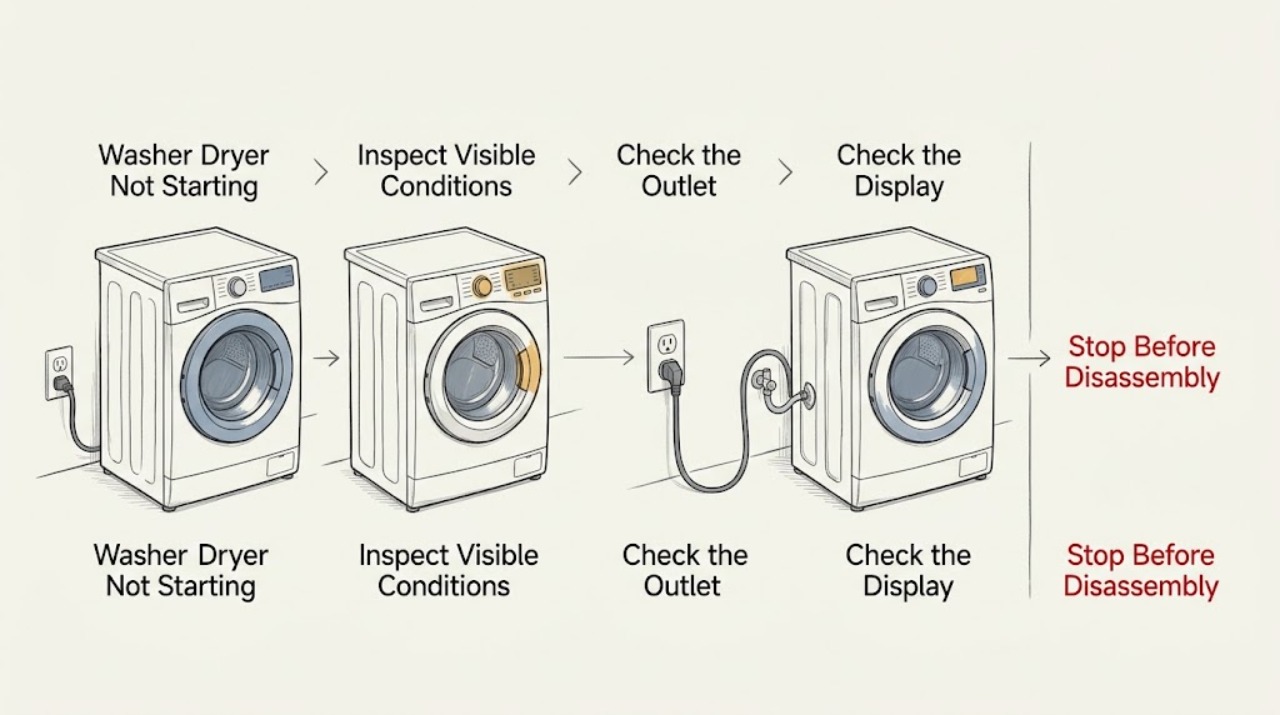
Work through in order
Diagnostic checks
Use only checks that match the exact appliance or system and its official guide.
-
Check 1
Press Power once and observe the display, indicator lights, sounds, and response without repeatedly cycling the control. Note whether the unit is completely dark, shows a lock or code, or lights up but does not begin when Start is pressed.
Expected result: The display is dark, the controls respond but a lock or error is shown, or the display is normal and the cycle still does not begin.
Next step: For no power, continue with the cord, outlet, and breaker check. For a powered unit, record the code and continue with the door, control-lock, water, and model-specific start checks.
Why this matters
Why: A dark display points first to the supply path; a powered display points toward controls, door or lid confirmation, water supply, a model condition, or a recorded error.
-
Check 2
Inspect the plug and cord from the outside, then check the wall outlet with a small appliance that is known to work, without using a damaged cord or wet outlet. If the outlet is dead, check the labeled household breaker and reset it only through normal user operation.
Expected result: The outlet is dead, the breaker is tripped, the outlet works with the test appliance, or the cord and outlet show heat damage or looseness.
Next step: Restore only a normal tripped breaker once if there is no damage. If it trips again, the outlet is damaged, or the outlet works but the unit remains dark, stop and request an electrician or qualified LG appliance service as appropriate.
Why this matters
Why: A dead outlet or tripped breaker can explain a dark LG combo; an outlet that works while the washer dryer remains dead points toward the appliance or cord. Heat damage is a safety issue, not a reset invitation.
-
Check 3
If the exact LG support instructions permit a reset, turn the washer dryer off, disconnect power safely, hold the documented Start or Power control for the documented interval, restore power, and try one cycle. Do not perform a reset if there is a leak, smoke, hot electrical smell, sparking, or a damaged cord.
Expected result: The display returns and a cycle starts, the same lock or error returns, or the unit remains completely unresponsive.
Next step: Use the returned code to select the exact LG error guidance. If no response or a safety symptom remains, leave the appliance off and arrange service.
Why this matters
Why: A successful reset can clear a temporary control state; a returning error or persistent dead display requires diagnosis rather than repeated resets.
-
Check 4
For a powered unit, remove any clothing caught between the door and gasket, close the door or lid firmly without slamming it, and check that the control lock is not active. Confirm both water taps are open and the inlet hoses are not kinked; do not bypass the lock.
Expected result: The lock indication becomes normal, the door or lid was obstructed, a control lock was active, a tap was closed, or the unit still refuses to start with normal indications.
Next step: Retry the model-recommended cycle once after correcting an external obstruction or closed tap. If the lock indication remains wrong or the unit still does not start, request service.
Why this matters
Why: LG cycles may not start until the door or lid is confirmed safe and required water conditions are available; normal indications with no start make a control or component fault more likely.
-
Check 5
If the machine is newly installed and the model provides an Installation Check, leave the tub empty, open the water taps, and run only the exact button sequence in the LG guide. Otherwise select the model's documented cycle and verify that Start or Start/Pause is pressed after the cycle is chosen.
Expected result: The installation check completes, reports an inlet or drain result, or the combo still does not respond after the documented start sequence.
Next step: Correct only the external hose or tap issue identified by the guide. If the check fails again or a normal cycle still will not begin, stop and provide the result to qualified LG service.
Why this matters
Why: A new-installation check can identify connection or hose conditions; failure after a correct empty test means the machine needs model-specific support rather than a generic button sequence.
Use your observations
Decision map
Find the observation that best matches what you see, then follow the next safe action.
-
PATH 01Next step
What you see
The display is dark and the wall outlet is also dead.
Do this next
Address the outlet or breaker through normal safe operation. If the breaker trips again or the outlet is damaged, obtain qualified electrical help before using the appliance.
Why this path and its safety boundary
Why it matters: The household supply, outlet, or breaker is the leading issue.
-
PATH 02Next step
What you see
The wall outlet works with another appliance but the LG washer dryer remains dark.
Do this next
Do not open the cabinet or probe wiring. Leave the unit unplugged and arrange qualified LG service.
Why this path and its safety boundary
Why it matters: An appliance cord, input, control, or internal power fault is possible.
-
PATH 03Next step
What you see
The display works but the door or lid does not confirm closed or locked.
Do this next
Clear only visible clothing or debris, close the door normally, and retry once as the model guide directs. Do not bypass the interlock; request service if the indication remains wrong.
Why this path and its safety boundary
Why it matters: A door or lid obstruction, latch condition, or safety interlock may be preventing start.
-
PATH 04Next step
What you see
The unit starts after the documented installation check, correct water supply, or a one-time model-directed reset.
Do this next
Keep the model guide with the appliance and monitor for a repeat. If the problem returns, record the code and stop repeated resets.
Why this path and its safety boundary
Why it matters: The initial condition was likely installation, control state, or water-supply related.
-
PATH 05Next step
What you see
There is a water leak, smoke, burning smell, sparking, a hot or damaged outlet, repeated breaker operation, or an exposed or damaged cord.
Do this next
Stop the appliance, close water taps and isolate power only when safe, keep clear of the hazard, and arrange qualified service. Do not operate a wet outlet or bypass any safety device.
Why this path and its safety boundary
Why it matters: This is an electrical or water-safety stop.
Helpful context
Understand the symptom
First distinguish no power from no cycle start
A dark display and a powered display need different checks. LG's washer-dryer-combo guidance lists a tripped breaker, faulty outlet, power interruption, cord, or power strip as possible no-power causes. If the display responds but Start does nothing, look at door or lid confirmation, control lock, water supply, a displayed error, and whether the model requires a first-use installation check.
Use model-specific controls
LG combo models do not all use the same buttons, lock indicators, or test-cycle sequence. Use the exact manual or product support page for the model. A top-load installation check may be required on some models, while a front-load door-lock message may need the door area cleared and a reset. Do not keep pressing Start if the machine reports a fault or the door cannot lock.
Keep electricity and water within the safe boundary
Use only external checks and ordinary breaker operation. Do not remove covers, probe wiring, bypass a door or lid safety, or use a damaged cord or scorched outlet. Close the water taps and disconnect power only when safe if there is a leak, burning odor, smoke, sparking, or repeated breaker operation.
Only after diagnosis
Potential parts
- door or lid lock assembly
Consider this category only if the exact model repeatedly fails to confirm a closed door or lid after visible obstructions are removed and qualified diagnosis identifies the interlock.
Never bypass the safety interlock. Confirm the complete model and manufacturer's fit information before ordering. - user-interface or main control component
Consider this category only if the outlet and cord are safe, the appliance has persistent no-response or control errors, and qualified service confirms a control fault.
Do not open or work on the control area. Verify exact model compatibility through qualified service. - water inlet valve or supply component
Consider this category only if a model-specific start or installation check shows a water-inlet problem after the taps and external hoses are confirmed open and clear.
Confirm the complete model and water-system configuration before ordering; a no-start symptom alone does not identify an inlet component.
When checks do not resolve it
Need a professional?
Call qualified LG service when the outlet works but the washer dryer remains dead, a door or lid will not lock, an error returns after the exact model reset, the installation check fails, or internal controls, wiring, or components need inspection. Stop immediately for a leak, smoke, burning smell, sparking, a damaged cord or outlet, or repeated breaker trips.
Common questions
FAQ
Why is my LG washer dryer completely dead?
Check the cord, wall outlet, and household breaker through normal safe operation. If the outlet works with another appliance but the LG combo remains dark, leave it unplugged and arrange qualified service.
Why does my LG washer dryer have power but not start?
Check the door or lid lock indication, control lock, water taps, displayed code, and the exact model's start sequence. A door that cannot lock or a persistent code requires service rather than a bypass.
What should I do if the problem started after installation?
If the model provides an Installation Check, run it with an empty tub and open taps using the exact LG instructions. Correct only external hose or water conditions identified by the guide; request service if the check fails.
Read the exact guide
Official sources
- [LG Top Load Washer] Why won’t the washer start after the initial installation?LG USA Support · LG new-installation empty-tub test, water taps, inlet and drain connections, and service escalation
- LG Front Load Washer - Error Code List(New)LG USA Support · LG combo door-lock, water, motor, power, control, and persistent error branches
- [LG Front Load Washer] Power issueLG USA Support · LG combo wall outlet, breaker, power strip, and service boundary
- LG Washer – Why Won’t My LG Washing Machine Power On?LG USA Support · LG washer dryer combo power, cord, outlet, breaker, reset, and service checks
Community feedback
Share a repair observation
Share a plain-text repair observation. Accepted observations are published automatically; this page may take a moment to update.