
On this page
Start here
Quick answer
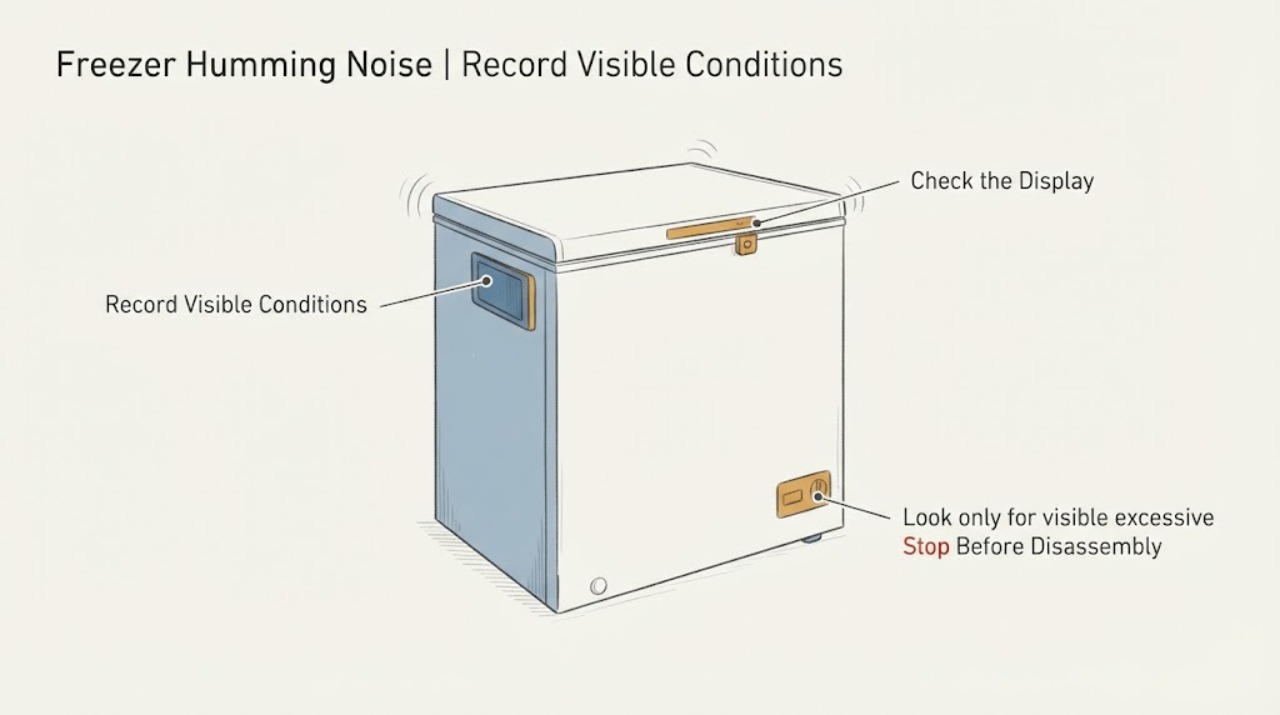
Liebherr says humming, fan noise and other cooling-system sounds can be normal, and its operating guidance identifies cooling, fan operation and switching components as normal sound sources. A hum alone does not prove a bad compressor or fan. Check whether the freezer is holding temperature, whether the door and ventilation are unobstructed, and whether the sound is accompanied by excessive frost, strong vibration, or warming. Do not open the cabinet or diagnose a sealed-system or electrical part from sound alone.
Work through in order
Diagnostic checks
Use only checks that match the exact appliance or system and its official guide.
-
Check 1
Record when the hum occurs: continuously, only while cooling, after the door has been opened, after food is added, or in short switching periods. Listen from outside without pressing a door switch or opening a cover.
Expected result: The sound tracks a cooling or fan period, or it is a new harsh hum that persists independently of normal operation.
Next step: If cooling and temperature remain normal, monitor and compare with the operating instructions; if the sound is harsh, worsening or paired with performance loss, arrange service without internal testing.
Why this matters
Why: Liebherr lists cooling and fan humming/rustling as normal operating noise and notes that cooling demand changes volume. Timing alone does not identify a failed motor or compressor.
-
Check 2
Check the freezer's displayed or manual-set temperature, door closure, visible ventilation grilles and clearance from heat sources. Do not remove panels to inspect a concealed fan.
Expected result: Temperature is stable and the door/ventilation are clear, or the freezer is warming, the door is not closing, or ventilation is blocked.
Next step: Correct only an obvious external condition and allow the appliance to stabilize; if it remains warm, keep the door closed and contact service.
Why this matters
Why: Liebherr identifies door closure, ventilation, ambient class, heat sources and temperature setting as external factors in a freezer that is too warm. A clear exterior does not prove an internal part failure.
-
Check 3
Look only for visible excessive frost, ice, loose packaging or items contacting the cabinet, and keep the fan air slits clear. Do not chip ice, remove an evaporator cover or reach toward a fan.
Expected result: There is no visible obstruction or frost, or frost/ice and contact with stored items are present.
Next step: Remove only a loose item that is visibly contacting the cabinet; if frost blocks airflow or returns, stop and arrange qualified service rather than dismantling the freezer.
Why this matters
Why: A visible obstruction can transmit rattling or restrict airflow, while excessive frost or warming needs model-specific assessment. The official instructions do not support inferring a fan motor, heater or defrost fault from this observation.
-
Check 4
Check externally whether the appliance rocks, touches adjacent surfaces or has loose items that can vibrate. Do not move a built-in or loaded freezer alone.
Expected result: The cabinet is stable and clear, or vibration/rattling changes when an external contact or loose item is removed.
Next step: If safe, correct the external contact or secure the loose item; if vibration remains or temperature is affected, use qualified service.
Why this matters
Why: Liebherr's operating table treats improper installation as a defective vibration source and loose components or items as defective rattling conditions; these are distinct from a normal cooling hum.
Use your observations
Decision map
Find the observation that best matches what you see, then follow the next safe action.
-
PATH 01Next step
What you see
The hum follows cooling or fan operation, the freezer holds temperature, and there is no excessive frost or vibration.
Do this next
Monitor the sound and keep the exact model/service information available; do not replace a part based on the hum alone.
Why this path and its safety boundary
Why it matters: The observation is consistent with Liebherr's listed normal operating sounds and does not establish a bad compressor or fan.
-
PATH 02Next step
What you see
The freezer is warming, the door or ventilation is compromised, or frost is building and restricting airflow.
Do this next
Keep the door closed, correct only a clear external obstruction, protect food as needed and contact Liebherr service if temperature does not recover.
Why this path and its safety boundary
Why it matters: The sound is accompanied by a cooling-performance concern that the FAQ treats as needing external correction or service assessment.
-
PATH 03Next step
What you see
The noise is harsh or worsening, installation vibration persists, or a cover, fan, wiring or refrigeration circuit would need to be accessed.
Do this next
Stop troubleshooting and arrange qualified service; do not open the cabinet, use sharp tools on ice or perform live electrical or sealed-system work.
Why this path and its safety boundary
Why it matters: The remaining diagnosis is outside safe external guidance and cannot be assigned to a specific internal part from sound alone.
Helpful context
Understand the symptom
Normal sound is not the same as a failed part
Liebherr's FAQ says refrigerators and freezers generate technical noises, including compressor, fan, flow and injection noises, and that humming, hissing, bubbling and gurgling cannot be avoided entirely. Its operating instructions list humming while cooling, humming or rustling while the fan runs, and clicking or valve/flap sounds as normal operating or switching noises. The page does not identify a particular compressor or fan as the cause of an individual appliance's hum.
Use temperature and visible conditions as the decision point
If the freezer maintains its set temperature and has no abnormal frost or vibration, document the timing and monitor the sound. Liebherr's official fault guidance points to a door that does not close, inadequate ventilation, unsuitable ambient temperature, heat sources and incorrect settings as external contributors to warming. Keep the vents clear and stop before removing covers or touching electrical or refrigeration components.
When checks do not resolve it
Need a professional?
Stop and arrange qualified service if the freezer does not hold temperature, food begins to soften, frost blocks airflow, the noise becomes harsh or persistent, or the appliance would need a cover or electrical/refrigeration component opened. Do not perform live testing, sealed-system work, fan-switch bypasses or sharp-tool ice removal.
Common questions
FAQ
Does a Liebherr freezer hum mean the compressor or fan is failing?
No. Liebherr lists cooling and fan humming/rustling among normal operating sounds. A specific failed part cannot be identified from the sound alone.
What external conditions should I check?
Check temperature, door closure, clear ventilation, ambient/heat-source conditions, visible frost, loose items and cabinet contact or rocking. Use the model's operating instructions for exact settings.
When should I stop listening and call service?
Call service if the freezer warms, food softens, frost or vibration persists, the hum worsens, or internal covers or wiring would need access. Keep the appliance closed if temperature is failing and avoid internal testing.
Read the exact guide
Official sources
- Operating instructions of your Liebherr refrigerator or freezerLiebherr · Opened official Liebherr operating-instructions portal. It routes users by service/serial information to the exact manual; it does not identify a model-specific cause for humming in this task.
- FAQs – frequently asked questions about Liebherr refrigerators & freezersLiebherr · Opened official Liebherr FAQ. It applies to Liebherr refrigerators and freezers generally; it supports normal-noise and external temperature checks, not a part diagnosis for an unidentified model.
- User GuideLiebherr · Opened Liebherr-hosted official user guide PDF. It lists cooling, fan, switching, vibration and rattling examples; exact applicability depends on the appliance model and options.
Community feedback
Share a repair observation
Share a plain-text repair observation. Accepted observations are published automatically; this page may take a moment to update.