
On this page
Start here
Quick answer
Many Liebherr freezer sounds are normal: a hum from the compressor, airflow from a fan, bubbling or gurgling from refrigerant flow, and a quiet click as the cooling system starts or stops. A louder sound can also occur after fresh food is added, a door was open, or a rapid-freezing function is active. First identify whether the sound is a normal operating noise or a vibration from the cabinet, bottles, or nearby furniture. Check the freezer's external stability and keep ventilation openings clear without opening the appliance. If the sound is new and harsh, scraping, accompanied by a fault display, poor cooling, damage, or repeated vibration after these checks, stop troubleshooting and contact Liebherr service.
Before you begin
Safety first
- Do not open the appliance, access the compressor or fan, test refrigerant, or perform electrical work to trace the sound.
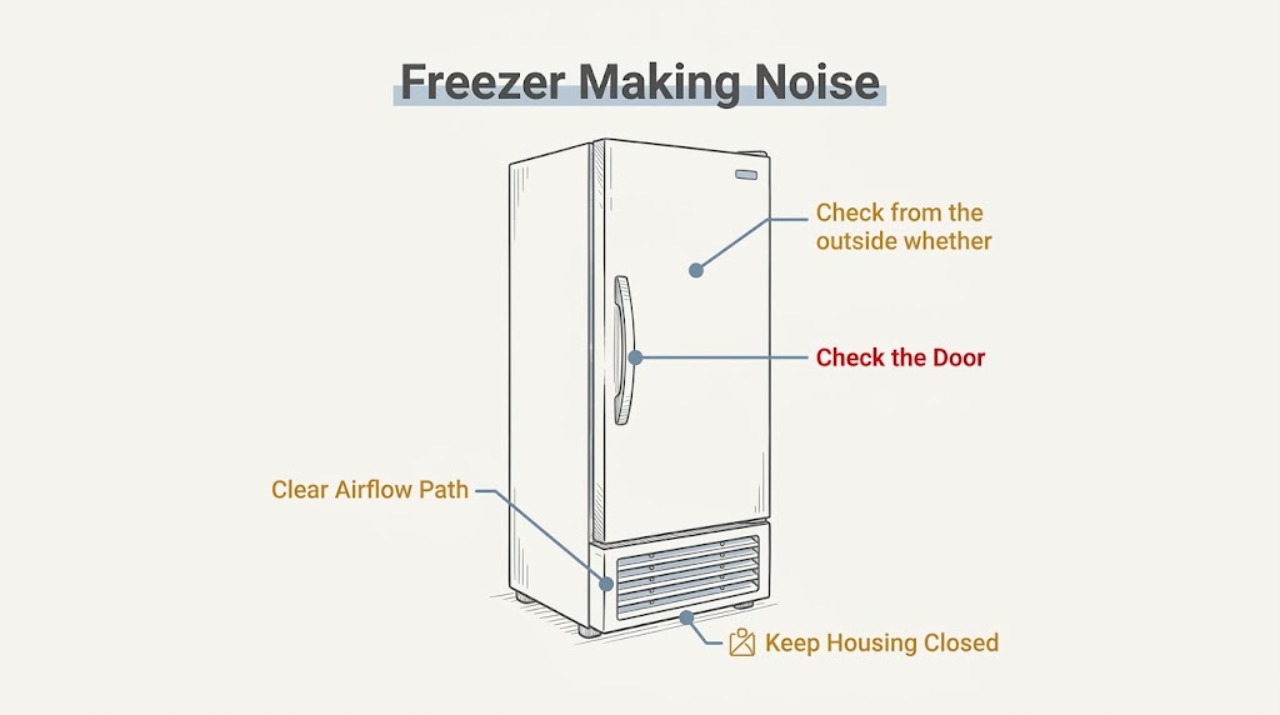
Work through in order
Diagnostic checks
Use only checks that match the exact appliance or system and its official guide.
-
Check 1
Listen from outside the closed freezer and describe the sound: hum, fan or airflow, bubbling or gurgling, a brief click, a rattle or vibration, or a scraping or grinding sound.
Expected result: A hum, airflow noise, bubbling or gurgling, or a brief click matches sound types Liebherr documents during cooling. A harsh, metallic, scraping, or impact-like sound is a different result.
Next step: For a documented operating sound with normal cooling, continue to the timing check. For a new harsh or mechanical sound, perform only the external checks below and stop if it persists.
Why this matters
Why: The sound category determines whether to observe normal operation or investigate external vibration and a possible fault; do not diagnose an internal component from sound alone.
-
Check 2
Note when the noise starts and stops in relation to the compressor cycling, opening or closing the door, adding food, or activating a rapid-freezing function; do not repeatedly change settings just to reproduce a concerning noise.
Expected result: A temporary increase after a cooling demand or a door event that settles as the freezer recovers is consistent with documented operating conditions. A noise that starts at random, becomes progressively louder, or continues without a cooling event is not explained by that pattern.
Next step: Record the timing and the display state. If the sound does not settle or cooling changes, keep the freezer closed and arrange service.
Why this matters
Why: Timing distinguishes a normal change in cooling demand from a persistent mechanical symptom, but it does not clear a noise accompanied by poor cooling or a fault indication.
-
Check 3
Check from the outside whether the freezer stands firmly and whether bottles, jars, handles, or nearby furniture are touching it; do not move a heavy appliance alone or remove panels.
Expected result: The cabinet or nearby objects visibly vibrate, or the noise changes when contact is removed; alternatively, the freezer is stable and nothing nearby is touching it.
Next step: Separate loose bottles and nearby objects. If the appliance needs leveling, follow its model instructions and obtain help for moving it; if vibration continues while stable, call service.
Why this matters
Why: Contact or an unstable installation can amplify an otherwise normal compressor or refrigeration noise. If the cabinet is stable and the noise remains harsh, an internal or installation fault is more likely.
-
Check 4
Inspect only the accessible exterior ventilation grille and the surrounding clearance for blocked airflow, dust, or an object pressing against the cabinet; do not insert tools into vents or access the compressor or fan compartment.
Expected result: The grille or air path is visibly obstructed, or the external air path is clear but the noise and cooling symptom remain.
Next step: Clear only loose external obstructions without dismantling anything. If the grille is clear but the freezer is noisy or not cooling correctly, contact after-sales service.
Why this matters
Why: Liebherr warns that inadequate ventilation can reduce cooling performance, while an unobstructed exterior with continuing abnormal noise points away from a simple clearance issue.
-
Check 5
Check the display and freezer contents without unloading unnecessarily: look for a fault indication, a temperature alarm, softening food, or heavy frost that coincides with the noise.
Expected result: The display shows a fault or temperature warning, food is no longer staying frozen, or the noise occurs with a clear cooling problem; otherwise, the display and cooling appear normal.
Next step: For a fault or cooling problem, keep the door closed, protect food as appropriate, and contact Liebherr after-sales service. Do not dismantle the freezer to inspect refrigerant or electrical parts.
Why this matters
Why: Noise plus a cooling or fault symptom is not just an acoustic annoyance and needs service diagnosis. Normal cooling with a documented hum or flow sound supports continued observation after the external checks.
-
Check 6
After the freezer is stable, unobstructed, and operating normally, compare the sound over one ordinary cooling cycle without placing hands near the fan, compressor, or electrical parts.
Expected result: The sound is a repeatable hum, airflow, flow noise, or brief click with normal cooling and no fault indication, or it remains loud, scraping, grinding, or irregular.
Next step: Leave normal operating sounds alone. For persistent abnormal noise, stop using the freezer if safe to do so and contact Liebherr customer service with the model, sound description, timing, and display observations.
Why this matters
Why: A repeatable documented operating sound can be normal. A persistent abnormal mechanical sound or any new symptom after the external checks requires professional diagnosis rather than a part guess.
Use your observations
Decision map
Find the observation that best matches what you see, then follow the next safe action.
-
PATH 01Next step
What you see
Hum, airflow, bubbling, gurgling, or a brief click occurs during cooling and the freezer maintains temperature
Do this next
Treat it as a documented operating sound and continue to observe without opening panels.
-
PATH 02Next step
What you see
The cabinet, bottles, jars, or adjacent furniture vibrate
Do this next
Separate the objects and check external stability. Have the appliance leveled according to its model instructions, using help for any heavy movement.
-
PATH 03Next step
What you see
The noise becomes louder after food is added, a door was open, or a rapid-freezing function is active and then settles
Do this next
Allow the freezer to complete its cooling demand and monitor temperature; call service if the noise does not settle or cooling is affected.
-
PATH 04Next step
What you see
Scraping, grinding, repeated impact, or harsh vibration continues after the freezer is stable and nearby objects are separated
Do this next
Stop user-level diagnosis and contact Liebherr after-sales service. Do not reach into the fan area or remove covers.
-
PATH 05Next step
What you see
Noise is accompanied by a fault display, temperature warning, softening food, damage, or another malfunction
Do this next
Keep the door closed where practical, protect food as appropriate, and arrange qualified service promptly.
Helpful context
Understand the symptom
Start by naming the sound
A freezer does not stay silent while it cools. Liebherr describes humming, hissing, bubbling, gurgling, compressor operation, fan noise, and flow or injection noise as technical sounds that can be unavoidable. The useful distinction is whether the sound follows a normal cooling event, or whether it is a new mechanical rattle, harsh vibration, or noise paired with a cooling fault.
Low-risk checks outside the appliance
With the door closed and hands away from moving or hot parts, listen for whether nearby bottles, furniture, or the cabinet are vibrating. The freezer guide says vibration can result when the appliance is not standing firmly and recommends aligning it with the adjustable feet and separating bottles and jars. Do not remove covers or reach into the fan or compressor area.
Operating conditions change the sound
A freezer may sound louder while it is recovering after a door was open, after food was added, or while a rapid-freezing function is active. Energy-saving models can also run for longer at a lower compressor speed. If cooling remains normal and the sound follows one of these events before settling, it may be expected operation rather than a failed part.
When noise means service is needed
Do not accept a persistent scraping, grinding, impact, or harsh new vibration as normal merely because the freezer still runs. A fault code, a temperature problem, water or damage, or a noise that remains after the external checks changes the next step to qualified service. Keep the model and service information available for the technician.
Safety boundary
Stop conditions
- Stop troubleshooting if the sound is scraping, grinding, impact-like, or a harsh new vibration that continues after external objects are separated.
- Stop and contact service for a noise with a fault indication, temperature warning, softening food, visible damage, smoke, or an electrical odor.
- Do not remove covers, reach into a fan or compressor area, test refrigerant, or perform electrical work to identify a noise.
- Do not move a heavy freezer alone; use the model instructions and appropriate help for leveling or relocation.
When checks do not resolve it
Need a professional?
Contact Liebherr customer service when a concerning noise persists after the external stability and clearance checks., Request prompt service for noise combined with a fault display, temperature problem, food thawing, visible damage, smoke, or an electrical odor., Provide the freezer model and service information, the sound description, when it occurs, whether nearby objects vibrate, and any display or cooling change.
Safety scope: Do not open the appliance, access the compressor or fan, test refrigerant, or perform electrical work to trace the sound.
Common questions
FAQ
Why does my Liebherr freezer hum or bubble?
Liebherr says compressor, fan, refrigerant-flow, and injection sounds such as humming, hissing, bubbling, and gurgling are technical operating noises that cannot be eliminated entirely. They are more reassuring when cooling is normal and no fault indication is present.
Why is the freezer vibrating or rattling?
Check from the outside whether the cabinet is standing firmly and whether bottles, jars, or nearby furniture touch it. Liebherr's freezer guidance links vibration noise to an unstable appliance or objects vibrating against it and recommends external leveling and separation of loose items.
Can a freezer get louder after I add food?
Yes. Liebherr notes that cooling demand, a recently open door, freshly added food, or a rapid-freezing function can temporarily change compressor or fan operation. If the sound stays harsh or cooling is affected, arrange service.
Should I open the freezer to check a scraping noise?
No. Do not access the fan, compressor, refrigerant circuit, or electrical parts. A persistent scraping, grinding, harsh vibration, or noise with a fault or temperature problem needs Liebherr or qualified service diagnosis.
Read the exact guide
Official sources
- FAQs – frequently asked questions about Liebherr fridges & freezersLiebherr · Liebherr refrigerator and freezer operating-noise explanations and customer-service guidance
- User Guide freezer 20220405 7086438 - 00Liebherr · Liebherr freezer operating noises, vibration checks, ventilation, fault indications, and after-sales guidance
Community feedback
Share a repair observation
Share a plain-text repair observation. Accepted observations are published automatically; this page may take a moment to update.