
On this page
Start here
Quick answer
If a Liebherr refrigerator light flickers while the temperature display stays stable, first check whether the door is fully closing and whether the symptom follows one door position. A light that is off with a live display can indicate a failed LED unit or damaged cover, which Liebherr reserves for customer service. If the display also resets, record the power symptom and stop using the appliance until the electrical cause is checked.
Before you begin
Safety first
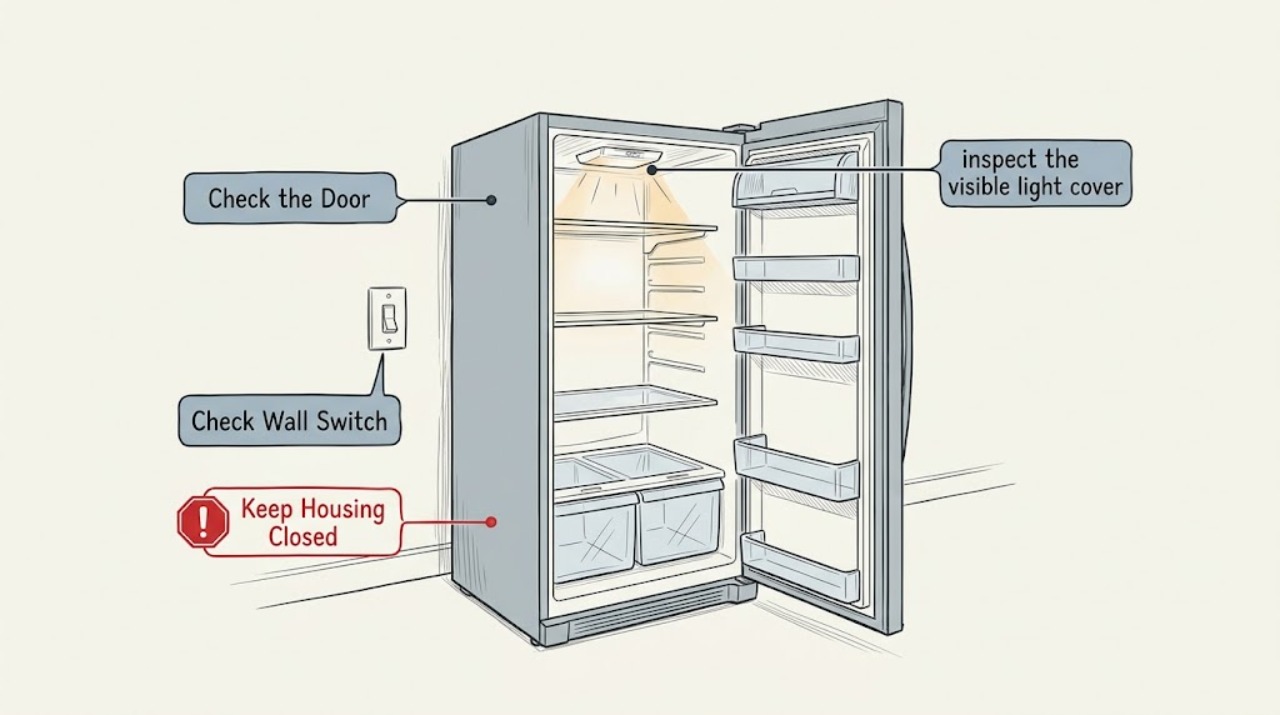
- Do not remove the light cover, probe wiring, or attempt an LED repair. Keep the appliance closed if an electrical symptom appears.
Work through in order
Diagnostic checks
Use only checks that match the exact appliance or system and its official guide.
-
Check 1
Open the refrigerator once and watch the light as the door reaches its normal fully open position, then slowly move the door toward closed without pressing or removing the light cover.
Expected result: The flicker occurs only near one door position, or it continues with the door held open and the temperature display steady.
Next step: Check the door seal and alignment externally; do not manipulate wiring or the light cover.
Why this matters
Why: A position-dependent symptom makes the door switch or alignment relevant; a steady-display flicker with no door movement keeps the lighting assembly in focus.
-
Check 2
Check whether the temperature display and interior light change together when the flicker occurs, and note whether the appliance has just been switched on or the door has been open for a long time.
Expected result: Only the light flickers, the display also blanks or resets, or the door has remained open unusually long.
Next step: If the display resets or the light stays unstable, stop testing and arrange service; if the door was simply open too long, close it and observe one normal cycle.
Why this matters
Why: A light-only event differs from a broader power interruption; Liebherr also describes automatic light shutoff after an extended open door on some models.
-
Check 3
With the appliance operating normally, inspect the visible light cover from a safe distance for cracking, looseness, moisture, or dark marks without removing it.
Expected result: The cover is intact and dry, or it is damaged, wet, loose, or visibly discolored.
Next step: Keep the door closed and request qualified service for any damaged cover or visible moisture; do not touch live lighting parts.
Why this matters
Why: An intact cover leaves a controlled service diagnosis possible; damage or moisture makes continued light testing unsafe.
-
Check 4
After recording the symptom, compare one ordinary door opening with the refrigerator temperature and cooling behavior rather than repeatedly cycling the door.
Expected result: The light is stable, remains flickering while cooling is normal, or the display and cooling also become abnormal.
Next step: Give the technician the door position, display behavior, and any cover damage; do not replace the LED assembly based on appearance alone.
Why this matters
Why: A stable result suggests a transient door or control event; persistent lighting-only behavior needs a lighting diagnosis, while combined symptoms need electrical service.
Use your observations
Decision map
Find the observation that best matches what you see, then follow the next safe action.
-
PATH 01Next step
What you see
The light flickers only as the door nears one position and the display remains stable
Do this next
Check for an obstructing shelf or seal issue from the outside and arrange service if alignment is not obvious.
Why this path and its safety boundary
Why it matters: Door closure or switch alignment is more likely than a general cooling fault.
-
PATH 02Next step
What you see
The display is steady but the light continues to flicker or goes dark
Do this next
Stop manipulating the light and request trained customer service.
Why this path and its safety boundary
Why it matters: The interior LED unit or its cover remains the supported service path.
-
PATH 03Next step
What you see
The display resets, the appliance loses power, or the cover is damaged
Do this next
Stop using the appliance if safe to do so and arrange qualified service.
Why this path and its safety boundary
Why it matters: This exceeds a simple illumination observation and could involve an electrical or physical hazard.
Helpful context
Understand the symptom
Separate a door trigger from a lighting fault
A flicker that changes when the door moves is different from a light that remains unstable with the door still. The display and cooling response also matter: a lighting-only symptom stays in the lighting path, while a display reset points to a wider power problem.
Only after diagnosis
Potential parts
- Liebherr LED lighting assembly
Consider only after service confirms that the light unit, rather than the door sensing path, has failed.
Confirm the exact appliance designation and service number before any part is ordered.
When checks do not resolve it
Need a professional?
Request trained Liebherr service when the light remains unstable after the external door check or when the display and light fail together.
Safety scope: Do not remove the light cover, probe wiring, or attempt an LED repair. Keep the appliance closed if an electrical symptom appears.
Have this ready
- Provide the appliance designation, service number, serial number, door position, display behavior, and a description of any cover damage.
Common questions
FAQ
Can I remove the Liebherr refrigerator light cover to stop the flicker?
No. The manual warns that live parts are under the cover and reserves a faulty LED unit or damaged cover for trained service.
What should I record before calling service?
Record whether the display stays lit, which door position triggers the flicker, whether the cover is damaged, and whether cooling continues normally.
Read the exact guide
Official sources
- TroubleshootingLiebherr-Hausgeräte · Liebherr refrigerator interior light, door-open behavior, electrical safety, and service guidance
Community feedback
Share a repair observation
Share a plain-text repair observation. Accepted observations are published automatically; this page may take a moment to update.