
On this page
Start here
Quick answer
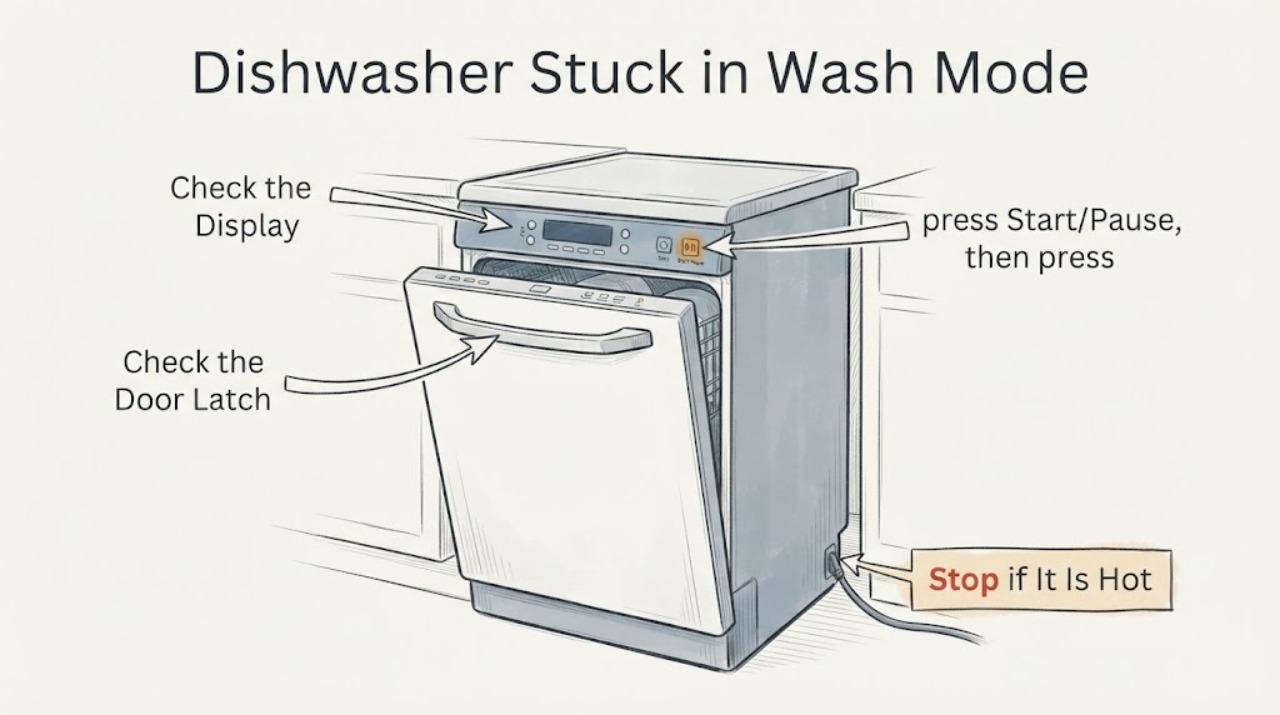
On the Magic Chef MCSCD6W5, first read the program indicators instead of assuming the dishwasher is frozen: blinking program lights mean the cycle is running, steady program lights mean it is paused, and lights off mean standby. If the cycle was started only a short time ago, press Start/Pause and then hold Program Select for about three seconds to return the dishwasher to standby, then choose a program and start it again. If the controls remain unresponsive, check the securely latched door, the outlet and breaker, and the power cord connection from outside the appliance. Stop and arrange qualified service for a damaged cord or plug, leaking water, burning smell, smoke, repeated breaker trips, or a dishwasher that remains unresponsive after these model-documented checks.
Work through in order
Diagnostic checks
Use only checks that match the exact appliance or system and its official guide.
-
Check 1
Stand clear of the door and read the MCSCD6W5 program indicators without opening a running dishwasher. Note whether the program lights are blinking, lit steadily, or off, and whether the display or any normal pump sound changes.
Expected result: The program lights blink, remain lit without blinking, or are off; the display responds or stays unchanged.
Next step: For blinking lights, wait for the current phase unless a safety symptom is present. For steady lights, use Start/Pause before opening the door. For lights off, continue with the power and door checks.
Stop if: Do not force the door, reach inside while the spray arm may be moving, or keep operating the unit with smoke, burning smell, leaking water, or a damaged cord or plug.
Why this matters
Why: Blinking indicates a running cycle, steady indicators indicate a paused cycle, and lights off indicate standby. An unchanged display with no indicators points more toward power, door-latch, or control unresponsiveness than a normal wash state.
-
Check 2
If the cycle was started only a short time ago and the dishwasher is safe, press Start/Pause, then press and hold Program Select for about three seconds.
Expected result: The program returns to standby and the controls allow a new program to be selected, or the display and indicators remain in the same wash state.
Next step: If standby is restored, select the desired program and start it once while observing whether the cycle begins normally. If there is no response, do not repeat the sequence indefinitely; continue with the external checks and service boundary.
Stop if: Do not remove panels, probe controls, bypass the door latch, or interrupt a cycle by pulling the cord while water or moving parts may create a hazard.
Why this matters
Why: A return to standby matches the MCSCD6W5 documented way to change a recently started wash program. No response means the issue is not cleared by the model's user-level cycle-change procedure.
-
Check 3
With the dishwasher off, inspect from outside that the power is on, the cord is firmly seated in the wall socket, the household fuse or breaker has not tripped, and the door closes fully and latches.
Expected result: The breaker or fuse has operated, the cord is loose, the door is not latching, or all external power and door checks appear normal.
Next step: Correct only a safe external condition such as firmly seating the plug or fully closing the door. If the breaker trips again, the cord or door hardware is damaged, or the unit still does not respond, leave it off and arrange service.
Stop if: Do not repeatedly reset electrical protection, use an extension cord or adapter, repair the cord, or remove the door or control panel.
Why this matters
Why: The MCSCD6W5 troubleshooting table lists a fuse or breaker, switched-off power, an improperly connected cord, and an unlatched door as causes of a dishwasher that does not start. A normal external check leaves an unresolved control or internal fault without identifying a particular part.
-
Check 4
After a safe return to standby and a single restart, observe whether the selected program begins, whether the indicators change to the documented running state, and whether the dishwasher stops at the same point again.
Expected result: The cycle starts and the indicators blink normally, the unit pauses with steady indicators, or it returns to the same unresponsive state.
Next step: Use the exact model manual and service route for a repeated failure. Note the program selected, indicator behavior, water level, and any noise or electrical symptom for the technician.
Stop if: Do not run repeated test cycles to force a response, operate with a leak or abnormal heat, or attempt internal electrical diagnosis.
Why this matters
Why: A normal transition to blinking indicates that the control accepted the program. A steady state indicates pause. Repeated failure at the same control state after the documented sequence and external checks is an unresolved fault; the manual does not support selecting a replacement board or latch from this symptom alone.
-
Check 5
Prepare the exact model number and symptom record for Magic Chef support or a qualified appliance technician when the MCSCD6W5 remains unresponsive after the documented control, power, and door checks.
Expected result: The problem is cleared by a safe external correction, or the controls remain unresponsive and the unit has a damaged electrical part, leak, burning smell, smoke, unusual heat, or repeated breaker operation.
Next step: For persistent or unsafe symptoms, keep the dishwasher off, shut off the water supply when a leak or overflow is present, and use the Magic Chef service route or qualified appliance service.
Stop if: Do not open enclosure panels, work on live wiring, bypass a door interlock, or substitute a control or latch part without exact service documentation.
Why this matters
Why: A cleared external condition can explain a no-start symptom, but persistent unresponsiveness or a safety symptom needs service. The public model guidance does not identify a safe internal repair for this exact combination of symptoms.
Use your observations
Decision map
Find the observation that best matches what you see, then follow the next safe action.
-
PATH 01Next step
What you see
The program indicators blink and the dishwasher is operating without a leak, smoke, burning smell, or other safety symptom.
Do this next
Keep the door closed and allow the phase to proceed; if the cycle repeatedly stops at the same point, record the program and indicator behavior and arrange service.
Why this path and its safety boundary
Why it matters: The manual defines blinking program indicators as a running wash cycle, so the apparent stall may be a current cycle phase rather than a dead control.
-
PATH 02Next step
What you see
The program indicators are steady and pressing Start/Pause followed by holding Program Select for about three seconds returns the unit to standby.
Do this next
Select the needed program and start it once. If it becomes unresponsive again, stop repeated attempts and request service.
Why this path and its safety boundary
Why it matters: The dishwasher was in a paused or recently started control state that the MCSCD6W5 manual provides a user-level procedure to change.
-
PATH 03Next step
What you see
The indicators remain unchanged or off, the door is latched, and the power cord, outlet, and breaker appear normal.
Do this next
Keep the dishwasher off and contact Magic Chef support or a qualified appliance technician with the model and indicator record.
Why this path and its safety boundary
Why it matters: The documented power and door causes have not explained the symptom, leaving an unresolved control or internal fault without identifying a safe replacement part.
-
PATH 04Next step
What you see
There is a leak, overflow, smoke, burning smell, unusual heat, a damaged cord or plug, or a breaker that trips again.
Do this next
Stop using the dishwasher, shut off the water supply for a leak or overflow when it is safe to do so, and arrange qualified service. Do not reproduce the failure.
Why this path and its safety boundary
Why it matters: The safety condition overrides control troubleshooting and may involve water or electrical risk.
Helpful context
Understand the symptom
Read the MCSCD6W5 control state first
The MCSCD6W5 manual defines three useful display states. Blinking program indicators mean the wash cycle is running; program indicators that are lit without blinking mean the cycle is paused; and program indicators that are off mean the dishwasher is in standby. A dishwasher that appears stuck may therefore be paused or still running rather than completely unpowered. Do not open the door while the unit is operating unless the cycle is paused and the spray arm has stopped, because the manual warns of hot-water splashing.
Return a recently started cycle to standby
If the dishwasher was started only a short time ago and you need to change the program, use the documented control sequence: press Start/Pause, then press and hold the Program Select button for about three seconds. The manual says this puts the unit in standby; from there, select the desired wash program and start it again. A response to this sequence shows that the controls can change the cycle state. It does not prove that the appliance will complete a full wash, so observe the next start and stop if it remains abnormal.
Separate a control state from a power or door problem
If the indicators do not change and the dishwasher will not start, move to the external checks listed in the MCSCD6W5 troubleshooting table. Confirm that the unit is turned on, the cord is firmly connected to the wall socket, the household fuse or breaker has not operated, and the door closes completely and latches. Do not keep resetting a breaker or continue if the cord, plug, outlet, door, or latch is damaged. The manual does not identify a user-level internal control-board or latch repair for this symptom.
Use the exact model when asking for service
Magic Chef identifies the MCSCD6W5 as a countertop dishwasher with electronic controls and a digital display, and its service pages provide a request-service path. When the unit remains unresponsive, record the complete model number, which indicators are blinking or steady, whether water is inside the tub, whether the problem started after a door opening or power interruption, and whether the breaker operated. Give that information to Magic Chef support or a qualified appliance technician rather than opening panels or replacing a control part by guesswork.
When checks do not resolve it
Need a professional?
Arrange Magic Chef or qualified appliance service when the MCSCD6W5 remains unresponsive after the documented indicator, cycle-change, power, and door checks; when a cycle repeatedly stops at the same point; or when an internal control or latch fault is suspected. Keep the dishwasher off for a leak, overflow, smoke, burning smell, unusual heat, damaged cord or plug, or repeated breaker operation. Do not open panels or bypass the door latch.
Common questions
FAQ
How do I tell whether my Magic Chef MCSCD6W5 dishwasher is running or paused?
The manual says blinking program indicators mean running, non-blinking indicators mean paused, and indicators off mean standby. Do not open the door while the unit is running; pause it first and wait for the spray arm to stop.
How can I change a wash program if the MCSCD6W5 seems stuck?
If the dishwasher was started only a short time ago, press Start/Pause and then hold Program Select for about three seconds to put the unit in standby. Select a program and start it again. If the controls do not respond, use the external power and door checks and arrange service if the problem persists.
Why does my MCSCD6W5 still not respond after a cycle-change attempt?
Check from outside that the unit has power, the cord is firmly connected, the breaker or fuse has not operated, and the door closes and latches. If those conditions are normal and the indicators remain unchanged, the public manual does not identify a safe internal repair or replacement part from this symptom alone; keep the unit off and contact Magic Chef support or qualified service.
Read the exact guide
Official sources
- 6-Place Setting Countertop Dishwasher - MCSCD6W5Magic Chef / MC Appliance Corporation · Opened the official Magic Chef product page, which identifies MCSCD6W5 as a countertop dishwasher with electronic controls, a digital display, and six-place-setting capacity.
- Magic Chef Countertop Dishwasher User's Manual: MCSCD6W5 / MCSCD6B5Magic Chef / MC Appliance Corporation · Opened the official MC Appliance PDF labeled for model MCSCD6W5 / MCSCD6B5. It documents the program-indicator states, the Start/Pause plus three-second Program Select cycle-change procedure, no-start checks, door safety, and service boundary.
- Request Service - Magic ChefMC Appliance Corporation · Opened the official MC Appliance service page, which provides a request-service route and directs customers to customer service for additional assistance.
Community feedback
Share a repair observation
Share a plain-text repair observation. Accepted observations are published automatically; this page may take a moment to update.