
On this page
Start here
Quick answer
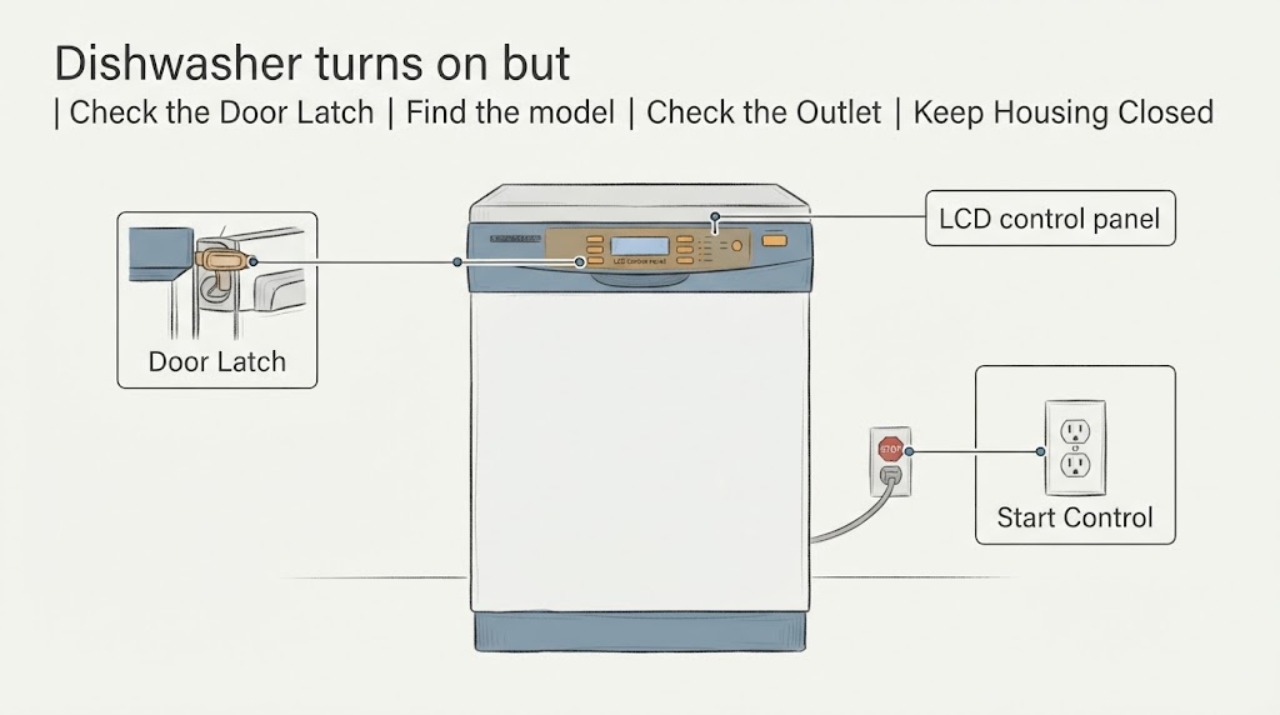
The Viking VDWU524SS is a 5 Series dishwasher with an LCD control panel. If the machine appears to receive power but the display and Start control do not illuminate or respond, first document exactly which indicators or keys work, confirm the full model and serial number, and check only the external power and installation conditions described by Viking. The official installation guide requires a dedicated grounded circuit and no extension cord, and warns not to operate a damaged or malfunctioning dishwasher or perform unqualified repair. Do not remove the door or control panel, probe live wiring, bridge a door or control interlock, or buy an electronic part from the symptom alone. If the display/Start behavior remains abnormal after the external checks, leave the dishwasher out of service and use Viking Customer Support or an authorized servicer.
Work through in order
Diagnostic checks
Use only checks that match the exact appliance or system and its official guide.
-
Check 1
With the dishwasher empty of active operation and hands dry, record which visible indicators, keys, and sounds respond when you use the normal On/Off or program controls described by the VDWU524SS Use & Care manual. Note whether the display is completely dark, only the Start area is dark, another program light changes, the door latch changes, or the unit makes a pump or valve sound. Do not press keys through a damaged panel or open the control housing.
Expected result: The complete panel is dark, only the display/Start area is dark while another control responds, the panel responds intermittently, or there is no response and no sound.
Next step: Record the pattern and proceed to the external supply and documentation checks. Stop and request service immediately for smoke, burning odor, water near electrical parts, or visible damage.
Why this matters
Why: Different visible patterns can distinguish a localized interface symptom from a broader power or control condition, but none identifies a failed board, touchpad, fuse, or harness without model-specific diagnosis.
-
Check 2
Find the VDWU524SS model and serial label and retrieve the exact Use & Care document linked from Viking's product page or documentation library. Compare the panel behavior with that document only; do not substitute a procedure from VDWU324, FDWU524, another Viking series, or a generic dishwasher.
Expected result: The exact VDWU524SS manual is available and contains a clearly user-accessible control step, or the manual is unavailable/does not describe the dark display and Start symptom.
Next step: Perform only the exact manual step if it requires no opening, live measurement, or interlock bypass. Otherwise preserve the symptom record and contact Viking service.
Why this matters
Why: Viking groups related dishwasher models and control layouts, so a nearby model can have different keys and indicators. The exact identity is needed before any reset or control-lock interpretation.
-
Check 3
Check the accessible electrical supply boundary: verify the dedicated dishwasher breaker/disconnect has not tripped and that there is no extension cord or portable outlet device. Do not remove panels, expose terminals, reset a breaker repeatedly, or touch wiring; use a qualified electrician if the supply is uncertain.
Expected result: The breaker/disconnect is tripped, the installation uses an extension/portable device, the visible supply appears correct, or power trips again.
Next step: Correct an unsafe external supply only through qualified electrical work and do not operate until compliant. If power trips again or the panel remains abnormal with a compliant supply, leave the dishwasher off and request Viking service.
Why this matters
Why: Viking requires a properly rated, protected, grounded dedicated circuit and prohibits extension cords or portable outlet devices. A supply defect can mimic a display/control fault, but a correct supply does not prove the internal interface is good.
-
Check 4
Inspect only the exterior door edge, control surface, cord or disconnect area, and surrounding cabinet for impact, moisture, loose trim, pinched wiring visible without disassembly, or signs of overheating. Do not remove the door skin, control fascia, toe kick, junction cover, or a safety interlock.
Expected result: There is moisture, impact, a cracked or loose panel, heat damage, exposed wiring, or no visible external damage.
Next step: Keep the dishwasher disconnected when safe if there is moisture near electrical parts, burning, exposed wiring, or structural damage. Otherwise keep it out of service if the controls remain abnormal and arrange model-specific diagnosis.
Why this matters
Why: Viking warns not to operate a damaged or malfunctioning dishwasher and requires qualified repair. A clean exterior does not rule out a failed display, touch interface, control, or low-voltage supply.
-
Check 5
When requesting service, provide VDWU524SS, the serial number, installation country, which controls illuminate or respond, whether the dishwasher had a recent power event or water exposure, the breaker result, and a photo/video of the panel. Do not order a replacement electronic control or touch panel from the symptom alone.
Expected result: The display/Start symptom persists after the external checks, is intermittent, or returns after a temporary recovery.
Next step: Leave the appliance out of service and submit a Viking product service request or contact an authorized servicer. Do not continue cycles to reproduce the fault or bypass a door/control interlock.
Why this matters
Why: The opened Viking sources provide support and authorized-service paths but do not identify the failed internal component or a safe universal panel repair. Intermittent recovery still needs diagnosis because it does not prove a loose connector or a specific part.
Use your observations
Decision map
Find the observation that best matches what you see, then follow the next safe action.
-
PATH 01Next step
What you see
The full VDWU524SS panel is dark, the unit has visible damage, burning odor, water near electrical parts, or a breaker trips again.
Do this next
Disconnect power only when safe, keep the dishwasher out of service, and use qualified electrical or Viking-authorized service. Do not repeatedly reset the breaker or open the control housing.
Why this path and its safety boundary
Why it matters: This is an electrical or appliance-safety stop condition, not a button-cleaning or parts-search problem.
-
PATH 02Next step
What you see
The electrical supply is compliant, another indicator or key responds, but the LCD display and Start control remain dark or intermittent.
Do this next
Use only a VDWU524SS-specific, user-accessible manual step if available; otherwise arrange authorized diagnosis and do not substitute a part from another Viking model.
Why this path and its safety boundary
Why it matters: The symptom is localized to the interface/control path, but the public official material does not identify whether the display, touch control, wiring, or electronic control is at fault.
-
PATH 03Next step
What you see
The exact manual documents a no-disassembly control step and the panel returns to normal without a safety symptom.
Do this next
Run only the normal supervised operation described by the manual and monitor. Request service if the display or Start control darkens again or the dishwasher fails to start.
Why this path and its safety boundary
Why it matters: A user-setting or temporary control state may have been involved, but recovery does not establish that the internal electronics are healthy if the symptom returns.
-
PATH 04Next step
What you see
The exact manual is unavailable or no approved user step restores the display and Start control, even though the supply appears correct.
Do this next
Keep the dishwasher off, provide the model/serial and panel behavior to Viking Customer Support or an authorized servicer, and do not probe live wiring or replace a guessed control part.
Why this path and its safety boundary
Why it matters: The fault cannot be safely narrowed from the opened public sources; Viking requires qualified repair for a malfunctioning unit and supports authorized service.
Helpful context
Understand the symptom
Confirm what is actually responding
The VDWU524SS product page identifies an LCD control panel, so a dishwasher that seems powered while the display and Start control remain dark is a control/interface symptom, not proof that the entire dishwasher is dead. Record whether the main power indicator, any program light, audible key response, interior light, pump, or door latch changes. Do not infer a failed board, touchpad, fuse, or harness from a dark section of the panel.
Check only the external supply boundary
Viking's installation guide says the dishwasher uses a properly rated, grounded dedicated circuit and must not be connected with an extension cord or portable outlet device. Check the accessible breaker/disconnect and visible power connection only as local safety permits; do not remove the toe kick, junction cover, control panel, or wiring. If the unit is damaged or malfunctioning, Viking says it should not be operated and qualified service is required.
The exact user manual controls the button sequence
Viking links the VDWU524SS Use & Care manual from the exact product page and directs owners to its documentation library. Do not borrow a reset, hidden-key, door-latch, or control-lock sequence from another Viking series. If the exact manual does not restore normal display and Start behavior through a clearly user-accessible step, stop and arrange authorized service.
When checks do not resolve it
Need a professional?
Arrange Viking-authorized or qualified service when the VDWU524SS display or Start control remains dark/intermittent after the exact manual and compliant power checks, or immediately for water near electrical parts, burning odor, exposed wiring, visible damage, repeated breaker trips, or other malfunction. Do not open the control panel or bypass an interlock.
Common questions
FAQ
Why can the Viking VDWU524SS seem powered while the display and Start button are dark?
The symptom can be localized to the LCD/interface/control path, but the opened official sources do not identify which internal component failed. Confirm the model, check the external dedicated-power boundary, and use only a VDWU524SS-specific user-manual step before arranging service.
Can I reset the VDWU524SS by opening the control panel or bridging the door switch?
No. Viking's installation guide says qualified people should perform repair and warns against operating a damaged or malfunctioning dishwasher. Do not remove the control panel, probe live wiring, or bypass a door/control interlock; use Viking support or an authorized servicer.
What information should I give Viking service?
Give the complete VDWU524SS model and serial number, installation country, which indicators or controls respond, whether the symptom is intermittent, the breaker/power result, any recent power event or moisture, and a panel photo or video. Viking provides a product service request and authorized-servicer lookup.
Read the exact guide
Official sources
- Viking Dishwasher Installation GuideViking Range, LLC · Official Viking installation PDF linked from the VDWU524SS product page; its cover lists VDWU524SS and its safety rules support external power/service boundaries, not control-panel repair.
- Support FAQs for OwnersViking Range, LLC · Official owner FAQ used to direct readers to Viking documentation and authorized service; it supplies no hidden control-panel repair sequence.
- 24"W. Dishwasher w/Installed Professional Stainless Steel PanelViking Range, LLC · Exact Viking product page for VDWU524SS; used for model identity and the existence of the LCD control panel, not as proof of an internal panel fault.
- Warranty InformationViking Range, LLC · Official Viking warranty page used only for service boundary; it does not identify the failed VDWU524SS component.
- Support CenterViking Range, LLC · Official Viking support page used for model-specific service escalation when the VDWU524SS control/display symptom persists.
Community feedback
Share a repair observation
Share a plain-text repair observation. Accepted observations are published automatically; this page may take a moment to update.