
On this page
Start here
Quick answer
For the Frigidaire Gallery dishwasher identified as FGID2A79SF8A, first separate a locked or paused control panel from a power, door, or wet-electronics problem. If the display shows LOC or a lock indicator, Frigidaire says stainless-steel dishwashers can be unlocked by pressing and holding DELAY START until LOC disappears; do not force other buttons. If the panel responds but the dishwasher will not begin, check that Delay Start is off, press START/CANCEL after selecting a cycle, close the door promptly and completely, and verify the breaker or fuse from a dry, safe location. If no buttons respond while a light is present, the panel cuts out when the door or harness moves, or there is water, corrosion, burning odor, smoke, or arcing at the control area, stop using the dishwasher. Do not spray cleaner, use vinegar on electronics, open the door panel, wiggle wiring, or order a control board from the symptom alone; arrange qualified appliance service after isolating power only when safe.
Work through in order
Diagnostic checks
Use only checks that match the exact appliance or system and its official guide.
-
Check 1
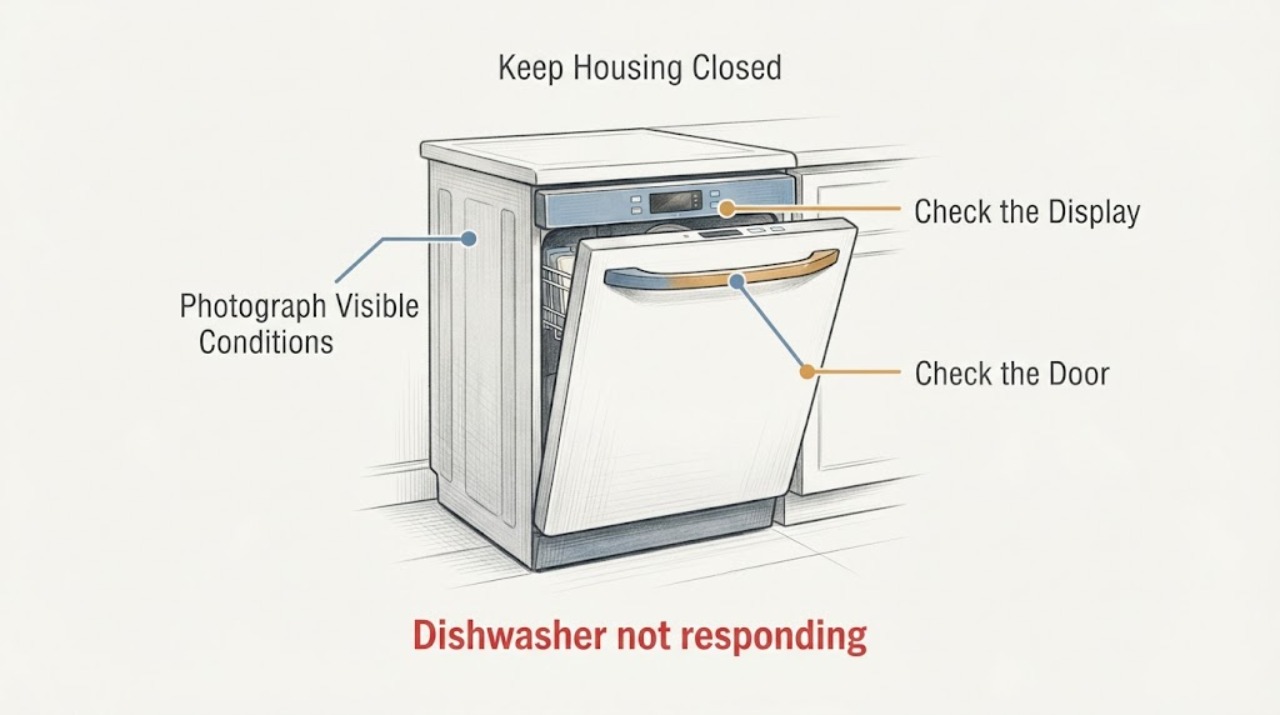
Stand at the dishwasher without opening the inner control housing. Photograph or read the rating label as FGID2A79SF8A, note whether the display or any indicator is lit, and record whether all keys are ignored or only START/CANCEL or one group fails. Do not wiggle the console, harness, or door wires to make the light change.
Expected result: The exact model is confirmed and the panel is fully dark, partly lit, shows LOC, flashes a power alert, or has a single dead key; the model label or display state is uncertain.
Next step: Use the corresponding lock, power, or service branch below. If identity is uncertain, stop at external observations and obtain the exact manual or qualified service.
Stop if: Do not remove the door's inner panel, expose the control board, or operate the dishwasher while water is present around the console or wiring.
Why this matters
Why: A lit panel with no accepted input can be a lock/control-state issue, while a dark panel shifts attention to supply or control power. A single dead key is different from a total panel failure; moving wiring is unsafe evidence.
-
Check 2
If the display shows LOC or a lock indicator and there is no water, smoke, burning odor, or electrical damage, press and hold DELAY START as Frigidaire's stainless-steel dishwasher guidance directs until LOC is no longer displayed. Do not guess a different key combination from another Frigidaire platform.
Expected result: LOC disappears and buttons respond, LOC remains, or there is no lock indication even though the panel is lit.
Next step: If unlocked, select a cycle and use START/CANCEL once, then close the door. If LOC remains or the panel is still unresponsive, stop repeated key presses and use the power/door/service checks.
Stop if: Do not force a key, insert a tool under the console, spray liquid on the keypad, or open the door panel.
Why this matters
Why: A disappearing LOC supports an intentional control lock rather than a failed touch panel. A persistent LOC may reflect an incorrect platform procedure or a control fault; no LOC means the next check should not be repeated lock toggling.
-
Check 3
If the panel accepts selections but the dishwasher will not start, cancel any Delay Start, select the desired cycle, press START/CANCEL, and close the door fully and promptly. Confirm the water supply valve is on. Perform these checks only with dry hands and no leak or electrical hazard.
Expected result: The cycle starts after canceling Delay Start or closing the door, START/CANCEL is accepted but the unit remains idle, or no key is accepted at all.
Next step: Run only one normal start confirmation if there is no safety warning. If the unit remains idle, document the display and use the power/service branch; do not keep restarting it.
Stop if: Do not defeat the door latch, run with the door ajar, reach into a running tub, or remove the latch or console.
Why this matters
Why: Improvement after the start sequence supports a selection, latch, or delayed-start condition rather than a dead panel. A fully unresponsive panel is not explained by the start sequence.
-
Check 4
If the panel is dark or shows a power alert, check the dishwasher breaker or fuse from a dry, safe location and look only for an obviously disconnected plug or tripped protection. Do not touch wet flooring, exposed conductors, the inner door, or a hot/burned receptacle. After a confirmed power restoration, follow Frigidaire's resume behavior rather than repeatedly cycling the breaker.
Expected result: The breaker/fuse was tripped and the panel returns, a power alert with blinking START appears, the panel remains dark, or the breaker trips again.
Next step: For a stable restored panel, acknowledge the alert with an appropriate non-START/CANCEL button or press START to resume as Frigidaire describes. For a repeat trip or no power, leave the dishwasher off and arrange qualified electrical/appliance service.
Stop if: Do not reset a breaker repeatedly, use an extension cord, probe voltage, or continue if there is moisture, scorching, odor, smoke, or arcing.
Why this matters
Why: A one-time power interruption can explain a power alert and require acknowledgement; a persistent dark panel or repeated trip suggests supply, wiring, leakage, or control trouble beyond button setup.
-
Check 5
With the dishwasher off, inspect only the dry exterior around the console and the floor below it. Look for water marks, active leakage, corrosion visible through a gap, a panel that cuts out when the door is moved normally, burning/electrical odor, smoke, or heat damage. Do not open the control area to confirm a suspected board problem.
Expected result: Water or corrosion is present, the panel changes when the door is moved, there is burning odor/smoke/heat damage, or the exterior is dry and the panel remains unresponsive.
Next step: Stop using the dishwasher, isolate power only from a dry safe location if possible, and arrange qualified appliance/electrical service. Give the technician the exact model, photos, response pattern, and any leak history.
Stop if: Do not clean an electronic board, apply vinegar or solvent, reseat connectors, wiggle wires, remove the panel, or restart the unit to dry it out.
Why this matters
Why: Water ingress or intermittent harness behavior can damage controls and create shock or fire risk; the exact Reddit report shows this pattern but does not identify a safe user repair. A dry, stable exterior with persistent no-response still needs control diagnosis after basic lock/power checks.
Use your observations
Decision map
Find the observation that best matches what you see, then follow the next safe action.
-
PATH 01Next step
What you see
LOC or a lock indicator is displayed, and holding DELAY START as directed makes LOC disappear and restores input.
Do this next
Select the cycle, press START/CANCEL once, close the door promptly, and observe one normal start. If the lock returns without being set, arrange service rather than repeatedly toggling it.
Why this path and its safety boundary
Why it matters: The control lock was preventing selections; this is not evidence of a failed touch panel.
-
PATH 02Next step
What you see
The panel accepts keys, but the dishwasher starts only after canceling Delay Start, pressing START/CANCEL, or closing the door correctly.
Do this next
Use the documented start sequence and monitor one cycle. If the same failure returns with a properly closed door and no lock, contact Frigidaire or qualified service.
Why this path and its safety boundary
Why it matters: The symptom fits a start sequence, door-latch, or delayed-start condition more than a totally dead keypad.
-
PATH 03Next step
What you see
The display shows a power alert after an outage, then responds after the alert is acknowledged; or the breaker/fuse was tripped once and remains stable.
Do this next
Follow Frigidaire's power-resume behavior: acknowledge with a non-START/CANCEL button or press START to resume. Stop and call service for another outage, repeated trip, or a panel that remains dark.
Why this path and its safety boundary
Why it matters: A temporary power interruption can leave the dishwasher waiting for acknowledgement or a resume command, which is different from a failed panel.
-
PATH 04Next step
What you see
All buttons remain unresponsive with a lit panel, the panel cuts out when the door or harness is moved, or water/corrosion is visible around the control area.
Do this next
Leave the dishwasher off, isolate power from a safe dry location if possible, and arrange qualified appliance service. Do not clean, wiggle, reseat, or replace a control board yourself.
Why this path and its safety boundary
Why it matters: This is outside lock and start checks and may involve moisture damage, a connector, touch interface, or control fault. The exact-model Reddit report is anecdotal and cannot safely identify which part failed.
-
PATH 05Next step
What you see
There is smoke, burning or chemical odor, arcing, a hot or damaged connection, water near electrical parts, or the breaker trips again.
Do this next
Keep clear and stop using the dishwasher. Disconnect power or close the water supply only if it can be done without touching water or energized equipment, then obtain qualified emergency, electrical, plumbing, or appliance help as appropriate.
Why this path and its safety boundary
Why it matters: The situation has crossed an electrical, fire, water, or shock boundary; button troubleshooting must stop.
Helpful context
Understand the symptom
The safest first question is whether the panel is locked or actually dead. Frigidaire's child-lock guidance says a stainless-steel dishwasher may show LOC and can be unlocked by holding DELAY START until LOC disappears. This is a control-state check, not a reason to pry the panel or repeatedly press every key.
If the panel responds but a cycle does not start, Frigidaire directs owners to check Delay Start or Child Lock, press START/CANCEL after selecting the cycle, close the door properly, verify the water supply, and check the breaker or fuse. A power interruption may leave a power alert until a button is acknowledged; that behavior is different from a panel with water or corrosion.
An exact-model Reddit report for FGID2A79SF8A describes a lighted panel, loss of response when wiring was moved, and water/corrosion at the control board. Treat that as a user report, not proof that every unit has a failed board. Water or visible corrosion changes the path to power isolation and qualified service; it is not an invitation to clean energized electronics.
When checks do not resolve it
Need a professional?
Arrange qualified Frigidaire appliance service when the panel remains unresponsive after the correct lock, start, and safe power checks; when a key group fails intermittently; when the door or harness affects the display; or when water/corrosion is found near the controls. Stop immediately for smoke, burning or chemical odor, arcing, a hot or damaged connection, water near electrical parts, or a repeated breaker trip. Do not open the inner door panel, clean or reseat electronics, wiggle wiring, defeat the latch, or order a control board from the symptom alone.
Common questions
FAQ
How do I unlock a Frigidaire Gallery dishwasher when the buttons do nothing?
If the display shows LOC and the exterior is dry and safe, Frigidaire says stainless-steel dishwashers can be unlocked by pressing and holding DELAY START until LOC disappears. Do not use a different model's key combination or force the panel; if LOC remains, arrange service.
Why is one light on if the dishwasher buttons do not respond?
A lit indicator does not prove the touch panel or its connections are safe. First rule out LOC, Delay Start, the start/door sequence, and a power alert. If the panel cuts out when the door or harness moves, or there is water/corrosion, stop using the dishwasher and have it inspected rather than wiggling wires or cleaning the board.
Should I clean the control board with vinegar?
No. The exact-model Reddit post reports water and corrosion, but it does not provide a verified repair procedure. Keep power isolated from a safe dry location and arrange qualified service to find the moisture source and assess the controls; do not spray, scrub, reseat, or replace electronics based on the symptom alone.
Read the exact guide
Official sources
- Dishwashers: How do I set the child lock feature?Frigidaire · Frigidaire official dishwasher child-lock guidance, including stainless-steel dishwasher LOC behavior; general guidance relevant to the assigned FGID2A79SF8A dishwasher but not a model-specific board repair.
- Frigidaire Gallery Dishwasher buttons don't respondReddit r/appliancerepair · Exact Reddit report for the assigned FGID2A79SF8A dishwasher; anecdotal symptom and moisture/corrosion context only, not a manufacturer diagnosis or part-fit source.
- Dishwashers - Resume the wash after power outageFrigidaire · Frigidaire official dishwasher power-outage alert and resume behavior, including blinking START and acknowledgement/resume controls; general guidance relevant to the assigned FGID2A79SF8A dishwasher.
- What should I do if my dishwasher is not starting?Frigidaire · Frigidaire official dishwasher not-starting checks, including Delay Start, Child Lock, START/CANCEL, door closure, water supply, and breaker/fuse; general guidance relevant to the assigned FGID2A79SF8A dishwasher.
Community feedback
Share a repair observation
Share a plain-text repair observation. Accepted observations are published automatically; this page may take a moment to update.