
On this page
Start here
Quick answer
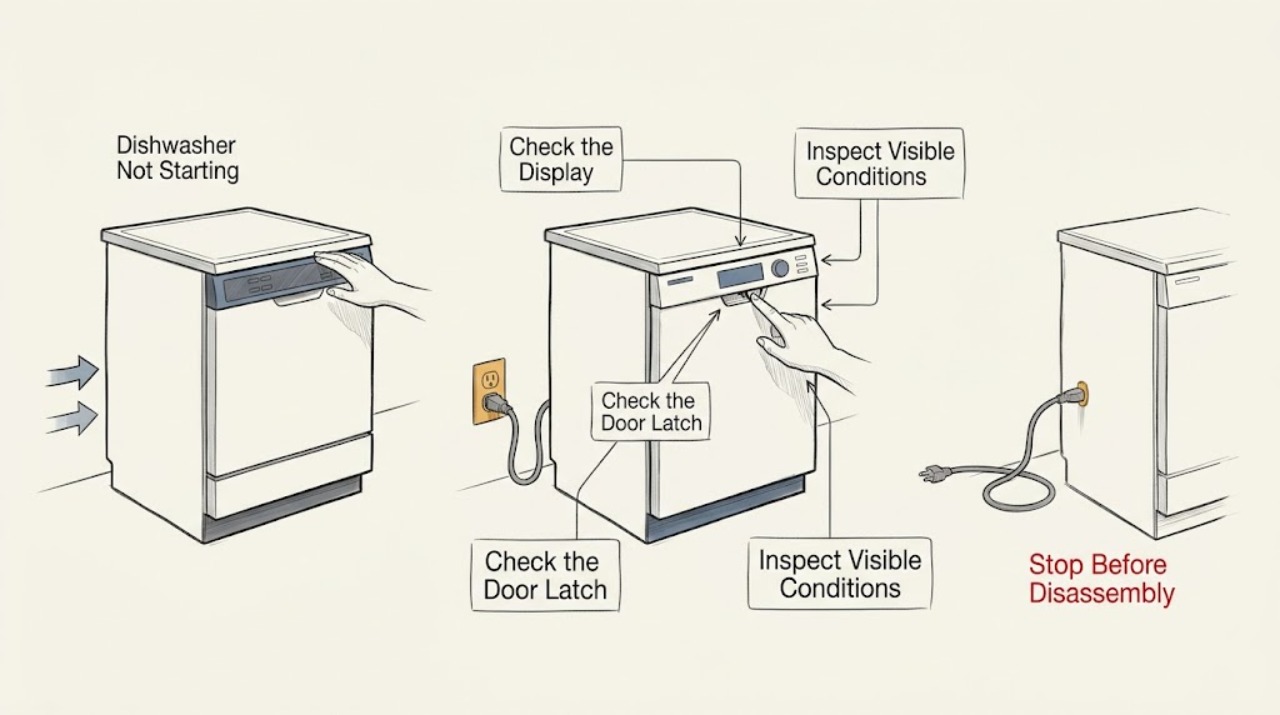
Check whether the display has power, whether the selected program accepts input, and whether the door closes and latches fully. Magic Chef models differ in controls and installation, so use the exact manual for lock, delay, and start behavior; do not force the latch or open electrical panels.
Work through in order
Diagnostic checks
Use only checks that match the exact appliance or system and its official guide.
-
Check 1
From a dry position, check the dishwasher's display or indicators and confirm the receptacle, plug, or accessible breaker is in its normal state. Do not repeatedly reset a tripped circuit.
Expected result: The display is dark, power cuts out, or the breaker trips again.
Next step: Leave it off and arrange qualified electrical or appliance service if the supply is known good or a trip repeats.
Why this matters
Why: The appliance may have a supply, cord, or electrical fault rather than a start-command problem.
-
Check 2
Close the door gently and check that no rack, utensil, or dish prevents the latch from engaging. Note any lock indicator or control response without forcing the handle.
Expected result: The door does not close evenly, the latch does not engage, or a lock indicator remains active.
Next step: Clear only the obstruction and follow the exact manual's latch or lock procedure; request service for a damaged latch.
Why this matters
Why: The control may intentionally reject Start because the door state or control lock is not satisfied.
-
Check 3
Select one listed cycle and press Start once, then observe whether the display changes, water begins to enter, or the unit remains idle. Check for a delay-start state in the model manual before trying again.
Expected result: The controls respond but a delay is active, or Start is accepted and then the cycle stops before filling.
Next step: Cancel the delay only as the model manual directs and inspect visible inlet connections; do not disassemble the inlet valve.
Why this matters
Why: A scheduling/control state or water-input condition may be blocking the expected beginning.
Use your observations
Decision map
Find the observation that best matches what you see, then follow the next safe action.
-
PATH 01Next step
What you see
The display is dark with a verified dry supply
Do this next
Leave the unit off and arrange qualified service.
-
PATH 02Next step
What you see
The display responds but Start is ignored
Do this next
Use the exact manual's control procedure once and seek service if the latch or controls still fail.
Helpful context
Understand the symptom
No start can mean no power or no accepted start
Magic Chef lists electronic controls on countertop and built-in dishwasher models, with delay or lock features on some models. Observe the control response before treating the dishwasher as a motor failure.
When checks do not resolve it
Need a professional?
Use Magic Chef model-specific support for a dishwasher that remains unable to start.
Common questions
FAQ
Why does the dishwasher have power but not start?
Check the door latch, control lock, cycle selection, and delay state in the exact model manual. If Start still does nothing, arrange service rather than bypassing a switch.
Should I reset the breaker again?
No. A repeat trip is an electrical warning. Leave the dishwasher off and have the supply or appliance checked.
Read the exact guide
Official sources
- 21 in. Countertop Dishwasher with 6-Cycles, 6 Place Settings Capacity in WhiteMagic Chef · Magic Chef countertop dishwasher electronic controls, delay start, and hose installation
- Manual DownloadsMagic Chef · Magic Chef model-specific product manuals
- SupportMagic Chef · Magic Chef product support and service paths
- 24 in. Black Front Control Built-in Stainless Steel Tall Tub DishwasherMagic Chef · Magic Chef built-in dishwasher LED controls, delay start, and child lock
Community feedback
Share a repair observation
Share a plain-text repair observation. Accepted observations are published automatically; this page may take a moment to update.