
On this page
Start here
Quick answer
If a Magic Chef oven is not turning on, first separate a completely blank display from a display that has power but will not start. Check the exact model manual, the visible cord and breaker, and the selected mode, timer, lock, and Start sequence. Magic Chef offers both gas and electric cooking appliances, so do not assume a gas or electric procedure without confirming the model. If the breaker trips again, the outlet or cord is hot or damaged, there is smoke, a spark, a shock, uncontrolled heating, or any gas odor, stop immediately. Do not keep resetting, relight, bypass a lock, or open the oven; leave the area for a suspected gas leak and arrange qualified service from a safe location.
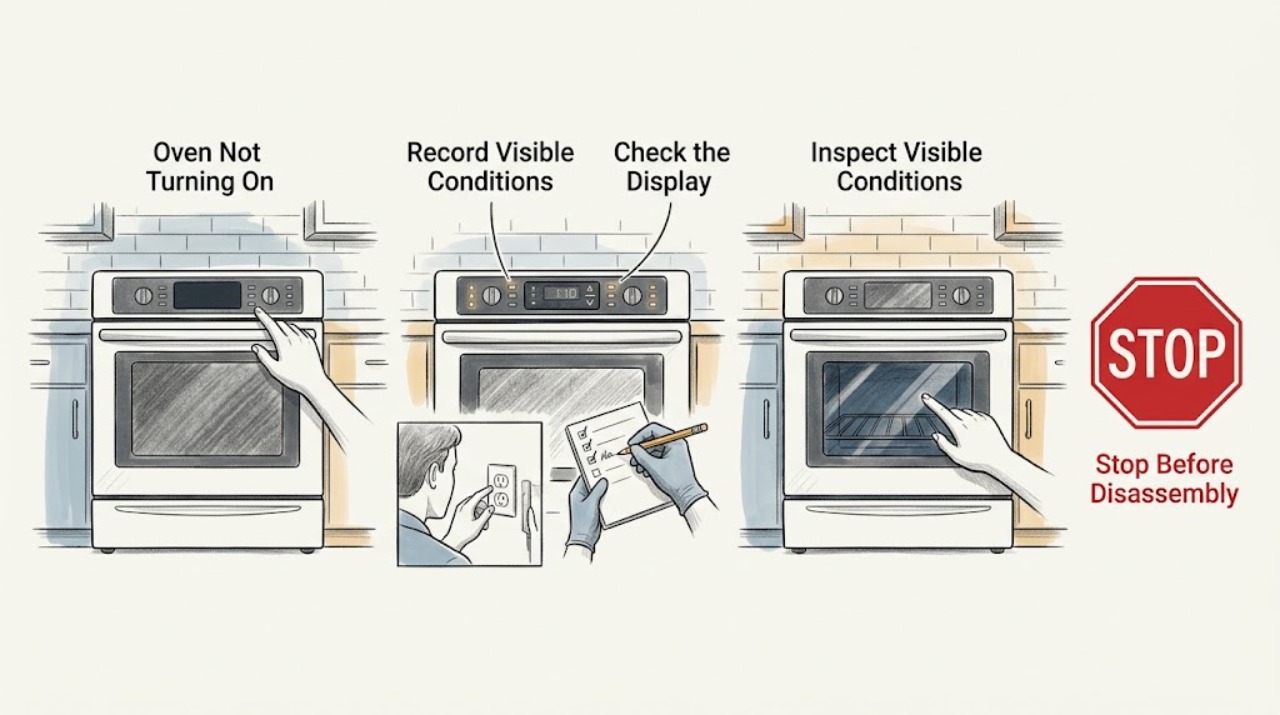
Work through in order
Diagnostic checks
Use only checks that match the exact appliance or system and its official guide.
-
Check 1
With the oven off and cool, record the full model number and classify the symptom: is the display completely blank, is it lit but not responding, does a cycle begin and stop, or does the oven have power but no ignition or heat? Record every word, symbol, and code before clearing it.
Expected result: A blank display sends the diagnosis to the electrical supply and control-power path. A lit display sends it to mode, timer, lock, door, error, ignition, or heating behavior.
Next step: Use the blank-display check when no display is present. Otherwise continue with visible control and safety observations, using the exact manual for the model.
Why this matters
Why: Magic Chef has different gas and electric appliance families and directs users to model-specific support materials; a generic button or ignition sequence can be wrong for the assigned oven.
-
Check 2
For a blank display, inspect the plug and cord without pulling the oven out. Confirm the plug is seated in its intended wall connection and that the appliance breaker is not visibly tripped. Do not use an extension cord or power strip. If there is no odor, smoke, spark, heat, shock, or visible damage, one normal breaker reset may be attempted from a dry, safe position.
Expected result: If the display returns and stays on, the interruption may have been in the supply or control state. If the breaker will not reset, trips again, or the display stays blank, the circuit or appliance needs qualified diagnosis.
Next step: Stop after the single safe reset. Use a licensed electrician for a receptacle, breaker, or wiring concern and qualified appliance service for persistent blank power.
Why this matters
Why: A recurring trip can indicate an appliance defect or branch-circuit problem. It is not a cue to install a larger breaker, bypass protection, or keep trying.
-
Check 3
For a lit display, follow the exact model manual to select the intended oven mode and temperature, close the door, and press Start if the model has that control. Look for a timer, delayed start, lock, or mode knob left at Off; use only the labeled or documented control sequence for that model.
Expected result: If the cycle begins after the correct setting or a documented lock or timer cancellation, the oven was in a control state rather than powerless. If the display responds but the cycle never begins, the control, door switch, or mode path remains suspect.
Next step: Make one normal start attempt after the documented setting. If it still will not begin, stop changing settings and arrange service.
Why this matters
Why: A powered oven can appear inactive when a required Start confirmation, timer, or lock condition has not been cleared. Magic Chef's manual route is the reliable way to identify the model's controls.
-
Check 4
If an error, flashing indicator, or lock message appears, photograph the complete display and note whether it appeared at startup, during preheat, after cleaning, or after an outage. Use the matching Magic Chef manual or official support path, and do not substitute a code or unlock sequence from another model.
Expected result: A message that clears and does not return may have been transient. A code that returns, a code not listed for the model, or a lock that cannot be cleared by the documented instruction requires service.
Next step: Give service the model, full code, operating stage, recent outage or cleaning event, and the result of the documented step. Do not bypass a lock or sensor.
Why this matters
Why: Error and lock meanings can vary with the model and control family. Clearing a display does not prove that an internal sensor, control, lock, or ignition circuit is safe.
-
Check 5
If the oven accepts a cycle but does not ignite or heat, confirm whether the model is gas or electric from its manual or rating label. Observe only from outside whether the control responds and whether any gas odor, delayed ignition, boom, abnormal flame, smoke, or carbon-monoxide alarm occurs. Do not remove the bottom panel or expose an igniter.
Expected result: A clean no-start or no-heat symptom with stable power can indicate a control, ignition, valve, sensor, or heating fault. Any gas odor, delayed ignition, abnormal flame, smoke, or alarm changes the result to immediate stop.
Next step: For a clean symptom, record the model, mode, and timing and request qualified appliance service. For gas or combustion warning signs, do not operate or relight; leave and call from a safe location.
Why this matters
Why: The safe external check cannot identify an internal part, and gas combustion work must not be improvised. A gas appliance can have electrical control power even when its fuel or ignition path is unsafe.
-
Check 6
Before another attempt, inspect the area around the oven, cord, plug, and outlet for water, a hot or discolored connector, burning odor, smoke, visible arcing, shock, or damage. If the oven is stuck heating, the door will not latch, or water has reached electrical equipment, keep hands dry and do not restore power merely to test it.
Expected result: A dry appliance with stable power and no warning sign can proceed only with the model-specific service decision. Water near electricity, a hot or damaged outlet or cord, smoke, sparks, shock, uncontrolled heat, or repeated breaker operation is an immediate stop.
Next step: Stop using the oven, isolate power only from a safe dry position when appropriate, and arrange qualified appliance or electrical inspection. Do not open panels or force the door.
Why this matters
Why: CPSC and ESFI identify hot receptacles, damaged cords, smoke, arcs, shock, repeated trips, and water-damaged equipment as potential fire or shock hazards.
Use your observations
Decision map
Find the observation that best matches what you see, then follow the next safe action.
-
PATH 01Next step
What you see
The display is blank and the breaker, cord, or outlet is hot, damaged, smoky, sparking, or repeatedly trips.
Do this next
Stop using the oven. Do not reset again or install a larger breaker; obtain licensed electrical help and qualified appliance service.
-
PATH 02Next step
What you see
The display remains blank even though the visible external connection is stable.
Do this next
Do not open the oven. Record the model and request qualified service for the supply or control-power fault.
-
PATH 03Next step
What you see
The display is on, but a timer, lock, Off mode, or missing Start confirmation explains the no-start and the model instruction resolves it.
Do this next
Select the intended mode again and make one normal start attempt. Escalate if it will not begin or the state returns.
-
PATH 04Next step
What you see
A complete error or lock message remains or returns after the exact model instruction.
Do this next
Stop using the oven and provide qualified service the model, full message, operating stage, and recent events; do not bypass the lock.
-
PATH 05Next step
What you see
The oven has stable power but no ignition or heat, with no gas odor, delayed ignition, boom, abnormal flame, smoke, alarm, or electrical warning.
Do this next
Record whether the symptom affects Bake, Broil, or all modes and request qualified appliance diagnosis; do not expose internal components.
-
PATH 06Next step
What you see
Gas odor, hissing, delayed ignition, a boom, abnormal flame, smoke, a carbon-monoxide alarm, visible arc, shock, hot cord or outlet, water near electrical parts, uncontrolled heating, or repeated breaker operation occurs.
Do this next
Stop immediately. Do not light, relight, operate switches, reset repeatedly, or test again. Leave for a suspected gas leak and contact emergency or qualified help from a safe location.
Helpful context
Understand the symptom
“Not turning on” has several different meanings
A blank clock or display suggests a supply or control-power problem. A lit display that ignores Start can be waiting for a mode, temperature, timer, or door condition. A gas oven may have a live control but fail at ignition, while an electric oven may accept a cycle but fail in its heating circuit. Use the full model number and the matching Magic Chef manual before interpreting a symbol or trying a reset.
Keep the diagnosis external
Safe checks are limited to the visible cord and breaker, the control panel, the closed door, and normal operating indicators. Do not remove a panel, expose an igniter, open a gas fitting, bypass a door switch, measure live voltage, or use a flame to look for a leak. Internal electrical, gas, and combustion work belongs with a qualified professional.
A gas odor is not a troubleshooting branch
If unburned gas is suspected, stop troubleshooting. Do not use the oven controls, light a burner, operate switches, or use a phone in the area. Leave and call emergency or gas-service help from outside or another safe location. A delayed ignition, boom, unstable flame, smoke, or carbon-monoxide alarm also ends the test.
Safety boundary
Stop conditions
- Stop immediately for gas odor, hissing, delayed ignition, a boom, abnormal flame, smoke, a carbon-monoxide alarm, visible arc, or uncontrolled heating. Do not relight, test again, or search for a leak with a flame.
- Stop using the oven for a hot, melted, loose, or damaged cord or receptacle, a shock, water near electrical parts, smoke, sparks, or a breaker that trips again. Do not continue resetting.
- Do not remove panels, expose an igniter, open a gas connection, bypass a door or safety interlock, probe live wiring, force a locked door, or substitute another model's code. Arrange qualified appliance or electrical service.
When checks do not resolve it
Need a professional?
Request qualified appliance service when the Magic Chef oven remains blank, will not start with the correct model settings, returns an error or lock message, fails to ignite, or does not heat. Use a licensed electrician for a hot or damaged receptacle, wiring concern, shock, water-damaged electrical equipment, or recurring breaker trip. Treat gas odor, delayed ignition, abnormal flame, smoke, carbon-monoxide alarm, sparks, or uncontrolled heat as an immediate safety stop.
Common questions
FAQ
Why is my Magic Chef oven completely blank?
Check the visible cord and appliance breaker once, provided there is no heat, smoke, spark, damage, shock, water, or gas odor. If the display stays blank or the breaker trips again, stop and arrange qualified service.
Why does my Magic Chef oven have power but not start?
Use the exact model manual to confirm the mode, timer, lock, door, and Start sequence. If the display responds but the cycle will not begin after one normal attempt, request service.
Can I keep resetting the breaker on a Magic Chef oven?
No. One normal reset is the limit of a safe basic check when no warning sign is present. A recurring trip can indicate a fire or shock hazard; do not use a larger breaker or continue testing.
What should I do if my Magic Chef gas oven does not ignite?
Do not expose the igniter or repeatedly relight. Record the model and mode. Any gas odor, delayed ignition, boom, abnormal flame, smoke, or alarm requires immediate stop and help from a safe location; a clean no-heat symptom needs qualified appliance service.
What if a Magic Chef oven shows a lock or error message?
Photograph the complete message and use the manual for that exact model. Do not apply a different model's code meaning or bypass a lock. If it returns after the documented step, arrange service.
Read the exact guide
Official sources
- Appliance Safety TipsElectrical Safety Foundation International · ESFI guidance on repeated breaker trips, water near electricity, damaged appliances, and damaged cords
- Service Center PortalMagic Chef · Magic Chef route for service-center and repair support after safe checks
- SupportMagic Chef · Magic Chef support navigation for manuals, FAQs, product help, and service paths
- Manual DownloadsMagic Chef · Magic Chef route for finding the manual that matches an oven or range model
- CPSC Guide to Home Wiring HazardsU.S. Consumer Product Safety Commission · CPSC guidance on repeated breaker trips, hot receptacles, arcing, sparks, smoke, and damaged cords
- Magic Chef Stoves & Ranges | Gas and ElectricMagic Chef · Magic Chef range catalog showing separate gas and electric appliance families
- Recognizing and Responding to Pipeline EmergenciesU.S. Department of Transportation, Pipeline and Hazardous Materials Safety Administration · PHMSA guidance for suspected odorized natural-gas leaks near a home or workplace
Community feedback
Share a repair observation
Share a plain-text repair observation. Accepted observations are published automatically; this page may take a moment to update.