
On this page
Start here
Quick answer
Confirm that the Magic Chef wine cooler has power, the temperature setting is appropriate, and the door closes against its seal. Keep the cabinet from being overpacked and allow a recently loaded unit time to pull down. If the display works but the temperature stays high, frost or moisture is abnormal, or the compressor area is unusually hot or silent, stop repeated testing and use the model manual or qualified service.
Before you begin
Safety first
- Do not remove the wine cooler cabinet, puncture tubing, handle refrigerant, or bypass electrical protection.
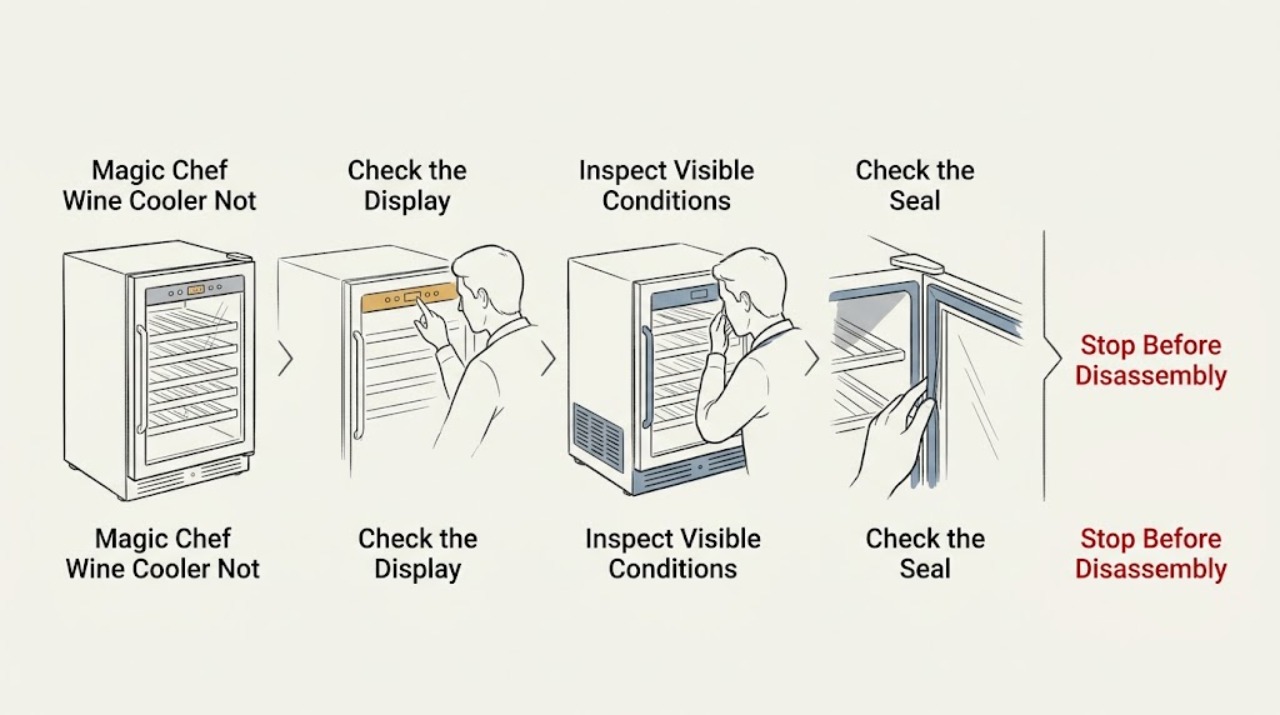
Work through in order
Diagnostic checks
Use only checks that match the exact appliance or system and its official guide.
-
Check 1
Check the power cord, display, and temperature control, then note whether the display responds when you change the setting according to the model manual.
Expected result: The display is dark, the control responds normally, or the setting changes but the cabinet remains warm.
Next step: Restore power only at the accessible plug or breaker if safe. Do not remove panels or open the sealed cooling circuit.
Why this matters
Why: A dark display points first to power; a responsive control shows that the symptom may be airflow, loading, door sealing, or the cooling circuit rather than a button problem.
-
Check 2
With the cooler unplugged, look for bottles, racks, packaging, or dust blocking the internal air path and the external ventilation space specified by the model instructions.
Expected result: The cabinet is tightly packed or an intake/exhaust area is blocked, or airflow appears clear.
Next step: Rearrange the load without forcing bottles against vents, clear only accessible dust, reconnect power, and monitor the temperature with an appliance thermometer.
Why this matters
Why: Blocked circulation can leave some shelves warm even while the cooling system runs; clear airflow makes a control or sealed-system fault more likely if temperature does not fall.
-
Check 3
Inspect the full door gasket and frame for a twisted seal, debris, or a rack preventing closure; close the door on a thin sheet of paper at several points and compare the resistance.
Expected result: The gasket grips consistently, or the paper slips easily at one or more sections.
Next step: Remove the obstruction and clean the gasket gently. If the seal is torn, distorted, or still loose, arrange model-specific service rather than forcing the door.
Why this matters
Why: A weak section allows warm air into the cabinet and can create condensation or a persistent warm reading even when the cooler cycles.
Use your observations
Decision map
Find the observation that best matches what you see, then follow the next safe action.
-
PATH 01Next step
What you see
The display is off and the outlet or breaker also fails to power another known-good device
Do this next
Have the outlet or circuit checked by a qualified person; do not use an extension cord as a workaround.
-
PATH 02Next step
What you see
The display works, the door seals, and the cabinet remains warm after airflow and loading are corrected
Do this next
Record the model number and observed temperature, then request qualified service. Protect perishable contents using safe food-storage guidance.
Helpful context
Understand the symptom
Separate a setting problem from a cooling-system problem
A wine cooler can appear not to cool when its control has been changed, the door is leaking warm air, or bottles block circulation. Magic Chef lists electronic temperature controls and sealed cooling on its wine-and-beverage-center product information; exact controls and temperature behavior vary by model.
When checks do not resolve it
Need a professional?
Provide the exact model, display behavior, measured temperature, and whether the compressor or fan can be heard without opening the cabinet.
Safety scope: Do not remove the wine cooler cabinet, puncture tubing, handle refrigerant, or bypass electrical protection.
Common questions
FAQ
Should I turn the temperature control to its coldest setting?
Use the setting specified by the exact model manual and allow the unit to stabilize; a coldest setting is not a substitute for clearing blocked airflow or repairing a poor door seal.
Can I repair the sealed cooling system myself?
No. A warm cabinet with a working display after the basic checks needs model-specific diagnosis; do not open the cabinet or handle refrigerant.
Read the exact guide
Official sources
- 24 in. Dual Zone Wine & Beverage Center in StainlessMagic Chef · Magic Chef wine-and-beverage center design, electronic controls, dual-zone sealed cooling, and built-in or freestanding use
- Manual DownloadsMagic Chef · Locating the exact Magic Chef product manual for model-specific controls and service guidance
Community feedback
Share a repair observation
Share a plain-text repair observation. Accepted observations are published automatically; this page may take a moment to update.