
On this page
Start here
Quick answer
For a warm Sub-Zero wine cooler, verify power, the setpoint, door closure, and condenser cleanliness, then allow recovery with the door closed. If it remains warm or shows an indicator, use Factory Certified Service rather than opening the refrigeration system.
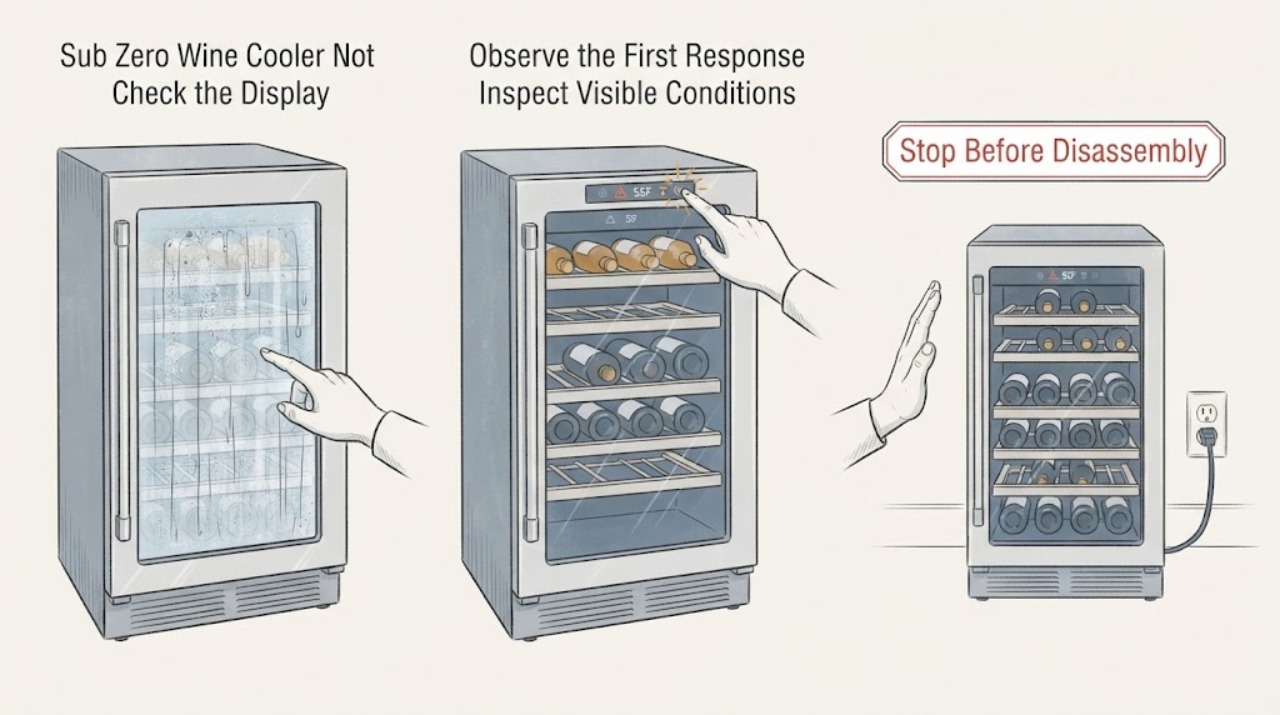
Work through in order
Diagnostic checks
Use only checks that match the exact appliance or system and its official guide.
-
Check 1
Check the control is on: Confirm the wine unit has power and has been left on long enough to begin cooling; check for an error or service indicator without opening panels.
Expected result: The control is off, an error appears, or the unit has been on but remains warm.
Next step: Correct only the user controls described in the manual and record any code for service.
Why this matters
Why: An off control or displayed indicator changes the first step; persistent warmth after normal operation needs deeper diagnosis.
-
Check 2
Verify the setpoint: Read the compartment setpoint and compare it with the desired storage range shown by the unit controls.
Expected result: The setpoint is warmer than intended, or it is appropriate and bottles remain warm.
Next step: Adjust through the controls and allow the unit to recover before judging it.
Why this matters
Why: An incorrect setpoint can explain the symptom; a correct setpoint shifts attention to airflow, sealing, or refrigeration service.
-
Check 3
Check door closure and loading: Look for a bottle, shelf, or rack preventing full closure and confirm the door-ajar alarm is not indicating a gap.
Expected result: The door closes fully, or it remains obstructed or ajar.
Next step: Reposition the load and keep the door closed during the recovery check.
Why this matters
Why: A gap lets warm humid air in and can prevent recovery; a fully closed door makes a simple obstruction less likely.
-
Check 4
Inspect the condenser area: Inspect the approved condenser access for accumulated dust and clean it as directed by the owner guide when cleaning is due.
Expected result: The condenser is dirty, or it is clean and airflow is unobstructed.
Next step: Do not open the refrigeration circuit; arrange certified service for persistent warmth.
Why this matters
Why: A dirty condenser can reduce cooling performance; a clean path points to controls, sensors, fans, or the sealed system.
-
Check 5
Allow and assess recovery: After correcting the setting, door, or condenser condition, keep the door closed and observe whether temperature begins to return toward the setpoint.
Expected result: Temperature recovers, or it stays warm and an error or abnormal sound appears.
Next step: Contact Sub-Zero Factory Certified Service with the model and any displayed indicator.
Why this matters
Why: Recovery supports an operating-condition cause; no recovery or a fault indicator warrants professional diagnosis.
Use your observations
Decision map
Find the observation that best matches what you see, then follow the next safe action.
-
PATH 01Next step
What you see
The control shows a delay, pause, or unfinished previous cycle.
Do this next
Cancel or reset it using the model manual, then observe one controlled restart.
Why this path and its safety boundary
Why it matters: The dishwasher or appliance may be waiting for a control action rather than failing at the reported component.
-
PATH 02Next step
What you see
The external path is restricted, the door or gasket is not sealing, or the filter is visibly blocked.
Do this next
Correct only the accessible condition described by the manufacturer and retest once.
Why this path and its safety boundary
Why it matters: An accessible installation, sealing, or maintenance condition is more likely than an internal part failure.
-
PATH 03Next step
What you see
Controls are ready, accessible paths are clear, and the same symptom returns during a repeat cycle.
Do this next
Stop using the appliance when the symptom can cause damage and contact the manufacturer or an authorized servicer with the recorded observations.
Why this path and its safety boundary
Why it matters: The remaining possibilities include an internal valve, pump, sensor, heater, or control fault that cannot be identified safely without the model manual and service tools.
Helpful context
Understand the symptom
This guide keeps the sub-zero wine-cooler diagnosis at the accessible checks supported by the manufacturer source. Work in order and use each observation to choose the next branch.
When checks do not resolve it
Need a professional?
Stop and contact the manufacturer or an authorized technician if the symptom persists after the accessible checks, water reaches electrical parts, a breaker trips again, smoke or burning smell appears, or any wiring, sealed system, pump, valve, or control requires access.
Common questions
FAQ
Should I keep running it while I troubleshoot?
Stop if water is near electrical parts, a breaker trips, there is smoke or a burning smell, or the appliance is sparking. Otherwise perform only the external checks in the sequence and stop if the symptom returns.
Do I need the exact model number?
Yes. Controls, filters, drain routing, and service procedures vary by model. Record the model label and any displayed code before ordering a part or requesting service.
When is a replacement part justified?
Only after the model manual or an authorized technician links the observed result to that part. A similar symptom alone does not establish fit or compatibility.
Read the exact guide
Official sources
- Sub Zero Warm Wine Storage Troubleshooting | How to GuideSub-Zero · Sub-Zero wine storage units
Community feedback
Share a repair observation
Share a plain-text repair observation. Accepted observations are published automatically; this page may take a moment to update.