
On this page
Start here
Quick answer
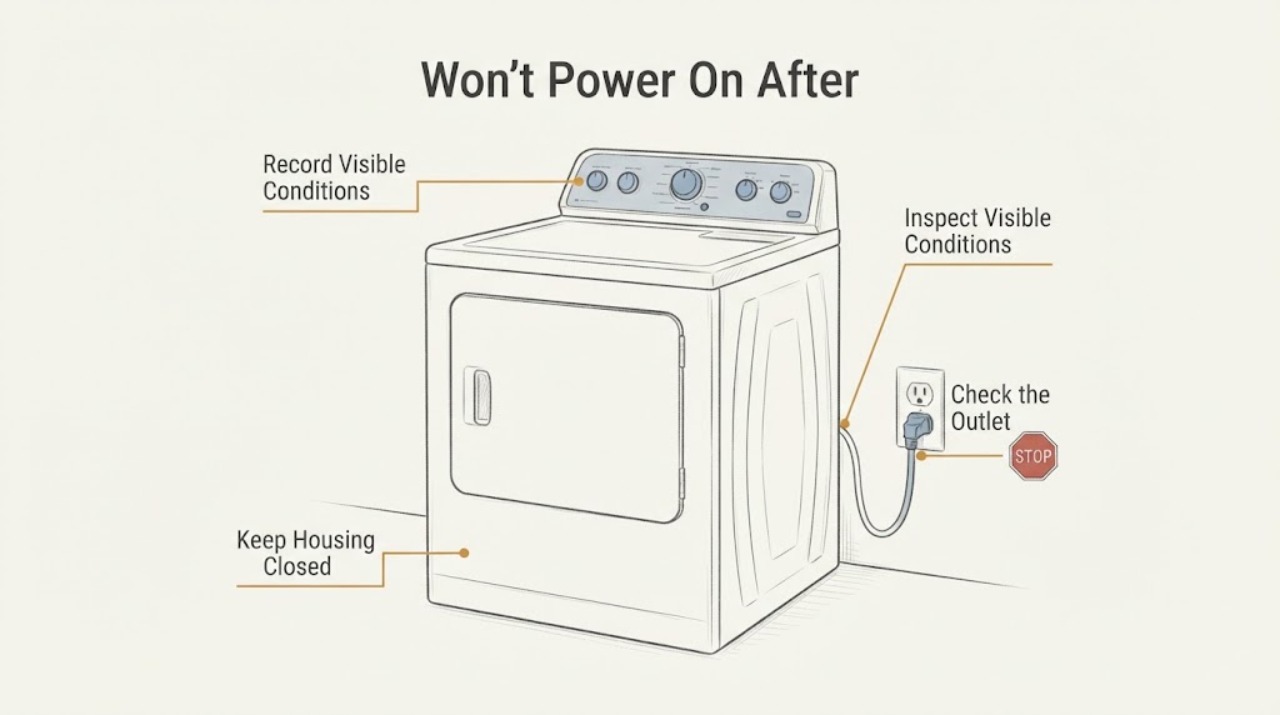
Treat a Maytag MED5630HC that is completely dead after a whole-home power surge as an electrical stop condition, not as an ordinary Start-button problem. This exact model is a 7.3 cu. ft. front-load electric dryer requiring a 240-volt supply. Leave it off and do not keep resetting breakers, plug it into another circuit, measure voltage, open the terminal area or cabinet, or try to prove the fault with another cycle. From a dry, safe position, only document whether the dedicated breaker is tripped, whether the outlet or cord shows scorching, looseness or heat damage, and whether the controls or drum light are completely dark. Have an electrician check the household supply and a qualified Maytag appliance technician assess the dryer for surge-related internal damage; a normal-looking breaker or outlet does not clear the dryer after a surge.
Before you begin
Safety first
- Do not repeatedly reset breakers, substitute fuses, plug into another circuit, open the panel or dryer cabinet, remove terminal covers, measure live voltage, bypass controls, or select an internal part after a surge.
Work through in order
Diagnostic checks
Use only checks that match the exact appliance or system and its official guide.
-
Check 1
Stop using the dryer and keep people away from a hot, wet or visibly damaged electrical area. Without touching the dryer wiring, record when the surge occurred, whether other appliances lost power, whether there was a flash, pop, smoke, burning odor or breaker event, and whether the MED5630HC was running at the time.
Expected result: There was smoke, a spark, burning odor, heat, water, a loud electrical event, or only a loss of power with no visible hazard.
Next step: For smoke, arcing, melted material or a hot electrical area, leave it isolated and use emergency or electrical help as appropriate. Otherwise continue only with dry, external observations and arrange electrician/appliance service.
Stop if: Do not operate switches in a smoky or wet area, plug the dryer back in to see whether it recovered, or continue after any electrical hazard appears.
Why this matters
Why: A surge accompanied by heat, arcing, odor or visible damage raises the risk of fire or shock and can involve more than the dryer's normal no-start path. Absence of an odor does not rule out internal damage.
-
Check 2
From a dry, safe position, look at the household panel for the dryer circuit and note whether either side is visibly tripped or a fuse is visibly open. Do not reset a breaker or replace a fuse after a whole-home surge unless a qualified electrician has declared the panel and circuit safe, and never open the panel beyond its normal user access.
Expected result: A dryer breaker or fuse is open, the panel shows heat or damage, the breaker will not remain set, or no obvious household fault is visible.
Next step: Photograph the safe external panel indication and have an electrician verify the circuit. Do not substitute a fuse, repeatedly cycle the breaker or use another circuit as a test.
Stop if: Stop immediately for a hot panel, scorch marks, buzzing, arcing, water or a repeated trip; keep the dryer off and use electrical service.
Why this matters
Why: Maytag says electric dryers use two household fuses or breakers and that a continuing problem should go to an electrician. A normal-looking breaker cannot rule out a damaged receptacle, cord, terminal connection or dryer-side protection after a surge.
-
Check 3
With the dryer still disconnected, inspect only the visible face of the receptacle, plug and power cord for looseness, discoloration, melted material, a cut, crushed insulation or heat marks. Do not pull the dryer out, remove the terminal cover, tighten terminal screws, or test the outlet or cord with a meter.
Expected result: The outlet, plug or cord is hot, scorched, loose, damaged or smells burned, or all visible external surfaces look normal.
Next step: Keep the cord unplugged and arrange an electrician for any visible defect or uncertainty. Give appliance service the outlet and cord photographs instead of trying to repair the connection yourself.
Stop if: Do not touch exposed conductors, open the terminal area, insert probes, or reconnect a cord that is hot, loose or damaged.
Why this matters
Why: Maytag requires a 240-volt supply and identifies power-cord installation and terminal connections as supply concerns. Visible damage is an immediate electrician boundary; normal appearance does not clear hidden surge damage.
-
Check 4
Observe the MED5630HC controls and drum light only from outside: note whether every display and light is dark, whether any indicator remains lit, and whether the panel shows an exact code. Do not press Start repeatedly, clear a code with random keys, enter service mode or try another cycle to reproduce the failure.
Expected result: The controls and drum light are completely dark, a partial or complete code is visible, or the panel has some power but ignores input.
Next step: Photograph the panel and provide the exact display state to Maytag service. If the display is dark after the electrician verifies the household supply, the appliance technician should inspect the dryer-side power and control path.
Stop if: Do not bypass a door or control lock, open the console, or energize the dryer just to see if the panel returns.
Why this matters
Why: Maytag directs a completely dark dryer to its no-power path; a partially lit panel moves the question toward control, lock or start behavior. A surge can damage either the supply side or the appliance electronics, so the visible state is evidence for service—not a part diagnosis.
-
Check 5
Prepare the service handoff without further operation: record MED5630HC, the serial number, the surge date and whether it affected the home, the breaker and outlet observations, the cord condition, the control/drum-light state, and any sound, odor, heat or smoke. Keep any surge-protector or electrical-event information available.
Expected result: An electrician finds a supply/receptacle problem, the supply is verified but the dryer remains dead, or the external checks cannot establish a cause.
Next step: Use an electrician for the household circuit, receptacle or cord connection and qualified Maytag appliance service for a dead dryer after the supply is safe. Do not order a fuse, control board, power cord or other part from the symptom alone.
Stop if: Keep the dryer disconnected until the responsible professional clears it; stop if any new heat, odor, smoke, spark, shock or breaker trip occurs.
Why this matters
Why: A supply fault and dryer-side surge damage require different providers and evidence. Maytag's guidance sends continuing no-power problems to qualified electrical or appliance service rather than asking the user to access internal wiring.
Use your observations
Decision map
Find the observation that best matches what you see, then follow the next safe action.
-
PATH 01Next step
What you see
The dryer breaker or fuse is open after the surge, or the breaker shows heat, damage or trips again.
Do this next
Leave the dryer off and have an electrician inspect the complete circuit, panel and receptacle before appliance testing.
Why this path and its safety boundary
Why it matters: The household supply or circuit has not been cleared. Electric dryers use two supply sides, and a repeat trip is an unresolved electrical fault rather than permission to keep resetting.
-
PATH 02Next step
What you see
The outlet, plug or cord is scorched, loose, hot or damaged, even if the household breaker looks normal.
Do this next
Do not plug in or move the dryer to another outlet. Use an electrician for the connection and have the appliance assessed after the supply is safe.
Why this path and its safety boundary
Why it matters: The visible supply connection is unsafe and may have been affected by the surge. A normal breaker does not make a damaged connection safe.
-
PATH 03Next step
What you see
The household supply and visible receptacle/cord are cleared by an electrician, but the MED5630HC controls and drum light remain dark.
Do this next
Keep the dryer isolated and arrange qualified Maytag appliance service. Do not open the cabinet, measure live circuits or replace an internal fuse or board as a guess.
Why this path and its safety boundary
Why it matters: The remaining problem is on the dryer side, potentially involving surge-damaged protection, wiring, controls or another internal circuit. The external checks cannot select a part.
-
PATH 04Next step
What you see
The panel has some power but ignores Start, shows a code or behaves differently from before the surge.
Do this next
Record the exact display and arrange model-specific service without repeated key presses or another cycle.
Why this path and its safety boundary
Why it matters: The dryer is not simply a completely dead supply case; a control-lock, door/start state or surge-related control fault remains possible. Maytag's no-start checks do not authorize internal electrical diagnosis.
Helpful context
Understand the symptom
The surge changes the decision boundary. A dead dryer after a house-wide electrical event could have lost a breaker or suffered damage at the receptacle, cord, terminal connection, controls or another protected circuit. Those possibilities cannot be separated safely by repeated resets or a live meter check. Preserve the timeline and leave the MED5630HC isolated until the supply and appliance are examined.
Maytag's exact product page identifies this as an electric MED5630HC, and the specification sheet lists a 240-volt, 30-amp supply. The official no-power guidance allows a qualified electrician to address the household supply and points to service when the issue remains. The observations below stay outside the cabinet and do not assume a failed fuse, board or cord part.
When checks do not resolve it
Need a professional?
Use an electrician for the household supply, panel, receptacle or cord connection. Use qualified Maytag appliance service for the MED5630HC after the supply is declared safe but the dryer remains dead or behaves abnormally.
Safety scope: Do not repeatedly reset breakers, substitute fuses, plug into another circuit, open the panel or dryer cabinet, remove terminal covers, measure live voltage, bypass controls, or select an internal part after a surge.
Have this ready
- Provide MED5630HC, serial number, surge timing and scope, whether the dryer was operating, breaker/fuse state, outlet/plug/cord photographs, control and drum-light state, any exact code, and all smoke, heat, odor, sound or trip observations.
Common questions
FAQ
Can I reset the Maytag dryer breaker once after the surge?
After a whole-home surge, do not keep resetting it or use a reset as a test. Have an electrician determine whether the panel, circuit and receptacle are safe; a repeat trip is an electrical stop condition.
Is MED5630HC electric or gas?
Maytag identifies MED5630HC as a front-load electric dryer. Its specification lists 240 volts and 30 amps, so gas-supply checks do not apply to this model.
If the outlet looks normal, can I test the dryer in another outlet?
No. A normal appearance does not clear a surge-damaged connection or dryer, and an electric dryer requires its correctly rated supply. Have the circuit cleared professionally instead of moving or reconnecting the dryer as a test.
What should the technician know?
Give the exact MED5630HC model and serial, when the whole-home surge happened, whether the dryer was running, the breaker and cord/outlet observations, whether the controls and drum light are dark, and any sound, heat, smoke or odor.
Read the exact guide
Official sources
- Not Starting or Not Operating - Dryer - Product HelpMaytag · Maytag distinction between no power, controls, Start, door latch and cycle behavior
- MED5630HC | MaytagMaytag · Exact model identity and electric front-load dryer classification
- No Power - Electric DryerMaytag · Maytag external no-power guidance for two-sided breaker/fuse supply, 240-volt cord requirements and electrician/service escalation
- Feature SheetMaytag · Exact model MED5630HC electrical and product specifications
Community feedback
Share a repair observation
Share a plain-text repair observation. Accepted observations are published automatically; this page may take a moment to update.