
On this page
Start here
Quick answer
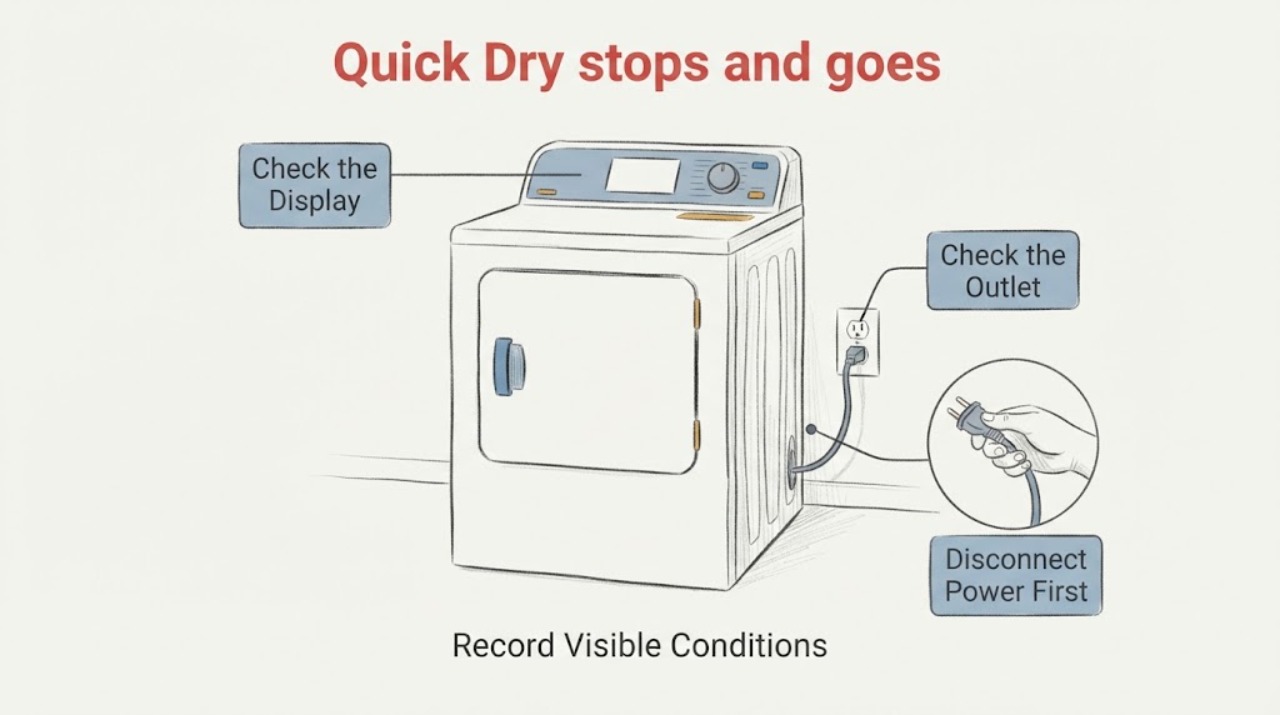
If an AEG TR718L4B 7000 8 kg heat-pump dryer goes dead during a programme labelled Quick Dry, first decide whether power was actually lost or the programme ended and the display entered a normal standby state. Record whether the display is completely dark, whether the outlet and RCD/breaker still hold, and whether the cycle stopped with a tank, filter, delay, child-lock, door, or other indicator. AEG identifies the TR718L4B as a heat-pump dryer but lists several PNC variants, so keep the full rating-plate PNC and country with the exact programme label; do not borrow a control sequence from a similar model. If there is a burning smell, scorch mark, damaged cord, water at the electrical connection, or repeated protection trip, leave it unplugged and arrange authorised service. Otherwise, with the appliance stopped and safe, check the outlet, door, tank, accessible filter/condenser and drain arrangement, then perform at most one model-approved restart. A display that dies again in mid-cycle or a dryer that remains unresponsive is a service diagnosis—not proof of a failed power board or compressor.
Work through in order
Diagnostic checks
Use only checks that match the exact appliance or system and its official guide.
-
Check 1
Stop the dryer and check the safety state without opening any panel or reaching behind the cabinet. If there is a burning smell, smoke, scorch mark, melted insulation, damaged plug or cord, water at the electrical connection, unusual arcing, or an RCD/breaker that trips again, leave the dryer disconnected. Otherwise note whether the display is completely dark, still lit, or showing a finished/paused/warning state.
Expected result: The panel is dark and the protection device has operated, the panel is dark but the household supply appears normal, or the panel remains responsive with a message or indicator.
Next step: Keep the dryer isolated for any hazard or repeated trip and arrange authorised service/electrical assessment. If the panel is responsive and no hazard is present, continue with the external start-condition checks.
Stop if: Do not remove the top, rear, or control panel, probe a socket or terminal with test leads, or restart a dryer that smells burnt, sparks, or trips protection.
Why this matters
Why: A dark panel or repeated protection trip makes supply or control power the first decision; a responsive panel means the Quick Dry event may be a programme, tank, door, filter, or sensing state rather than total power loss. A hazard is not a reason to keep reproducing the fault.
-
Check 2
Read the full rating plate and record the model, 11-digit PNC, serial and country. Compare the control's exact programme label with the owner manual; the AEG product page lists TR718L4B programmes and the AEG spares page shows several PNC variants. Record whether Quick Dry is a printed programme, an option, or a user description of a different short cycle.
Expected result: The complete model and PNC match a TR718L4B manual and the programme label is clear, or the PNC/country or Quick Dry identity cannot be matched.
Next step: Use only the matching PNC/manual for the next user step. If the identity remains incomplete, stop at external safety checks and provide the rating-plate photo to AEG or authorised service.
Stop if: Do not apply a child-lock, service-mode, error-code, or programme reset sequence from another AEG model or region.
Why this matters
Why: TR718L4B is a model family with multiple PNC versions. A similar-looking AEG 7000 dryer or a different regional control can have different programme names, indicators, and button combinations, so an unexplained Quick Dry label cannot safely select a reset or component.
-
Check 3
With the dryer switched off and unplugged, confirm the plug is fully seated and test the same outlet with a small known-working appliance from a dry, safe position. Check the household breaker or RCD for a trip. If the outlet is live and there was no hazard, reconnect the dryer and press On/Start once; if it remains dark, do not repeat the test.
Expected result: The test appliance also fails, the breaker/RCD trips again, the outlet works but the dryer remains dark, or the dryer powers up normally.
Next step: For a dead outlet or repeated trip, stop and use an electrician or authorised AEG service. For a dark dryer on a working outlet, leave it unplugged and arrange service. If it powers up, continue once to the door, lock, tank and filter checks.
Stop if: Do not replace a fuse repeatedly, use an extension lead, bypass an RCD, or make live voltage measurements.
Why this matters
Why: A dead outlet or repeated protection event points outside a normal Quick Dry setting. A working outlet with a dark dryer leaves the appliance power path unresolved; a normal display means the original event may have been a state or cycle interruption rather than a total power loss.
-
Check 4
With the dryer stopped, close the door normally and check for clothing caught in the seal, visible latch or hinge damage, a padlock/child-lock symbol, a delay countdown, an energy-saving standby display, or a flashing Start/Pause light. Cancel only the state documented for the exact PNC, then press Start/Pause once.
Expected result: The door does not latch, the lock/delay/standby indicator clears and the cycle resumes, the Start/Pause light flashes while the programme is otherwise finished, or the dryer accepts the programme but goes dead again.
Next step: Remove only visible laundry from the seal and use the matching manual for a lock or delay state. If the latch/hinge is damaged or the display dies again, stop using the dryer and arrange authorised service.
Stop if: Do not force the door, defeat the latch, hold a switch closed, or repeatedly cycle the machine to make it start.
Why this matters
Why: AEG says an incompletely closed door, child lock, delayed start, energy-saving mode, or normal end/anti-crease state can look like a non-start. If the controls accept the programme but power disappears again, those external states no longer explain the recurrence.
-
Check 5
Check only the accessible maintenance items described for this heat-pump dryer: empty the water tank if its indicator is lit, confirm the tank/container is seated, clean the lint filter, and inspect the accessible condenser/heat-exchanger and any external drain hose for lint, blockage, kinks, or an incorrect connection. Do not remove covers or wash a component unless the matching manual permits it.
Expected result: The tank is full or not seated, the filter or condenser is blocked, the external drain hose is kinked, or these visible conditions are normal and the machine still stops or loses its display.
Next step: Correct only the accessible condition in the matching manual and try one normal cycle if no hazard exists. If the display goes dark, the tank warning returns immediately, or the cycle stops again, disconnect the dryer and request authorised service.
Stop if: Do not run the dryer with blocked airflow, wet electrical areas, a damaged filter housing, or an unverified drain arrangement, and do not dismantle the heat-pump system.
Why this matters
Why: AEG says a full tank stops a cycle, blocked filters or condenser can affect operation, and a drain problem can stop the machine. A clean, correctly seated accessible path with a recurring mid-cycle shutdown shifts the case to service; it does not identify the heat pump, compressor, control, or another part.
-
Check 6
If the display stayed on and no safety or maintenance warning was found, make one controlled observation using the exact programme's documented load guidance. Do not run an empty dryer or use a dry, tiny load to test a moisture-controlled cycle. Note whether the cycle ends normally, the Start/Pause light flashes, the machine stops after a few minutes, or the display becomes completely dark; do not put hands into a moving drum.
Expected result: The short cycle ends with a normal finished/anti-crease indication, it ends immediately with little or dry laundry, it stops after a few minutes while the panel remains lit, or it loses the display in mid-cycle.
Next step: For a normal or load-sensing end, follow the matching programme guidance and stop testing. For a repeated stop with the panel lit, or any mid-cycle loss of display, disconnect the dryer and give authorised service the timing, load, PNC and indicators.
Stop if: Do not keep repeating Quick Dry, run the dryer unattended, bypass sensors, or open the cabinet to distinguish a compressor, motor, belt, or power-board fault.
Why this matters
Why: AEG explains that a moisture-controlled programme may cancel when it cannot detect enough moisture and that a flashing Start/Pause light can be a normal end state. A lit panel with a tank/filter or sensing pattern is different from a true power loss; a dark panel in mid-cycle is not explained by load sensing alone.
Use your observations
Decision map
Find the observation that best matches what you see, then follow the next safe action.
-
PATH 01Next step
What you see
The display becomes completely dark, the outlet test fails, or the breaker/RCD trips again when the dryer is selected.
Do this next
Leave the dryer unplugged and arrange an electrician or authorised AEG service assessment. Do not bypass the protection device or open the dryer to search for a board or compressor fault.
Why this path and its safety boundary
Why it matters: This pattern is a supply/protection or appliance power-path problem, not a confirmed Quick Dry programme issue. AEG's no-power guidance directs owners to the plug, outlet, breaker/fuse and then authorised service; repeated protection operation is a stop condition.
-
PATH 02Next step
What you see
The panel stays lit and the event ends with Finished, anti-crease, a flashing Start/Pause light, a delay/lock state, or a short-cycle result with a very small or dry load.
Do this next
Match the exact PNC and programme in the manual, use the documented load and setting, and stop testing once the expected state is understood. If the dryer instead goes dark or the symptom persists with a suitable damp load, request service.
Why this path and its safety boundary
Why it matters: A normal end, standby/lock state, or moisture-sensing decision is more likely than total power loss. AEG documents that too little or too-dry laundry can make a moisture-controlled programme cancel and that flashing Start/Pause can indicate a normal finished phase.
-
PATH 03Next step
What you see
The tank/full indicator is lit, the filter or condenser is visibly blocked, the tank is not seated, or an external drain hose is kinked, and the display remains responsive.
Do this next
Switch off, empty or reseat the tank and clean accessible filters/condenser areas only as the matching manual directs; correct a visible drain-hose kink. Try one cycle only if safe, then service any recurring stop or warning.
Why this path and its safety boundary
Why it matters: An accessible water collection or airflow/drain condition can stop or interrupt a heat-pump dryer cycle. It does not prove a pump, heat exchanger, compressor, or control failure.
-
PATH 04Next step
What you see
The PNC/manual is confirmed, the outlet and start conditions are normal, accessible maintenance items are clear, but the display dies during Quick Dry or the dryer remains unresponsive after one safe restart; or there is burning smell, heat damage, water near electricity, or repeated protection operation.
Do this next
Keep the dryer disconnected and arrange authorised AEG service. Provide the exact PNC, country, programme label, load, timing, display state, protection behavior, tank/filter status and any sound or smell record.
Why this path and its safety boundary
Why it matters: The user-level branches are exhausted and the event needs an authorised electrical/appliance diagnosis. The symptom does not select a power board, motor, compressor, belt, or other internal part, and heat-pump refrigerant work is not a user check.
Helpful context
Understand the symptom
Power loss is not the same as a short or finished cycle
The TR718L4B product page describes a heat-pump dryer with ProSense humidity sensing, Delay Start, Start/Pause, and an 8 kg capacity. AEG also explains that a flashing Start/Pause light can be normal after a programme and that a moisture-controlled programme can end when it cannot detect enough moisture. Therefore, a Quick Dry report needs the exact display state and timing: a dark panel and a tripped RCD are one path; a live panel that shows Finished, a tank/filter indicator, or a short programme ending is another. The exact PNC and manual control which programme names and button sequences apply.
What to give the technician
Photograph the rating plate and control panel before resetting anything. Record the PNC, country, the exact selector label (including whether it actually says Quick Dry), the load size and dampness, minutes from start to shutdown, display or LED state, any tank/filter symbol, breaker or RCD behavior, and whether the machine came back after being unplugged. This separates a supply event, a programme-state condition, and a repeatable internal fault without naming a power board, motor, compressor, or other part from a symptom.
When checks do not resolve it
Need a professional?
Contact an authorised AEG service centre when the TR718L4B remains dark on a working outlet, the display dies again during Quick Dry, the cycle repeatedly stops after the external checks, the door or hinge will not latch, a tank/filter/drain warning returns immediately, the PNC or programme cannot be matched, or there is a burning smell, smoke, scorch mark, damaged cord, water near electricity, unusual heat, or repeated breaker/RCD operation. Leave it unplugged for the hazard cases.
Have this ready
- Provide the complete TR718L4B model and 11-digit PNC, serial and country, a photo of the control and rating plate, the exact programme label, load size and dampness, time from start to shutdown, whether the panel was dark or lit, any tank/filter/lock/delay indicator, outlet and RCD behavior, filter/tank/drain observations, and any smell, sound or visible damage.
Common questions
FAQ
Why did my AEG TR718L4B stop during Quick Dry and then appear dead?
First check whether the display is truly dark or whether the programme finished, entered standby, or showed a tank/filter/lock state. Test the outlet and protection device from a safe position, then confirm the PNC-specific programme label. A display that dies again in mid-cycle after one safe check requires authorised service; do not assume the compressor or power board is the cause.
Can a full water tank stop an AEG heat-pump dryer?
Yes. AEG says a tumble dryer can stop when the water tank is full. Switch the dryer off, empty and reseat the tank as the matching manual directs, and try once only if there is no hazard. If the indicator returns immediately or the display goes dark, disconnect the dryer and request service rather than guessing at a pump or control part.
Could Quick Dry end normally instead of losing power?
Possibly. AEG documents normal end/anti-crease indications and explains that a moisture-controlled programme can cancel when it cannot detect enough moisture, such as with too little or already-dry laundry. Confirm the exact PNC and programme in the manual. This explanation does not cover a display that becomes completely dark or a repeated protection trip.
Which part should I replace if the TR718L4B goes dead mid-cycle?
Do not choose a part from this symptom. AEG's public guidance starts with supply, door, lock, tank, filters, drain and programme states, then directs unresolved cases to an authorised service centre. A technician must use the exact PNC and safe measurements to distinguish an appliance power fault from another condition before selecting a component.
When should I stop trying to restart the dryer?
Stop immediately for smoke, burning smell, scorch marks, damaged cord, water near the electrical connection, unusual heat, arcing, or a breaker/RCD that trips again. Also stop after one safe restart if the display dies in mid-cycle or the fault returns with a confirmed outlet, closed door, clear accessible filters and empty tank. Leave it unplugged and arrange authorised service.
Read the exact guide
Official sources
- Tumble dryer does not switch on after a drying cycleAEG · Official AEG escalation guidance used for a dryer that will not switch on after a cycle; it does not identify a user-replaceable part.
- Tumble dryer’s water tank is emptyAEG · Official AEG heat-pump/condenser guidance used for accessible tank, filter, condenser and drain observations; it does not support internal pump or heat-pump diagnosis by the user.
- How to clean and maintain your AEG tumble dryerAEG · Official AEG maintenance guidance used for routine accessible filter/tank/condenser checks; exact access differs by model and the user is not directed to remove cabinet parts.
- Tumble dryer has no powerAEG · Official AEG tumble-dryer guidance used for outlet, breaker/fuse, door, lock, reset, delay, overheating, filter and service triage; it does not authorize cabinet opening or live testing.
- 7000 SensiDry® Heat Pump 8 kg Tumble Dryer TR718L4BAEG · Exact AEG UK product page opened for TR718L4B; it identifies the model as an 8 kg heat-pump dryer and provides product-level programme/specification context, while the PNC-specific manual controls variant details.
- Model TR718L4B - Spares & Accessories - AEGAEG · Exact AEG model page opened to confirm that TR718L4B has multiple PNC versions and that the rating-plate PNC is needed for matching documentation or parts; no part is selected here.
- Start - Pause LED flashes on tumble dryerAEG · Official AEG support used to separate a normal finished/anti-crease or moisture-sensing end from a true dark-panel power loss.
- AEG User Manuals: How to Find & Download InstructionsAEG · Official AEG support page opened for the identity boundary; it directs owners to use the model or PNC and the rating plate before applying a manual procedure.
- Tumble dryer does not start / does not workAEG · Official AEG support page used for low-risk external checks and its warning to stop using/unplug an unresolved dryer; model manual controls exact buttons and settings.
- Tumble dryer ends the programme immediately after the startAEG · Official AEG guidance used only for programme-sensing interpretation; it does not explain a completely dark display or authorize repeated testing.
Community feedback
Share a repair observation
Share a plain-text repair observation. Accepted observations are published automatically; this page may take a moment to update.