
On this page
Start here
Quick answer
Do not assume that the Maytag MGD5630HC3 needs another control board because its touch controls stopped responding after a board replacement. Maytag's official F1 E1 dryer page treats F1 E1 as a code for a controlled power-down, a Timed Dry check, and service if help is still needed; it does not identify a board, touch panel, or connector as the failed part. Because this unit is a gas dryer and the symptom began after electrical repair, leave it off, isolate electrical power from a safe dry position and close the gas shutoff only if it is safely accessible. Do not reopen the console, enter service mode, reseat wires, make live measurements, or repeatedly restart it. Have the original repairer or a qualified appliance technician verify the complete model, the replacement documentation, the old and new board labels, the HMI/control connections, and safe gas and electrical reassembly.
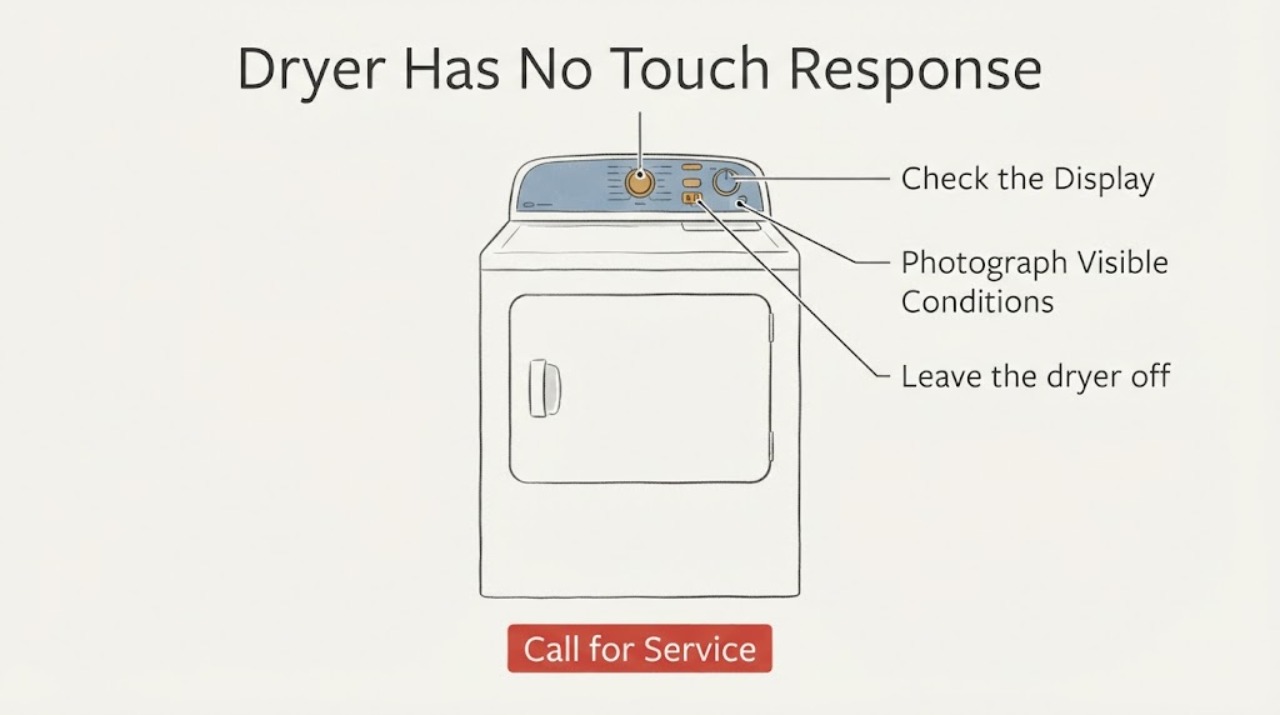
Work through in order
Diagnostic checks
Use only checks that match the exact appliance or system and its official guide.
-
Check 1
From a stable, dry position, photograph the complete display and write exactly what appears: F1 then E1, E1 then F1, an alternating pair, a single character, a blank display, or a different message. Also record whether any indicator lights are on, whether the dryer was usable before the board change, and whether the drum or heat was active when the controls stopped responding.
Expected result: The display clearly alternates F1 and E1, shows another code, is blank, or is only partly readable; controls may respond to nothing, to some keys, or to an obvious Control Lock indication.
Next step: Keep the photograph and repair timeline with the appliance. Use only the exact MGD5630HC3 documentation for any ordinary user control instruction; otherwise leave the dryer isolated and give the record to the repairer or qualified service provider.
Stop if: Do not keep pressing random keys, enter service diagnostics, or substitute an F1/E1 meaning from another Maytag or Whirlpool dryer.
Why this matters
Why: Maytag's F1 E1 page applies to the F1 E1 display and directs service if the problem remains. A different or incomplete display cannot safely be mapped to that page, and a no-response symptom does not identify the control unit or touch interface by itself.
-
Check 2
With the dryer not running, check only the normal front controls from the outside: if the Control Lock indicator is visibly on, consult the exact model manual for its normal unlock instruction; if the panel or your hands are damp, dry both with a clean cloth before making one ordinary touch attempt. Do not remove trim or the console.
Expected result: The Control Lock indicator is on and the documented normal unlock works, the panel was damp and then responds, or the controls remain dead and F1/E1 remains present.
Next step: If the controls remain unresponsive or the code is still present, stop user testing and arrange a repair recheck. Do not open the control area to reseat a connector or inspect a board.
Stop if: Do not force keys, bypass Control Lock, bridge contacts, or use a key combination from a service sheet.
Why this matters
Why: Maytag says an active Control Lock prevents touch commands and that moisture can make an electronic touch panel less responsive. If those external conditions are absent or clearing them does not restore response, the post-board timing remains unresolved; it is not proof of a replacement board or HMI failure.
-
Check 3
Leave the dryer off and inspect only visible external hazards: gas odor, smoke, scorching, melted plastic, sparks, a hot or damaged plug/cord, water near electrical parts, or a breaker that trips again. If none is present, confirm that the dryer remains disconnected rather than repeatedly restoring power to test the touch panel.
Expected result: Any gas or burning odor, smoke, spark, unusual heat, damaged electrical exterior, water near electrics, or repeated trip is present, or the exterior is normal but the dryer remains unusable.
Next step: For a hazard, keep people clear, leave the appliance off, isolate electrical power only from a safe dry position, and close the gas supply only if safely accessible; contact qualified appliance or electrical help, and use emergency services for an active fire or immediate danger. With no hazard, continue to the service handoff rather than reopening the unit.
Stop if: Do not relight the burner, run a heat cycle, inspect behind the panel, or restore power to a wet or visibly damaged appliance.
Why this matters
Why: A gas/fire/electrical warning takes priority over identifying F1/E1. A normal exterior cannot certify hidden wiring, a control board, a harness, the ignition circuit, or the gas train after a repair.
-
Check 4
Prepare a repair handoff without accessing the control area yourself. Give the technician the full MGD5630HC3 model and serial information, the display photo, the date and scope of the board replacement, the old and new board labels if they were recorded by the installer, whether the touch panel worked before the repair, and any gas, heat, odor, or breaker symptoms.
Expected result: The original repairer can confirm the exact replacement record and safely expose the control area, or the board identity/connector history is unknown.
Next step: Ask the original repairer or qualified technician to compare the exact model and revision documentation, verify the installed control assembly and user-interface path, inspect connector condition with power and gas safely isolated, and complete the appliance's electrical, gas, and protective reassembly checks before any operating test.
Stop if: Do not order another board, splice or reseat a harness, or send a technician a guessed part number as the diagnosis.
Why this matters
Why: The exact-model parts list shows that the control unit and HMI harness are separate documented elements, so the timing and labels can help a qualified technician verify the repair path. They still do not prove compatibility, wiring order, or a failed component.
-
Check 5
If a qualified provider confirms that the dryer is fully reassembled and safe, let that provider decide whether Maytag's single F1 E1 check is appropriate: power down at the breaker for five minutes, restore power, select Timed Dry, and monitor for one minute. Do not perform this test yourself while the control area is exposed or the repair status is uncertain.
Expected result: After the provider's controlled check, the code and touch response are normal, F1/E1 returns, the controls remain dead, or the dryer behaves abnormally.
Next step: Keep the dryer off and have the provider continue with model-specific diagnosis and safety verification. Do not repeat the reset, run an unattended cycle, or replace another part from the display alone.
Stop if: Do not enter service mode, make a live voltage/resistance test, bypass a door or control interlock, or operate with a cover removed.
Why this matters
Why: Maytag's official page defines this as a short reset-and-observe step, not proof that the repair succeeded or that a specific board is needed. A returning code or persistent no-touch condition after reassembly requires service diagnosis; abnormal heat, gas behavior, or electrical symptoms require immediate stop-use.
Use your observations
Decision map
Find the observation that best matches what you see, then follow the next safe action.
-
PATH 01Next step
What you see
The display is a clear F1/E1 pair, touch controls stopped responding immediately after the control-board replacement, and no external gas, fire, or electrical hazard is visible.
Do this next
Leave the gas dryer off and have the original repairer or a qualified technician verify the exact model/revision, installed assembly records, control-interface path, and safe reassembly before any controlled test.
Why this path and its safety boundary
Why it matters: This is a repair-history-dependent service branch. The official F1 E1 guidance supports only a limited reset-and-observe sequence and does not distinguish a board, HMI, harness, or other component; the exact model parts list confirms those are separate documented control-system elements.
-
PATH 02Next step
What you see
The Control Lock light is clearly on, or moisture is visible on the panel or hands, and the normal external condition clears the no-response symptom without a returning code.
Do this next
Use only the normal controls and exact model instructions. Stop and request service if F1/E1 returns, the controls fail again, or the dryer cannot be safely stopped.
Why this path and its safety boundary
Why it matters: Maytag documents Control Lock and panel moisture as ordinary reasons a touch control may not respond. That result does not validate the replacement board or explain a continuing F1/E1 display.
-
PATH 03Next step
What you see
The display is blank or different from F1/E1, the model suffix cannot be confirmed, or the board labels and repair scope are unknown.
Do this next
Preserve the display and model information, check only the accessible household breaker once if there is no hazard, and have a qualified technician or electrician handle any recurring loss of power or internal diagnosis.
Why this path and its safety boundary
Why it matters: The official F1 E1 instruction cannot be extended to an unverified display or identity. A blank display can involve power or repair-state issues, but it does not identify a control board or electrical fault for this dryer.
-
PATH 04Next step
What you see
There is gas odor, smoke, scorching, a spark, a hot or damaged plug/cord, water near electrics, repeated breaker trips, abnormal heat, or any exposed/damaged wiring after the repair.
Do this next
Stop immediately, keep the dryer off, isolate power only if safe from a dry position, close the gas supply only if safely accessible, leave the area for an active gas/fire danger, and obtain qualified appliance/electrical or emergency help.
Why this path and its safety boundary
Why it matters: This has crossed the ordinary error-code path and may be a gas, fire, or electric shock hazard. The display should not be used to decide whether it is safe to continue.
Helpful context
Understand the symptom
This is a post-repair control problem, not a normal invitation to try parts. The exact MGD5630HC3 parts document confirms the gas-dryer identity and shows that the console/control system includes an Appliance Control Unit and a board-to-board HMI harness. That establishes why the repair history matters, but it does not establish a wrong board, a loose connector, or a failed touch panel. The control area should be left for a qualified technician with the model-specific documentation.
Maytag's consumer guidance for F1 E1 gives a limited reset-and-observe path for a dryer with that display. Here, the new no-touch condition followed an electrical repair on a gas appliance, so the safer decision is to preserve the evidence and obtain a repair recheck rather than repeatedly applying that reset or trying a service sequence.
When checks do not resolve it
Need a professional?
Request qualified Maytag or appliance service before using the dryer when F1/E1 and no-touch controls began after the board replacement, the exact display or model suffix is uncertain, or the controls remain unresponsive after safe external checks. Stop immediately for gas odor, smoke, sparks, scorching, a hot or damaged plug/cord, water near electrical parts, exposed wiring, repeated breaker trips, abnormal heat, or a dryer that cannot be safely stopped; isolate power and close gas only when it is safe to do so. Do not reopen the console, enter service diagnostics, perform live tests, bypass an interlock, reseat wiring, or order a board from the code alone.
Common questions
FAQ
Does F1/E1 prove that the Maytag MGD5630HC3 needs a new control board?
No. Maytag's F1 E1 guidance supports a limited power-down, Timed Dry, and one-minute observation, then service if the problem remains. The exact-model parts list documents the control unit and HMI harness but does not identify which one, if any, has failed. Do not order another board from the display alone.
Can I reseat the connectors after replacing the dryer board?
Not as a homeowner troubleshooting step here. This is a gas dryer with a post-repair electrical symptom. Leave the appliance isolated and have the original repairer or a qualified technician inspect the control/interface connections using the exact model documentation; do not open the console or perform a live test.
Should I run Maytag's five-minute F1 E1 reset?
Maytag publishes that reset-and-observe sequence for an F1 E1 display, but this case also has a no-touch symptom immediately after a board replacement. Do not restore power with the control area exposed or the repair status uncertain; let the provider confirm safe reassembly and decide whether the single documented check is appropriate. Do not repeat it.
What if the dryer has gas odor or a hot cord as well as F1/E1?
Treat the odor or electrical warning as the priority, not as another code to decode. Stop using the dryer, keep clear, isolate electrical power only from a safe dry position, close the gas supply only if safely accessible, and obtain qualified appliance or emergency help. Do not relight, run another cycle, or open the cabinet.
Read the exact guide
Official sources
- ELECTRIC OR GAS DRYER USE AND CARE GUIDEMaytag · Opened Maytag's official gas/electric dryer use-and-care guide. Safety language warns against modifying the appliance, continuing to use a defective dryer, or repairing/replacing parts except as specifically recommended; service is for competent personnel. Gas-model installation sections also require qualified conversion and safe gas handling.
- F1 E1 - Error Code - DryerMaytag Product Help · Opened official Maytag Product Help for dryer F1 E1. It provides a five-minute breaker power-down, power restoration, Timed Dry start, and one-minute monitor sequence, and routes unresolved cases to service; it does not identify a replacement part.
- Controls are Not Working - DryerMaytag Product Help · Opened official Maytag dryer guidance for nonresponsive controls. It describes Control Lock, the normal Start hold, and reduced touch response when moisture is present; exact model documentation controls the actual key sequence.
- No Power - Gas DryerMaytag Product Help · Opened official Maytag guidance for a gas dryer with no power. It limits the consumer path to an accessible household fuse/breaker check and says to call an electrician if the problem continues.
- Repair Parts List - W11534621 - Rev AMaytag · Opened Maytag's official repair-parts PDF. Its gas-dryer model section explicitly lists MGD5630HC3 and identifies the Appliance Control Unit, console/control wiring, and HMI board-to-board harness. It is component documentation, not a user repair or compatibility procedure.
Community feedback
Share a repair observation
Share a plain-text repair observation. Accepted observations are published automatically; this page may take a moment to update.