
On this page
Start here
Quick answer
Treat a Maytag microwave door-sensor complaint as a door-closure or safety-interlock issue until the exact model proves otherwise. Maytag says a Door or Open/Close message can appear when the door has been closed for about five minutes without starting; open and close the door, then start the cycle. Check only for visible packing material, an oversized dish or rack obstructing the latch, a dirty door-contact area, a door that is not fully closed, and—where the model supports it—a control lock or Stop/Unlock state. If the door is bent, the latch or hinge is loose, the message persists, the oven starts with the door open, sparks, blows a fuse, or still will not operate after the documented external checks, stop using it and call a qualified servicer. Never hold, tape or bypass the door switches, open the cabinet, or test microwave interlock wiring; Maytag's safety guidance says the door must close properly and interlocks must not be defeated.
Before you begin
Safety first
- Limit owner checks to the visible door, latch area, contact surfaces, loose obstructions and documented control states. Do not open the microwave cabinet, access the door switches, probe live wiring, tape or hold the latch, defeat an interlock, run the oven with the door open, or replace an internal part from the word sensor alone.
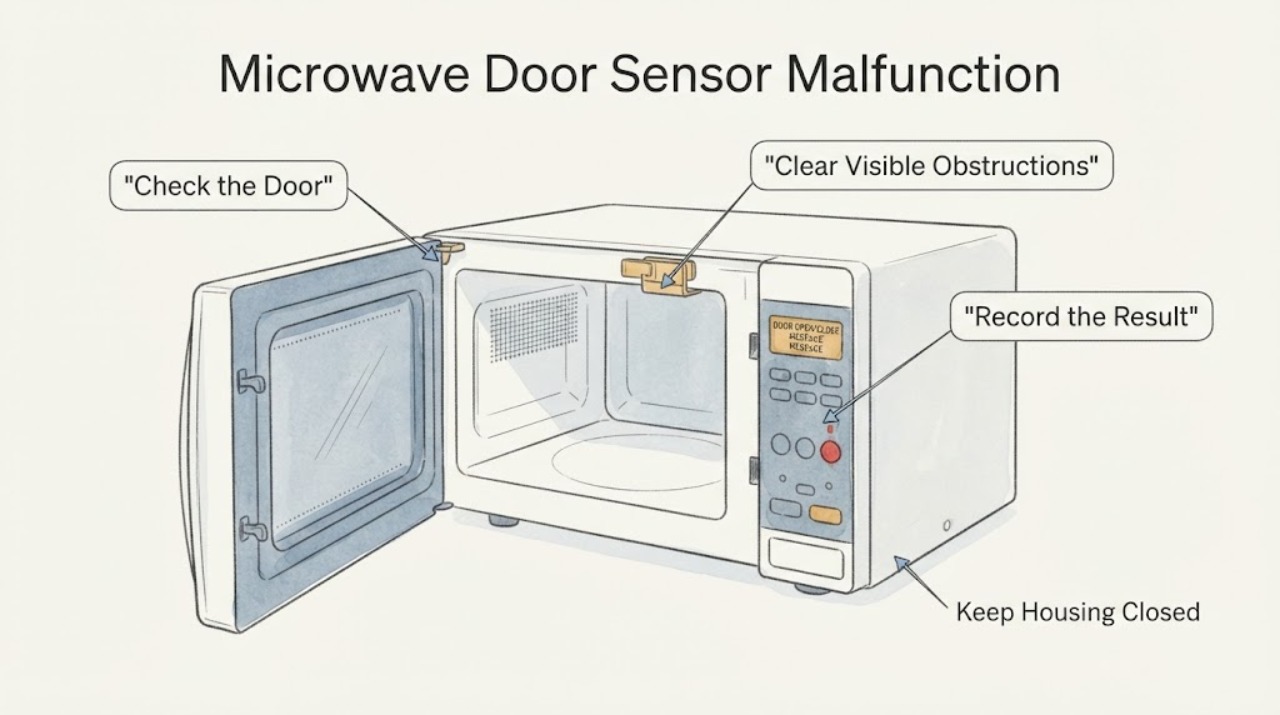
Work through in order
Diagnostic checks
Use only checks that match the exact appliance or system and its official guide.
-
Check 1
Record the exact display wording, whether the door is physically closed, whether the microwave has power, whether any pad responds, and whether the unit has ever started with the door open.
Expected result: The message is Door/Open/Close, the door is visibly misaligned or damaged, the panel has power but will not respond, or the unit appears to run with the door open.
Next step: Use the matching external-obstruction, control-state or service branch. If operation with the door open is possible, stop immediately and disconnect power if safe.
Why this matters
Why: These observations separate a documented start-protection state or external closure problem from a potentially unsafe interlock condition; the user term sensor does not identify a failed part.
-
Check 2
With the microwave stopped, inspect for loose packing material, an oversized dish or bakeware, or an out-of-position rack blocking the latch; remove only an obvious loose obstruction without prying or forcing the door.
Expected result: The obstruction is removed and the door closes squarely, or the door still needs force, will not latch, or remains visibly misaligned.
Next step: If closure becomes normal, continue with the documented door-message step. If not, stop using the microwave and arrange qualified service; do not adjust the latch or hinge.
Why this matters
Why: Maytag lists these external conditions as reasons a door may not close or be recognized; a door that remains misaligned or requires force may have a mechanical or interlock problem.
-
Check 3
Inspect the accessible door-contact and sealing surfaces for soil or cleaner residue and wipe them gently with a suitable soft cloth; do not spray into the latch or control area.
Expected result: The contact area was dirty and the door now closes cleanly, or the area is clean while the message/behavior remains.
Next step: If the symptom persists on a clean, undamaged door, stop repeated attempts and use the service branch rather than inserting an object or bypassing the latch.
Why this matters
Why: Maytag lists soil buildup on the door contact area as a possible external cause, but cleaning does not confirm that an internal switch or control is healthy.
-
Check 4
If the display says Door or Open/Close and the door is undamaged, open it fully, close it firmly once, and use the exact model's normal Start control; do not repeat this as a stress test.
Expected result: The message clears and the microwave behaves normally, or it returns immediately / the appliance still will not start.
Next step: Monitor only a normal, safe start when the door is sound. For recurrence, an abnormal door fit, or any uncertainty about the interlock, stop using the microwave and call a qualified servicer.
Why this matters
Why: Maytag says the message can be a five-minute closed-door start-protection state; an immediate recurring message after a sound closure needs service rather than a forced latch test.
-
Check 5
If the panel has power but pads do not respond, consult the exact owner manual for Control Lock, Stop/Unlock and Demo mode; use only the documented user control and do not alter a door-safety setting.
Expected result: A documented control state explains the locked panel, or controls remain unresponsive and the door message persists.
Next step: Clear only a documented user lock/state. If the panel or door indication remains unreliable, stop and arrange service without opening the cabinet.
Why this matters
Why: Maytag says Control Lock disables pads and that Stop/Unlock or Demo mode can affect operation on some models; this does not justify an undocumented bypass.
-
Check 6
Give Maytag or a qualified servicer the exact model, display wording, door alignment, latch/hinge condition, panel response, power events and whether the microwave ever operated with the door open.
Expected result: The door is damaged or loose, the message persists, the microwave will not start after safe checks, a fuse/breaker trips, arcing occurs, or the next step requires a cover or switch test.
Next step: Keep the microwave out of service and arrange qualified repair. Do not open the cabinet, probe wiring, tape the latch, hold the door closed or run a door-open test.
Why this matters
Why: The remaining diagnosis may involve a door interlock, control or high-voltage safety system; Maytag's public owner guidance does not support user testing or bypassing those parts.
Use your observations
Decision map
Find the observation that best matches what you see, then follow the next safe action.
-
PATH 01Next step
What you see
The display says Door or Open/Close, the door is undamaged, and it had remained closed for several minutes without starting.
Do this next
Open and close the door once, then use the normal model-specific Start control; stop if the message returns immediately.
Why this path and its safety boundary
Why it matters: Maytag says this message can be an unintended-start prevention state after the door has been closed for about five minutes.
-
PATH 02Next step
What you see
Packing material, an oversized dish, a displaced rack or visible soil prevents the latch/contact area from closing cleanly.
Do this next
Remove only the obvious obstruction or clean the accessible contact area; do not force the door, adjust the latch or repeat operation if closure remains abnormal.
Why this path and its safety boundary
Why it matters: Maytag identifies these as accessible causes of an improperly closed or unrecognized door.
-
PATH 03Next step
What you see
The panel has power but pads do not respond, while the door closes normally and the display suggests a lock or Stop/Unlock state.
Do this next
Use only the exact owner manual's documented Control Lock or Stop/Unlock control; arrange service if the state cannot be cleared safely.
Why this path and its safety boundary
Why it matters: A model-dependent control state may be preventing operation, rather than a proven door-sensor failure.
-
PATH 04Next step
What you see
The door is bent, the latch or hinge is loose, the seals/contact surfaces are damaged, the oven starts with the door open, or arcing/fuse or breaker trouble occurs.
Do this next
Stop using it and disconnect power only if this can be done safely. Do not tape, hold or bypass the door; arrange qualified microwave service.
Why this path and its safety boundary
Why it matters: The appliance may have an unsafe door or interlock condition; Maytag prohibits operation with damaged door components or defeated safety interlocks.
-
PATH 05Next step
What you see
The door closes normally, the accessible checks are complete, but the message or non-start symptom returns or the next test would require opening the cabinet.
Do this next
Keep the microwave out of service and provide the model and observed sequence to a qualified servicer; do not perform a live or cabinet-open test.
Why this path and its safety boundary
Why it matters: An internal interlock, control or high-voltage safety issue cannot be identified from the symptom alone.
Helpful context
Understand the symptom
What a door-sensor complaint can actually mean
A Maytag microwave may refuse to start because the door is not fully closed, because an obstruction is preventing the latch from engaging, because a control-lock or Stop/Unlock state is active, or because a door-sensing interlock needs service. The word sensor is a useful symptom label, not proof that a particular switch failed. Maytag's public guidance treats the visible door message and the physical closure as the first distinction; it does not authorize a user to test or replace an internal switch from the display alone.
Clear only visible door obstructions
With the microwave stopped, look at the door edge, latch area and cavity opening for packing or shipping material, a dish or bakeware that is too large, or a rack that is out of position. Maytag says these can prevent the door from closing or allow it to close incorrectly. Remove only an obvious, loose obstruction without prying the latch or forcing the door. A built-in or over-the-range model must remain securely installed; do not move or loosen the unit to reach a hidden switch.
Clean the contact area without opening the cabinet
If the door closes normally, inspect the accessible door-contact and sealing surfaces for food soil or cleaner residue and wipe them with a soft, suitable cloth. Maytag specifically lists soil buildup on the door contact area as a check for a door message. Do not insert an object between the door and frame, tape the latch closed, or spray liquid into the latch or control area. A clean contact area does not prove that an internal interlock is good; it only removes an external condition you can safely observe.
Open and close the door once for a Door message
Maytag says a Door or Open/Close message may appear when the door has been closed for about five minutes without the microwave being started, to avoid unintended starting. Open the door fully, close it firmly once, and use the normal start command shown in the exact owner manual. If the message clears and the door remains mechanically sound, the earlier state may have been the documented start-protection behavior. If the message returns immediately or the door must be slammed, stop using the microwave and arrange service.
Check model-dependent control states
If the display has power but the pads do not respond, check the exact model manual for Control Lock, Stop/Unlock and Demo mode. Maytag says Control Lock disables the control-panel pads, and its operating guidance says Stop/Unlock or Demo mode can affect whether the unit operates on some models. Use only documented controls; do not disable a door safety feature or rely on an undocumented button sequence. Do not use a heating test to prove a door sensor when the door or interlock is in question.
Stop for damaged doors or any interlock uncertainty
Maytag's safety instructions say not to operate a microwave if the door is damaged or if hinges, latches, seals or sealing surfaces are damaged, and not to defeat or tamper with safety interlocks. Stop immediately if the oven starts with the door open, the door does not close squarely, the latch or hinge is loose, the display and behavior disagree, a fuse or breaker trips, arcing occurs, or the next check would require removing a cover. A microwave cabinet contains hazardous high-voltage components even when the symptom sounds like a simple sensor problem; use qualified service.
When checks do not resolve it
Need a professional?
Use Maytag or qualified microwave service for recurring Door/Open/Close messages, a door that will not close squarely, damaged hinges/latches/seals, a persistent non-start, arcing, blown fuses, breaker trips or any internal diagnosis.
Safety scope: Limit owner checks to the visible door, latch area, contact surfaces, loose obstructions and documented control states. Do not open the microwave cabinet, access the door switches, probe live wiring, tape or hold the latch, defeat an interlock, run the oven with the door open, or replace an internal part from the word sensor alone.
Common questions
FAQ
Why does my Maytag microwave say Door when the door is closed?
Maytag says a Door or Open/Close message can appear when the door has been closed for about five minutes without starting, as an unintended-start prevention behavior. Open and close the door once, then start normally. If the message persists, check only visible closure conditions and arrange service.
Can a dirty door contact area cause a Maytag microwave door error?
Maytag lists soil buildup on the accessible door contact area as a check. Clean it gently without spraying into the latch or control area. If the message continues, do not infer or replace an internal sensor; use qualified service.
Should I bypass the Maytag microwave door sensor to test it?
No. Maytag's safety instructions say not to operate with the door open and not to defeat or tamper with safety interlocks. Do not tape the latch, hold a switch or open the cabinet; call qualified microwave service.
Could Control Lock look like a Maytag microwave door-sensor failure?
It can look similar when the panel has power but pads do not respond. Maytag says Control Lock disables the control-panel pads, while Stop/Unlock and Demo mode can also affect operation on some models. Use only the exact manual's documented control state.
Is it safe to run a water-cup test when the Maytag microwave door sensor is unreliable?
Do not run a heating test when the door or interlock may be unreliable. Maytag's safe operating guidance requires the door to close properly and the interlocks to remain intact; a recurring door indication or abnormal start behavior needs qualified service.
Read the exact guide
Official sources
- Door or Open Door Closed - Error Code - Over-the-Range MicrowaveMaytag Product Help · Maytag over-the-range guidance for the Door/Open-Close message, visible door obstructions, closure and qualified-service escalation; exact model controls remain controlling.
- Display Not Working - Has Power - Countertop MicrowaveMaytag Product Help · Maytag display/panel guidance for Control Lock and visible door closure/latch conditions; exact model and control layout remain controlling.
- Microwave is Not Starting or Operating - Countertop MicrowaveMaytag Product Help · Maytag user-level guidance for Control Lock, timer/Stop-Unlock, door closure, the five-minute Door state and service escalation; exact model controls govern.
- Maytag Built-In Microwave Oven Use & Care GuideMaytag · The manual's safety language is used to prohibit open-door operation, interlock tampering and owner adjustment/repair; no model-specific part or procedure is transferred to the task appliance.
- Door or Open/Close - Error Code - Countertop MicrowaveMaytag Product Help · Maytag countertop guidance for latch/lock obstructions, level surface, door contact cleaning and closure; it is used only for external checks that are common to the described symptom, not for an unprovided model's internal parts.
Community feedback
Share a repair observation
Share a plain-text repair observation. Accepted observations are published automatically; this page may take a moment to update.