
On this page
Start here
Quick answer
If a Maytag microwave runs but does not heat, first verify the outlet and power path, then make sure the door closes fully and the selected power and time are appropriate. Check for Control Lock, Demo Mode, or a displayed code. Test only with a cup of water as Maytag describes; if it remains cold or the breaker trips, stop and arrange qualified service.
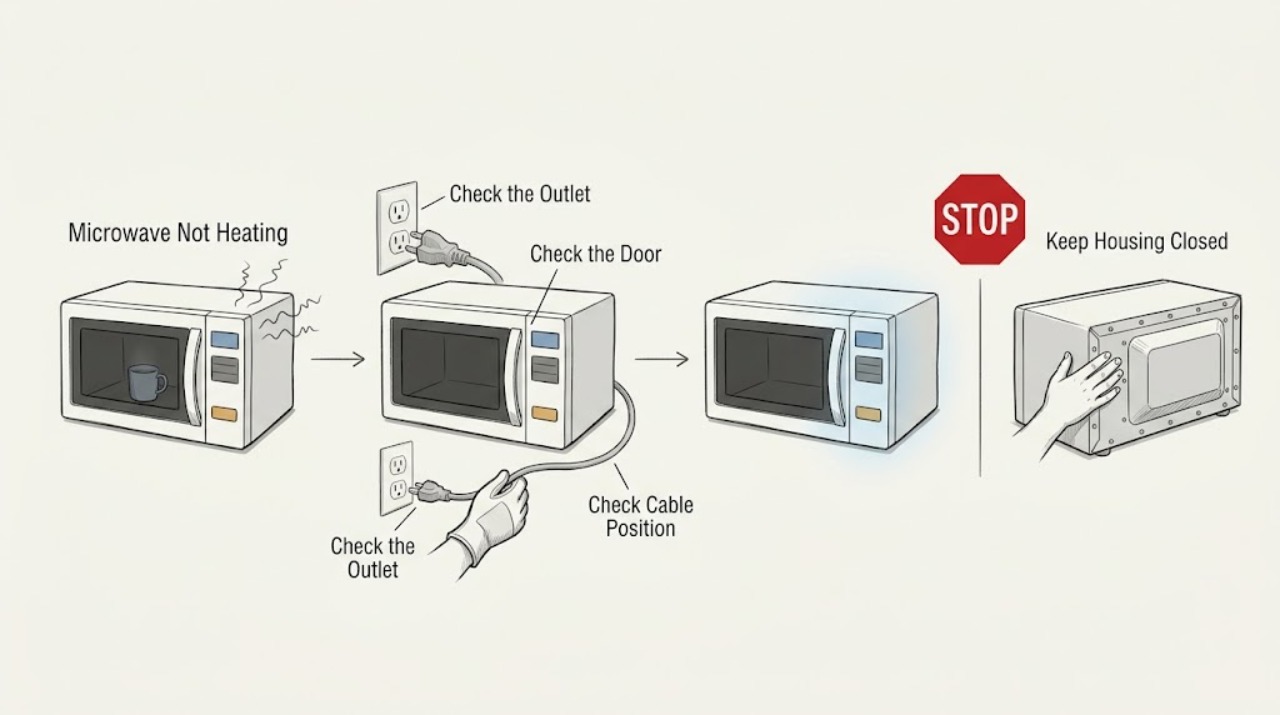
Work through in order
Diagnostic checks
Use only checks that match the exact appliance or system and its official guide.
-
Check 1
Check whether the display and interior light work, then verify the cord is in a grounded, operational wall outlet rather than an inverter or generator.
Expected result: The microwave has no display or power, or it has power and the controls respond.
Next step: For no power, follow the safe power checks in the not-powering-on guidance. For a responsive unit, continue without opening the cabinet.
Why this matters
Why: No power is a supply or control-path problem, while responsive controls move the diagnosis toward door sensing, settings, or the heating circuit.
-
Check 2
Inspect the visible door-contact area for packaging, cookware, a displaced rack, or debris and close the door firmly without forcing it.
Expected result: The latch path is blocked or the door closes evenly but the microwave still does not heat.
Next step: Remove only the visible obstruction. If the door is bent, loose, or still not detected as closed, stop and arrange service.
Why this matters
Why: Maytag states that a microwave will not heat until its door is properly closed; an obstruction can prevent the safety interlock from registering.
-
Check 3
Confirm the selected power level and cook time, make sure Control Lock and Demo Mode are off when applicable, and heat one cup (250 mL) of cold water for 2 minutes at 100% power.
Expected result: The water heats, remains cold, or a code or lock message appears.
Next step: Do not repeat a failed test indefinitely. If water remains cold, the code returns, or the breaker trips, stop using the unit and request qualified service.
Why this matters
Why: A heating water test supports normal heating operation; cold water after power, door, and control checks makes an internal fault more likely. A code or lock message needs its own model guidance.
Use your observations
Decision map
Find the observation that best matches what you see, then follow the next safe action.
-
PATH 01Next step
What you see
The display is dark and the outlet also fails a safe check
Do this next
Have a qualified electrician address the outlet or circuit; do not keep resetting a breaker that trips.
-
PATH 02Next step
What you see
The microwave runs but the door does not close or a door message appears
Do this next
Clear only external interference and request service for a persistent latch or message.
-
PATH 03Next step
What you see
The door closes, settings are correct, and the water stays cold after the documented test
Do this next
Stop using the microwave and arrange qualified service; do not access the high-voltage section.
Helpful context
Understand the symptom
Separate no-heat from no-power
A dark display and a running microwave that leaves food cold are different symptoms. Maytag's guidance uses the outlet, door closure, controls, and a short water test to distinguish user settings from an internal heating fault.
When checks do not resolve it
Need a professional?
Arrange qualified service when the water test fails after power, door, and control checks, the door interlock does not register, a code returns, or the breaker trips. Do not open the cabinet to test high-voltage parts.
Common questions
FAQ
How can I test whether a Maytag microwave is heating?
Maytag's troubleshooting guidance says to heat one cup (250 mL) of cold water for 2 minutes at 100% power. If it remains cold after the safe power, door, and control checks, request service.
Can I replace a Maytag microwave magnetron myself?
Do not open the microwave cabinet or work on its high-voltage section as a routine user check. A failed heating test should be evaluated by qualified service.
Read the exact guide
Official sources
- How To Fix A Microwave That Is Not HeatingMaytag · Maytag microwave heating symptom
- Not Powering On - Over-the-Range MicrowaveMaytag Product Help · Maytag over-the-range microwave power
- LOC or "L" or Padlock Icon - Error Code - Countertop MicrowaveMaytag Product Help · Maytag countertop microwave lock indicators
- Door Will Not Close - Countertop MicrowaveMaytag Product Help · Maytag countertop microwave door
- "Door" Or "Open/Close" - Error Code - Countertop MicrowaveMaytag Product Help · Maytag countertop microwave door display
- Microwave is Not Starting or Operating - Countertop MicrowaveMaytag Product Help · Maytag countertop microwave operation
Community feedback
Share a repair observation
Share a plain-text repair observation. Accepted observations are published automatically; this page may take a moment to update.