
On this page
Start here
Quick answer
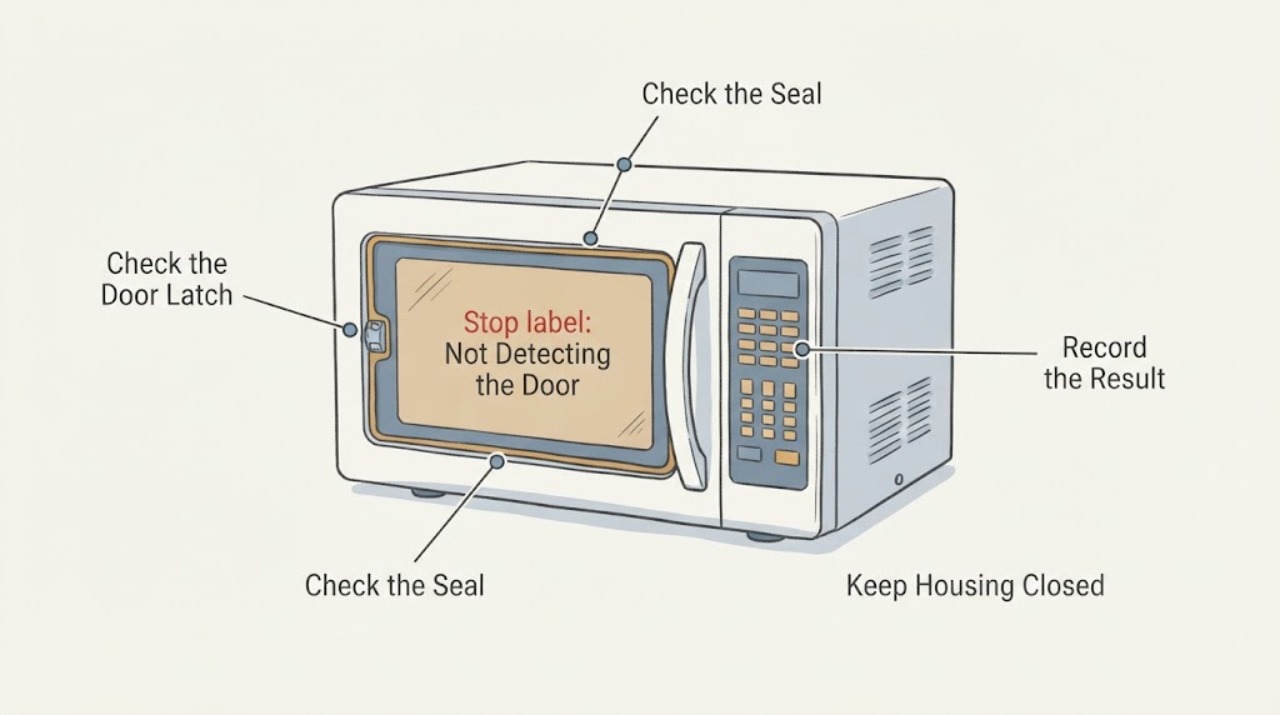
If the Maytag MMV4205DS says the door is open, will not start, or does not recognize a closed door, stop using it if the door is bent, the latch is loose, the hinge or seal is damaged, the door area sparks, or the unit starts with the door open. With power disconnected and the door open, remove only visible debris from the latch and clean residue from the door contact area; then close the door firmly once. Do not tape, bend, defeat, or bypass the interlocks, and do not remove the control panel to test a door switch. If the message remains, the door does not align, or the light and controls behave inconsistently, leave the microwave unplugged or switched off at its breaker and arrange qualified Maytag/microwave service.
Work through in order
Diagnostic checks
Use only checks that match the exact appliance or system and its official guide.
-
Check 1
Before any check, confirm that the microwave is not operating with the door open and that the door, hinges, latch area, seals, and front frame show no bend, looseness, crack, or missing piece.
Expected result: The door is damaged, does not sit squarely, the latch is loose, or the oven can start or produce energy without a fully closed door.
Next step: Stop immediately, disconnect power from the plug or breaker if safe, keep the microwave unused, and arrange qualified service. Do not try to adjust or bypass the interlock.
Why this matters
Why: The documented door safety boundary has been violated or may not be reliable; this is not a reset or cleaning issue.
-
Check 2
With the microwave off and cool, open the door normally and inspect only the visible latch openings, door contact area, and frame for food residue, packing material, or an object preventing the latch from seating. Remove loose visible residue with a soft, nonmetallic cloth; do not insert tools.
Expected result: A visible obstruction or residue is present, or the contact area is clean and unobstructed.
Next step: If you removed only loose residue, close the door firmly once and check whether the message clears. If it remains, stop testing and arrange service.
Why this matters
Why: A visible obstruction can prevent full closure and can make a door-status message appear; a clean area makes a hidden alignment, switch, or control fault more likely but does not identify which one.
-
Check 3
Close the door normally without pressing, lifting, taping, or holding the latch, then observe whether the door sits flush and the display recognizes the closed state without repeated slamming.
Expected result: The door closes flush and the message clears, or it needs force, sits crooked, reopens, or the message remains.
Next step: Do not repeat slam tests. Leave the microwave unused and request model-specific service if the door is not flush or the status message remains.
Why this matters
Why: A clean, flush closure supports a possible obstruction that was removed; force, misalignment, or a persistent message indicates a mechanical or interlock issue beyond safe external diagnosis.
-
Check 4
Record what the display says, whether the cavity light changes when the door moves, whether the keypad responds, whether the turntable or fan ever starts unexpectedly, and whether the problem began after a door impact or cleaning.
Expected result: The light/status response is inconsistent, the unit starts unexpectedly, or the symptom began after visible door or latch damage; alternatively, only the door message appears with no damage.
Next step: If operation is unexpected or the door is damaged, keep power off and escalate immediately. Otherwise provide the observations and exact model to Maytag service without opening the cabinet.
Why this matters
Why: Inconsistent light or unexpected operation can indicate an interlock/control problem, while an impact can affect alignment; neither pattern identifies a switch or board without service testing.
-
Check 5
Use the Maytag MMV4205DS owner page and service channel with the full model and serial label; tell the technician that the display does not detect door status and whether visible checks changed anything.
Expected result: The exact model/serial support path provides a matching manual or service diagnosis, or it provides no model-specific door procedure.
Next step: Follow the exact service instructions when supplied. If no matching procedure is available, leave the microwave out of service for qualified diagnosis.
Why this matters
Why: The exact suffix controls the correct door assembly, interlock arrangement, and repair instructions; the owner page currently lists no documents for this exact model, so generic diagrams cannot be treated as a replacement manual.
Use your observations
Decision map
Find the observation that best matches what you see, then follow the next safe action.
-
PATH 01Next step
What you see
The door is bent or loose, the latch/hinge/seal is damaged, the microwave starts with the door open, or the door does not sit flush.
Do this next
Disconnect power if safe and obtain qualified microwave service; do not bend the door, tape the latch, or bypass an interlock.
Why this path and its safety boundary
Why it matters: The safety interlock or sealing geometry may be compromised and the oven must not be operated.
-
PATH 02Next step
What you see
Visible food residue, packing material, or another loose obstruction prevents the latch from seating, and the door becomes flush after safe cleaning.
Do this next
Close the door normally once. If the message returns, stop and request service rather than escalating to repeated force or tests.
Why this path and its safety boundary
Why it matters: The door-status symptom may have been caused by the visible obstruction rather than a confirmed failed part.
-
PATH 03Next step
What you see
The latch area is clean, the door closes normally, but the display continues to report an open door or the light/control response is inconsistent.
Do this next
Keep the microwave out of use and provide the exact model, serial, and observations to qualified Maytag or microwave service.
Why this path and its safety boundary
Why it matters: The remaining issue is outside safe external checks and could involve alignment, interlock sensing, or control logic; the symptom alone cannot distinguish them.
-
PATH 04Next step
What you see
There is smoke, sparking, a burning odor, or any attempt to operate with the door open.
Do this next
Stop, disconnect power only if safe, leave the area if smoke or fire is present, and call emergency services when needed; do not re-energize the unit.
Why this path and its safety boundary
Why it matters: This is an immediate electrical/microwave safety event, not a door-message troubleshooting branch.
Helpful context
Understand the symptom
A door-status message is a safety interlock symptom, not permission to keep trying the Start button. The exact MMV4205DS owner page confirms the appliance identity and service path, while the available Maytag technical manual covers a MMV4205D/F wiring family and is used here only for the documented interlock and qualified-service boundary. It does not justify a user-level door-switch test or a part diagnosis for every suffix.
The checks below stay outside the cabinet and high-voltage section. They are limited to removing visible obstruction, cleaning the contact area, checking the door’s visible fit, and documenting the symptom. Do not defeat the interlock, run the microwave with the door open, or remove the control panel.
When checks do not resolve it
Need a professional?
Arrange qualified service if the door-status message persists after one safe visible obstruction check, if the door is not flush, if the latch/hinge/seal is damaged, if the light or controls behave inconsistently, or if the microwave ever starts with the door open. Stop immediately and use emergency procedures for smoke or fire.
Common questions
FAQ
Can I bypass the door switch so the MMV4205DS will run?
No. The technical manual explicitly warns not to defeat or tamper with microwave door safety interlocks. Leave the unit unused and arrange qualified service.
What can I safely check myself?
With power off and the door open, look for visible debris or residue blocking the latch or contact area and clean only loose surface residue. Close the door normally once. Do not remove panels, test switches, or force the latch.
Does the exact MMV4205DS manual confirm the internal repair?
The Maytag owner page identifies the exact model but currently lists no documents. The available technical manual lists an MMV4205D/F family diagram and supports the safety boundary, not a user-level MMV4205DS switch replacement procedure.
Read the exact guide
Official sources
- MMV4205DS | MaytagMaytag · Exact Maytag MMV4205DS owner/support page identifying the model as an over-the-range microwave with sensor cooking and linking model support/service; page states no documents are currently available for this exact model.
- "Door" Or "Open/Close" - Error Code - Countertop MicrowaveMaytag · General Maytag countertop-microwave door-status guidance only; used for the limited visible checks of latch obstruction, door contact residue, and full closure. It is not asserted as an MMV4205DS-specific manual.
- Microwave Hood Combination Technical ManualMaytag · Maytag/Whirlpool microwave hood-combination technical manual; safety precautions apply to the covered microwave family, while the wiring diagram on PDF p. 35 explicitly lists MMV4205D/F family models. Used for door interlock safety and qualified-service boundary, not for user component testing or unverified suffix-specific repair.
- Microwave Not Heating: Possible Causes and FixesWhirlpool · Whirlpool/Maytag-family general microwave support article; used only for the professional-service boundary around door-switch and internal microwave repairs, not for exact MMV4205DS part identification.
Community feedback
Share a repair observation
Share a plain-text repair observation. Accepted observations are published automatically; this page may take a moment to update.