
On this page
Start here
Quick answer
First separate a completely dead control from a machine that has power but will not accept Start. Confirm the cord and outlet are usable, remove Control Lock, close the door or lid fully, select a real wash or dry cycle, and hold Start as your model requires. If power is absent, a latch will not engage, or a breaker trips again, stop and arrange qualified electrical or appliance service rather than opening panels or bypassing an interlock.
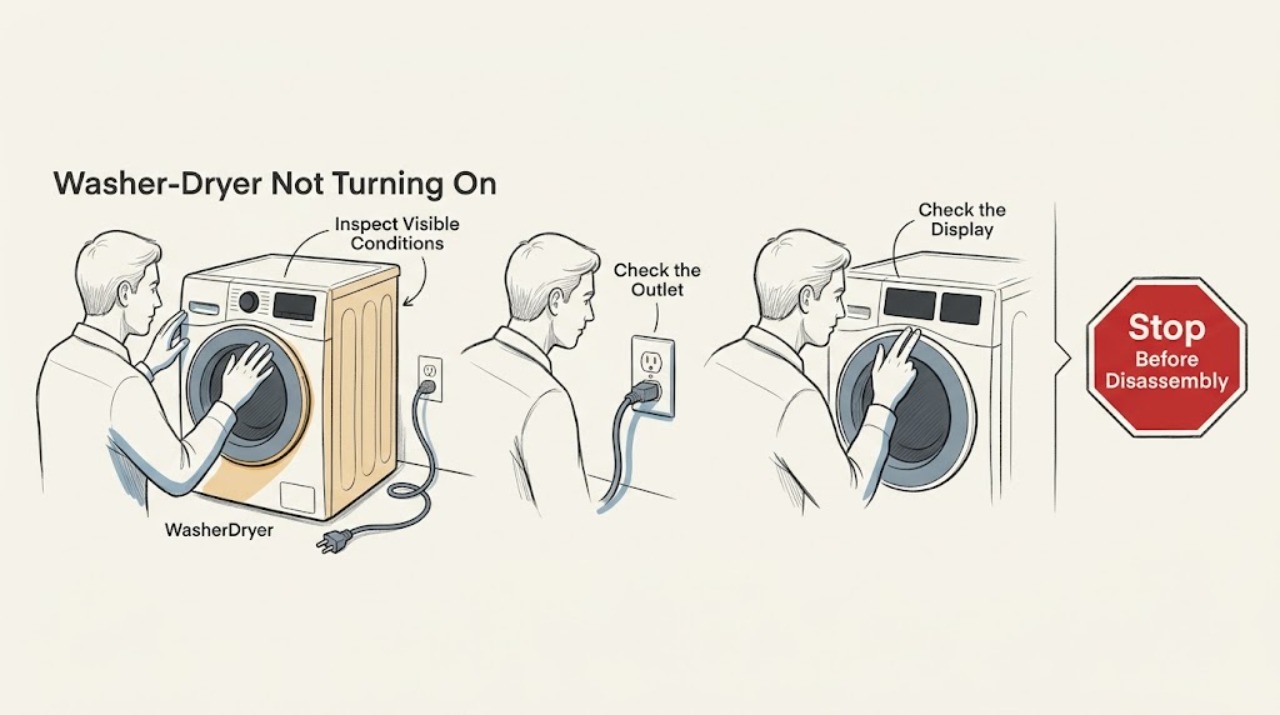
Work through in order
Diagnostic checks
Use only checks that match the exact appliance or system and its official guide.
-
Check 1
Look at the washer-dryer control panel and any drum or interior light, then note whether the whole appliance is dark or whether only one section is unresponsive.
Expected result: No display or light is present, or the display is lit but ignores every button.
Next step: If it is dark, continue to the outlet and cord check. If it is lit, check Control Lock and moisture before suspecting an internal control fault.
Why this matters
Why: A completely dark unit needs a power-path check; a lit but unresponsive panel is more consistent with a locked control or control-input problem.
-
Check 2
With the appliance stopped, verify that the power cord is fully seated in a grounded three-prong outlet and that no extension cord or power strip is being used. Check the associated breaker or GFCI only from the user-accessible reset controls.
Expected result: The outlet is reset and usable, or the breaker/GFCI trips again as soon as the appliance is selected.
Next step: If the supply remains dead, stop and arrange qualified electrical help. If it trips again, leave the appliance out of use and arrange qualified service; do not open the cabinet.
Why this matters
Why: A restored outlet can explain a dark panel. A repeated trip indicates an unresolved electrical or appliance fault and is not a reason to keep cycling power.
-
Check 3
If a Control Lock light or a lock message such as LoC or LC is shown, press and hold the control identified by your model's panel or manual for about three seconds.
Expected result: The lock indicator clears and the buttons respond, or the control remains locked after the model-specific unlock command.
Next step: Select a cycle and continue to the door or lid check only after the controls respond. If the manual's unlock command fails, stop repeated key combinations and request service.
Why this matters
Why: A cleared indicator confirms that the child or control lock was blocking input. If it remains locked, the control name or key combination may differ by model, or the panel may have another fault.
-
Check 4
Dry your hands and the touch panel if either is damp, then choose a valid wash or dry cycle rather than a blank or hold-only position. Use the model manual to identify the cycle controls for a washer-dryer combination.
Expected result: The panel accepts selections and shows a cycle, or it still does not register touches or shows a position with no assigned cycle.
Next step: If a valid cycle appears, continue to the closure and Start checks. If no input registers, do not remove the console or attempt to bypass it.
Why this matters
Why: Moisture can reduce touch response on models with electronic controls, and an unassigned cycle position cannot start. A panel that stays unresponsive after drying needs service diagnosis.
-
Check 5
Open and firmly close the washer door or lid, checking only for visible clothing, packing material, lint, detergent residue, or other debris at the latch or door-contact area. Do not force, defeat, or disassemble the lock.
Expected result: The door or lid now latches and the lock indicator or initial click appears, or it will not latch or shows visible damage.
Next step: Remove only visible obstructions and wipe the contact area with a soft damp cloth when power is off. If the latch remains faulty, stop and arrange appliance service.
Why this matters
Why: The washer side may refuse to start until its door or lid interlock is satisfied. A damaged or persistently non-latching mechanism cannot be safely confirmed from the outside.
-
Check 6
Press and hold Start after the cycle, door or lid, and controls are ready. On washer models this may require up to three seconds; on a dryer section, the model may require a firm two-to-five-second Start or Hold to Start command.
Expected result: A countdown, click, fill, tumble, or other normal start sequence begins, or the controls accept the selection but nothing happens.
Next step: Let the normal initial sensing or lock test complete without reopening the lid. If the same section still will not start, record the display and arrange model-specific service.
Why this matters
Why: A tap can be ignored on models that require a deliberate hold. If the command is accepted but the interlock or motor never proceeds, the fault is beyond a simple button press.
-
Check 7
If the controls remain confused after the safe checks, disconnect the appliance from its power source for five minutes, reconnect it, and repeat one normal start attempt.
Expected result: The panel recovers after the power cycle, or the unit remains dark, locked, unresponsive, or repeatedly trips power.
Next step: Use the model manual and service route with the model number and any displayed code. Stop using the appliance if the fault recurs or any electrical warning sign appears.
Why this matters
Why: Maytag documents a control power cycle as a reset for some washer start concerns; failure after one reset supports a persistent supply, interlock, or control fault rather than a need for more resets.
Use your observations
Decision map
Find the observation that best matches what you see, then follow the next safe action.
-
PATH 01Next step
What you see
The display and lights are completely dark.
Do this next
Check the grounded outlet, cord seating, breaker, and GFCI from the user-accessible controls.
Why this path and its safety boundary
Why it matters: If the outlet is dead, the household supply is the first fault boundary; if it is live but the appliance stays dark, appliance service is appropriate.
-
PATH 02Next step
What you see
The display is lit but buttons do not respond or a lock indicator is present.
Do this next
Dry the panel and use the model-specific Control Lock release, then retry one cycle.
Why this path and its safety boundary
Why it matters: The lock or touch-input state can block a start command without proving a failed board.
-
PATH 03Next step
What you see
The door or lid will not latch, or a latch warning persists.
Do this next
Remove only visible obstructions, clean the contact area with power off, and stop if the latch still will not engage.
Why this path and its safety boundary
Why it matters: An unsatisfied interlock can intentionally prevent operation; bypassing it creates a safety hazard.
-
PATH 04Next step
What you see
The panel shows a countdown or accepts the cycle but does not start.
Do this next
Hold Start for the time specified by the model and wait for its normal lock or sensing sequence.
Why this path and its safety boundary
Why it matters: A short tap or an unassigned cycle position can look like a no-start even when the controls are healthy.
-
PATH 05Next step
What you see
A breaker or GFCI trips again, or there is smoke, heat, sparking, or a burning smell.
Do this next
Stop using the appliance and arrange qualified electrical or appliance service; do not reset the circuit repeatedly.
Why this path and its safety boundary
Why it matters: A recurring protective-device trip or visible electrical warning is outside safe user troubleshooting.
Helpful context
Understand the symptom
Start with the symptom you can see
A washer-dryer that will not turn on can have no incoming power, a locked control, a door or lid interlock that is not satisfied, or a start command that was not held long enough. Do not assume a failed control board until the low-risk checks below separate those conditions. A one-piece laundry center and a stacked washer and dryer can use different controls, so use the model-specific manual for button names and cycle behavior.
Read the result before changing parts
A dark display and a dead outlet point toward the household supply. A lit display with no response points first toward Control Lock, moisture on touch controls, or a required press-and-hold. A click without operation points toward the door or lid latch and the selected cycle. Repeated breaker trips, heat, smoke, or a burning smell changes this from a troubleshooting exercise to a stop-and-service situation.
Stay on the user-safe side of the cabinet
Keep the unit unplugged or switched off while inspecting the plug, door, lid, and visible debris. Do not remove panels, probe live wiring, defeat a door or lid lock, or continue resetting a circuit that trips. A qualified appliance technician or electrician should handle internal electrical faults.
Safety boundary
Stop conditions
- Stop immediately for smoke, sparking, a burning smell, heat at the plug or outlet, water near electrical parts, or a breaker that trips again.
- Do not remove panels, test live wiring, bypass the door or lid lock, or keep resetting a protective device.
- Stop after one controlled power-cycle attempt if the same no-start condition returns; record the model number, display message, and which section is affected for service.
When checks do not resolve it
Need a professional?
Arrange qualified appliance service when the outlet and controls are usable but the door or lid will not latch, the start command is accepted but the machine remains idle, the panel stays dark with a known-good supply, or the problem returns after one reset. Use a qualified electrician when the household outlet, breaker, or GFCI is the part that remains faulty.
Have this ready
- Maytag model number, whether the washer or dryer section is affected, whether the panel is dark or lit, any displayed message, and what happened when Start was held.
Common questions
FAQ
Why is my Maytag washer-dryer completely dark?
Start at the grounded outlet, cord seating, breaker, and GFCI. If the household supply is usable but the panel stays dark, stop user checks and arrange qualified service.
Why do the buttons work but Start does nothing?
Check Control Lock, choose an assigned cycle, close the door or lid, and hold Start for the time specified by the model. A persistent latch or control fault needs service.
Should I keep resetting the breaker if the appliance will not start?
No. A breaker or GFCI that trips again is a stop condition. Leave the appliance out of use and arrange qualified electrical or appliance service.
Read the exact guide
Official sources
- Lid Locking on a Top Load High Efficiency WasherMaytag Product Help · Maytag top-load washer lid-lock behavior, visible obstructions, and five-minute power-cycle guidance
- Not Starting or Not Operating - DryerMaytag Product Help · Maytag dryer controls, Start hold, touch-panel moisture, door latch, latch obstruction, and cycle selection guidance
- No Power - WasherMaytag Product Help · Maytag top-load washer power connection, breaker or GFCI, and Control Lock guidance
- Not Starting or Not Operating - Front Load WasherMaytag Product Help · Maytag front-load washer Control Lock, door, water supply, display messages, Start hold, and power cycle guidance
- Not Starting - WasherMaytag Product Help · Maytag top-load washer start, Control Lock, lid closure, Start hold, and control reset guidance
- No Power - Not Turning On - Front Load WasherMaytag Product Help · Maytag front-load washer no-power and grounded power-source guidance
- Lid Not Latching - WasherMaytag Product Help · Maytag top-load washer lid-latch obstructions, cleaning, self-test, and closure guidance
Community feedback
Share a repair observation
Share a plain-text repair observation. Accepted observations are published automatically; this page may take a moment to update.