
On this page
Start here
Quick answer
Start with the exact Miele model and the display state, then check the door, selected program, delay start, lock indicator, accessible plug and breaker. Miele identifies an improperly closed door, an active delay-start function and an activated lock function as model-dependent reasons a program may not start. A full condensate container or kinked drain hose can also produce a stop condition on models with that indicator. Correct only an obvious, manual-documented condition and make one normal start attempt. Do not force the door, enter an undocumented service mode, remove panels or repeatedly reset a breaker. Burning odor, smoke, sparks, abnormal heat, water near electrical parts, a damaged cord or a breaker that trips again requires immediate shutdown and qualified service.
Before you begin
Safety first
- Only ordinary-access, dry, cool and non-invasive checks are described. Do not open panels, test live circuits, defeat the door interlock, reach into the drum, handle the motor or control, or repeatedly reset a hazardous appliance.
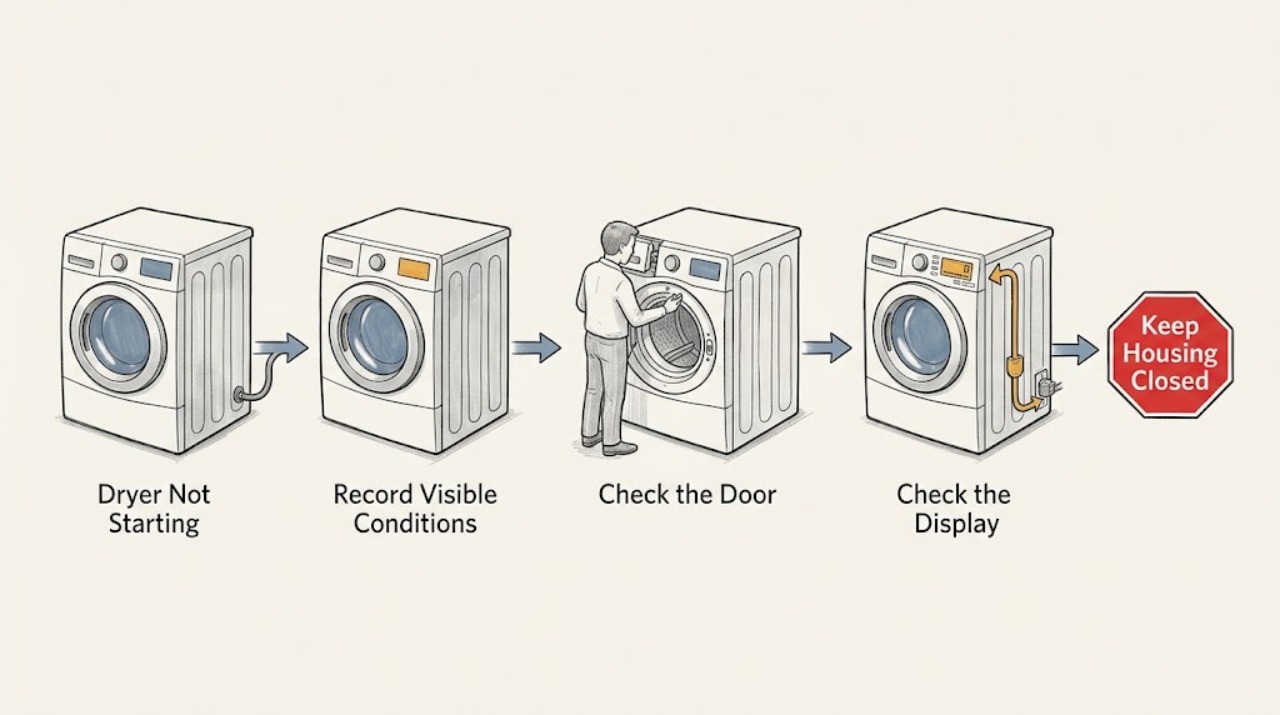
Work through in order
Diagnostic checks
Use only checks that match the exact appliance or system and its official guide.
-
Check 1
Record the complete Miele model and serial information from the safe location specified by the manual, the selected program, display characters, indicator lights, alarm sounds, delay setting and whether the display is blank or responsive. Do this before acknowledging or clearing a message.
Expected result: The dryer may show a lock indicator, delay, empty-container prompt, clean-filter prompt, technical code, a normal standby display or no power indication.
Next step: Continue only with dry, ordinary-access checks when no hazard is present. If the display returns a technical fault or the appliance is hot, scorched or wet, stop and arrange service.
Stop if: Stop for burning odor, smoke, sparks, abnormal heat, water near electrical parts, a damaged cord or outlet, or a breaker that trips again.
Why this matters
Why: The exact model and state determine which manual branch applies. A blank display points toward power or control state, while a defined indicator can point toward door, delay, lock, condensate or filter conditions without identifying a failed part.
-
Check 2
Close the door normally and inspect the visible seal and latch area for a caught garment or debris. Check whether delay start or a lock function is active, then use only the exact model manual's documented way to cancel delay or unlock the controls. Do not force the door or defeat its interlock.
Expected result: The door may not latch, the display may show a delay, a locked indicator may flash, or the door and controls may appear normal.
Next step: Remove only a visible obstruction, close the door normally and correct the documented setting once. Make one normal start attempt; continue to power and indicator checks if it still does not start.
Stop if: Do not pry the door, defeat the latch, insert tools into the seal or continue if the latch, seal, cabinet or cord is damaged or hot.
Why this matters
Why: Miele identifies an improperly closed door, active delay start and an activated lock function as conditions that can prevent startup. A normal door and inactive delay or lock leave power, container, filter, program or internal control causes unresolved.
-
Check 3
From a dry, undamaged position, check that the accessible plug is seated and that the household breaker has not tripped, as the exact manual permits. Confirm that the dryer is switched on and that cooling or the selected program is not disabled. Do not use an adapter, extension cord, live test or repeated breaker reset.
Expected result: The display and interior light may be blank, the breaker may be tripped, the control may be off, or the dryer may have normal power but remain unresponsive when Start is selected.
Next step: Correct one accessible, documented power or control condition and make one start attempt. If the breaker trips again, the display stays abnormal or the dryer remains silent, stop and arrange service.
Stop if: Do not touch wet or damaged electrical parts, remove covers, change wiring or continue after smoke, sparks, burning odor or abnormal heat.
Why this matters
Why: Miele's startup guidance includes plug, breaker and switched-on checks. Power to a light or display does not by itself prove that the door interlock, motor, control or heating system is healthy.
-
Check 4
If the model has an empty-container or filter indicator, switch it off and let it cool, then follow the exact manual for emptying and reseating the condensate container, checking an accessible drain-hose kink, and cleaning the lint filters. If filters are rinsed, dry them fully before refitting. Do not open the cabinet or reach into the drum.
Expected result: The condensate container may be full, the accessible hose may be kinked, a filter may be blocked, damp or incorrectly seated, or none of these conditions may be visible.
Next step: Correct only the visible container, hose or filter condition allowed by the manual and make one normal start attempt. If the indicator returns or the dryer remains inactive, arrange service.
Stop if: Stop for a leak, water near electrical parts, scorched lint, abnormal heat, exposed wiring, sharp internal parts or any need for panel removal or high heat.
Why this matters
Why: Miele links the empty-container indicator to a full container or kinked hose and links dirty or wet filters with operating faults on relevant models. A clear water and filter path with no startup still leaves a control, door, drive or power fault possible.
-
Check 5
After recording the display and completing safe external checks, make at most one normal start attempt on the correct program. Observe whether the display changes, the door locks normally and the drum begins, or whether the same indicator, code or silence returns.
Expected result: The program may start after a door, delay, power, container or filter correction; it may remain silent, return the same code, lock without turning, or trip protection.
Next step: Give Miele service the exact model, program, code, door and delay state, power result, container and filter findings and one-start result. Keep the dryer out of service when the symptom returns.
Stop if: Do not restore operation after smoke, sparks, burning odor, abnormal heat, water near electrical parts, inability to stop or repeated breaker operation.
Why this matters
Why: A successful start after an external correction points to that condition but does not rule out an intermittent fault. A recurring code or no response can involve the interlock, control, motor, drive or another model-specific condition.
Use your observations
Decision map
Find the observation that best matches what you see, then follow the next safe action.
-
PATH 01Safety boundary
What you see
The visible door does not latch normally or laundry is caught at the seal.
Do this next
Remove only the visible obstruction and close the door normally. If it will not latch or the program still does not start, arrange service.
Why this path and its safety boundary
Why it matters: The door interlock may correctly prevent the program from starting.
Safety stop: Do not force or defeat the door interlock.
-
PATH 02Safety boundary
What you see
The display shows delay start or a locked indicator after switching on.
Do this next
Use the exact model manual's documented cancellation or unlock procedure once, then make one start attempt. Escalate if the indication returns or the controls remain locked.
Why this path and its safety boundary
Why it matters: The dryer may be waiting for the selected start time or preventing program changes through its lock function.
Safety stop: Do not enter an undocumented service mode or pry the controls or door.
-
PATH 03Safety boundary
What you see
The display is blank, the breaker is tripped, the dryer is switched off or the control does not respond.
Do this next
Check the accessible plug, breaker and on state once as the manual permits. Arrange service if power is normal but the dryer remains inactive or the breaker trips again.
Why this path and its safety boundary
Why it matters: An accessible supply or setting may explain the non-start, but a normal display does not rule out an internal fault.
Safety stop: Do not touch damaged wiring, use an adapter or extension cord, or repeatedly reset protection.
-
PATH 04Safety boundary
What you see
An empty-container or clean-filter indicator is present and the corresponding accessible condition is visible.
Do this next
Switch off, cool and follow the exact manual for emptying and reseating the container, checking a visible hose kink and cleaning and drying filters. If the indicator returns, arrange service.
Why this path and its safety boundary
Why it matters: The dryer may prevent or interrupt operation until condensate or filter maintenance is completed.
Safety stop: Stop for water near electrical parts, a leak, scorched lint, abnormal heat or any need to open the cabinet.
-
PATH 05Safety boundary
What you see
The door, delay, lock, accessible power, container and filter checks are normal but the dryer does not start or the same code returns.
Do this next
Keep the dryer out of service and arrange Miele technical service with the exact model, unchanged display and complete check history. Do not order a part from the code alone.
Why this path and its safety boundary
Why it matters: A door switch, control, motor, drive, sensor or another model-specific fault remains possible.
Safety stop: Do not open panels, test live circuits, bypass an interlock or keep cycling the power.
-
PATH 06Safety boundary
What you see
There is burning odor, smoke, sparks, abnormal heat, water near electrical parts, a damaged cord or outlet, inability to stop, or a breaker that trips again.
Do this next
Stop using the dryer. Disconnect power only if safe and dry to do so without approaching a hazard; leave the area when necessary and arrange qualified appliance or electrical service.
Why this path and its safety boundary
Why it matters: This is a fire, electrical or water-safety event, not a normal startup issue.
Safety stop: Do not re-energize, open panels, reach into the drum, defeat an interlock or continue testing.
Helpful context
Understand the symptom
Record the display before clearing anything
Write down the exact model, selected program, displayed code or indicator, door state and delay setting. A lock symbol, a blank display, a container indicator and a technical fault lead to different checks. Miele's support pages cover several generations and control layouts, so use the manual matched to the complete model.
Door and delay are startup gates
The dryer can remain quiet when the door is not latched or a delayed start is counting down. A locked indicator may also prevent program selection on some models. Correct only a visible obstruction or a documented setting; never defeat the door interlock or force a locked door.
Water and lint indicators can stop a cycle
On models with a condensate container, Miele says a full container or kinked drain hose can illuminate the empty-container indicator. Lint filters and airflow also affect dryer operation. These accessible checks do not prove a control or motor fault, and wet or damaged areas require service rather than more testing.
Safety boundary
Stop conditions
- Burning odor, smoke, sparks, abnormal heat, a damaged cord or outlet, inability to stop, or a breaker that trips again.
- Water or condensate near electrical parts, a leaking container or hose, or a wet control area.
- A door, latch or lock that cannot operate normally, or any need to defeat an interlock.
- A recurring technical code, a silent dryer after safe external checks, or a display that remains abnormal.
- Any need to remove panels, test live circuits, reach into the drum, handle the motor or control, or enter an undocumented service mode.
Only after diagnosis
Potential parts
- dryer door switch or latch
Consider only when qualified diagnosis confirms that the door is mechanically closed but its interlock is not reporting a safe closed state.
Confirm the complete Miele model and manufacturer fit information before ordering. - condensate container or drain component
Consider only when service confirms a damaged container, pump or drain component after the container is seated and an accessible hose path is clear.
Container and drain components vary by model and installation; verify model-specific fit and installation requirements. - dryer control module
Consider only after qualified testing confirms a control fault and rules out door, lock, delay, power, container and filter conditions.
Electrical modules require exact model matching and qualified installation. - dryer drive motor
Consider only when service confirms a drive or motor fault after the dryer receives the correct startup request and the door interlock is verified.
Drive parts vary by model and require qualified installation and exact fit verification.
When checks do not resolve it
Need a professional?
Arrange Miele technical service when the dryer remains inactive after the exact door, program, delay, lock, power, container and filter checks; when a code or indicator returns; when the door interlock, control, motor or drive needs diagnosis; or when the appliance has a damaged connection. Stop immediately for burning odor, smoke, sparks, abnormal heat, water near electrical parts, inability to stop or repeated breaker operation.
Safety scope: Only ordinary-access, dry, cool and non-invasive checks are described. Do not open panels, test live circuits, defeat the door interlock, reach into the drum, handle the motor or control, or repeatedly reset a hazardous appliance.
Common questions
FAQ
Why will my Miele dryer not start?
Check the exact model's door latch, delay or lock state, accessible plug and breaker, selected program, and any container or filter indicator. Miele identifies a door that is not closed, delay start and a lock function as possible startup gates.
What does the locked indicator mean on a Miele dryer?
On models with that function, Miele says an activated lock prevents the program from starting. Use only the unlock procedure in the manual matched to the exact model; do not force the door or enter an undocumented mode.
Can a full condensate container stop a Miele dryer from starting?
On relevant models, yes. Miele identifies a full container or kinked drain hose behind the empty-container indicator. Switch off, empty and reseat the container and check only the accessible hose section as the manual directs. Escalate if the indicator returns or water leaks.
Should I replace a Miele dryer control or motor because it will not start?
Not from the symptom alone. Door, delay, lock, power, condensate, filter, control, motor and drive conditions can overlap. Record the exact display and have the model diagnosed before selecting a part.
When should I stop using a Miele dryer immediately?
Stop for burning odor, smoke, sparks, abnormal heat, water near electrical parts, a damaged cord or outlet, inability to stop, or a repeated breaker trip. Disconnect power only when safe and dry to do so, then arrange qualified service.
Read the exact guide
Official sources
- Tumble dryer does not startMiele USA · Miele USA tumble dryer support; controls and exact startup sequence vary by model.
- Empty out container indicator light lights upMiele USA · Miele USA support for models with a condensate container indicator; container and drain arrangements vary by model.
- Troubleshooting for All problem with Miele Tumble DryerMiele USA · Miele USA tumble dryer support index.
- Fault F55Miele USA · Miele USA support for a specific F55 fault; use the exact model manual for another dryer.
- Locked indicator light flashesMiele USA · Miele USA support for models with the documented lock function; exact unlock sequence is model-dependent.
- Drum inoperative after program startMiele USA · Miele USA tumble dryer support; the displayed controls vary by model.
Community feedback
Share a repair observation
Share a plain-text repair observation. Accepted observations are published automatically; this page may take a moment to update.