
On this page
Start here
Quick answer
First separate a flickering interior lamp from a flashing control-panel indicator. Moffat refrigerators may use different lamp assemblies, and the Moffat manual treats repeating indicator flashes as a possible error pattern. Check door closure, the visible lamp or lens, and the household power symptom without probing wiring; if flicker persists, an indicator pattern repeats, or there is heat, odor, or a damaged socket, stop and arrange model-specific service.
Before you begin
Safety first
- Do not probe live wiring, remove control covers, or touch exposed lamp contacts. Isolate power only from a dry, safe position.
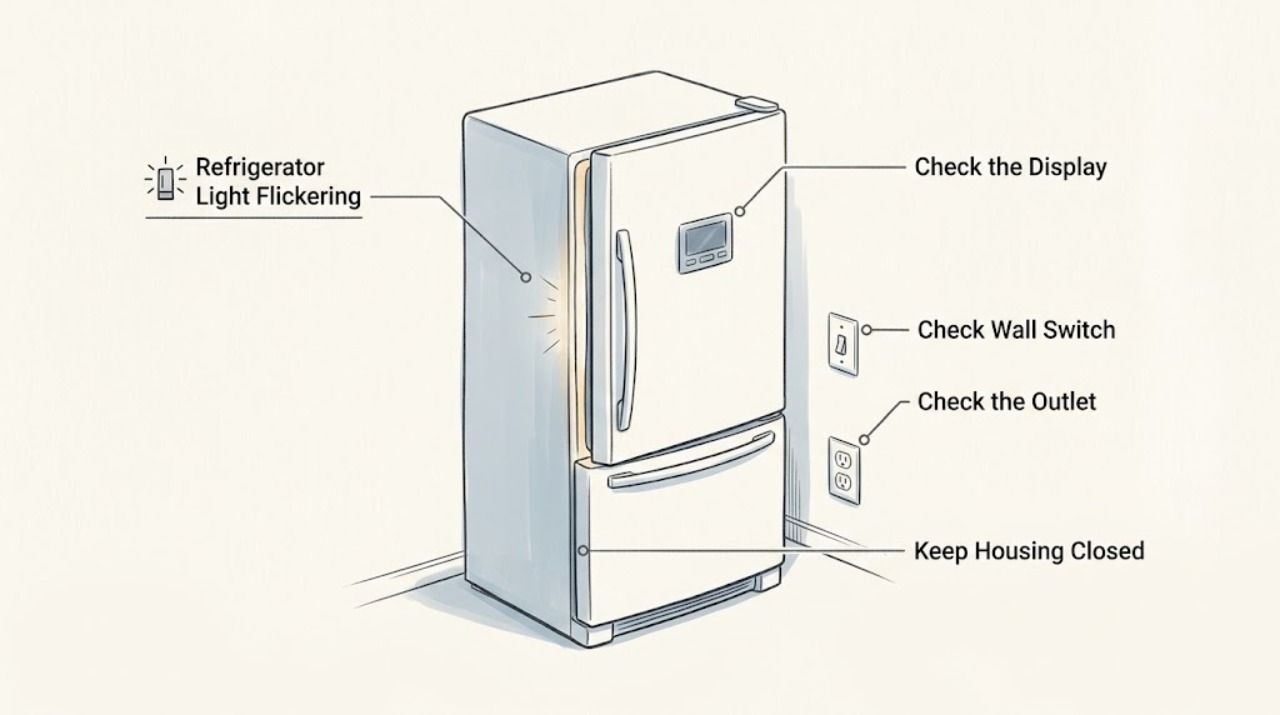
Work through in order
Diagnostic checks
Use only checks that match the exact appliance or system and its official guide.
-
Check 1
Open the door briefly and identify whether the flicker is the interior lamp, a dispenser lamp if equipped, or the temperature/control indicators. Note whether it occurs only when the door moves or continuously.
Expected result: Only the interior lamp flickers, or a panel/dispenser indicator flashes with a repeatable pattern.
Next step: Record the pattern and exact model. Use the model manual for interpretation instead of guessing from the number of flashes.
Why this matters
Why: A lamp or door-switch path is more likely when cooling remains normal; a repeatable panel pattern may be an error indication rather than a bulb fault.
-
Check 2
With the refrigerator on a stable surface, inspect the visible bulb or lens and the door closing path for looseness, damage, condensation, or a package preventing the door switch from being fully engaged. Do not remove the lamp cover while powered.
Expected result: The lens or bulb is visibly damaged or loose, the door does not close evenly, or the visible lamp area is intact.
Next step: Follow only the exact Moffat manual's lamp procedure with power isolated if it permits user replacement. Otherwise arrange service; do not touch exposed contacts.
Why this matters
Why: A physical lamp or door-switch condition can interrupt lighting; an intact lamp with normal closure leaves the socket, control, or supply path unresolved.
-
Check 3
Check whether other refrigerator functions change at the same time: interior light, display, compressor sound, or cooling. Inspect the plug and outlet from a dry position for looseness, heat, or visible damage.
Expected result: Several functions flicker together, or only one light flickers while cooling and controls remain stable.
Next step: Do not test live voltage. Stop using the appliance for cord heat, smoke, burning odor, or repeated power interruption and request qualified service.
Why this matters
Why: A multi-function interruption makes the power or control path more likely; an isolated lamp symptom points to that lamp assembly or switch.
-
Check 4
If a panel indicator flashes, write down its order and timing and compare it with the exact model manual. Do not remove a control cover or attempt to reset an unknown error repeatedly.
Expected result: The pattern matches a documented indication, or no model-specific interpretation is available.
Next step: Arrange Moffat service and provide the pattern, timing, and whether the refrigerator still cools normally.
Why this matters
Why: A documented pattern may identify a sensor, defrost, or communication condition; without the model, the indicator cannot safely identify a part.
Use your observations
Decision map
Find the observation that best matches what you see, then follow the next safe action.
-
PATH 01Next step
What you see
Only the interior lamp flickers when the door moves and cooling is normal
Do this next
Use the exact model manual for any permitted lamp check and request service if the flicker continues.
Why this path and its safety boundary
Why it matters: A lamp, socket, lens, or door-switch path is more likely than a whole-appliance power loss.
-
PATH 02Next step
What you see
The control indicators flash in a repeating pattern
Do this next
Record the pattern and stop at the manual's service boundary; do not open the control area.
Why this path and its safety boundary
Why it matters: The symptom may be a documented electronic or sensor error, not a replaceable light bulb.
-
PATH 03Next step
What you see
The lamp, display, and cooling interrupt together or the cord/outlet is hot or damaged
Do this next
Stop using the refrigerator, isolate power only if safe, and arrange qualified appliance or electrical service.
Why this path and its safety boundary
Why it matters: An electrical supply or control fault is possible and the safety boundary takes priority.
Helpful context
Understand the symptom
Name the light that is flickering
A lamp that dims when the door moves is a different diagnosis from control-panel snowflake indicators flashing in a repeating pattern. Do not assume the two systems share a replaceable bulb or the same fault.
When checks do not resolve it
Need a professional?
Arrange service for persistent flicker, a repeating indicator pattern, a damaged socket or lens, simultaneous display/cooling interruptions, cord heat, smoke, or a burning odor.
Safety scope: Do not probe live wiring, remove control covers, or touch exposed lamp contacts. Isolate power only from a dry, safe position.
Have this ready
- Provide the model, which lamp or indicator flickers, the pattern and timing, door-switch observations, and whether cooling changes.
Common questions
FAQ
Is a flashing Moffat refrigerator light always a bad bulb?
No. First identify whether the interior lamp or a control indicator is flashing. A repeating panel pattern may be an error indication, and different Moffat models use different lamp assemblies.
Can I probe the Moffat refrigerator light socket?
No. Do not test live contacts or remove control covers. Use only the model manual's permitted external check and arrange service for persistent flicker, heat, odor, or damage.
Read the exact guide
Official sources
- Moffat MBE19D* / UR-BCD520WE1-SQ Owner's ManualGE Appliances Canada / Moffat · This manual applies directly only to the models it lists. This article has no specific model, so it is used only for general visible checks and safety boundaries; use the appliance's own manual for specific controls and parts.
- Moffat 18 cu.ft. Top Freezer Refrigerator Stainless Steel MTE18HSKRSSGE Appliances Canada · Moffat refrigerator product identity and interior-lighting specification
- Refrigerator - Interior LED LightingGE Appliances · Refrigerator LED lighting assemblies and service boundary
Community feedback
Share a repair observation
Share a plain-text repair observation. Accepted observations are published automatically; this page may take a moment to update.