
On this page
Start here
Quick answer
First identify whether a Moffat refrigerator is not dispensing water, ice, or both, and confirm that the model actually has that feature. For water, check the supply valve, trapped air, filter, and a possible frozen reservoir; for ice, check the door, bucket, chute, and visible frost. Do not force the auger or open the door wiring; if an external check fails, stop using the feature and arrange model-specific service.
Before you begin
Safety first
- Do not reach into the auger or ice maker, remove door wiring covers, probe valves, or work on wet electrical parts. Stop the feature and isolate water if a line leaks.
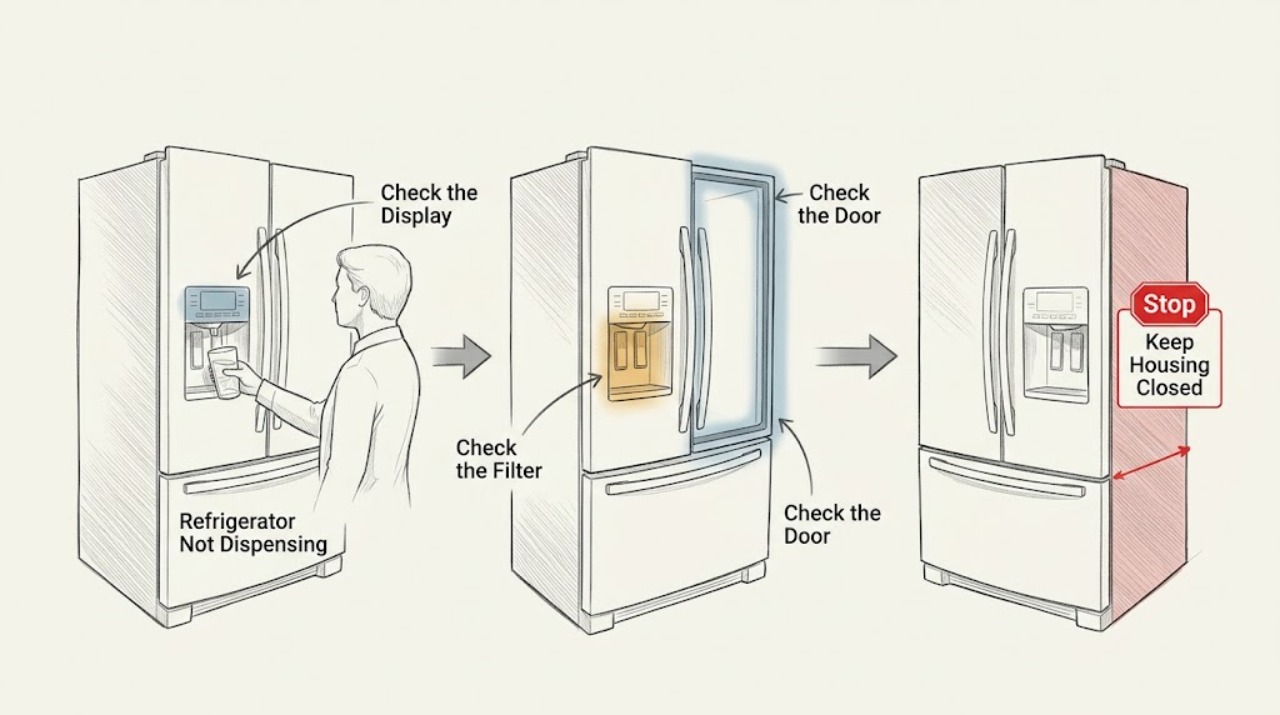
Work through in order
Diagnostic checks
Use only checks that match the exact appliance or system and its official guide.
-
Check 1
Confirm whether the symptom is no water, no ice, slow water, crushed-only ice, or an unresponsive dispenser control, and confirm the Moffat model includes that feature.
Expected result: Only water, only ice, or both functions fail; the panel may respond or remain locked/dark.
Next step: Use the corresponding water or ice check below and do not assume a missing feature is a fault.
Why this matters
Why: A single failed feature narrows the path to its supply or drive system; both failing can indicate a shared control, door harness, or water supply issue.
-
Check 2
For a water symptom, verify the refrigerator water shutoff valve is open. If the unit was recently installed or its filter was changed, use the model instructions to purge air; if a filter and bypass plug are provided, use that documented comparison.
Expected result: Water flow returns after air is purged or with the bypass arrangement, or there is still no flow.
Next step: Replace a filter only with the exact model-approved type. Stop if a reservoir is cracked or leaking and arrange service.
Why this matters
Why: Air or a restricted filter can interrupt water; no flow with the supply open points to tubing, inlet, reservoir, or control diagnosis.
-
Check 3
For an ice symptom, check that doors are fully closed and inspect the removable ice bucket and chute for a frozen clump or jam. Use only a wooden utensil where the model guidance permits clearing the visible chute; do not reach into the mechanism.
Expected result: Ice is clumped, the chute is blocked, or the bucket and chute are clear but the auger does not move.
Next step: Remove and warm-rinse the bucket only as the model manual permits, dry it fully, and stop for a recurring jam, leak, or motor symptom.
Why this matters
Why: Frozen storage or a chute jam can stop dispensing without a cooling failure; a clear path with no drive needs service diagnosis.
-
Check 4
Check whether the dispenser panel is locked and whether the fresh-food door is fully closed. Inspect only visible door gaps or harness covers for damage; do not remove the hinge cover.
Expected result: The panel was locked or the door was not closed, or the controls and door closure are normal.
Next step: Use the exact Moffat manual to unlock or close the door. Arrange service for a damaged harness, persistent lockout, or failed dispenser with normal supply.
Why this matters
Why: A lockout or door interlock can inhibit dispensing; normal controls and closure shift suspicion to water, ice, or internal drive components.
Use your observations
Decision map
Find the observation that best matches what you see, then follow the next safe action.
-
PATH 01Next step
What you see
Water returns after the supply is opened, air is purged, or a clogged filter is identified
Do this next
Use the model-approved filter and purge procedure; service a cracked reservoir or recurring loss of flow.
Why this path and its safety boundary
Why it matters: A supply, trapped-air, or filter restriction was supported rather than a dispenser motor fault.
-
PATH 02Next step
What you see
Ice is clumped or jammed in the chute but the refrigerator cools normally
Do this next
Clear only the visible path with the model-approved safe method and arrange service if it reappears.
Why this path and its safety boundary
Why it matters: Storage moisture or a chute obstruction is more likely than a complete appliance failure.
-
PATH 03Next step
What you see
The panel is unlocked, doors are closed, supply is available, and neither water nor ice dispenses
Do this next
Stop repeated attempts and arrange Moffat service; do not remove door wiring or access the auger or valve while powered.
Why this path and its safety boundary
Why it matters: A shared control, door interlock, valve, tubing, or dispenser assembly fault remains possible.
Helpful context
Understand the symptom
Water and ice use different paths
A water dispenser can fail while an ice maker still works, while a jammed bucket or chute can stop ice dispensing with normal cooling. Treat “not dispensing” as a feature symptom and preserve the distinction in the service report.
When checks do not resolve it
Need a professional?
Arrange service for no flow with an open supply, a cracked reservoir, a recurring ice jam, an unresponsive unlocked panel, damaged door wiring, or a dispenser that remains inactive after safe checks.
Safety scope: Do not reach into the auger or ice maker, remove door wiring covers, probe valves, or work on wet electrical parts. Stop the feature and isolate water if a line leaks.
Have this ready
- Provide the Moffat model, whether water or ice is affected, panel and door status, filter history, supply status, bucket/chute observations, and any leak.
Common questions
FAQ
Why does a Moffat refrigerator make ice but not dispense it?
Check that the doors are closed and look for a frozen bucket or chute jam. A clear path with a non-moving auger needs service rather than forceful probing.
Why is my Moffat refrigerator dispenser dry after a filter change?
Air may remain in the water path. Follow the exact model instructions to purge it; if the supply is open and flow does not return, stop and arrange service.
Read the exact guide
Official sources
- Moffat MBE19D* / UR-BCD520WE1-SQ Owner's ManualGE Appliances Canada / Moffat · This manual applies directly only to the models it lists. This article has no specific model, so it is used only for general visible checks and safety boundaries; use the appliance's own manual for specific controls and parts.
- Refrigerator - Not Dispensing IceGE Appliances · Refrigerator ice bucket, chute, frost, auger, and service guidance
- Refrigerator - Not Getting Water from the DispenserGE Appliances · Refrigerator water dispenser supply, air, filter, reservoir, and service guidance
- Moffat 18 cu.ft. Top Freezer Refrigerator Stainless Steel MTE18HSKRSSGE Appliances Canada · Moffat refrigerator product identity and model-dependent features
Community feedback
Share a repair observation
Share a plain-text repair observation. Accepted observations are published automatically; this page may take a moment to update.