
On this page
Start here
Quick answer
A Monogram oven that will not turn on can have a blank display and no power, or it can have a lit display but reject the cooking command. First screen for gas odor, smoke, burning smell, abnormal flame, uncontrolled heat, sparks, a hot outlet, water near electricity, or a repeated breaker trip. If the appliance is safe, identify the exact model, region, wall-oven or range configuration, and electric or gas or dual-fuel type. Check the accessible breaker or fuse, the visible plug where applicable, the selected oven function and temperature, the clock, Child Lock or control lock, door or self-clean latch, Sabbath or other special mode, and any exact error message. A single model-approved electronic reset may be appropriate, but a repeat trip, persistent blank display, no-start state, gas ignition issue, or code that returns needs qualified service. Do not open panels, measure live wiring, use a flame to test gas, bypass a latch, or continue after a safety symptom.
Before you begin
Safety first
- This article covers identification and ordinary-access, model-documented checks only. Do not open panels, test live wiring, dismantle gas components, bypass interlocks, or operate a hazardous oven.
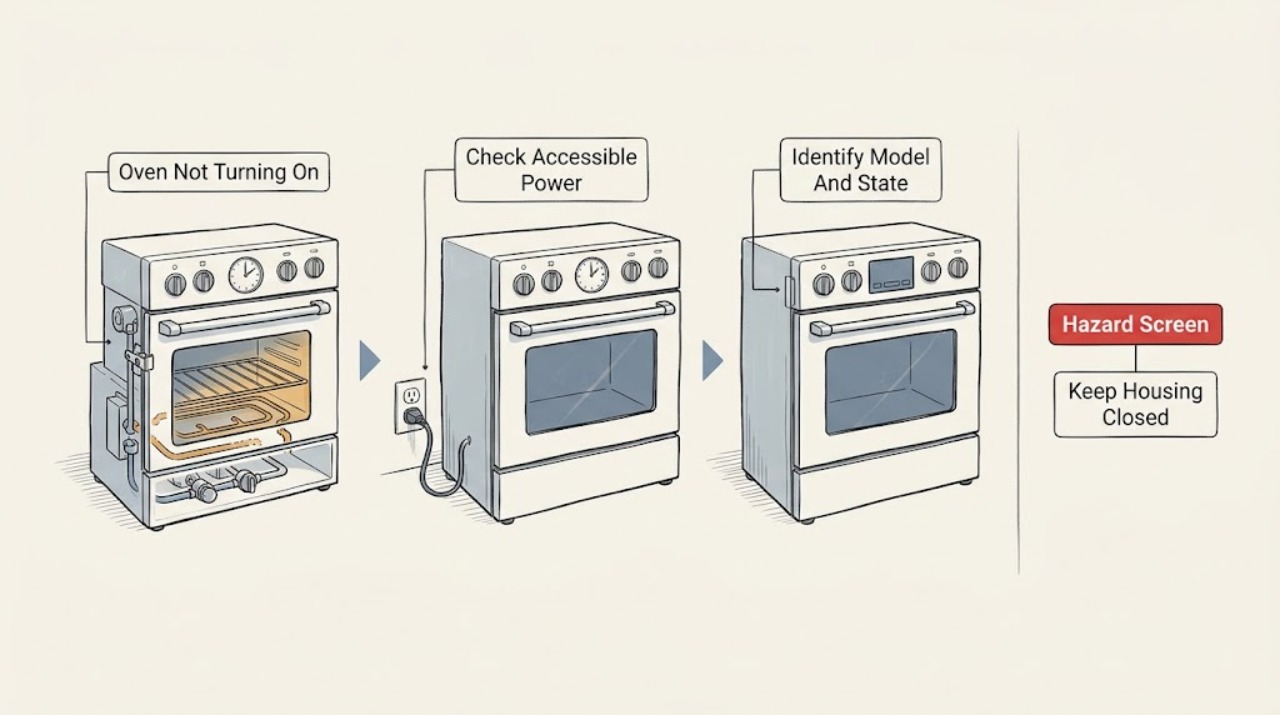
Work through in order
Diagnostic checks
Use only checks that match the exact appliance or system and its official guide.
-
Check 1
Stop using the oven and observe from a safe position for gas odor, delayed ignition or a bang, abnormal flame, smoke, burning smell, uncontrolled heating, visible arcing, a hot cord or outlet, water near electricity, or a breaker that trips again.
Expected result: Record whether the oven is merely inactive or whether a gas, fire, heat, electrical, water, or physical hazard is present.
Next step: Cancel operation only if safe. Leave the area for gas, smoke, fire, or carbon-monoxide concerns and contact the appropriate emergency response from a safe location; arrange qualified electrical or appliance help for other hazards.
Stop if: Do not operate switches near gas odor, relight, touch wet electrical equipment, reset protection repeatedly, or open the oven.
Why this matters
Why: A no-start symptom without a hazard permits low-risk identification. Any listed hazard overrides the start diagnosis and requires the appliance to remain out of service.
-
Check 2
Read the visible model and rating information without removing trim, and record the region, wall-oven or range form, electric or gas or dual-fuel type, display state, exact code, door state, and whether the oven light or clock is visible.
Expected result: Classify the symptom as a blank display, partial power, lit display with no response, a program that will not start, a locked or latched door, a gas ignition failure, or an error message.
Next step: Open the exact regional owner manual or model support page and follow only matching instructions; preserve the complete display text for service if it is not resolved.
Stop if: Do not pull out a wall oven, remove trim or covers, access a gas valve, or operate with damaged glass, cord, insulation, or wiring.
Why this matters
Why: The appliance type controls which checks exist. A Monogram model page identifies a specific wall-oven model and its owner manual, while family support pages are broader guidance rather than proof for every model.
-
Check 3
With no current hazard, inspect only the accessible household breaker or fuse and a visible range plug or cord connection where the installation makes it safely accessible; for a wall oven, use the breaker rather than pulling the appliance.
Expected result: Record a blank panel, a power-failure state, one open breaker or fuse, partial lighting, a loose or damaged visible connection, or stable power with a no-start symptom.
Next step: If safe and permitted by the installation, restore one open breaker or replace one correctly rated fuse; if it opens again or power remains absent, leave the oven off and arrange qualified electrical or Monogram service.
Stop if: Do not open a junction box, test live voltage, use an extension cord or adapter, pull a built-in oven, or reset a breaker repeatedly.
Why this matters
Why: The manufacturer's no-power guidance points to the plug, breaker, or fuse for a blank control panel. A lit clock or light still does not rule out an electronic control state, and a repeat trip indicates a fault rather than a normal reset.
-
Check 4
If the panel is lit and the appliance is cool, select the intended Bake or Broil function and temperature, complete Start, check that the clock is set, clear Child Lock or Control Lock only with the exact manual, and confirm the door and any self-clean latch are fully closed or unlocked as applicable.
Expected result: Record whether the display accepts the command, a lock or latch message clears, the clock was unset, Sabbath or another special mode is active, the door closes, and heating begins.
Next step: Correct only the documented control state or a plainly visible obstruction and make one normal start selection. If the state returns or the oven remains inactive, stop and arrange service.
Stop if: Do not force the door, bypass a latch or lock, use self-clean as a test, or continue if smoke, odor, abnormal flame, arcing, or uncontrolled heat appears.
Why this matters
Why: The manufacturer's support pages identify missing control settings, an unset clock, Child Lock, a self-clean latch, and special modes as no-start causes on applicable models; these checks do not establish an internal heater or control failure.
-
Check 5
Only for a confirmed Monogram gas or dual-fuel range or gas wall oven with no gas odor and safe access, verify the clearly labeled external gas shutoff position and ordinary power status described in the installation instructions; do not remove a panel or adjust a regulator.
Expected result: Record whether the external supply position is known, the appliance was recently installed or moved, surface burners work where present, the oven has no ignition, or the gas position is uncertain.
Next step: Stop ignition attempts and arrange qualified Monogram or gas-appliance service for no flame, unclear supply, delayed ignition, an abnormal flame, or any returning fault.
Stop if: Do not use a match, smell-test, purge gas, open tubing, adjust pressure, repeat ignition, or continue after gas odor, a bang, soot, or flame instability.
Why this matters
Why: The manufacturer's gas support path treats supply and igniter as separate checks. Surface-burner operation does not prove the oven ignition path, and no ignition with the correct external state requires qualified diagnosis.
-
Check 6
For a confirmed electric oven that accepts a valid function and temperature, observe once from outside whether the display changes to a running state and whether heat begins; record the exact error code or message and when it appears rather than interpreting a code from another model.
Expected result: Record no response, a running display with no heat, a code at startup or preheat, a cracked or visibly damaged element, a door-latch state, or heat that continues after Cancel or Off.
Next step: Stop using the oven and give Monogram service the model, region, code, mode, start response, preheat result, and any visible damage; for continued heating after Off, isolate power only if safely accessible and seek urgent service.
Stop if: Do not remove an element cover, test continuity or voltage, touch a hot element, run through an error, or continue if smoke, burning smell, arcing, or uncontrolled heating appears.
Why this matters
Why: A valid command with no heat can involve the supply, element, sensor, fuse, relay, control, or door interlock. A code and uncontrolled heat need model-specific service; a visibly cracked element is not a safe replacement project unless the manual explicitly supports it and power is isolated.
-
Check 7
Only when the oven is cool, dry, odor-free, and free of smoke, abnormal flame, arcing, uncontrolled heat, and repeat trips, perform the one model-approved electronic reset described by the manufacturer, then make one normal start selection.
Expected result: Record whether the display and program return, the code returns, the panel remains blank, the oven still will not start, or heating continues after Cancel or Off.
Next step: Stop using the appliance and arrange qualified Monogram, electrical, or gas-appliance service with the exact model, region, configuration, code, reset result, and safety observations.
Stop if: Do not repeat resets, operate through a returning fault, open the appliance, bypass the door safety, or continue after smoke, odor, arc, leak, or uncontrolled heat.
Why this matters
Why: A one-time reset may clear a transient control state, but it does not prove that a fuse, relay, sensor, element, igniter, gas valve, or control is sound. A recurrence is a service path.
Use your observations
Decision map
Find the observation that best matches what you see, then follow the next safe action.
-
PATH 01Safety boundary
What you see
Gas odor, delayed ignition or a bang, abnormal flame, smoke, burning smell, carbon-monoxide concern, uncontrolled heating, arcing, a hot outlet, water near electricity, or a repeat breaker trip is present.
Do this next
Do not operate it. Leave the area for gas, smoke, fire, or carbon-monoxide concerns and use the appropriate emergency response from a safe location; arrange qualified service for other hazards.
Why this path and its safety boundary
Why it matters: The oven may present gas, fire, heat, electrical, or water danger; no-start troubleshooting must stop.
Safety stop: Do not operate switches near gas odor, relight, inspect a leak with flame, reset protection repeatedly, or open the oven.
-
PATH 02Safety boundary
What you see
The control panel and clock are blank or the appliance has no accessible indicator, with no current hazard.
Do this next
Check the accessible supply once as the exact installation permits. If power does not return or protection opens again, arrange qualified electrical or Monogram service.
Why this path and its safety boundary
Why it matters: A plug, fuse, breaker, supply, or control-power problem is possible; a blank panel does not identify the failed component.
Safety stop: Do not pull a wall oven, open a junction box, measure live wiring, use an adapter, or keep resetting protection.
-
PATH 03Safety boundary
What you see
The clock, light, or control panel works but the oven does not respond to a valid function, temperature, and Start command.
Do this next
Use the exact model manual to check those states and make one normal selection. Persistent no-start needs service.
Why this path and its safety boundary
Why it matters: An unset clock, Child Lock, display setting, latch, Sabbath or special mode, door state, or electronic control problem may be blocking the start.
Safety stop: Do not apply an unverified key sequence, bypass a lock, force a door, or continue after a safety symptom.
-
PATH 04Safety boundary
What you see
A confirmed gas or dual-fuel oven has no ignition or flame after a model-appropriate external supply observation, without current gas odor.
Do this next
Stop ignition attempts and arrange qualified Monogram or gas-appliance service with the exact model and symptom.
Why this path and its safety boundary
Why it matters: Supply, igniter, burner, sensor, valve, control, or another gas-appliance component may be involved; surface-burner operation does not isolate the issue.
Safety stop: Do not use a flame, purge gas, open tubing, adjust a regulator, or continue after odor, bang, soot, or abnormal flame.
-
PATH 05Safety boundary
What you see
A confirmed electric oven accepts a valid command but remains cold, shows a returning code, or behaves abnormally during the start or preheat phase.
Do this next
Stop using the oven and arrange qualified Monogram appliance or electrical service with the exact code and preheat behavior.
Why this path and its safety boundary
Why it matters: The supply, element, sensor, fuse, relay, control, or interlock may be at fault; the visible symptom cannot safely select a part.
Safety stop: Do not remove covers, test live wiring, touch a hot element, run through a code, or continue with smoke, burning odor, arc, or uncontrolled heat.
-
PATH 06Safety boundary
What you see
The safe supply, control, door, fuel-specific, and one-time reset checks do not restore operation, or the model and fault state cannot be identified.
Do this next
Stop using the oven and arrange Monogram or qualified service with the model, region, configuration, exact message, and checks already completed.
Why this path and its safety boundary
Why it matters: A model-specific internal electrical, heating, ignition, latch, or control fault is possible and requires qualified diagnosis.
Safety stop: Do not dismantle the oven, bypass interlocks, replace a part by guesswork, or run repeated cycles to collect evidence.
Helpful context
Understand the symptom
Start by separating no power from no start
A blank panel, a clock that has reset, and an oven light that is also out point toward supply or control power. A lit panel with no response points toward a clock, lock, selected function, door, special mode, or control problem. Monogram products vary by model and region, and a wall oven may be hard-wired while a range may have an accessible cord. Record the model label and exact display message before applying a procedure from another appliance.
Use only model-matched control checks
Electronic models generally require an oven function, temperature, and Start command; knob models need the correct function and temperature positions. A clock that was not set, Child Lock, a self-clean latch, Sabbath mode, or a display setting can make a working appliance appear inactive. Use the exact Monogram or GE-family owner manual for the model rather than guessing a key sequence.
Gas and electric branches are not interchangeable
Only a confirmed gas or dual-fuel range follows the gas-supply and igniter branch. An electric wall oven has no gas valve or igniter to test. Surface-burner operation, where present, does not prove the oven heating path. A gas odor, delayed ignition, bang, soot, abnormal flame, smoke, or carbon-monoxide concern ends the home checks and requires leaving the area and using the appropriate emergency response from a safe location.
Keep reset and internal repair separate
The manufacturer's reset guidance is a single power-off interval for electronic controls, not permission to open the appliance or keep cycling a failing circuit. Heating elements, igniters, sensors, relays, fuses, door switches, and control boards are service-level parts. If the symptom returns after one safe reset, record the result and arrange qualified Monogram, electrical, or gas-appliance service.
Safety boundary
Stop conditions
- Stop immediately for gas odor, delayed ignition or a bang, abnormal flame, smoke, carbon-monoxide concern, burning smell, uncontrolled heating, electrical arcing, a hot cord or outlet, water near electricity, or a repeat protection trip.
- Do not operate switches near gas odor, relight, smell-test, purge gas, open tubing, adjust a regulator, or repeatedly attempt ignition.
- Do not open panels, junction boxes, terminal covers, element shields, control units, door latches, or wiring; do not test live voltage or continuity.
- Do not force a door, bypass a lock or safety switch, use self-clean as a stress test, or pull out a built-in oven to inspect its cord.
- Do not repeat resets or cycles after a returning code, blank display, uncontrolled heat, smoke, arc, leak, or other safety symptom.
Only after diagnosis
Potential parts
- oven control or display module
Consider this category only after qualified diagnosis links a persistent blank display or no-start state to the control or display rather than household supply or settings.
Confirm the exact regional model, revision, diagnosis, and manufacturer fit information; internal control work requires qualified service. - electric heating element
Consider this category only after qualified diagnosis confirms an element fault in a confirmed electric model with stable power and a valid start command.
Confirm the exact model, element position, rating, connectors, and manufacturer fit information; do not test live wiring or remove covers. - gas igniter or burner component
Consider this category only after qualified diagnosis confirms a gas ignition or burner fault in a confirmed gas or dual-fuel model.
Confirm the exact model and fuel configuration; do not open gas tubing, adjust pressure, or repeat ignition attempts. - oven door latch or switch
Consider this category only after qualified diagnosis links a persistent no-start or self-clean latch symptom to the latch or interlock.
Confirm the exact model and diagnosis; do not force the door or bypass a safety interlock.
When checks do not resolve it
Need a professional?
Arrange Monogram or qualified appliance service when the exact model's safe power, clock, lock, door, mode, fuel-specific, and one-time reset checks do not restore operation; when a gas oven will not ignite, an electric oven remains cold, a code returns, a latch fails, or a breaker trips again. Use licensed electrical or gas service for uncertain supply, damaged wiring, gas odor, delayed ignition, abnormal flame, smoke, or carbon-monoxide concern.
Safety scope: This article covers identification and ordinary-access, model-documented checks only. Do not open panels, test live wiring, dismantle gas components, bypass interlocks, or operate a hazardous oven.
Common questions
FAQ
What should I check first when my Monogram oven will not turn on?
First screen for gas odor, smoke, burning smell, abnormal flame, uncontrolled heat, sparks, water near electricity, or a repeated trip. If safe, record the exact model, region, range or wall-oven type, fuel, display state, code, door state, and whether the symptom is blank display or lit-panel no-start. Then use the matching Monogram manual.
Why does my Monogram oven have a lit display but not start?
On applicable family models, the clock may need to be set, Child Lock or another lock may be active, the function or temperature may be missing, Start may not have been completed, the door or self-clean latch may be in the wrong state, or a special mode may be active. Use the exact manual and make one normal selection; persistent no-start needs service.
Why is my Monogram oven display blank?
Check the accessible breaker or fuse and a visible range plug only where the installation makes that safe. A wall oven may be hard-wired, so do not pull it out. If power remains absent or a breaker opens again, stop and arrange qualified electrical or Monogram service.
Does a gas Monogram oven have a different no-start diagnosis?
Yes. Only a confirmed gas or dual-fuel model follows the external gas-supply and ignition branch. Surface burners do not prove the oven ignition path. Do not use a flame or open gas tubing. Gas odor, delayed ignition, a bang, soot, or abnormal flame requires immediate stop and an appropriate emergency or qualified gas response from a safe location.
Can I reset a Monogram oven that will not turn on?
The manufacturer's family guidance describes a single power-off interval for electronic controls on applicable models. Do it only when the oven is cool, dry, odor-free, and free of smoke, arcing, uncontrolled heat, and repeat trips. If the symptom or code returns, stop resetting and arrange service.
When is a Monogram oven no-start problem an emergency?
Stop immediately for gas odor, delayed ignition or a bang, abnormal flame, smoke, carbon-monoxide concern, burning smell, uncontrolled heating, arcing, a hot cord or outlet, water near electricity, or a repeated breaker trip. Do not operate switches near gas odor or relight; leave the area and contact the appropriate emergency, gas, electrical, or appliance professional from a safe location.
Read the exact guide
Official sources
- Electric Range & Wall Oven - Oven Has Power But Does Not WorkGE Appliances · Electric range and wall-oven support guidance; a particular Monogram model may use different controls.
- User Manual & Care for ZET2SHSSMonogram Appliances / GE Appliances · Specific Monogram ZET2SHSS wall-oven support page; do not generalize its controls or dates to another model.
- Gas Range & Wall Oven - Oven Will Not Come OnGE Appliances · Gas range and wall-oven family guidance; use the exact Monogram installation and owner manual for fuel and model details.
- Range & Wall Oven - Oven Will Not Come OnGE Appliances · GE Appliances family support guidance relevant to related Monogram controls; exact Monogram model manual controls.
- Range & Wall Oven - No PowerGE Appliances · Range and wall-oven no-power guidance; plug access and wiring vary by installation.
- Support & Service | Monogram AppliancesMonogram Appliances · Monogram official support hub; model and region documentation controls appliance procedures.
Community feedback
Share a repair observation
Share a plain-text repair observation. Accepted observations are published automatically; this page may take a moment to update.