
On this page
Start here
Quick answer
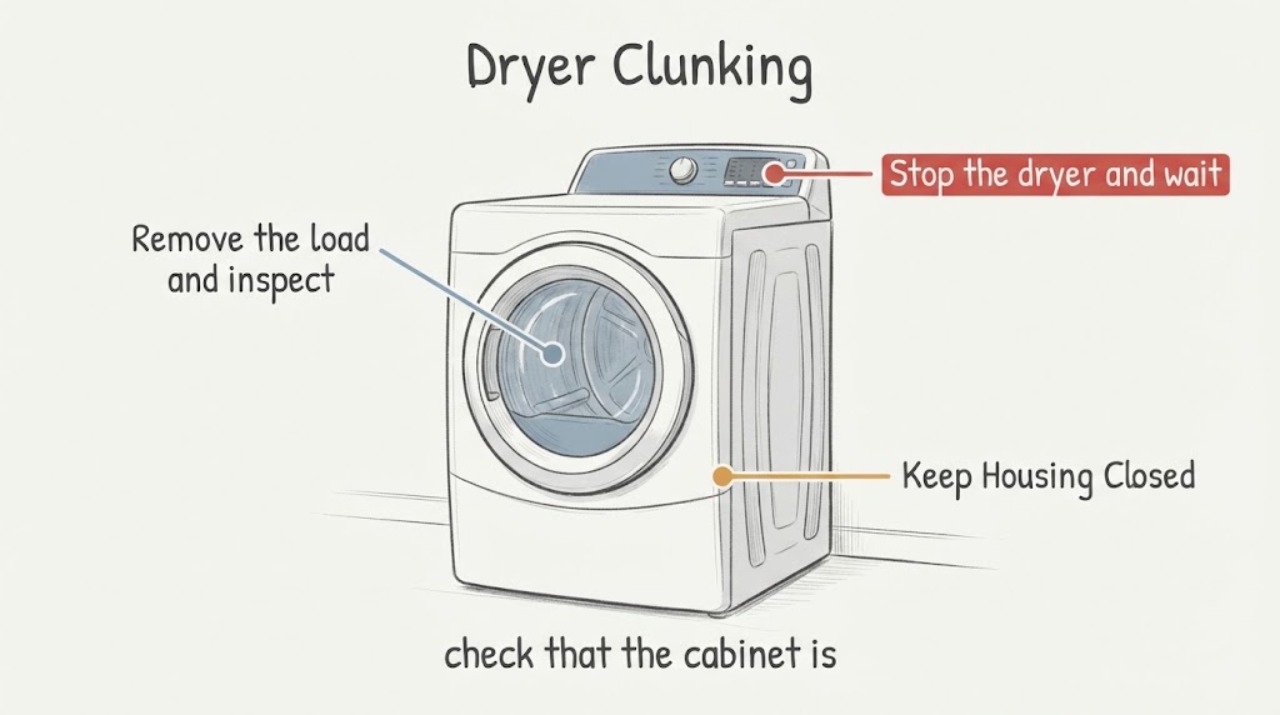
A clunking Roper RED4640YQ0 dryer is not automatically beyond repair, and the sound alone does not prove that a roller, belt, idler, blower wheel or rear bulkhead is bad. Stop the dryer for a visual check, confirm that it is level and not contacting nearby objects, remove loose items from the drum and lint-chute opening, and note whether the sound is tied to a load or occurs with an empty drum. Whirlpool's general dryer guidance treats those as the first checks; a persistent clunk or any scraping, burning smell, smoke or unsafe movement needs the exact Roper manual or qualified service before you spend on an internal part.
Before you begin
Safety first
- Do not run the dryer without the lint screen, remove the cabinet or blower housing, reach around the motor, test live circuits, replace rollers/belt/idler/blower/seal parts from sound alone, or continue operation after smoke, burning odor, scraping or violent movement.
Work through in order
Diagnostic checks
Use only checks that match the exact appliance or system and its official guide.
-
Check 1
Stop the dryer and wait until the drum is fully still. From outside, note when the clunk occurs: only with a particular load, for the first minutes after a long period unused, at every drum revolution, or continuously. Do not continue testing if there is scraping, smoke, a burning smell, unusual heat, exposed wiring or violent movement.
Expected result: The sound is brief and load-dependent, appears only after a long idle period, repeats with an empty drum, or is accompanied by a hazard sign.
Next step: Use the matching external check below. If a hazard sign is present, keep the dryer off and arrange qualified service rather than running another test cycle.
Why this matters
Why: Load and timing patterns can point toward an external or transient explanation, while an empty-drum or hazardous sound needs service assessment; none of these observations identifies a specific internal part.
-
Check 2
With the dryer off, check that the cabinet is stable, all installed legs contact the floor and the unit is level front-to-back and side-to-side. Remove objects from the top, sides, pedestal drawer and nearby space, and leave clearance so another appliance cannot strike or vibrate against it.
Expected result: The dryer rocks, a leg is missing or loose, the cabinet touches another object, or the surrounding area is clear and stable.
Next step: Correct only visible placement or loading issues permitted by the installation instructions. If the clunk remains with a stable, clear cabinet, continue with the drum and lint-chute checks rather than buying an internal part.
Why this matters
Why: An unstable floor/leg setup or external contact can create knocking or rattling without proving a drum or motor failure. A stable, clear installation makes those causes less likely but does not diagnose the machine.
-
Check 3
Remove the load and inspect pockets, zippers, buckles, buttons, rivets and loose coins or hardware. With the dryer off, look along the accessible front and rear drum edges for a coin, screw or other object caught in the seam; remove only an object that is plainly reachable without tools or panel removal.
Expected result: The clunk disappears with the load removed, a loose object is visible at the drum edge, or the empty drum still produces the same sound.
Next step: Remove the visible object and recheck only if the dryer remains safe to operate. If the empty-drum clunk remains or the object is trapped, stop and arrange model-specific service.
Why this matters
Why: A garment or reachable object can account for the noise. Persistence with an empty drum means the symptom belongs to the appliance or installation, but still does not identify a roller, belt, idler or bulkhead fault.
-
Check 4
With the dryer off, remove the lint screen and look into the lint-chute opening for a visible coin, sock or other foreign object. Use only a lint brush intended for dryers if the object is plainly within the accessible chute; reinstall the lint screen before any permitted operation.
Expected result: A foreign object is visible in the chute, the chute is clear, or the clunk continues after a reachable object is removed.
Next step: Remove only the reachable object and reinstall the lint screen. If the sound persists, do not remove the blower housing or cabinet; contact Roper-authorized or qualified service.
Why this matters
Why: A small object in the chute can strike the blower wheel, while a clear chute does not prove that the blower or another internal part is faulty.
Use your observations
Decision map
Find the observation that best matches what you see, then follow the next safe action.
-
PATH 01Next step
What you see
The sound occurs only with a particular load or a visible coin, hardware item or garment feature is found and the empty drum is quiet.
Do this next
Remove the object, clear pockets and use an appropriate load. Stop if the sound returns with an empty drum or any hazard sign appears.
Why this path and its safety boundary
Why it matters: The observation supports a load or reachable foreign object as the immediate source rather than a confirmed internal failure.
-
PATH 02Next step
What you see
The dryer rocks, a leg is missing, the unit is not level, or an item/pedestal/nearby appliance is contacting the cabinet.
Do this next
Restore stable, level support and clear the surrounding objects according to the installation instructions. If the clunk remains, stop diagnosing by sound and arrange service.
Why this path and its safety boundary
Why it matters: The installation or surrounding contact is a supported explanation for knocking and should be corrected before judging internal repair viability.
-
PATH 03Next step
What you see
The same clunk remains with an empty drum after the cabinet is stable and visible objects are removed, or the sound continues after the initial idle period.
Do this next
Keep the dryer off and give Roper service the full model, sound timing and checks already completed. Do not buy or install an internal part based on a guessed diagnosis.
Why this path and its safety boundary
Why it matters: The appliance still needs assessment, but the symptom does not establish whether a roller, belt, idler, blower wheel, seal, bulkhead or another part is involved.
-
PATH 04Next step
What you see
The noise is scraping, the drum edge shows trapped hardware that is not safely reachable, or the dryer shows smoke, burning odor, unusual heat, damaged wiring or violent movement.
Do this next
Leave the dryer off and arrange qualified service. Do not open the cabinet, reach around the blower or motor, or repeatedly run it to reproduce the sound.
Why this path and its safety boundary
Why it matters: Continued operation could worsen a mechanical or electrical hazard; this is beyond a routine owner noise check.
Helpful context
Understand the symptom
Why a noise does not answer the repair-versus-replace question
The same clunk can come from a load, a loose object, an unstable cabinet, an object in the lint chute or a component that needs service. The supplied model identifies the appliance, but no opened Roper document supports naming a failed internal part from the sound. Use the external observations below to decide whether the issue is simple and visible or needs a technician's inspection.
Keep the owner checks outside the cabinet
The checks below do not require removing the dryer cabinet, reaching around the motor or blower, or running the dryer with the lint screen removed. If the sound is accompanied by heat, smoke, burning odor, exposed wiring, scraping or violent movement, leave the dryer off and arrange service.
When checks do not resolve it
Need a professional?
Arrange Roper-authorized or qualified dryer service when clunking persists with an empty drum after external checks, when an object is inaccessible, or whenever the sound becomes scraping or is accompanied by heat, smoke, burning odor, wiring damage or unsafe movement.
Safety scope: Do not run the dryer without the lint screen, remove the cabinet or blower housing, reach around the motor, test live circuits, replace rollers/belt/idler/blower/seal parts from sound alone, or continue operation after smoke, burning odor, scraping or violent movement.
Have this ready
- Provide model RED4640YQ0, whether the dryer is electric, when the sound starts, whether it occurs empty, whether the unit is level, what external objects were removed, and any hazard signs. A safe recording may help if it can be made without continued operation.
Common questions
FAQ
Does clunking mean the Roper RED4640YQ0 needs new rollers?
No. Whirlpool's general dryer guidance also lists loads, leveling, external contact, loose items and lint-chute objects. A persistent empty-drum sound needs service assessment; it does not prove a roller or any other part is bad.
Can I run the dryer empty to locate the clunk?
Only use an empty-drum observation if the dryer is stable and free of scraping, smoke, burning odor, unusual heat, wiring damage or unsafe movement, and stop immediately if any warning appears. A persistent empty-drum noise should go to service rather than repeated testing.
What can fall into the lint chute?
Whirlpool lists small objects such as coins and socks as possible causes of a knocking sound when they reach the lint-chute housing and blower area. Look only from the accessible lint-screen opening and use a dryer lint brush for a plainly visible object; do not open the housing.
How do I decide whether repair is worth it?
First document whether the sound disappears after correcting load, level, contact and visible-object causes. If it persists with an empty drum, ask Roper-authorized service for a model-specific diagnosis and estimate; a sound alone cannot establish which part or whether replacement is preferable.
Read the exact guide
Official sources
- Thumping Sound - DryerWhirlpool Product Help · Opened official dryer noise guidance. It supports timing/load/level observations but does not transfer an internal roller diagnosis to the assigned Roper model.
- Scraping Sound - DryerWhirlpool Product Help · Opened official dryer guidance. It supports turning the dryer off and removing plainly accessible objects at the drum seam; it does not authorize cabinet or internal component access.
- Owner SupportRoper Appliances · Opened official Roper owner-support page. It confirms model-manual lookup and factory-authorized Roper service, but it does not expose a RED4640YQ0 internal noise procedure.
- Knocking or Rattling Sound - DryerWhirlpool Product Help · Opened official dryer noise guidance. It is general dryer guidance and is used for external checks only; it does not diagnose an internal part on Roper RED4640YQ0.
Community feedback
Share a repair observation
Share a plain-text repair observation. Accepted observations are published automatically; this page may take a moment to update.