
On this page
Start here
Quick answer
For the Roper RED4516FW0 family, a warm load during Cool Down is expected: the opened Roper/Whirlpool guide says all cycles cool slowly before the load is removed. First determine whether the drum is only tumbling without heat, as can happen with the Wrinkle Prevent option, or whether the heater remains on and the dryer never ends the selected cycle. Timed Dry is intended to run for the time selected, while Automatic/Sensor Dry should shut off at the selected dryness. If the dryer continues heating, smells hot, or will not stop when the controls should end the cycle, stop using it and disconnect power only by a safe user-accessible means; do not open the cabinet or guess at a thermostat, timer, or control-board failure.
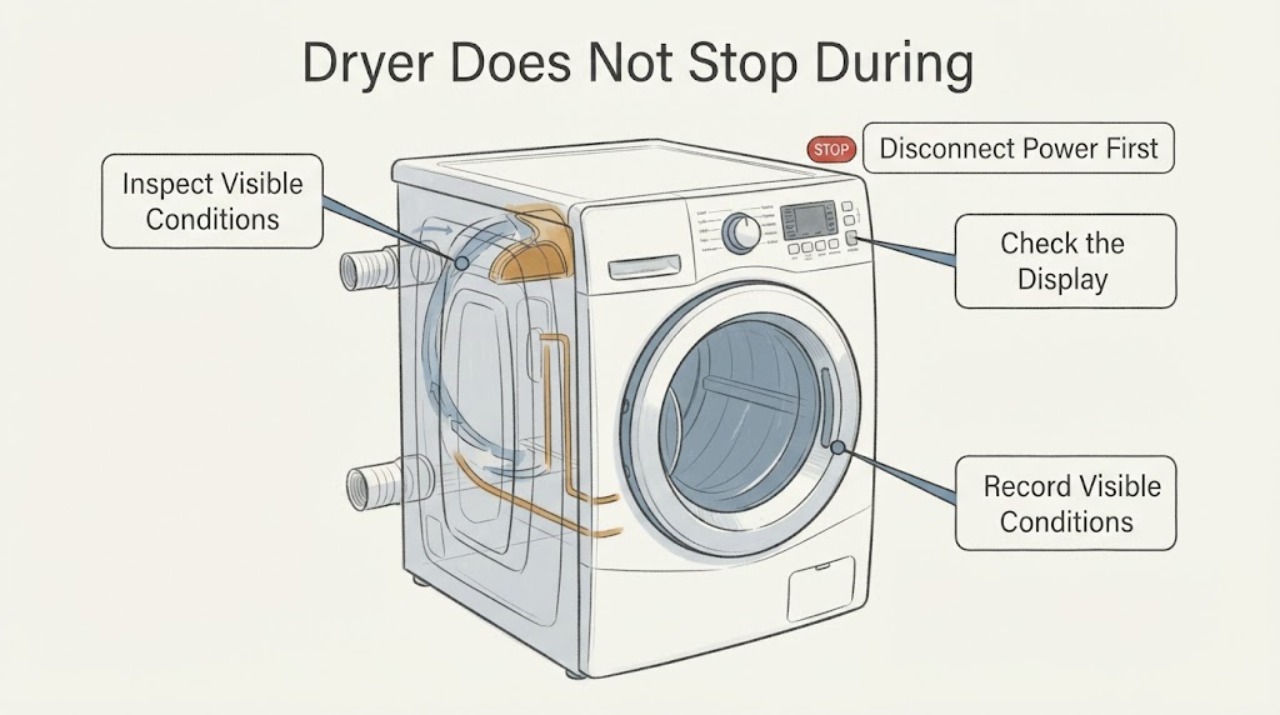
Work through in order
Diagnostic checks
Use only checks that match the exact appliance or system and its official guide.
-
Check 1
Read the model label inside the upper door area and record the full RED4516FW0 model and serial numbers. Note the cycle, dryness level, temperature setting, whether Wrinkle Prevent was selected, and how long the dryer has continued after the clothes felt dry.
Expected result: The label confirms RED4516FW0 and the dryer is on Timed Dry, Automatic/Sensor Dry, or a cycle with Wrinkle Prevent; or the cycle and model cannot be identified.
Next step: Continue only with the matching cycle branch. If the model or cycle is unknown, stop using the dryer when heat continues and give the label information to qualified service rather than assuming a timer or sensor fault.
Why this matters
Why: The Roper family guide gives different stopping behavior for Timed Dry, Automatic/Sensor Dry, and Wrinkle Prevent. A complete model and cycle record is needed before comparing the symptom with that guide.
-
Check 2
Observe one safe end-of-cycle event from outside the dryer. Check whether the drum is stationary, intermittently tumbling without heat, or continuously tumbling while the exhaust still feels hot; do not reach into the drum or touch the cabinet.
Expected result: The drum stops, tumbles intermittently with no heat, or continues tumbling with ongoing heat after the selected cycle should end.
Next step: If there is no heat and the drum only tumbles intermittently, let the documented option finish or turn it off using the normal model control. If heat continues or the dryer will not stop, stop using it and arrange model-specific service; do not open the cabinet.
Why this matters
Why: Roper describes intermittent no-heat tumbling as Wrinkle Prevent and describes slow cooling as normal. Continuing heat or a cycle that never ends is not explained by those normal behaviors and does not identify a particular internal part.
-
Check 3
If the cycle is Timed Dry, compare the selected time with the elapsed time and the control position. If it is Automatic/Sensor Dry, verify the selected dryness level and use the lower temperature or documented cycle choice for the load; do not change settings while reaching inside the machine.
Expected result: Timed Dry was set for a long period, or Automatic/Sensor Dry has not reached its selected dryness and the air is cooling normally; alternatively, the selected time/dryness has passed while heat or motion continues.
Next step: For a correctly selected cycle with normal cooling, use the documented setting and monitor one supervised load. If the selected time or dryness has passed and heat or motion continues, stop the dryer and request service rather than replacing a part by guesswork.
Why this matters
Why: Roper states that Timed Dry runs for the time set and that Automatic/Sensor Dry shuts off when the selected dryness is reached. A longer-than-expected cycle can reflect load, temperature, or sensing conditions, but this guide does not prove a failed sensor or timer from the symptom alone.
-
Check 4
With the dryer stopped and cool, clean the lint screen as the guide directs and inspect only the accessible outside exhaust hood and vent path for obvious blockage, crushing, or kinking. Do not remove the dryer cabinet or clean inside the cabinet yourself.
Expected result: The lint screen is blocked, outside airflow is weak or absent, the vent is crushed/kinked, or airflow is normal and the dryer still fails to end the cycle.
Next step: Correct only an obvious user-accessible lint or vent issue according to the installation guide, then reassess with a supervised normal cycle. If airflow is normal or heat continues after the cycle should stop, leave the dryer out of service and arrange qualified repair.
Why this matters
Why: Roper says a blocked screen can cause overheating or damage and that a restricted or crushed vent reduces airflow and lengthens drying. These are airflow checks, not proof of a failed heat control or reason to bypass a safety device.
-
Check 5
If the dryer continues producing heat, the drum will not stop from its normal control, or there is a burning smell, stop the cycle immediately and disconnect power only by a safe user-accessible method. Do not remove panels, test live wiring, bypass a door or thermal control, or order a timer, thermostat, or board from this symptom alone.
Expected result: The dryer stops safely with no abnormal heat, or it remains active/hot, smells burnt, trips protection, or cannot be stopped by the normal control.
Next step: Keep the dryer disconnected and arrange Roper/Whirlpool-authorized or qualified appliance service. If there is smoke or an active fire, leave the area and contact emergency services; do not resume testing.
Why this matters
Why: A dryer that remains hot or active has exceeded the user-level checks documented in the guide. The symptom does not distinguish a timer, sensor, heater, thermal device, wiring, or control-board cause.
Use your observations
Decision map
Find the observation that best matches what you see, then follow the next safe action.
-
PATH 01Next step
What you see
The drum tumbles intermittently without heat after the clothes are dry and Wrinkle Prevent is selected.
Do this next
Turn off the option using the normal control or allow its documented period to finish. Escalate if heat is present or the dryer does not respond to the control.
Why this path and its safety boundary
Why it matters: Roper describes Wrinkle Prevent as intermittent tumbling without heat, so this can be an option behavior rather than a heater that is stuck on.
-
PATH 02Next step
What you see
The load is warm immediately after a cycle and the dryer is still in the documented Cool Down period, with no continuing heat source or abnormal odor.
Do this next
Allow Cool Down to finish under supervision. If the dryer continues heating or never reaches an end state, stop using it and arrange service.
Why this path and its safety boundary
Why it matters: The guide says all cycles cool slowly and that clothes removed before Cool Down may feel very warm.
-
PATH 03Next step
What you see
Timed Dry has not reached the selected time, or Automatic/Sensor Dry has not reached the selected dryness and the air is cooling normally.
Do this next
Use the correct cycle and temperature for the load, keep the lint screen clear, and supervise the cycle. Request service if the selected time/dryness passes while heat or motion continues.
Why this path and its safety boundary
Why it matters: The selected cycle has not yet met its documented stopping condition; the guide does not support calling a timer or sensor defective from elapsed time alone.
-
PATH 04Next step
What you see
The selected time or dryness has passed but the dryer continues heating or tumbling, will not stop from its controls, or produces a burning odor.
Do this next
Stop using the dryer, disconnect power safely, and arrange qualified service. Do not open the cabinet, bypass a safety control, or continue test loads.
Why this path and its safety boundary
Why it matters: This is outside the normal Cool Down, Timed Dry, and Wrinkle Prevent behaviors documented for the RED4516FW family. The observation does not identify a specific internal component.
Helpful context
Understand the symptom
Separate normal cooldown from a dryer that is still heating
The Roper guide says the load may feel very warm if it is removed before Cool Down finishes and that all cycles cool slowly to reduce wrinkling and make handling easier. That is different from a dryer that continues to produce heat after the selected cycle should have ended. Watch the drum and feel only the air at a safe distance; do not touch the heater, drum, or cabinet to diagnose the problem. A drum that tumbles without heat may be using Wrinkle Prevent, which Roper describes as intermittent tumbling without heat.
The cycle selection changes what “does not stop” means
On the opened RED4516FW family guide, Timed Dry runs for the amount of time selected, while Automatic/Sensor Dry senses moisture or air temperature and shuts off at the selected dryness. A long Timed Dry selection or an intermittent no-heat wrinkle-prevention period is not the same symptom as continuous heat after the cycle should finish. If the cycle remains active with heat, or the dryer will not stop from its normal controls, keep it out of service and have the exact model checked.
When checks do not resolve it
Need a professional?
Call Roper/Whirlpool-authorized or qualified appliance service when the selected cycle should have ended but the dryer continues heating or tumbling, when it cannot be stopped by the normal control, when airflow checks do not resolve the condition, or when there is a burning odor, smoke, repeated tripping, or other heat hazard.
Common questions
FAQ
Is it normal for the Roper dryer to keep tumbling after the clothes are dry?
It can be normal if Wrinkle Prevent is selected and the drum is tumbling intermittently without heat. Roper describes that option as intermittent no-heat tumbling. Continuous heat or a dryer that never responds to the normal controls is a service condition.
Why are the clothes still warm during Cool Down?
Roper says all cycles cool slowly and clothes removed before Cool Down finishes may feel very warm. Confirm whether the air is actually still heating; warmth alone during the documented cooldown does not prove a failed part.
Can a blocked vent make the dryer stay on forever?
Roper says a blocked lint screen or restricted, crushed, or kinked vent can cause overheating, reduced airflow, and longer drying. Check only the lint screen and accessible outside vent path. If heat continues after the selected cycle should end, stop using the dryer and arrange service instead of bypassing a safety control.
Should I replace the timer or thermostat?
Not from this symptom alone. The opened Roper family documents support documenting the cycle, heat, airflow, and control behavior, but they do not establish which internal component has failed. Give the complete model and serial information to qualified service.
Read the exact guide
Official sources
- Installation Instructions – RED4516FWRoper Appliances / Whirlpool Corporation · Opened the official Roper-hosted installation PDF. It is used only for external vent condition, power-access and qualified electrical boundaries; it is not used to infer a component-level repair or to authorize cabinet access.
- Use and Care Guide – RED4516FWRoper Appliances / Whirlpool Corporation · Opened the official Roper-hosted PDF. The cover identifies an Electronic Dryer Use and Care Guide; the family pages are used for documented Timed Dry, Automatic/Sensor Dry, Cool Down, Wrinkle Prevent, lint/vent, and service-boundary guidance. The guide does not identify a failed timer, thermostat, sensor, heater, or board from the assigned symptom.
- Roper® 6.5 cu. ft. Top-Load Electric Dryer with Automatic Dryness ControlRoper Appliances · The opened official Roper product page identifies the RED4516FW electric dryer family, Automatic Dryness Control, and Wrinkle Prevent. The page does not independently display the RED4516FW0 suffix, so it is used for family operation only and not to infer an internal part failure.
Community feedback
Share a repair observation
Share a plain-text repair observation. Accepted observations are published automatically; this page may take a moment to update.