
On this page
Start here
Quick answer
A ticking sound that appears on a Roper dryer's timed heat setting but not on Automatic/Sensor Dry is a mode-specific clue, not proof that the timer is defective. Roper's official guide says Timed Dry runs for the selected time, while Automatic/Sensor Dry uses load moisture or air temperature and shuts off at the selected dryness; features vary by model. Confirm the exact model and whether the ticking is a regular control sound or a mechanical knock, then check the lint screen, load, vent and visible surroundings. Stop and arrange service if the sound is harsh or irregular, occurs with an empty drum, comes with burning smell or overheating, or remains after the documented external checks.
Before you begin
Safety first
- Do not open the cabinet, remove the timer or motor, bypass the door switch, test live wiring, keep running through smoke or overheating, or order a part based only on a timed-only ticking symptom.
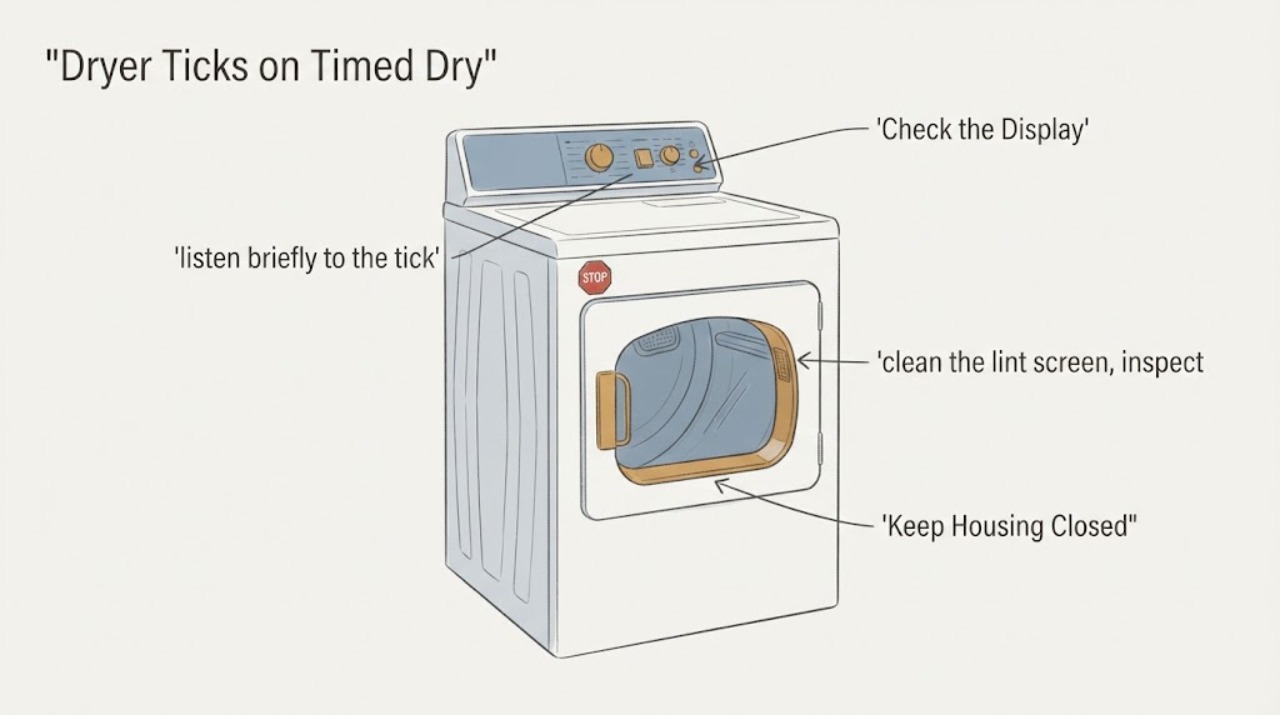
Work through in order
Diagnostic checks
Use only checks that match the exact appliance or system and its official guide.
-
Check 1
Find the full Roper model number and use Roper Owner Support to open the matching manual. Confirm that the control has separate Timed Dry and Automatic/Sensor Dry positions and note the temperature setting used when the ticking occurs.
Expected result: The exact manual confirms both modes, or the control layout does not match the assumed cycle names.
Next step: Follow only the matching manual for cycle names and settings. If the model cannot be identified, do not order a timer or publish a model-specific control diagnosis.
Why this matters
Why: Roper says features and settings vary by model; a control position that looks like a timed heat setting on one dryer may not have the same function on another.
-
Check 2
With the dryer empty and safe to operate, listen briefly to the tick in Timed Dry and then compare the same empty-drum observation in the documented Automatic/Sensor Dry mode. Note whether the interval is regular and whether the drum tumbles and heats normally. Stop immediately for scraping, grinding, smoke, burning smell or abnormal heat.
Expected result: The tick is regular and confined to Timed Dry with otherwise normal operation, or it remains in both modes or is irregular/harsh.
Next step: For a regular timed-only tick with normal operation, document it and check the manual/service path before replacing anything. For a persistent, irregular or mechanical sound, stop use and request service.
Why this matters
Why: A repeatable timed-only difference is consistent with a mode-specific control path, but Roper's guide does not prove that it is a normal timer sound. A sound in both modes or a harsh mechanical sound cannot be narrowed safely from the symptom alone.
-
Check 3
Before another loaded test, clean the lint screen, inspect the visible exhaust hood and vent for lint or crushing, clear items from in front of the dryer, and load clothes loosely so they can tumble freely. Do not open the cabinet or reach into the blower, motor or drum drive.
Expected result: The screen or vent is restricted, the load is tightly packed, or the airflow and load are appropriate.
Next step: Correct the visible airflow or loading condition using the model guide, then repeat one short observation. If the ticking persists with normal airflow and load, escalate rather than guessing at a timer or motor part.
Why this matters
Why: Roper says good airflow reduces drying time, a blocked lint screen can increase drying time, and clothes must tumble freely. These conditions can change cycle behavior but do not establish a ticking component failure.
-
Check 4
Compare what the dryer is doing while the sound occurs: check from outside whether the drum tumbles, heat is present, the cycle advances and the end-of-cycle signal is separate from the ticking. Do not bypass the door switch, remove panels or test live wiring.
Expected result: Only the sound differs, or the dryer also fails to tumble, fails to heat, stalls, overheats or shows another fault.
Next step: If operation is otherwise normal, preserve the sound pattern and model information for support. If heat, tumbling or cycle control is abnormal, stop use and request authorized service.
Why this matters
Why: The official guide defines the cycle functions but does not provide a universal ticking-code interpretation. A second symptom changes the service priority and makes a sound-only diagnosis unsafe.
-
Check 5
Stop using the dryer for smoke, burning smell, overheating, exposed damage, a loud mechanical tick, a tick that becomes scraping or grinding, or a sound that remains with an empty drum after the external checks.
Expected result: A safety or persistent mechanical symptom is present, or the dryer operates normally except for the documented timed-only tick.
Next step: Keep the dryer off and arrange Roper-authorized service. Provide the model, cycle, temperature, load state, sound pattern, heat/tumble result and any odor or display symptom.
Why this matters
Why: The Roper support page provides factory-authorized service, while the guide does not authorize internal timer, motor or wiring work from this symptom. Continued operation can turn an uncertain sound into a mechanical or fire risk.
Use your observations
Decision map
Find the observation that best matches what you see, then follow the next safe action.
-
PATH 01Next step
What you see
The exact model has Timed Dry and Automatic/Sensor Dry, and a regular tick occurs only in Timed Dry while the empty drum tumbles and heats normally.
Do this next
Record the pattern and use the matching manual or Roper support before buying a timer; continue normal use only if there is no harsh sound, odor, overheating or other fault.
Why this path and its safety boundary
Why it matters: The mode-specific difference is a useful clue, but Roper's public guide does not establish whether that sound is normal on this exact model.
-
PATH 02Next step
What you see
The tick occurs in both modes, is irregular or harsh, or remains with an empty drum.
Do this next
Stop use and request model-specific authorized service; do not open the cabinet or bypass a safety control.
Why this path and its safety boundary
Why it matters: The sound is not explained by the Timed-versus-Automatic distinction alone and cannot be assigned to a timer, motor or drum part safely.
-
PATH 03Next step
What you see
The lint screen/vent is restricted or the load is packed, and the dryer otherwise operates normally.
Do this next
Correct the visible restriction or load using the Roper guide, then make one short comparison. Escalate if the sound persists or operation changes.
Why this path and its safety boundary
Why it matters: Airflow or loading can affect drying behavior and cycle performance independently of the ticking question.
-
PATH 04Next step
What you see
The dryer also fails to heat or tumble, stalls, overheats, shows smoke/burning smell or has visible damage.
Do this next
Stop the dryer, isolate it only through the normal safe control, and arrange qualified Roper service; provide the full symptom sequence.
Why this path and its safety boundary
Why it matters: The combined condition is a service and safety issue rather than a sound-identification exercise.
Helpful context
Understand the symptom
Why the two cycles can sound different
Timed Dry and Automatic/Sensor Dry do not make the same control decision. Roper's guide says Timed Dry runs for the selected time, while Automatic/Sensor Dry senses moisture in the load or air temperature and stops at the selected dryness. That makes a timed-only tick useful as a repeatable observation, but the opened Roper documentation does not define every ticking sound or identify a universal timer fault for every model.
Treat the model and sound pattern as the next evidence
Roper states that not all cycles and settings are available on all models and directs owners to the model manual and authorized service path. Record the full model number, the selected temperature and cycle, whether the drum is empty or loaded, and whether the tick is regular, irregular, loud or accompanied by heat and normal tumbling.
When checks do not resolve it
Need a professional?
Use Roper-authorized service when the ticking is persistent, irregular, mechanical, present in both modes, audible with an empty drum, or accompanied by no heat, no tumble, stalling, overheating, smoke, burning smell or visible damage.
Safety scope: Do not open the cabinet, remove the timer or motor, bypass the door switch, test live wiring, keep running through smoke or overheating, or order a part based only on a timed-only ticking symptom.
Have this ready
- Give the full model number, electric or gas type, cycle and temperature, empty-versus-loaded result, whether the sound is regular, whether the drum heats and tumbles, vent/lint observations and any display or odor.
Common questions
FAQ
Is ticking on Timed Dry normal for a Roper dryer?
Roper's guide confirms that Timed Dry and Automatic/Sensor Dry use different control functions, but it does not define every ticking sound as normal. A regular timed-only tick with normal heat and tumbling is a clue to document, not proof of a failed or healthy timer. Use the exact model manual or Roper support before replacing anything.
Why does Automatic Dry not tick the same way?
Roper says Timed Dry runs for the selected time, while Automatic/Sensor Dry senses load moisture or air temperature and stops at the selected dryness. That difference can change when control activity is heard, but the exact sound behavior remains model-specific.
What should I check before calling service?
Record the model and cycle, clean the lint screen, inspect the visible exhaust path, keep the load loose, and compare whether the sound occurs empty or only with clothes. Do not open the cabinet or bypass a safety control; request authorized service if the sound persists or another function fails.
Can I replace the dryer timer because it ticks only on Timed Dry?
Not from that symptom alone. The cycle distinction is evidence about operating mode, not a confirmed part diagnosis. Roper's official support path uses the exact model manual and factory-authorized technicians; obtain that model-specific diagnosis before selecting a timer or other part.
Read the exact guide
Official sources
- Use and Care Guide – RGD4516FWRoper Appliances · Opened the official Roper PDF. It supports the Timed Dry versus Automatic/Sensor Dry distinction, model-variation warning, airflow/lint/load checks and service-safe boundaries. It does not define a universal ticking sound or prove a timer fault.
- Owner SupportRoper Appliances · Opened Roper's official owner-support page. It directs owners to model manuals and factory-authorized Roper technicians; it is used for service escalation, not for a universal sound diagnosis.
Community feedback
Share a repair observation
Share a plain-text repair observation. Accepted observations are published automatically; this page may take a moment to update.