
On this page
Start here
Quick answer
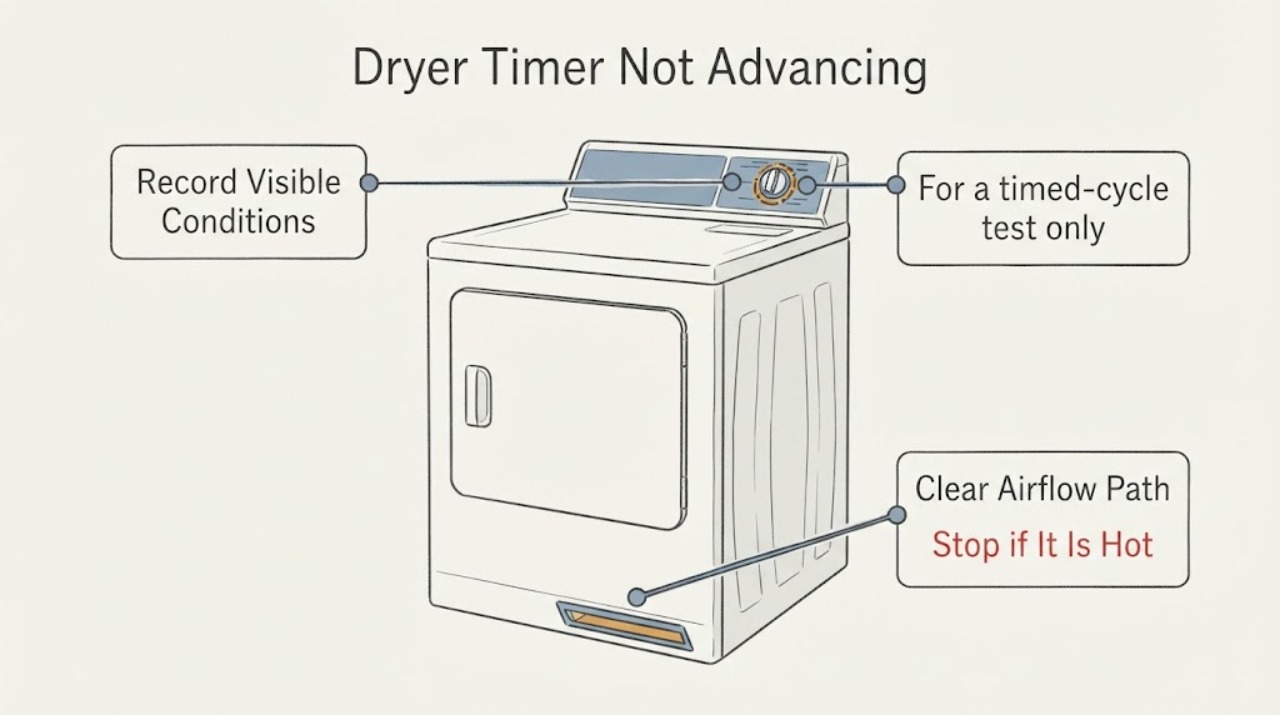
First separate a timed cycle from an automatic cycle. Roper's opened family guide says Timed Dry runs for the time selected, while Automatic Dry/Sensor Dry uses load moisture or air temperature and varies the drying time before shutting off. A timer knob that appears to pause during an automatic cycle is therefore not enough to identify a failed timer; compare the knob with actual drum heating, drying and shutoff. If the knob never progresses through a timed cycle, or both cycle types run without drying and the control stays at the starting position, check only the lint screen, external exhaust airflow and the accessible gas-supply valve when there is no gas odor, then stop and arrange service rather than guessing a timer part or opening the cabinet.
Work through in order
Diagnostic checks
Use only checks that match the exact appliance or system and its official guide.
-
Check 1
Read the selected cycle and run one controlled observation with a normal, loosely loaded drum. Record whether the knob is on Timed Dry or Automatic Dry/Sensor Dry, whether the drum turns, whether the load becomes warm and drier, and whether the dryer eventually shuts off.
Expected result: The knob is on Timed Dry, or it is on an automatic/sensor cycle; the drum may run with heat, may remain cool, or may stop before the load dries.
Next step: Use the timed-cycle branch if the knob never progresses, and use the airflow/heat branch if the load stays wet or the drum stays cool. Do not remove the console to inspect the timer.
Stop if: Stop immediately for gas odor, smoke, arcing, a hot or damaged cord, or a breaker that trips again.
Why this matters
Why: Timed Dry is intended to run for the selected time. Automatic Dry/Sensor Dry varies time from sensed moisture or air temperature, so irregular-looking movement can be normal in that mode. A cycle that runs but never dries is a drying or heat symptom as well as a timer observation, not proof of a timer failure.
-
Check 2
For a timed-cycle test only, note the timer position at start and after the dryer has run for a meaningful part of the selected period; do not force the knob or test behind the console.
Expected result: The knob progresses while the timed cycle runs, remains at the start while the dryer runs, or the dryer does not run at all.
Next step: If the knob remains fixed through Timed Dry, stop using the dryer and provide the model suffix, cycle, start position and observed run behavior to an authorized Roper/qualified appliance service provider. If it does not start, verify the door is latched and the selected cycle is valid from outside, then use service if it still will not run.
Why this matters
Why: Progress during Timed Dry is consistent with the selected run-time control. If the dryer runs for the timed period but the knob remains fixed, the control circuit needs service; if the drum never starts, first treat it as a start/door/power problem rather than a timer diagnosis.
-
Check 3
With the dryer stopped, clean the lint screen. During a brief supervised run, check airflow at the outside exhaust hood without reaching into the dryer; inspect only the visible vent route for crushing, kinks or blockage.
Expected result: Airflow is strong, weak or absent at the outside hood, or the visible vent is crushed, kinked or heavily linted.
Next step: Clean the lint screen and have the exhaust path cleaned or corrected using the installation requirements. If airflow remains weak, the load stays wet, or the dryer overheats, stop and arrange service; do not operate with a blocked vent.
Stop if: Do not reach into the exhaust, dismantle the vent while the dryer is running, or continue operation if there is a burning smell or visible lint accumulation around hot areas.
Why this matters
Why: Roper's guide treats restricted exhaust airflow as a drying-performance problem and directs cleaning or correcting the vent. Weak airflow can leave clothes wet and make a timer complaint look like a control failure, but it does not identify a timer part.
-
Check 4
If the drum turns but the gas dryer is not heating, look only at the accessible gas-supply shutoff and the rating-plate gas information; do not remove the burner area or test gas pressure.
Expected result: The supply valve is visibly closed, the valve is open but the dryer remains cool, or there is any gas odor.
Next step: If there is no gas odor and the valve is clearly closed, follow the appliance's normal external shutoff labeling or have a qualified technician restore/check the supply. If the valve is open and the dryer remains cool, or if there is gas odor, stop using the dryer and contact qualified gas/appliance service.
Stop if: For gas odor, leave the area, avoid switches or flames, and contact the gas supplier or emergency service from a safe location; do not relight, probe or open the dryer.
Why this matters
Why: The Roper installation guide identifies the required gas type and an accessible manual shutoff, and the use-and-care guide lists an open supply-line valve as an external no-heat check. A cool drum can explain wet clothes but cannot establish that the timer is defective.
-
Check 5
Before requesting service, photograph the model and serial label inside the door and write down the cycle type, timer position, whether the drum ran, whether clothes dried, airflow result and any gas or electrical warning.
Expected result: The label confirms RGD4516FWO, confirms a different suffix, or cannot be read; the same symptom may occur in both automatic and timed cycles.
Next step: Give the complete label information and the observation log to Roper-authorized or qualified appliance service. Request diagnosis of the cycle-control symptom and drying result rather than ordering a timer from the symptom alone.
Why this matters
Why: The Roper owner site directs owners to use the complete model number for manuals, and the opened family guide is labeled RGD4516FW. The suffix matters for the correct documentation and parts lookup, so a similar-looking timer should not be assumed compatible.
Use your observations
Decision map
Find the observation that best matches what you see, then follow the next safe action.
-
PATH 01Next step
What you see
The dryer is on Automatic Dry/Sensor Dry, the knob appears to pause, but the drum heats, the load dries and the dryer shuts off at the selected dryness.
Do this next
Continue using the cycle if performance is normal, or compare with the owner's cycle guide. Seek service only if drying, shutoff or movement becomes abnormal.
Why this path and its safety boundary
Why it matters: The observed pause can be consistent with sensor-based cycle behavior; the evidence does not show a timer failure.
-
PATH 02Next step
What you see
The dryer runs on Timed Dry for the selected period but the knob never leaves its starting position.
Do this next
Stop using the dryer and arrange qualified appliance service with the exact model suffix and the timed-cycle observation. Do not open the console or buy a timer before fit and diagnosis are confirmed.
Why this path and its safety boundary
Why it matters: A fixed control position through a timed run is not explained by the automatic moisture-sensing behavior and needs a control diagnosis, but it does not identify which component failed.
-
PATH 03Next step
What you see
The knob does not progress and the load stays wet, the drum stays cool, or airflow at the outside hood is weak.
Do this next
Stop after the safe external checks, correct only a clearly accessible lint/vent issue, and request service if heat or airflow is not restored. Do not access the burner, gas pressure connection or internal wiring.
Why this path and its safety boundary
Why it matters: A drying, heat-supply or exhaust problem may be contributing to the symptom; the timer itself has not been proven defective.
-
PATH 04Next step
What you see
The dryer will not start, the breaker trips again, the cord or outlet is hot/damaged, or gas odor is present.
Do this next
Leave the dryer off; use a qualified electrician or appliance/gas service, and contact the gas supplier or emergency service for gas odor. Do not repeatedly restart, bypass the door switch, or work inside the cabinet.
Why this path and its safety boundary
Why it matters: This is a power, fire or gas-safety condition that takes priority over timer troubleshooting.
Helpful context
Understand the symptom
What the cycle choice changes
The supplied identity is Roper RGD4516FWO. The opened Roper/Whirlpool-hosted use-and-care guide is labeled RGD4516FW, so confirm the complete model suffix on the rating label inside the door before ordering anything or treating a variant-specific behavior as proven. The guide describes Timed Dry as running for the time selected, while Automatic Dry/Sensor Dry senses moisture or air temperature and shuts off at the selected dryness. That distinction is the first decision in a timer complaint.
Do not diagnose the timer from the knob alone
A stationary-looking knob during an automatic cycle does not by itself prove a bad timer because sensor-based drying changes the effective run time. The useful observation is whether the drum runs, the load dries, heat cycles normally, and the dryer shuts off. If the dryer does not advance even through a timed cycle, or it runs without the expected drying result in both modes, record the cycle, starting position and load result for service instead of opening the console or selecting a replacement timer by appearance.
When checks do not resolve it
Need a professional?
Request Roper-authorized or qualified appliance service when the timer remains fixed through a Timed Dry cycle, the symptom occurs in both cycle types, the dryer runs without heat or adequate airflow after the external checks, the exact model suffix cannot be matched to the documentation, or the dryer has any electrical or gas warning.
Common questions
FAQ
Should the timer knob move continuously on an automatic cycle?
Do not use continuous movement as the test. Roper's guide says Automatic Dry/Sensor Dry senses moisture or air temperature and varies drying time before shutting off. Judge the cycle by whether the drum heats, the load dries and the dryer shuts off; a fixed knob through a timed cycle is a separate service symptom.
Does a timer that does not advance prove the timer needs replacement?
No. Wet clothes, no heat, restricted exhaust, a cycle-selection issue or a control problem can produce similar observations. The Roper guide supports external lint, airflow and gas-supply checks, but it does not support naming a failed timer without diagnosis.
Where should the complete model number be confirmed?
Roper's manual lookup page says dryer model information is inside the door on the upper left-hand side of the front panel. Use the full label, including the final suffix, when requesting the manual or service.
Read the exact guide
Official sources
- Use and Care Guide – RGD4516FWRoper Appliances / Whirlpool Corporation · Opened the official Roper-hosted document on Whirlpool's manufacturer domain. It covers the RGD4516FW family cycle descriptions, Timed Dry, Automatic Dry/Sensor Dry, lint and exhaust checks, no-heat observations and service information. Because the document name omits the final suffix in the assigned RGD4516FWO identity, model-specific fit must be confirmed before parts or internal work.
- Using Auto Dry, Timed Dry and EcoBoostWhirlpool Corporation · Opened Whirlpool's official dryer product-help article. It explains that automatic cycles sense temperature/moisture and shut off at selected dryness, while Timed Dry runs for the set amount of time; it is used for cycle interpretation, not exact part diagnosis.
- Roper Manuals & GuidesRoper Appliances · Opened Roper's official manual lookup page. It directs owners to enter the complete model number and places dryer identification inside the door on the upper left-hand side of the front panel.
- Dryer Not Starting or No OperationWhirlpool Corporation · Opened Whirlpool's official dryer product-help article. It supports checking a tripped breaker, firmly latched door and valid Automatic Dry or Timed Dry selection from outside; it does not support bypassing a safety switch or diagnosing the timer internally.
- Installation Instructions – RGD4516FWRoper Appliances · Opened the official Roper installation document. It supports the gas-dryer supply, grounding, accessible shutoff and qualified-service boundaries for the matching RGD4516FW family reference; it is not a timer repair manual and does not authorize opening the cabinet.
Community feedback
Share a repair observation
Share a plain-text repair observation. Accepted observations are published automatically; this page may take a moment to update.