
On this page
Start here
Quick answer
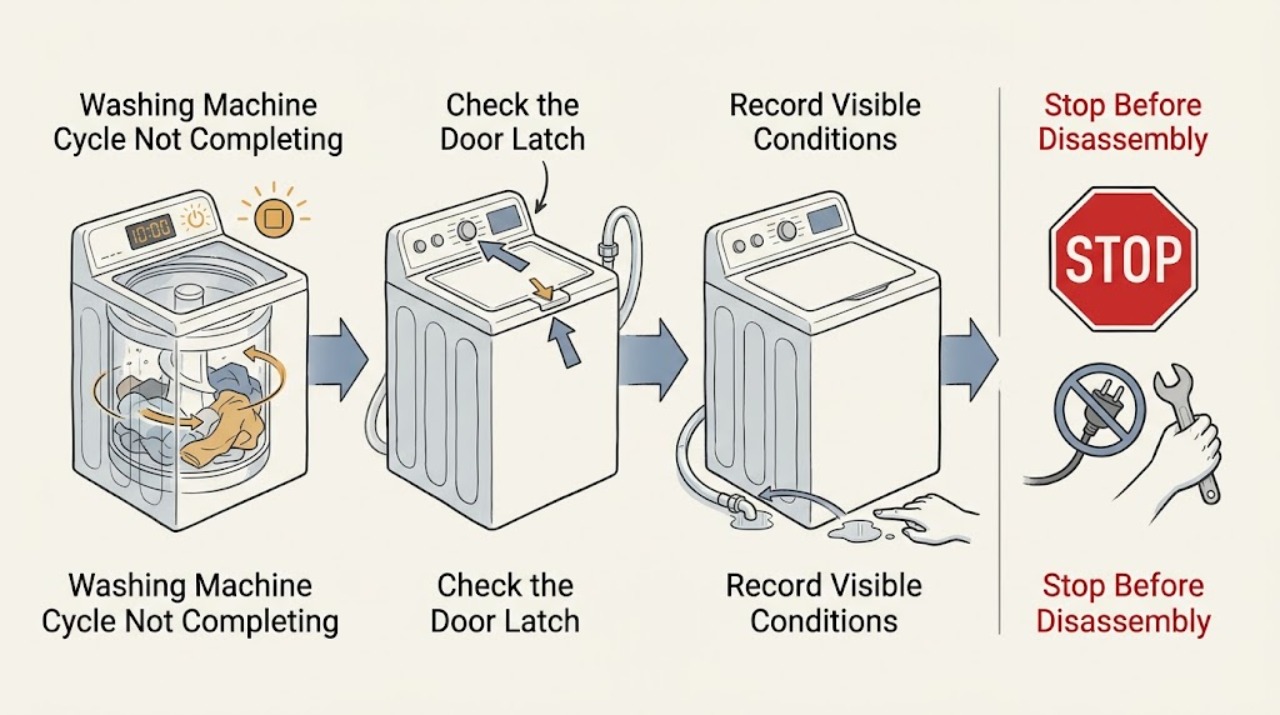
When a Roper washing machine does not complete its cycle, record whether it stops during fill, wash, rinse, drain, or spin and save any flashing light or code. A pause can be normal, but a closed lid, adequate hot and cold water supply, clear inlet hoses, a balanced load, and a drain path are required for the cycle to advance. Roper's washer guide also lists excess suds and small items that slow draining as possible causes. Use the exact model guide before interpreting an indicator or attempting a reset. Stop for hot water, a leaking or overflowing tub, a walking washer, loud impact, smoke, burning odor, arcing, water near electrical equipment, or a repeated breaker trip; arrange qualified appliance service.
Work through in order
Diagnostic checks
Use only checks that match the exact appliance or system and its official guide.
-
Check 1
Record the full Roper model number, the selected cycle and options, the indicator or display state, and the exact stage where the cycle stopped. Note whether the tub is filling, agitating, rinsing, draining, or spinning, and whether water remains inside.
Expected result: The timer is unchanged, a light is flashing, the washer pauses briefly, the wash light remains on, the spin light remains on, or the tub is full or empty.
Next step: Use the corresponding branch and the exact Roper owner guide. Do not restart repeatedly while the washer is moving, filling, or holding hot water.
Why this matters
Why: The stage separates a normal pause, fill problem, drain problem, imbalance, lid condition, suds issue, or control fault. A displayed time is not always a precise countdown.
-
Check 2
Check the visible power connection and control state only when the floor and hands are dry. Confirm the washer has power, the control lock is not active if the model has one, and the lid is fully closed and latched before pressing the model's Start or Pause control once.
Expected result: The display or indicators are off, a lock symbol is present, the lid does not latch, the washer resumes after the lid is closed, or power and lid operation appear normal.
Next step: Correct only an accessible control or lid position described in the manual. If the lid cannot latch, the washer loses power, or it stops again, keep it out of use and arrange service.
Why this matters
Why: Roper requires the lid to be closed for operation, and Whirlpool notes that model-specific locks and start controls can prevent or pause a cycle. A loose or damaged connection is not a user reset problem.
-
Check 3
If the washer stops during fill or the wash indicator remains on, verify that both hot and cold faucets are open as the model requires. Inspect the visible inlet hoses for kinks, crushing, leaks, or a connection that is not secure; do not remove hoses from a pressurized supply.
Expected result: A faucet is closed, an inlet hose is kinked or damaged, water flow is weak, the hose route is clear, or the washer reaches the expected water level.
Next step: Open an accidentally closed faucet or correct a visible hose route only if there is no leak. Stop for a damaged hose, weak household supply, active leak, or water near electricity and arrange plumbing or appliance service.
Why this matters
Why: Roper lists both water supplies, inlet screens, and kinked inlet hoses as causes of a washer that will not run, fill, or advance. A damaged hose or leaking connection can make continued testing unsafe.
-
Check 4
If the washer stops at wash or spin, pause it using the model control and wait for the basket to stop. Look at the load without reaching into a moving basket; remove a few items or redistribute a tightly packed or single bulky load, then close the lid and resume only as the manual instructs.
Expected result: The load is tightly packed, gathered on one side, very bulky, the washer shakes or walks, or the load is balanced and the washer still stops.
Next step: Make one safe load adjustment only after motion stops. If the washer walks, strikes the cabinet, remains unbalanced, or stops with an empty balanced load, arrange service and do not bypass the lid safety.
Why this matters
Why: Roper and Whirlpool both link an unbalanced or overloaded load to pauses, reduced spin, long cycles, movement, and wet clothes. Severe movement or impact is a stop condition, not a reason to hold the washer in place.
-
Check 5
If the cycle stops during drain or spin, check the visible drain hose for a kink, crushing, a clogged outlet, or an installation that prevents free drainage. Observe whether water remains in the tub and whether the household standpipe or sink backs up; do not dismantle the pump or reach into the drain path.
Expected result: Water remains, the drain hose is restricted, the household drain backs up, the hose path is clear, or the washer drains but leaves the load wet.
Next step: Correct only an obvious external hose route when dry and safe, or arrange plumbing help for a backed-up drain. Stop for a leak, retained hot water, a blocked internal path, or an abnormal pump sound.
Why this matters
Why: Roper links slow or absent draining to small items, drain-hose restrictions, incorrect routing, and excess suds; poor draining can prevent spin and leave the cycle incomplete. A household backup points beyond the washer.
-
Check 6
Review the detergent amount and load size if the washer adds time, refills, stops before spin, or shows a suds-related indicator. Use only the detergent and amount allowed by the exact model and product instructions; do not add more detergent to force completion.
Expected result: Excess foam is visible, the dose was above guidance, a bulk dispenser setting is mismatched, or no excess suds are present.
Next step: Follow the model's safe rinse or recovery instruction once, without interrupting a moving basket. If the same symptom returns with correct dosing, arrange service rather than running repeated full cycles.
Why this matters
Why: Roper says excess detergent suds can slow or stop draining and spinning, while Whirlpool notes that a suds-lock response can add water and time. Suds do not prove a pump or motor failure.
-
Check 7
If the manual permits a control reset and there is no leak, hot water, odor, smoke, arcing, or repeated trip, perform one model-approved power cycle. Afterward run one appropriate short or drain verification and observe the stage, water movement, balance, and indicator state.
Expected result: The cycle completes normally, the same stage stops again, a code returns, water remains, the washer walks, or a safety symptom appears.
Next step: Stop after one unsuccessful verification and provide the technician with the model, stage, code or indicator, water level, load, detergent, hose observations, and any sound or movement. Do not repeatedly reset or bypass a safety device.
Why this matters
Why: A single successful reset can clear a temporary control interruption, but recurrence points to a supply, lid, drain, balance, motor, or control problem that needs diagnosis. A safety symptom overrides the verification.
Use your observations
Decision map
Find the observation that best matches what you see, then follow the next safe action.
-
PATH 01Next step
What you see
The washer pauses briefly during sensing, wash, or another phase, then resumes with the lid closed and no abnormal movement.
Do this next
Allow the model's cycle to continue and monitor the stage. If the pause persists, a light flashes, or the cycle stops at the same point, use the relevant diagnostic branch.
Why this path and its safety boundary
Why it matters: The pause may be normal operation rather than an incomplete cycle.
-
PATH 02Next step
What you see
The washer stops during fill or the wash indicator stays on with little or no water.
Do this next
Check both accessible faucets and visible hose routing when dry and safe. Arrange service for a leak, damaged hose, weak supply, or a repeated fill fault.
Why this path and its safety boundary
Why it matters: A faucet, inlet hose, inlet screen, or household water-supply restriction is possible.
-
PATH 03Next step
What you see
The washer stops before spin, leaves water in the tub, or the spin light remains on.
Do this next
Check the visible drain route and load only after motion stops. Use one model-approved drain or rinse recovery; stop for retained hot water, leaks, an internal blockage, or abnormal pump sound.
Why this path and its safety boundary
Why it matters: Drain restriction, hose routing, excess suds, or a load problem may be preventing the next phase.
-
PATH 04Next step
What you see
The washer pauses or stops near final spin with loud shaking, movement, or wet clothes.
Do this next
Wait for the basket to stop, redistribute the load once as the manual permits, and stop if walking or impact continues. Arrange service for a repeated empty-load imbalance.
Why this path and its safety boundary
Why it matters: An unbalanced, overloaded, bulky, or unlevel condition is possible.
-
PATH 05Next step
What you see
The timer appears to hold while a heated or suds-affected phase is active, with no leak or abnormal sound.
Do this next
Watch the stage and indicators rather than interrupting immediately. If the same stage never completes or an error appears, record it and arrange service.
Why this path and its safety boundary
Why it matters: Displayed time may be an estimate and can extend for water conditions, balancing, heating, or suds control.
-
PATH 06Next step
What you see
A code or flashing light returns, the washer stops at the same stage after one safe correction, or the control does not respond.
Do this next
Keep the washer out of use and provide the exact model and symptom record to qualified appliance service. Do not guess the code meaning or bypass the lid safety.
Why this path and its safety boundary
Why it matters: A model-specific lid, supply, drain, motor, or control fault is possible.
Helpful context
Understand the symptom
Find the stage where the cycle stops
A Roper washer that pauses while sensing or balancing is different from one that stops with water still entering, a full tub, or wet clothes after spin. Note the indicator position, water level, lid state, sounds, and whether the timer is moving. Roper's guide says some pauses are part of normal operation, while Whirlpool notes that balance correction and suds can extend the apparent cycle time.
Model differences matter
Roper washers are not all controlled the same way. The model number identifies the correct owner guide, lid behavior, indicators, reset method, and access limits. Use the guide for that washer rather than transferring an error-code or button sequence from another Roper or Whirlpool model.
Keep water and electrical checks external
The useful first checks are the faucets, visible hoses, lid, load, drain outlet, and control indicators. Do not open the cabinet, bypass a lid or door safety, reach into a moving basket, or test live wiring. If the washer leaks, walks, overheats, or trips protection, stop and arrange qualified help.
Only after diagnosis
Potential parts
- lid lock or lid switch assembly
Consider only after qualified diagnosis confirms that the exact model does not reliably detect a closed lid or latch during the cycle.
Roper lid designs and electrical connectors vary by model; confirm the complete model and fit information before ordering. - water inlet valve
Consider only after the household supply, faucets, visible hoses, and accessible screens are adequate and qualified testing identifies an inlet-valve fault.
Confirm the exact model and temperature-port configuration; do not substitute a valve based on appearance alone. - drain hose or drain pump
Consider only after a qualified inspection links recurring retained water to a damaged hose or pump after the external drain path is clear.
Drain components and access procedures differ by model; use model-specific fit information and qualified installation.
When checks do not resolve it
Need a professional?
Arrange qualified Roper or appliance service when the washer repeatedly stops at the same stage, a code or indicator returns, the lid will not latch, water remains after the safe external drain checks, the load is balanced but the washer still walks or fails to spin, or any leak, hot water, odor, smoke, arcing, electrical, or repeated-trip symptom appears.
Common questions
FAQ
Why does my Roper washer stop before the cycle finishes?
First identify whether it stops during fill, wash, rinse, drain, or spin. Water supply, a lid that is not closed, an unbalanced load, drain restriction, excess suds, a normal pause, or a model-specific control fault can affect different stages.
Can an unbalanced load make a Roper washer take too long?
Yes. An uneven or bulky load can make the washer pause, rebalance, reduce spin, shake, or leave clothing wet. Wait for the basket to stop, redistribute the load once as the model guide permits, and stop if the washer walks or strikes the cabinet.
Should I reset a Roper washer that stops mid-cycle?
Only perform one reset described by the exact model guide, and only when there is no leak, hot water, odor, smoke, arcing, or repeated trip. If the same stage or code returns, stop repeating resets and arrange qualified service.
Read the exact guide
Official sources
- Stops Mid Cycle- Washer - Product HelpWhirlpool Product Help · Whirlpool-family top-load washer mid-cycle pauses, imbalance detection, movement, spin behavior, and service escalation
- How to Reset a Washer - Product HelpWhirlpool Product Help · Whirlpool-family washer reset, incomplete-cycle and control-lock guidance, with model-specific manual boundaries
- Use and Care Guide – RTW4516FWRoper Appliances · Roper top-load washer operation, lid, water supply, pauses, load balance, drainage, detergent, and troubleshooting guidance
- Cycle Time is Not Advancing - Front Load Washer - Product HelpWhirlpool Product Help · Whirlpool-family washer estimated cycle time, balancing, heated phases, suds, and model-specific error guidance
Community feedback
Share a repair observation
Share a plain-text repair observation. Accepted observations are published automatically; this page may take a moment to update.