
On this page
Start here
Quick answer
When a Roper washing machine will not start, first separate a completely dead control panel from a washer that has power but will not begin a cycle. From a dry, safe position, check the grounded outlet and household breaker or GFCI without repeatedly resetting a circuit. If the controls light, make sure Control Lock is off, the selector is on a real cycle, the lid or door is fully closed and latched, and hold Start for the time stated in the exact Roper manual. A flashing lid-lock light, a long-fill message, or an LF/F8E1-like code requires model-specific attention to the latch and both water supplies; do not guess at codes across models. After hazards are ruled out, one documented five-minute power reset may clear a temporary control state. If the washer still will not start, the lid will not latch, water leaks, smoke, burning odor, sparks, a hot cord or outlet, or repeated breaker trips occur, stop using it and arrange qualified appliance or electrical service.
Before you begin
Safety first
- This article covers ordinary-access observation and model-documented controls only. Do not bypass interlocks, open panels, test energized parts, handle wet electrical components, or continue testing a washer with smoke, burning odor, sparks, leaks, severe movement, or repeated circuit trips.
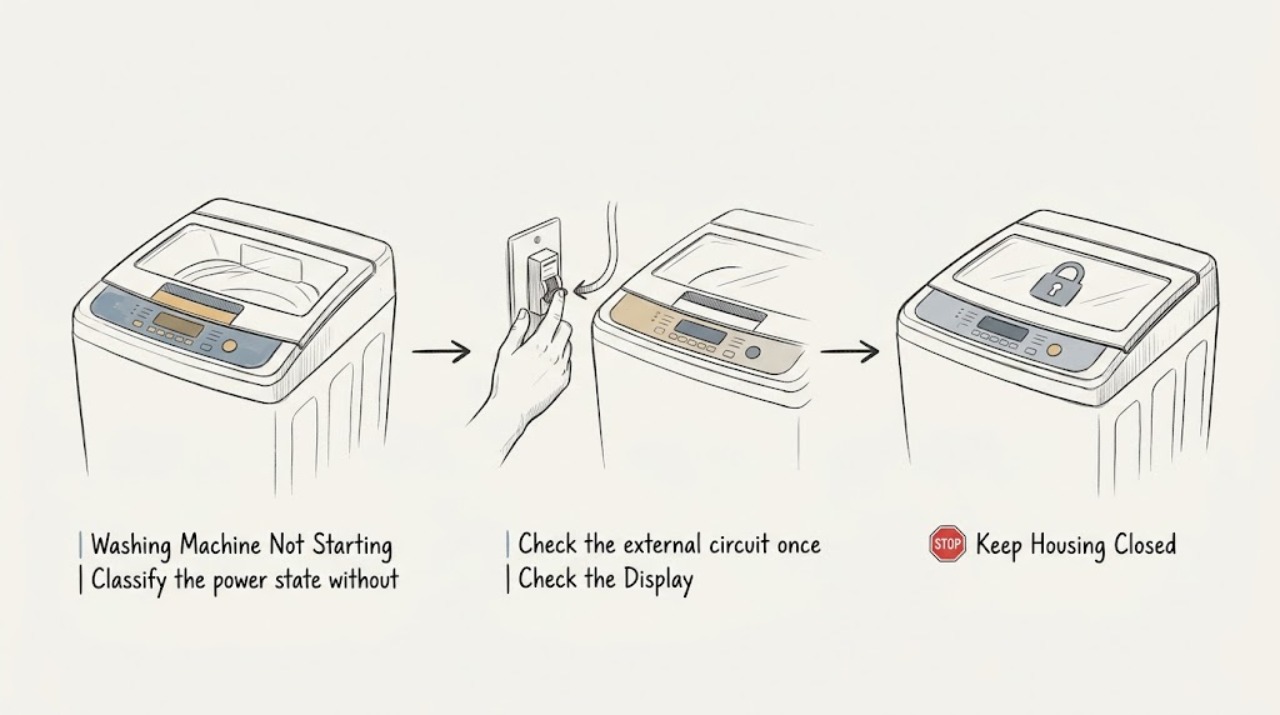
Work through in order
Diagnostic checks
Use only checks that match the exact appliance or system and its official guide.
-
Classify the power state without opening the washer
From a dry, stable position, note whether the Roper display or indicators are completely blank, partly illuminated, or fully active. Check that the power cord is seated in the grounded outlet and that there is no visible cord, plug, or outlet damage; do not use an extension cord or reach through water.
Expected result: The panel is blank, the panel has power but ignores controls, or the panel wakes and then immediately goes dark.
Next step: If the panel is blank and the area is dry and undamaged, continue to the single external breaker or GFCI observation; if controls are lit, skip to the control and latch checks.
Stop if: Stop immediately for smoke, burning odor, sparks, a hot or damaged cord or outlet, water contacting the plug or appliance wiring, or any need to remove a panel.
Why this matters
Why: A blank or intermittent panel focuses the external power path, breaker or GFCI, cord, outlet, or internal power supply. A lit panel shifts the check to Control Lock, cycle selection, latch, Start, water prerequisites, and displayed status.
-
Check the external circuit once
If the washer is completely dead and there is no immediate hazard, observe whether the household breaker or GFCI serving the outlet is tripped. Reset it only once from a dry, safe position, or have an electrician handle a fuse or circuit issue; do not repeatedly restore power to a circuit that trips again.
Expected result: The breaker or GFCI was tripped and stays on, it trips again immediately, or the external circuit appears normal but the washer remains blank.
Next step: If power returns and no hazard appears, continue with the control and latch checks. If the device trips again or the outlet is questionable, leave the washer disconnected and arrange qualified electrical or appliance service.
Stop if: Do not keep resetting a breaker or GFCI, use an extension cord, open the electrical panel, test live voltage, or touch a wet outlet, plug, or cord.
Why this matters
Why: A single tripped protective device can interrupt power, but an immediate or repeated trip indicates an electrical fault or circuit problem rather than a normal washer-start condition. A normal circuit with a blank washer points toward the cord, outlet, or appliance power path.
-
Check Control Lock and cycle selection
With the panel powered, look for a Control Lock or lock indicator and use only the button or key sequence printed on the exact Roper control panel or in its manual to unlock it. Set the selector or touchscreen to a named wash cycle rather than a blank or unassigned position.
Expected result: The lock indicator is on, controls respond after the documented unlock, the selector was not on a cycle, or controls remain unresponsive with no lock indication.
Next step: Once unlocked and on a valid cycle, continue to the lid or door latch and Start check. If the panel stays unresponsive, do not guess at a hidden key combination; arrange model-specific service.
Stop if: Do not pry buttons, pour cleaner into the control panel, remove the console, or bypass a control lock or safety interlock.
Why this matters
Why: An active Control Lock disables touch commands, and some washers will not start when no cycle is selected. Persistent unresponsiveness after these documented checks can indicate a control, power, or user-interface fault.
-
Check the lid or door and visible lock area
Close the Roper lid or door fully without slamming it. From ordinary access, look for clothing, packaging, detergent, lint, or another visible object interfering with the lid striker or latch; wipe only an accessible external spill with a soft damp cloth when the washer is off and dry before use.
Expected result: The lid or door closes and latches normally, the lock light flashes or never locks, the striker is obstructed, or the lid or door is damaged or misaligned.
Next step: Remove only a loose visible obstruction, close the lid or door, and proceed to the documented Start action. If it will not latch or the light continues flashing, leave the washer out of service for qualified diagnosis.
Stop if: Never bypass, tape down, defeat, or manually hold a lid or door lock; stop for a cracked lid or door, sharp damage, water leakage, or any need to remove the lock assembly.
Why this matters
Why: The washer may refuse to operate until the lid or door is latched. A flashing lock light can reflect interference, a lock motor that cannot be powered, or a model-specific timing difference; it does not prove which internal part failed.
-
Start the selected cycle as documented
With the valid cycle selected, the lid or door closed, and no hazard present, press or hold the Start, Start/Pause, or equivalent control for the interval specified on the Roper panel or in the manual. Watch the display rather than opening the lid during the initial sensing or lock sequence.
Expected result: The cycle begins, a countdown or sensing indication appears, the washer clicks or briefly moves toward locking, or nothing changes after the documented Start action.
Next step: If it starts, let the initial sequence complete and record any new code or interruption. If it does not, continue to the water and error-state check rather than repeatedly pressing Start.
Stop if: Stop if the washer starts with smoke, burning odor, sparks, abnormal grinding, violent movement, a leak, or a hot cord or outlet; do not open the lid during a safety lock sequence.
Why this matters
Why: Some washer controls require a deliberate hold of up to a few seconds, and a brief click or sensing movement can be part of the start sequence. No response after the correct sequence points to power, control, latch, water prerequisite, or a model-specific fault.
-
Check visible water prerequisites and record the exact status
If the display shows a fill, water, long-fill, or model-specific error, record the complete code and when it appears. From safe access, confirm the hot and cold supply faucets are open as the model requires and that the visible inlet hoses are connected and not kinked; do not assume a code has the same meaning on another Roper model.
Expected result: A faucet is closed, a hose is visibly kinked or disconnected, a long-fill or water code appears, or the supply and displayed status appear normal.
Next step: Correct only a safe, visible faucet or hose-position issue allowed by the manual and make one controlled start attempt. For a recurring code or any hose disassembly, arrange service.
Stop if: Stop for a leaking hose, hot-water or scald risk, water near electrical parts, a damaged connection, or any request to remove an inlet screen or open the cabinet.
Why this matters
Why: Some washers will not begin or continue when a required water supply is unavailable. A correct external supply with a recurring code can involve an inlet, sensing, control, or drain condition that needs model-specific diagnosis.
-
Use one safe documented power reset
Only after the washer is dry, free of leaks, odor, smoke, sparks, and damaged wiring, disconnect it from power using the safe external plug or disconnect method specified by the exact Roper manual. Wait five minutes when that manual permits the general reset, restore power, and observe the control without repeatedly starting and stopping the machine.
Expected result: The panel returns and the washer starts normally, the same symptom returns, or the breaker or GFCI trips again.
Next step: If the reset does not resolve the issue, leave the appliance out of service and provide the model, code, power state, latch behavior, water status, and reset result to a qualified technician.
Stop if: Do not reset a wet or damaged washer, repeatedly cycle a tripping circuit, pull a plug through water, open panels, or test energized parts.
Why this matters
Why: A power reset can clear a temporary control state but does not repair a failed latch, control, motor, inlet, or circuit. A returning fault or protective-device trip needs professional diagnosis.
-
Escalate a persistent no-start condition
If external power, Control Lock, cycle selection, lid or door closure, Start input, visible water supply, and the one safe reset do not restore operation, stop testing and preserve the exact model, complete error text, indicator pattern, sounds, and timing for service.
Expected result: The washer remains completely dead, has power but will not start, starts only intermittently, or develops a leak, odor, heat, noise, or electrical symptom.
Next step: Arrange qualified appliance service, or qualified electrical service when the household circuit or outlet is implicated, and provide the recorded observations without supplying guessed part numbers.
Stop if: Leave the washer disconnected for smoke, burning odor, sparks, hot wiring, water contacting electrical parts, severe movement, or repeated breaker or GFCI trips.
Why this matters
Why: The remaining cause may involve the cord or outlet, lid or door lock, user interface, control, inlet, motor, wiring, or another model-specific part. These cannot be safely identified by bypassing interlocks or opening an energized appliance.
Use your observations
Decision map
Find the observation that best matches what you see, then follow the next safe action.
-
PATH 01Safety boundary
What you see
The control panel is blank, and the external cord and outlet are dry and undamaged.
Do this next
Perform one safe external circuit observation. If power does not return or the protective device trips again, arrange qualified electrical or appliance service.
Why this path and its safety boundary
Why it matters: The external circuit, breaker or GFCI, outlet, cord, or washer power path is more likely than a Start-button or lid setting issue.
Safety stop: Do not use an extension cord, open an electrical panel, reset a tripping device repeatedly, or touch wet or damaged electrical parts.
-
PATH 02Safety boundary
What you see
The panel is lit, the Control Lock indicator is on, or the selector is not on a named wash cycle.
Do this next
Use only the model-documented unlock sequence, choose a valid cycle, and then perform the documented Start action.
Why this path and its safety boundary
Why it matters: The washer can appear unresponsive even though the appliance has power.
Safety stop: Do not guess a key combination, force controls, or open the console.
-
PATH 03Safety boundary
What you see
The lid or door will not latch, the lock light flashes, or a visible object interferes with the striker or latch.
Do this next
Remove only a loose external obstruction and close the lid or door normally. If the latch or flashing light remains abnormal, arrange qualified service.
Why this path and its safety boundary
Why it matters: The washer may be preventing operation as a safety condition; the visible symptom does not establish whether the lock, motor, wiring, or alignment is at fault.
Safety stop: Never bypass or defeat the lid or door lock, and stop for cracked or damaged closure hardware.
-
PATH 04Safety boundary
What you see
A complete water or fill code appears, or a required faucet is closed or hose is visibly kinked.
Do this next
Restore only the documented faucet or visible hose position and make one controlled attempt. Request service for recurring codes or internal fill work.
Why this path and its safety boundary
Why it matters: The washer may not be able to begin or continue its fill sequence; code meanings remain model-specific.
Safety stop: Stop for leaks, hot-water burns, water near electrical parts, or any need to disassemble the inlet.
-
PATH 05Safety boundary
What you see
The washer starts after a safe five-minute reset but the no-start symptom returns, or a breaker or GFCI trips again.
Do this next
Stop repeated testing and arrange qualified appliance or electrical service with the model and recorded behavior.
Why this path and its safety boundary
Why it matters: The reset cleared a temporary state or did not address an underlying control, latch, wiring, appliance, or circuit fault.
Safety stop: Do not keep resetting, bypass safety devices, or open energized panels.
-
PATH 06Safety boundary
What you see
Smoke, burning odor, sparks, hot wiring or outlet, active leak, water contacting electrical parts, severe movement, or damaged closure hardware is present.
Do this next
Keep people away, disconnect power or close water only when safely reachable without contacting the hazard, and contact qualified or emergency help as appropriate.
Why this path and its safety boundary
Why it matters: This is a stop-use safety condition, not a normal troubleshooting branch.
Safety stop: Do not restart, open the appliance, handle wet electrical parts, or bypass a lock to obtain a diagnosis.
Helpful context
Understand the symptom
Start by identifying whether the washer has power
A blank panel and a panel that lights but ignores Start are different faults. Note whether any display, indicator, drum light, beep, click, or pump sound appears, and record the exact Roper model, control wording, and any code. Whirlpool Product Help is a useful manufacturer reference for common washer-platform behaviors, but Roper controls, lock sequences, codes, and reset instructions vary by model. Do not interpret a code from another brand or model as a diagnosis.
Use the least invasive control and latch checks
If the panel has power, check the Control Lock indicator, select a cycle rather than an unassigned knob position, and press or hold Start exactly as the Roper manual describes. The lid or door must be fully closed and latched. A flashing lid-lock indicator can mean that the lock has not reached its position, cannot be powered, or is obstructed; inspect only the visible striker and lock area and never bypass the interlock.
Water-supply messages are not a reason to open the machine
Some models may not begin when they cannot fill, and a long-fill or water-supply message can point to closed faucets, disconnected or kinked hoses, or a model-specific fill problem. Check faucets and visible hose routing only from safe access. Do not remove inlet screens, open the cabinet, or test a valve unless the exact manual and a qualified technician authorize that work.
Reset once, then escalate persistent failure
After ruling out water, leaks, heat, smoke, odor, sparks, and damaged electrical parts, follow the exact Roper manual’s reset method. Whirlpool’s general top-load guidance describes disconnecting power for five minutes, but this is a one-time recovery observation, not a repair and not permission to keep resetting a tripped circuit. If the same symptom returns, preserve the code and behavior for service.
Safety boundary
Stop conditions
- Stop using the washer for smoke, burning or melting odor, sparks, a hot or damaged cord or outlet, water contacting electrical parts, severe movement, or a repeated breaker or GFCI trip.
- Do not repeatedly reset a breaker, GFCI, or washer control. One external circuit observation and one safe documented washer reset are the limit when no hazard is present.
- Do not use an extension cord, open the electrical panel, test energized wiring, remove appliance panels, or reach into a moving drum or washplate.
- Do not bypass, tape down, defeat, or manually hold a lid or door lock. Stop for a cracked lid or door, damaged striker, or a latch that will not engage.
- Treat hot water and standing water as burn and electrical hazards. Do not handle hot hoses or contaminated water, and do not pull a plug through water.
- Do not guess at an error code, substitute another model’s lock or reset procedure, or disassemble the inlet, pump, motor, wiring, or control as a user check.
Only after diagnosis
Potential parts
- lid or door lock assembly
Consider this category only when service diagnosis confirms that the exact model’s lock does not latch or report its state after visible obstruction and alignment checks.
Confirm the complete Roper model and exact lock design with the manufacturer or technician; never bypass the lock or substitute an unverified part. - user-interface or control assembly
Consider this category only after external power, Control Lock, cycle selection, Start input, and model-specific diagnosis point to a control or interface fault.
Verify the exact model and revision through qualified service; do not open the console or order from a symptom alone. - water inlet valve
Consider this category only when a documented fill symptom and service testing identify inadequate inlet operation on the exact model.
Confirm model-specific hose, electrical, and valve configuration before ordering; inlet disassembly and energized testing are not user checks.
When checks do not resolve it
Need a professional?
Arrange qualified appliance service when the washer remains dead after a safe external power check, has power but will not start after Control Lock, cycle, latch, Start, visible water-supply, and one documented reset check, or shows a recurring error, flashing lid-lock light, intermittent start, or suspected internal fault. Arrange qualified electrical service when the outlet, breaker, GFCI, cord, or household circuit trips or heats. Treat smoke, burning odor, sparks, water near electrical parts, active leakage, severe movement, or a hot or damaged cord as immediate stop-use conditions.
Safety scope: This article covers ordinary-access observation and model-documented controls only. Do not bypass interlocks, open panels, test energized parts, handle wet electrical components, or continue testing a washer with smoke, burning odor, sparks, leaks, severe movement, or repeated circuit trips.
Common questions
FAQ
Why is my Roper washer completely dead?
First distinguish a blank panel from a panel that lights but will not begin. From a dry, safe position, check the grounded outlet and whether the household breaker or GFCI tripped. Do not use an extension cord or keep resetting a circuit that trips again.
Why does my Roper washer have power but not start?
Check Control Lock, a valid cycle selection, full lid or door closure, and the model’s Start or Start/Pause hold instruction. If the controls remain unresponsive or a lock indicator persists, arrange model-specific service rather than bypassing the interlock.
How long should I hold Start on a Roper washer?
Use the interval printed on the exact Roper control panel or in its manual. Whirlpool’s general reference says some compatible models require a hold of up to a few seconds, but do not assume another model’s timing.
What does a flashing lid-lock light mean?
It can mean the lock has not reached its position, cannot be powered, or is obstructed. Check only for a loose visible item or buildup around the striker and close the lid normally. Do not bypass the lock; persistent flashing needs service.
Can a closed water faucet keep a Roper washer from starting?
Some washer models require water availability before they begin or continue, and a fill or long-fill status can point to the water supply. Check both faucets and visible hose routing as the exact manual requires, but do not disassemble the inlet or guess at a code.
Should I unplug my Roper washer to reset it?
Only after ruling out leaks, smoke, burning odor, sparks, damaged wiring, and water near electrical parts, and only as the exact manual permits. A general Whirlpool reference describes a five-minute power disconnect; use it once, not as a repeated response to a tripping circuit or returning fault.
Why does the washer start and then stop immediately?
Record whether it locks, fills, drains, shows a code, or loses power. A latch, water prerequisite, control, drain, or circuit issue may be involved. Stop for smoke, odor, leaks, sparks, severe movement, or repeated breaker trips and arrange service.
When should I stop troubleshooting a washer that will not start?
Stop for smoke, burning odor, sparks, a hot or damaged cord or outlet, water contacting electrical parts, active leaks, severe movement, or repeated circuit trips. Do not open panels, test live wiring, or defeat a lid or door lock.
Read the exact guide
Official sources
- Not Starting - WasherWhirlpool Product Help · Official Whirlpool product-help reference for common washer-platform behaviors; the exact Roper model manual controls feature names and sequences.
- No Power - WasherWhirlpool Product Help · Official Whirlpool product-help reference for external power checks on compatible washer platforms; Roper installation instructions and qualified electrical service govern.
- Lid Lock Flashing - WasherWhirlpool Product Help · Official Whirlpool product-help reference for compatible top-load washer latch behavior; exact Roper lid-lock design and manual govern.
- Won't Start - Has Power - WasherWhirlpool Product Help · Official Whirlpool product-help reference for powered washer starting and water prerequisites; the exact Roper model and installation manual govern.
Community feedback
Share a repair observation
Share a plain-text repair observation. Accepted observations are published automatically; this page may take a moment to update.