
On this page
Start here
Quick answer
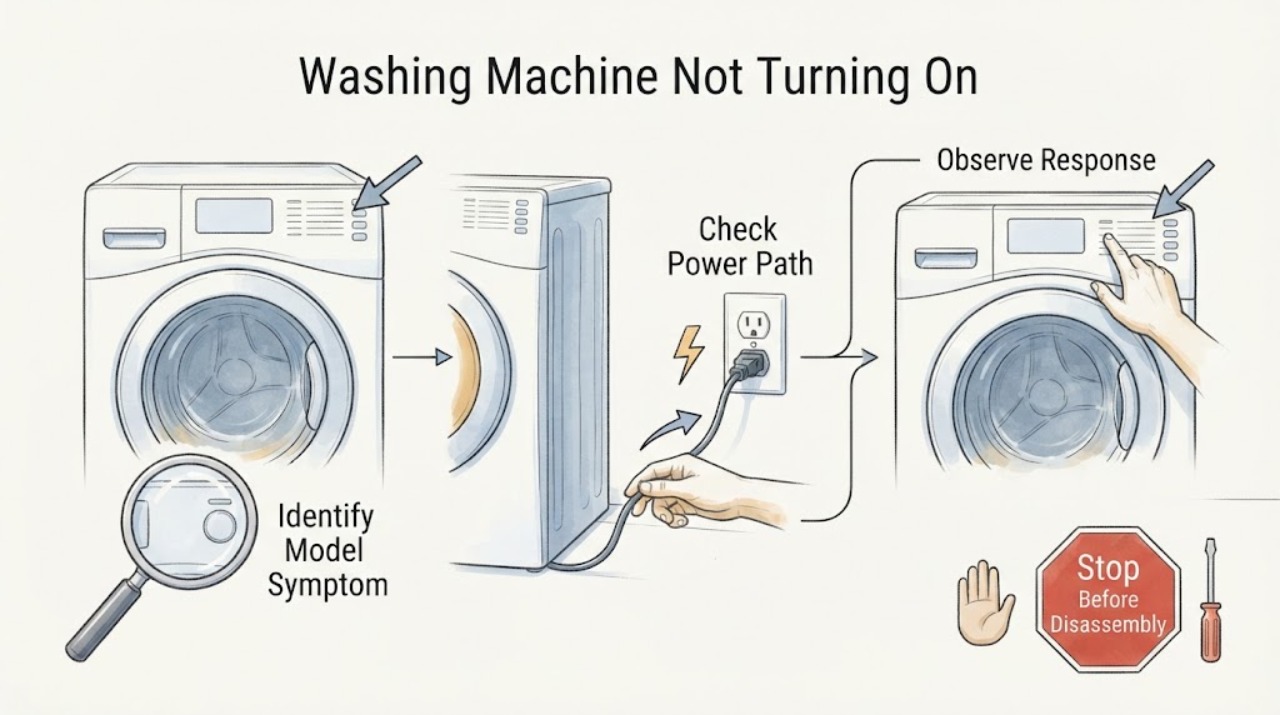
First separate a Roper washer with no lights from one that has power but rejects Start. From a dry, safe position, confirm the cord is in a grounded three-prong wall outlet, do not use an extension cord, and check the household breaker, fuse, or GFCI. If the panel lights, release Control Lock, close and latch the lid or door, select a real cycle, cancel an unintended delay or pause, and hold Start for up to three seconds when the model requires it. Roper's use-and-care guidance also says both water faucets and hoses may matter when the washer powers up but cannot begin filling. Record any display code rather than guessing across models. If one safe five-minute power cycle does not restore operation, or the cord, receptacle, appliance, or water area is hot, wet, damaged, smoking, sparking, or repeatedly trips protection, leave the washer disconnected and arrange qualified appliance or electrical service.
Work through in order
Diagnostic checks
Use only checks that match the exact appliance or system and its official guide.
-
Check 1
Stand on a dry surface and look at the washer, plug, receptacle, floor, hoses, and nearby controls without touching a wet connection or removing any panel.
Expected result: Record whether there is water near electricity, smoke, a burning or melting odor, visible spark or arc, a hot or discolored plug or outlet, damaged insulation, uncontrolled water, severe movement, or a breaker that trips again.
Next step: If a hazard is present, keep clear, isolate power only from a dry safe position when possible, stop using the washer, and arrange the appropriate qualified service. Otherwise continue without opening the washer.
Stop if: Do not touch a wet plug or outlet, pull a cord through water, operate a smoking or sparking washer, move the cabinet, or repeatedly reset a tripping breaker.
Why this matters
Why: Any of those conditions can make an ordinary start test unsafe. A clean, dry exterior with no abnormal heat or odor permits only the external checks below; it does not prove the internal appliance is safe.
-
Check 2
Read the full Roper model number from the appliance label and identify whether the machine is a top-load washer with a lid or a front-load washer with a door; then press no controls and document the original symptom.
Expected result: Write down whether the panel is completely dark, has lights or a display, beeps, shows a lock or delay symbol, shows a code, or makes a click or hum when Start is attempted; note whether a cycle had just stopped or was never started.
Next step: Use the matching Roper manual or support lookup for the recorded model and preserve the exact display text for the service handoff; continue with the branch that matches the observation.
Stop if: Do not remove the console, open the cabinet, or infer a part failure from a code or sound that is not documented for this model.
Why this matters
Why: A dark panel sends the diagnosis toward power. A lit panel with no accepted command sends it toward Control Lock, lid or door recognition, cycle selection, or control logic. The model identity is needed before treating a symbol or button combination as meaningful.
-
Check 3
With the washer unplugged only if the connection is dry and accessible, inspect that its cord is fully seated in the intended grounded three-prong wall outlet; check the household breaker, fuse, or GFCI from a dry position and do not use an extension cord.
Expected result: Record whether the plug was loose, the outlet has no power, a breaker or GFCI was tripped, a fuse is open, the outlet works but the washer remains dark, or the protection trips again when the washer is connected.
Next step: Have an electrician assess a failed or repeatedly tripping household circuit. If the known-good outlet is safe but the Roper panel remains dark, leave the washer disconnected and arrange appliance service.
Stop if: Do not test a wet or damaged receptacle, use an adapter or extension cord, open the outlet, bypass a breaker, or keep restoring power after a trip.
Why this matters
Why: A failed outlet or household protection points outside the washer. A confirmed working outlet with a dark washer moves the fault toward the appliance cord, power entry, controls, or internal wiring. A repeated trip is a circuit or appliance safety event, not a reset invitation.
-
Check 4
If the panel is lit but touch commands do not respond, look for the Roper Control Lock or padlock indicator and use only the exact unlock button or key combination stated in the matching manual, holding it for the model's specified interval.
Expected result: After the permitted unlock command, record whether the lock indicator clears and buttons respond, the indicator remains, or no control-lock indicator was present.
Next step: If controls respond, continue to the lid or door and cycle checks. If the lock remains or the panel behaves erratically, stop pressing combinations and arrange service with the model number and indicator recorded.
Stop if: Do not pry the console, disconnect a lock, bypass an interlock, or keep entering unverified button combinations from another Roper or Whirlpool model.
Why this matters
Why: A cleared lock explains a powered no-start without a failed part. A lock that will not clear, or controls that remain unresponsive with no lock indication, may require model-specific control or interface diagnosis.
-
Check 5
Remove only loose clothing or visible debris from the lid or door opening, then close the lid or door firmly once and observe the latch area without forcing it or reaching into the lock.
Expected result: Record whether it closes and latches, a lid or door indicator changes, the machine beeps or clicks, the latch is visibly damaged or misaligned, or the washer still reports open.
Next step: If the latch is recognized, continue to cycle and Start checks. If it will not latch or remains unrecognized, leave the washer unused and arrange appliance service, especially if water is inside.
Stop if: Do not slam the lid, force a door, insert tools into a lock, tape or magnet-bypass an interlock, or open a locked door against resistance.
Why this matters
Why: Roper top-load guidance requires a closed lid for operation, and official washer guidance notes that some models will not start until the lid locks. A clean closure that is not recognized points to an interlock, alignment, or control issue rather than a need to bypass the lock.
-
Check 6
With the lid or door closed and the panel responsive, cancel an unintended delay or pause, select a valid cycle shown for the model, and press or hold Start exactly as the controls indicate; do not change settings while the washer is already sensing or running.
Expected result: Record whether Start is accepted, a countdown or lock appears, the washer begins sensing or filling, the control beeps without starting, or an exact code or symbol returns.
Next step: If the cycle begins, observe normally and do not interrupt a brief pause. If it does not, save the exact display and stage, then follow the matching branch below rather than repeatedly pressing Start.
Stop if: Do not start a cycle with a leak, standing water near electricity, a hot or damaged cord, abnormal smell, smoke, spark, or severe mechanical movement.
Why this matters
Why: A countdown or sensing period can be normal model behavior. A no-response command with power present suggests a lock, interface, cycle-selection, or control condition; a returned code must be interpreted only against the exact model manual.
-
Check 7
Only if the washer has power and responds but does not progress into filling, look at the hot and cold faucet handles and the visible inlet hoses from a dry, safe position; verify the faucets are open and the hoses are not kinked.
Expected result: Record whether both faucets are open, a hose is kinked or disconnected, the washer begins filling after the accessible condition is corrected, or the washer never attempts to fill despite power and a valid start.
Next step: Correct only an obvious external faucet or hose condition without loosening a pressurized connection. If no fill persists, stop and provide the model, start result, hose state, and any code to appliance service.
Stop if: Do not disconnect a pressurized hose, reach into an inlet valve, remove screens without model instructions, run with a leak, or use water near a live electrical connection.
Why this matters
Why: Roper's guide says both hoses must be attached with water flowing to the inlet valve, and both hot and cold faucets should be on. A no-fill condition after those external checks can involve screens, valves, pressure sensing, or controls; it is not the same as a completely dark panel.
-
Check 8
If any letters, numbers, icons, or flashing pattern appears, photograph or transcribe it exactly with the model number, selected cycle, lid or door state, and point at which Start was pressed; consult only the matching Roper documentation.
Expected result: Record whether the code clears after the lid or door is correctly closed, a cycle is reselected, or a single model-authorized action, or whether the same code returns immediately.
Next step: Use the exact manual procedure once if it is clearly authorized, then stop and arrange service when the code returns or its meaning is unclear.
Stop if: Do not guess a code's meaning, erase evidence by repeated resets, enter service mode, or test a lock, motor, or wiring harness while energized.
Why this matters
Why: Codes are model- and configuration-dependent. A code that clears after the documented condition is corrected changes the next step; a recurring code is evidence for service, not permission to substitute a generic part or repeat resets indefinitely.
-
Check 9
Only when the washer is dry, stable, free of abnormal odor or heat, and connected to a safe outlet, perform one control power cycle: unplug it for five minutes, or switch off its dedicated breaker for five minutes only if the panel and circuit are safe to access, then restore power once.
Expected result: Record whether the panel returns normally, remains dark, shows the same code, or again refuses Start; also note any trip, odor, heat, noise, or leak on reconnection.
Next step: Attempt one normal cycle only if the washer returns without a hazard. Otherwise leave it disconnected and hand the full observation record to appliance service or an electrician as appropriate.
Stop if: Do not perform this cycle with water at the connection, a damaged cord, smoke, burning odor, sparks, a hot outlet, or a recurring breaker/GFCI trip; do not keep cycling power.
Why this matters
Why: A one-time recovery supports a temporary control state but does not prove the underlying fault is fixed. A persistent no-start or any abnormal event after reconnection needs service; a repeated breaker trip is an immediate stop.
-
Check 10
After the safe external checks, decide whether the problem is the household supply or the Roper washer and prepare a service handoff instead of opening the machine.
Expected result: Choose: the outlet or protection fails; the outlet is good but the washer is dark; the panel is lit but a lock or lid/door is not recognized; the washer starts but cannot fill; an exact code returns; or the washer remains unresponsive with no visible hazard.
Next step: Give the qualified provider the model number, symptom timeline, photos, power and lock results, cycle and water observations, exact codes, and safety signs. Leave the washer disconnected when any hazard occurred.
Stop if: Do not remove panels, test live voltage, bypass a lid or door lock, access the motor or control board, or replace a part based only on the no-start symptom.
Why this matters
Why: The first case belongs with an electrician. The others require model-specific appliance diagnosis of the cord, controls, interlock, water path, motor, or wiring, with the exact branch determining the useful evidence.
Use your observations
Decision map
Find the observation that best matches what you see, then follow the next safe action.
-
PATH 01Safety boundary
What you see
There is water near an electrical connection, smoke, burning or melting odor, visible spark or arc, hot or discolored plug or outlet, damaged cord, severe movement, or a protection device trips again.
Do this next
Keep clear, isolate power only from a dry safe position when possible, stop using the washer, and arrange qualified electrical or appliance service based on the observed location.
Why this path and its safety boundary
Why it matters: The immediate problem is safety, not ordinary no-start troubleshooting.
Safety stop: Do not touch wet electrical parts, operate the washer, move it, or restore power for another test.
-
PATH 02Safety boundary
What you see
The receptacle has no power, a breaker/GFCI/fuse is open, or the household protection trips again.
Do this next
Stop resetting and ask a qualified electrician to assess the outlet or circuit. Do not use an extension cord or adapter as a workaround.
Why this path and its safety boundary
Why it matters: The supply or circuit needs assessment; a washer cannot be diagnosed safely as a control failure until the circuit is known to be safe.
Safety stop: Do not open the receptacle, bypass protection, or repeatedly reconnect the washer.
-
PATH 03Safety boundary
What you see
A safe, known-working grounded outlet is confirmed, but the Roper washer remains completely dark.
Do this next
Leave the washer disconnected and arrange appliance service with the model number, cord condition, outlet result, and any preceding event.
Why this path and its safety boundary
Why it matters: The fault is inside the appliance power path or controls rather than a normal cycle or water setting.
Safety stop: Do not remove panels, test live parts, or replace a control or cord without model-specific qualified diagnosis.
-
PATH 04Safety boundary
What you see
The panel is lit and a Control Lock or padlock indicator is present; button presses do not respond.
Do this next
Use only the model's documented unlock command, then retry the selected cycle once if the indicator clears.
Why this path and its safety boundary
Why it matters: The lock feature is preventing ordinary commands, not proving that the washer has lost power.
Safety stop: If the lock will not clear, do not bypass it or enter unverified service combinations; arrange appliance service.
-
PATH 05Safety boundary
What you see
The lid or door appears closed but the washer will not latch or continues to show it open.
Do this next
Remove only visible loose obstruction; if recognition does not return, leave the washer unused and arrange appliance service.
Why this path and its safety boundary
Why it matters: The safety interlock, alignment, latch, or related control path may be preventing start.
Safety stop: Do not force, tape, magnet, or otherwise bypass the lock, and do not open a locked door against resistance.
-
PATH 06Safety boundary
What you see
The panel is responsive and the lid or door is recognized, but the washer does not start after a valid cycle is selected and Start is held as documented.
Do this next
Record the exact indicator or code, perform one safe five-minute power cycle if no hazard exists, and arrange service if the no-start returns.
Why this path and its safety boundary
Why it matters: Delay, pause, invalid cycle position, interface, or control logic remains possible; the symptom is no longer a simple power outage.
Safety stop: Do not repeatedly press Start, enter service mode, or open the console.
-
PATH 07Safety boundary
What you see
The washer accepts Start or begins sensing but does not fill, and the panel remains powered.
Do this next
Verify both visible faucets are open and hoses are not kinked; if the external checks do not restore fill, stop and arrange appliance service.
Why this path and its safety boundary
Why it matters: Both-water-supply, hose, inlet, pressure, valve, or control conditions are more relevant than a dark no-power diagnosis.
Safety stop: Do not disconnect pressurized hoses, reach into an inlet valve, or run the washer when there is a leak or water near electricity.
-
PATH 08Safety boundary
What you see
An exact code or symbol returns after the documented external condition and one authorized reset, or its meaning cannot be confirmed for the model.
Do this next
Leave the evidence intact and provide the model, code, cycle stage, lock state, and power result to appliance service.
Why this path and its safety boundary
Why it matters: The code is evidence for model-specific diagnosis, not a universal part label.
Safety stop: Do not guess the code, repeatedly erase it, or test internal components while energized.
Helpful context
Understand the symptom
A dark washer and a powered no-start are different faults
Pressing Start repeatedly is not the first test. If there are no lights, sounds, or display characters, begin at the wall connection and household protection. If the panel is lit or beeps, the washer has a control path and the more likely decision is a lock, lid or door, cycle, delay, pause, or model-specific condition. This distinction prevents a water-supply check from being mistaken for an electrical repair and makes the next observation useful to a technician.
Use the Roper model number before interpreting a symptom
Roper publishes manuals and guides by model. Record the full model number from the appliance label and note whether the machine is top-load or front-load, whether it has a lid or a door, and exactly what happened after Start: no response, a click, a locked indicator, a fill attempt, a pause, or a displayed code. A Roper top-load guide uses a closed lid and both hot and cold water supplies in its operating checks, but the exact sequence and indicators vary by model. Do not apply a front-load code or a control-lock gesture from another model without confirming it in the matching manual.
Stop before turning a no-start symptom into an electrical or flood hazard
Keep the floor and hands dry. Do not touch a wet plug or outlet, move a leaking washer, remove panels, reach under the cabinet, bypass a lid or door interlock, or keep resetting a breaker that trips again. Smoke, a burning or melting odor, visible arcing, a hot or discolored plug, a damaged cord, uncontrolled water, or a repeated protection trip is a service boundary. The safe troubleshooting path ends with the evidence you can record from outside the appliance.
What a useful service handoff includes
Give the technician the model number, top- or front-load configuration, dark-versus-lit panel result, outlet and breaker or GFCI result, Control Lock and lid or door observations, selected cycle and delay state, water-faucet and hose observations, exact code, and any noise, odor, heat, leak, or vibration. If the home circuit or outlet is the part that fails, use an electrician; if the washer alone remains dead or refuses a safe start, use appliance service.
Safety boundary
Stop conditions
- Stop immediately for smoke, a burning or melting odor, visible spark or arc, a hot or discolored plug or outlet, damaged cord, or a repeated breaker/GFCI trip.
- Stop for water near the plug, receptacle, controls, or a wet floor around electricity; isolate power only from a dry safe position and do not touch wet electrical parts.
- Do not move the washer, remove panels, test live voltage, reach under the cabinet, or access the motor, control board, wiring, or lock.
- Do not force, tape, magnet, or otherwise bypass a lid or door interlock; do not open a locked door against resistance.
- Do not use an extension cord or adapter, repeatedly reset household protection, or keep power-cycling a washer that returns a fault.
Only after diagnosis
Potential parts
- lid or door lock assembly
Consider only if the lid or door closes but the exact model does not recognize the lock after visible obstruction and alignment checks.
Confirm the complete Roper model number and the manufacturer's fit information before any part is selected; do not bypass the interlock. - washer control or user-interface assembly
Consider only after a safe known-good outlet is confirmed, the panel remains dark or commands are rejected, and qualified diagnosis identifies the control path.
A no-start symptom alone does not identify a control part; verify the exact model and diagnosis before ordering. - water inlet valve
Consider only when the washer has power and accepts a cycle but cannot fill after both faucets are open and the visible hoses are clear, and model-specific testing points to the valve.
Confirm the exact model, hot/cold configuration, and manufacturer's fit information; do not open a pressurized connection as a first check.
When checks do not resolve it
Need a professional?
Arrange appliance service when a known-good safe outlet is confirmed but the washer remains dark, the panel is lit but Start is not accepted, the lid or door will not latch or be recognized, a code returns, or the washer powers up but cannot fill after the visible faucet and hose checks. Arrange electrical service for a failed or repeatedly tripping outlet, breaker, fuse, or GFCI. Treat any water near electricity, smoke, burning or melting odor, spark, hot or damaged connection, severe movement, or uncontrolled water as an immediate stop.
Common questions
FAQ
Why is my Roper washer completely dark?
From a dry, safe position, confirm the grounded outlet, cord connection, and household breaker, fuse, or GFCI without using an extension cord. If a known-good outlet is confirmed but the panel remains dark, leave the washer disconnected and arrange appliance service.
Why does my Roper washer have lights but not start?
Check for Control Lock, close and latch the lid or door, select a valid cycle, cancel an unintended delay or pause, and hold Start as the model requires. If the command is still rejected, record the display and arrange model-specific service.
Can a closed Roper washer lid or door still prevent starting?
Yes. It can look closed without being recognized by the safety interlock. Remove only visible loose obstruction and close it once; do not force or bypass the lock. If it remains unrecognized, arrange service.
Should I keep resetting the breaker or unplugging my Roper washer?
No. A single five-minute power cycle is reasonable only when the washer and connection are dry and show no abnormal heat, odor, smoke, spark, leak, or repeated trip. A recurring trip or no-start after the cycle needs qualified diagnosis.
Why does my Roper washer turn on but not begin filling?
When the panel responds, verify both visible water faucets are open and the inlet hoses are attached and not kinked. If the washer still will not fill, stop before disconnecting pressurized hoses and arrange model-specific appliance service.
Read the exact guide
Official sources
- Product Manuals and Literature | Roper AppliancesRoper Appliances · Roper washers when a code, control, lid, door, cycle, or water instruction must be checked against the exact model
- No Power - WasherWhirlpool Product Help · General washer no-power screening; confirm the exact Roper installation and manual
- Use and Care Guide – RTW4516FWRoper Appliances · Roper top-load washers with the RTW4516FW guide or closely matching external symptoms; verify the exact model before applying model-specific behavior
- Not Starting - WasherWhirlpool Product Help · General washer operating distinctions used only where Roper's exact model instructions are unavailable; confirm Roper model behavior
- Owner Support | Roper AppliancesRoper Appliances · Roper appliances when the exact washer model or support document must be identified
- How to Reset a WasherWhirlpool Product Help · General washer reset behavior; use only once after a safe external check and verify Roper model instructions
- Not Starting or Not Operating - Front Load WasherWhirlpool Product Help · Front-load washer branch only; use Roper's matching manual for the actual model
Community feedback
Share a repair observation
Share a plain-text repair observation. Accepted observations are published automatically; this page may take a moment to update.