
On this page
Start here
Quick answer
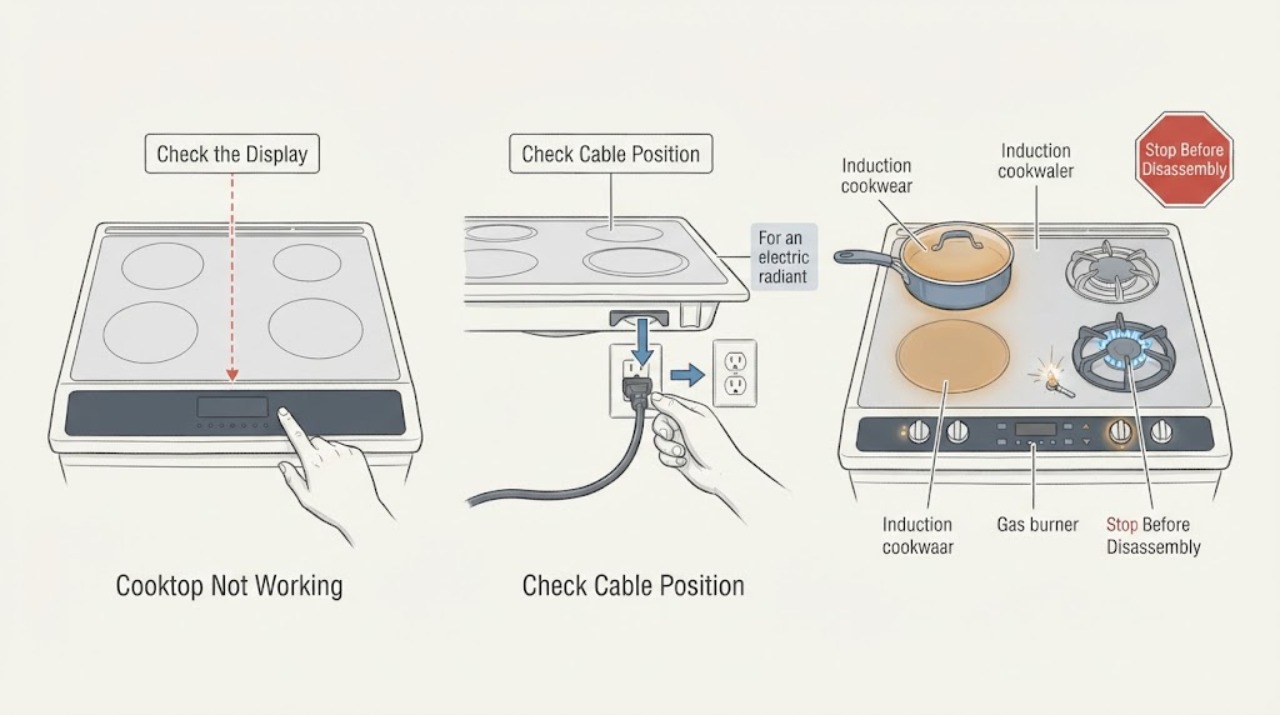
First determine whether the Samsung cooktop is gas, electric radiant, or induction, and whether one zone or the whole cooktop is affected. For a cooktop with no display or response, check only the user-accessible power connection and breaker, then make sure the controls are unlocked, clean, and dry. For induction, center a suitable magnetic pan and test it with water; for gas, turn controls off before checking that the burner cap and head are clean, dry, and correctly seated. Stop immediately for gas odor, smoke, sparks, a burning smell, cracked glass, liquid in the controls, or damaged wiring. Do not open the cooktop, perform live electrical tests, alter gas fittings, or bypass a safety control. If the cooktop remains inoperative after the safe model-directed checks, arrange qualified service.
Work through in order
Diagnostic checks
Use only checks that match the exact appliance or system and its official guide.
-
Check 1
Turn all cooktop controls off and, from a safe position, inspect the surface and control area without touching hot, wet, cracked, or damaged parts. Note any gas odor, smoke, burning smell, sparks, abnormal flame, cracked glass, liquid entering the controls, or scorched wiring.
Expected result: A fire, gas, burn, glass, liquid, or electrical hazard is present, or the cooktop is intact, cool enough to inspect, dry, and free of those symptoms.
Next step: If any hazard is present, stop using the cooktop. For suspected gas, avoid switches and flames, leave the area as appropriate, and contact the gas provider or emergency help. For other hazards, isolate power only if it is safe to do so and arrange qualified service. If no hazard is present, identify the cooktop type and affected zones.
Why this matters
Why: A hazard overrides diagnosis. Continuing to ignite or energize a damaged appliance can increase fire, shock, gas, or burn risk; an intact and dry appliance can proceed to external identification checks.
-
Check 2
Check the user-accessible power indication: see whether the display or touch panel lights, confirm the plug or visible connection has not been disturbed where applicable, and check the appliance circuit breaker without opening any electrical enclosure. If the model has a control lock, use only the manual's unlock instruction, then wipe the panel with a soft cloth and leave it clean and completely dry.
Expected result: The display returns or the controls respond after the supply or lock/panel check; the panel remains completely dark; or the panel lights but ignores normal touch input.
Next step: If power or the manual-directed unlock and dry-panel check restores operation, test only one zone while watching for normal behavior. If the cooktop remains dark or unresponsive, stop and arrange qualified appliance or electrical service; do not remove the cooktop or test live wiring.
Why this matters
Why: A tripped supply, control lock, moisture, grease, or debris can make a functioning cooktop appear unresponsive. A persistent blank display or unresponsive panel after safe external checks suggests a supply, control, or service fault rather than a burner-only issue.
-
Check 3
For an electric radiant or induction model, identify whether one zone or all zones fail. On induction, center a flat, suitably sized pan that the manual identifies as compatible and use it with water rather than leaving the pan empty. On a radiant model, select the affected zone and an appropriate heat setting from outside the cooking area; do not touch the surface to judge heat.
Expected result: A compatible induction pan heats or the radiant element shows normal heat behavior; the pan is rejected or the zone shuts off; or one zone remains cold while other zones work.
Next step: Correct the pan type, size, or position if the manual indicates a cookware issue and retest once. If a known-compatible pan remains cold, or one radiant zone remains cold while others work, stop using that zone and arrange service rather than opening the cooktop.
Why this matters
Why: Induction can refuse to activate for unsuitable, empty, or poorly positioned cookware. A single cold zone with the rest operating points toward a local element, sensor, or control fault; a whole-cooktop failure points back to power or control diagnosis.
-
Check 4
For a gas model, wait until the surface is cool and the controls are off, then check only the affected burner cap and head. Confirm the pieces are clean, dry, matched to their original positions, seated level, and aligned with the igniter; do not spray cleaner into the burner base or gas orifices.
Expected result: The cap or head is wet, dirty, misplaced, tilted, or has blocked burner ports, or it is clean, dry, correctly seated, and the burner still does not ignite or heat.
Next step: If the assembly is dirty or wet, clean and dry it according to the model instructions, reinstall the correct pieces, and make one cautious normal ignition attempt only when there is no gas odor. If it still fails, turn the control off and arrange qualified appliance or gas service.
Why this matters
Why: Moisture, debris, misalignment, or a wrong piece can prevent a stable gas flame. A burner that remains inoperative after this external assembly check needs service; changing gas pressure or dismantling the manifold is not a user repair.
-
Check 5
If all gas burners fail, observe only whether the igniters spark when a control is operated normally and whether the external gas supply is known to be available; do not keep releasing unlit gas or remove a supply line. If the cooktop shows an error or shuts down, record the exact indication and consult the model manual.
Expected result: No burners spark; burners spark but do not ignite; one burner works while another does not; or an error, repeated shutdown, or abnormal flame appears.
Next step: Turn all controls off. For uncertain gas supply or persistent ignition failure, contact the gas provider or a qualified installer/service professional. For an error or repeated shutdown, follow only the exact model guidance and arrange service if it returns; do not bypass the safety system.
Why this matters
Why: No spark can indicate an electrical supply or ignition-system problem. Spark without ignition can indicate a gas-supply or burner-path problem. A local failure after cap and head checks points toward service, while any abnormal flame or repeated shutdown is a safety boundary.
Use your observations
Decision map
Find the observation that best matches what you see, then follow the next safe action.
-
PATH 01Next step
What you see
The cooktop is completely dark or its controls remain unresponsive after the safe supply, unlock, and dry-panel checks.
Do this next
Stop troubleshooting and arrange qualified appliance or electrical service. Do not remove the cooktop, probe wiring, or bypass a control lock or safety device.
-
PATH 02Next step
What you see
A compatible, centered induction pan heats, or the affected electric zone shows normal heat behavior after the controls are set correctly.
Do this next
The no-working symptom was likely a cookware, selection, or normal operating-state issue. Continue using the model instructions and stop if the zone later shuts down abnormally or the glass or controls show damage.
-
PATH 03Next step
What you see
One electric or induction zone remains cold while other zones work, or a gas burner remains inoperative after its dry, clean, correctly seated cap and head are checked.
Do this next
Stop using the affected zone or burner and request qualified service. Do not open the cooktop or attempt element, coil, igniter, valve, or gas-manifold work.
-
PATH 04Next step
What you see
All gas burners spark but do not ignite, no burners spark, or gas supply is uncertain.
Do this next
Turn all controls off and contact the gas provider or a qualified installer/service professional as appropriate. Never continue releasing unlit gas or alter the gas connection.
-
PATH 05Next step
What you see
Gas odor, smoke, sparks, an abnormal flame, burning smell, cracked glass, liquid in the controls, damaged wiring, or a repeated error or overheat shutdown is present.
Do this next
Stop immediately. Avoid switches and flames if gas may be present, leave the area as appropriate, isolate utilities only when safe, and contact emergency help, the gas provider, or qualified service.
Helpful context
Understand the symptom
Start by identifying what is not working
A Samsung cooktop that appears dead is different from one whose touch panel responds but whose one zone stays cold, and both differ from a gas burner that clicks without lighting. Note the cooktop type, whether the display or indicators respond, and whether the fault affects one zone or all zones. These observations select the safe branch below.
Power and gas checks are different
Electric and induction cooktops need a working electrical supply and responsive controls; induction also needs correctly positioned magnetic cookware. A gas cooktop needs electrical power for ignition on many models as well as a working gas supply, but a user should limit checks to the external controls, dry burner pieces, and other model-approved steps. Do not remove the glass, open a junction box, probe wiring, or adjust a gas connection.
Stop for a fire, gas, or electrical hazard
Turn every control off and stop for a gas odor, smoke, sparking, an uncontrolled or abnormal flame, burning smell, cracked glass, liquid around the controls, or scorched wiring. Keep clear of a hot surface even if an indicator is not lit. If gas may be present, avoid operating electrical switches and leave the area as appropriate before contacting the gas provider or emergency help; otherwise arrange qualified appliance or electrical service.
Safety boundary
Stop conditions
- Gas odor, uncontained or abnormal flame, smoke, or a burning smell
- Sparks, exposed or scorched wiring, a damaged power connection, or liquid entering controls
- Cracked or shattered cooktop glass or an unexpectedly hot or damaged surface
- A repeated error, overheat shutdown, or safety lock that does not clear using the exact model instructions
Only after diagnosis
Potential parts
- surface heating element or induction zone assembly
Consider this category only if qualified service confirms that one electric or induction zone remains cold with correct controls, suitable cookware, and normal external power.
Heating and induction assemblies are model-specific and may require access beneath the cooktop. Do not remove the glass or perform live tests. - gas burner cap, igniter, or burner valve assembly
Consider this category only if qualified service confirms a local ignition or gas-valve fault after the cap, head, moisture, debris, and supply checks.
Gas and ignition components are model-specific and safety-critical. Do not replace or adjust a gas part from a symptom alone. - cooktop control or power module
Consider this category only when qualified service confirms a control, sensor, or supply-side fault affecting the display, controls, or multiple zones.
Control and power components can be mains-connected and model-specific. Internal diagnosis belongs to qualified service.
When checks do not resolve it
Need a professional?
Arrange qualified service when the cooktop remains dark or unresponsive after safe external power and control checks, a single electric or induction zone stays cold with suitable cookware, a gas burner still fails after cap and head inspection, all burners fail to ignite, an error or repeated shutdown returns, or any gas, fire, glass, liquid, or wiring hazard occurs.
Have this ready
- Provide the full model identity, gas/electric/induction type, whether the display and controls respond, which zones are affected, cookware or burner-cap observations, breaker or power history, gas-supply observations, displayed errors, and the result of each model-directed check. Do not open panels, perform live tests, bypass safety controls, or alter gas fittings.
Common questions
FAQ
Why is my Samsung cooktop not working at all?
First check whether the display or controls respond, then check only the user-accessible power connection and breaker and make sure the panel is unlocked, clean, and dry. If it remains dark or unresponsive, arrange qualified service rather than opening the cooktop.
Why does one Samsung induction or electric cooktop zone not work?
For induction, center a suitable magnetic pan and test it with water; an empty or unsuitable pan may not activate the zone. For a radiant zone, confirm the correct control is selected. If one zone remains cold while others work, stop using it and request service.
What should I check when a Samsung gas cooktop burner will not light?
With the controls off and the surface cool, check that the burner cap and head are clean, dry, correctly matched, level, and aligned with the igniter. If there is no spark, or there is a spark without ignition, turn the control off and arrange qualified service or gas-supply help; do not alter the gas connection.
When should I stop troubleshooting a Samsung cooktop?
Stop for gas odor, smoke, a burning smell, sparks, an abnormal flame, cracked glass, liquid in the controls, damaged wiring, an unexpectedly hot or damaged surface, or a repeated error or shutdown. Avoid switches if gas may be present and contact the appropriate emergency, gas, appliance, or electrical professional.
Read the exact guide
Official sources
- What can you do when the burner of your Samsung gas cooktop does not ignite or has other ignition issuesSamsung Canada Support · Samsung gas cooktops sold in Canada; burner cap and head, spark, ignition, gas supply, abnormal flame, and service guidance
- One burner on the Samsung cooktop does not workSamsung USA Support · Samsung electric radiant and induction cooktops; single-zone testing, normal cycling, suitable cookware, and service boundary
- How to clean your Samsung gas cooktopSamsung USA Support · Samsung gas cooktops; cool-and-power-off preparation, burner cap and head cleaning, moisture precautions, alignment, and reassembly
- Samsung Cooktop FAQs | Samsung USASamsung USA · Samsung cooktops; power, control lock, clean and dry controls, induction cookware, reset, and support guidance
Community feedback
Share a repair observation
Share a plain-text repair observation. Accepted observations are published automatically; this page may take a moment to update.