
On this page
Start here
Quick answer
A Samsung dishwasher that keeps running or will not turn off is often reacting to a Sanitize-cycle display behavior or moisture detected by its leak sensor. Open the door after a Sanitize cycle, note any code or blinking lights, and inspect only for accessible water around the door and toe-kick. Continuous draining, a visible leak, or a returning leakage indication requires service; do not bypass the sensor.
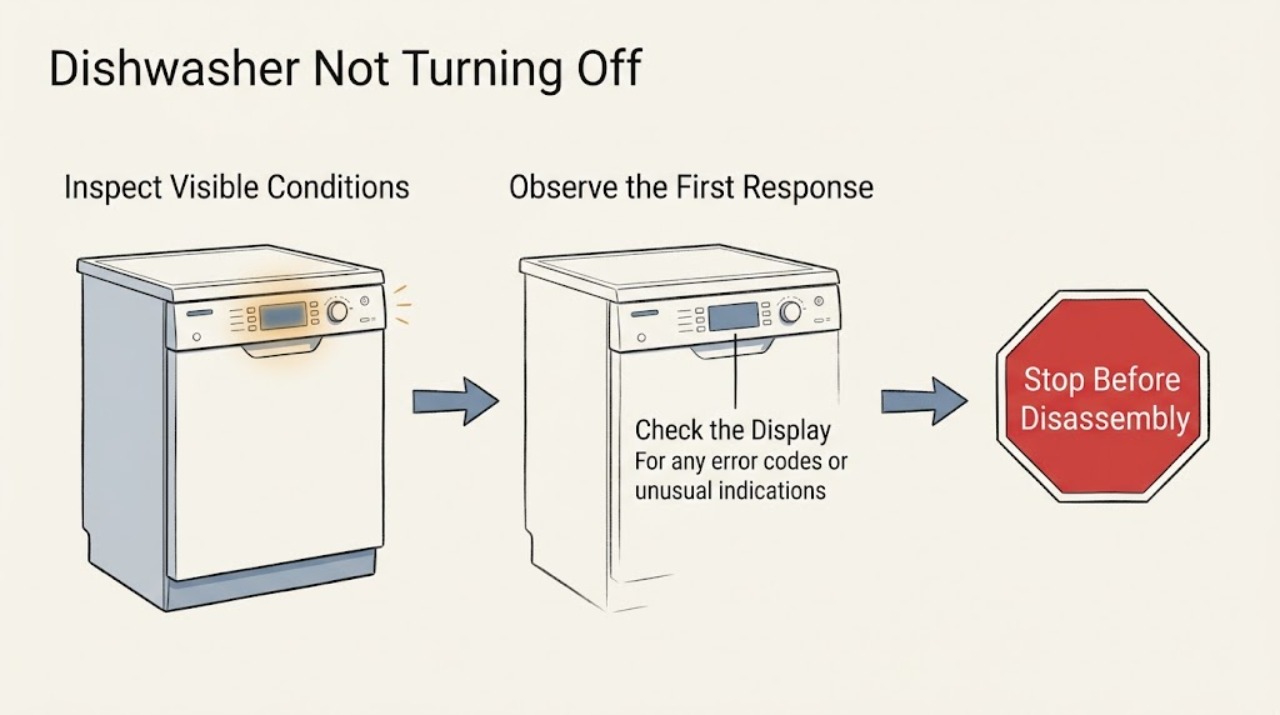
Work through in order
Diagnostic checks
Use only checks that match the exact appliance or system and its official guide.
-
Check 1
Recall the selected cycle and press Power once; if Sanitize was selected, open the door carefully after the cycle has ended and observe whether the display then begins its normal shutoff.
Expected result: The display goes off after the door opens, or the pump continues running with the door open.
Next step: If it keeps draining, move to the leak and error checks and do not reach into the tub while hot.
Why this matters
Why: A Sanitize display can be an expected steam/heat alert; continued pump operation points toward a leak-sensor condition or code.
-
Check 2
Look for a leakage code, blinking lights, moisture, or a puddle around the accessible door edge and toe-kick without removing panels.
Expected result: Water or a leakage indication is present, or the area is dry but the dishwasher still will not turn off.
Next step: Stop the cycle, protect the floor, and arrange service for a leak indication or persistent draining.
Why this matters
Why: The leak sensor may be responding to real water, installation moisture, or another condition; a dry exterior does not rule out an internal leak.
-
Check 3
Check whether the dishwasher is actually washing, continuously draining, or simply showing a lit display after completion.
Expected result: Spray/wash sounds continue, the drain pump runs without stopping, or only the display remains lit.
Next step: Use Power and door state to distinguish the behaviors, then stop if draining remains continuous.
Why this matters
Why: A pump that never stops is different from a display that remains on; the former needs leak/error diagnosis, while the latter may be cycle behavior.
-
Check 4
If there is no leak indication and the controls are frozen, reset power once only after the dishwasher is cool and safe: use the breaker or unplug it, wait, then restore power.
Expected result: The dishwasher shuts down normally, or it resumes continuous draining or the code returns.
Next step: Request qualified service for any recurrence rather than repeating resets.
Why this matters
Why: A one-time control glitch may have cleared; a recurring symptom indicates an unresolved sensor, leak, or control issue.
Use your observations
Decision map
Find the observation that best matches what you see, then follow the next safe action.
-
PATH 01Next step
What you see
The display stayed on after Sanitize but the pump stopped and the display clears when the door is opened.
Do this next
Use Power if you want the display off sooner and monitor the next cycle.
Why this path and its safety boundary
Why it matters: The behavior matches Samsung's heat/steam notification rather than a failure to shut down.
-
PATH 02Next step
What you see
The pump runs continuously, a leakage code/blinking pattern appears, or water is found around the base.
Do this next
Stop using the dishwasher, shut off its water supply if safely accessible, and arrange service.
Why this path and its safety boundary
Why it matters: Moisture detection or a leak is more likely than a normal display delay.
-
PATH 03Next step
What you see
The exterior is dry and no code is visible, but the symptom returns after one reset.
Do this next
Do not bypass the sensor or open sealed panels; provide the technician the cycle and code history.
Why this path and its safety boundary
Why it matters: A hidden moisture source, sensor, or control fault remains possible.
Helpful context
Understand the symptom
Separate a display delay from continuous draining
Samsung says a Sanitize cycle can leave the display on until the door is opened, while moisture can make the machine try to drain continuously. Those observations lead to different next steps.
When checks do not resolve it
Need a professional?
Stop and request qualified appliance service if the dishwasher continuously drains, a leakage code returns, water reaches the floor or electrical area, the breaker trips, or the unit will not shut down after one safe reset. Do not bypass a leak sensor or dismantle the base.
Common questions
FAQ
Why is my Samsung dishwasher still showing a display after the cycle?
After Sanitize, Samsung may keep the display on until the door is opened because of residual heat or steam. If the pump also continues running, check for a leak indication and request service.
Can I force the dishwasher to stop draining?
Use Power once and, if needed, remove power only when safe. Do not bypass the leak sensor; continuous draining or a returning code needs qualified service.
Read the exact guide
Official sources
- How to reset your Samsung dishwasherSamsung Electronics America · Samsung dishwasher safe reset context and recurring-fault escalation
- Samsung dishwasher will not turn offSamsung Electronics America · Samsung dishwasher Sanitize display behavior, leak sensor, moisture, and service
- Samsung Dishwasher FAQ | Product, Shipping & SupportSamsung Electronics America · Samsung dishwasher error-code and support context
Community feedback
Share a repair observation
Share a plain-text repair observation. Accepted observations are published automatically; this page may take a moment to update.