
On this page
Start here
Quick answer
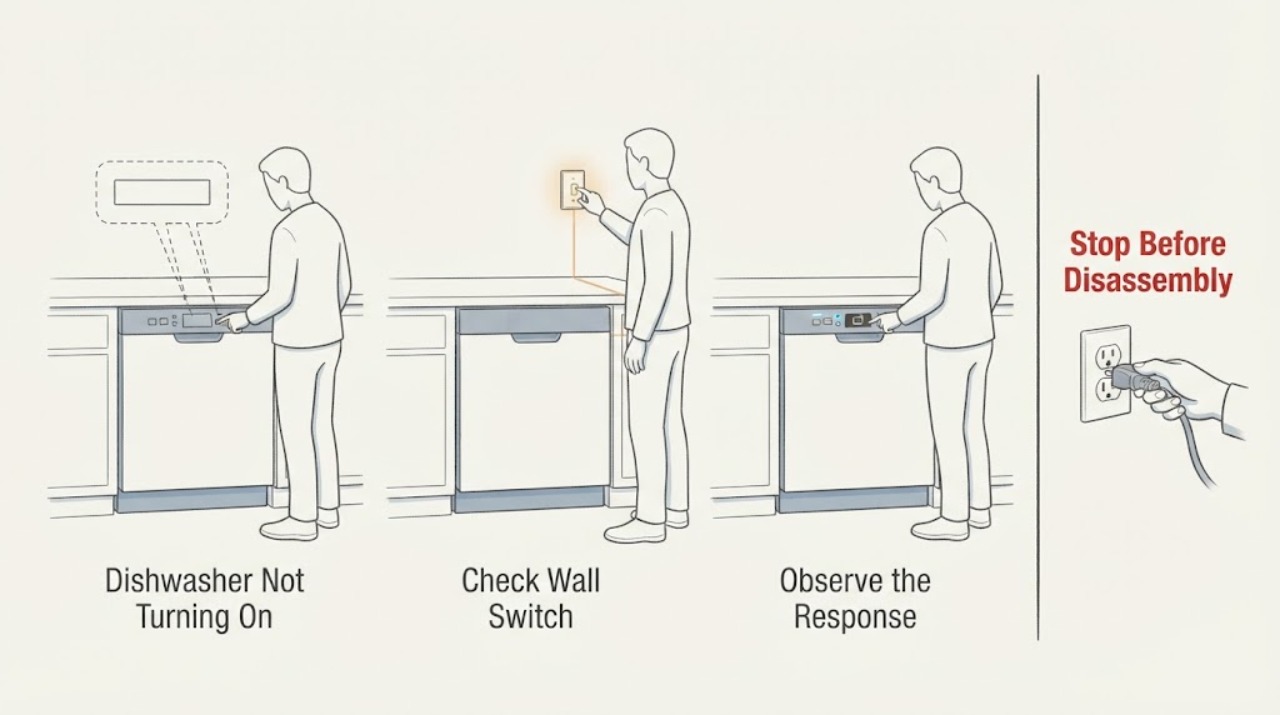
If a Samsung dishwasher is completely dark, press a clean Power button with dry hands, check its breaker, and check for a nearby wall switch that supplies the appliance. A dishwasher that powers on but will not accept Start has a different door/control problem. If the breaker trips again or the unit remains dead, stop and use an electrician or qualified service technician.
Work through in order
Diagnostic checks
Use only checks that match the exact appliance or system and its official guide.
-
Check 1
Touch Power with dry hands and a clean, dry control surface; observe whether any display or indicator responds.
Expected result: The display wakes, or there is no response at all.
Next step: If it wakes, use the Samsung start checks rather than treating it as a power outage.
Why this matters
Why: A responsive panel means the dishwasher has power and the remaining issue is likely start/door/control behavior; no response points to supply or control power.
-
Check 2
Check the dedicated circuit breaker for the dishwasher and, if it is tripped, switch it fully off and back on once.
Expected result: Power returns and remains on, or the breaker trips again immediately.
Next step: Leave a repeatedly tripping circuit off and contact an electrician or qualified technician.
Why this matters
Why: A single tripped circuit may interrupt operation; a repeat trip signals an electrical fault or overload requiring diagnosis.
-
Check 3
Look for a wall switch near the dishwasher that controls its supply and verify it is on, without opening the junction box or appliance.
Expected result: The switch was off and the display returns, or the switch is on but the unit remains dead.
Next step: Do not remove panels; arrange service if the switch and breaker are correct but the dishwasher remains dark.
Why this matters
Why: Some installations use a nearby switch; if that is not the cause, the supply, installation, or internal control may be at fault.
-
Check 4
If the dishwasher was just installed or recently rewired, compare the installation condition with the model installation guide and have the installer verify the electrical requirements.
Expected result: The failure began immediately after installation, or it began after normal operation.
Next step: Use the installer for an installation-first failure; otherwise request qualified appliance service.
Why this matters
Why: A problem present from first use may be installation-related, while a later failure needs appliance or circuit diagnosis.
Use your observations
Decision map
Find the observation that best matches what you see, then follow the next safe action.
-
PATH 01Next step
What you see
Power responds but Start does not begin a cycle.
Do this next
Check the door and controls using the start-specific guidance.
Why this path and its safety boundary
Why it matters: The dishwasher is powered; door latch, lock, Delay Start, or Start-button behavior is more likely than a dead supply.
-
PATH 02Next step
What you see
The breaker or nearby switch was off and the dishwasher returns to normal after correction.
Do this next
Monitor it; escalate if the circuit trips again or the display goes dark.
Why this path and its safety boundary
Why it matters: The immediate cause was external power control rather than an internal failure.
-
PATH 03Next step
What you see
The breaker trips again or the dishwasher stays dark with a confirmed supply.
Do this next
Leave power off if unstable and arrange electrician or qualified appliance service.
Why this path and its safety boundary
Why it matters: An electrical or internal control fault is possible and is not a safe user repair.
Helpful context
Understand the symptom
Power-off versus start failure
Samsung separates a dishwasher that does not respond to Power from one that powers on but will not start. That distinction prevents unnecessary resets and directs the check toward the supply or the door and controls.
When checks do not resolve it
Need a professional?
Request service or an electrician if the breaker trips again, the unit remains dark with the switch and breaker on, there is a burning smell or damaged cord, or the issue started after installation. Keep water away from outlets and do not open electrical covers.
Common questions
FAQ
What is the difference between not turning on and not starting?
Not turning on means the Power control and display are unresponsive. If the display works but a cycle will not begin, check the door, lock, Delay Start, and brief Start press instead.
Should I keep resetting a dishwasher that trips the breaker?
No. Reset it only once if safe. A repeated trip needs an electrician or qualified appliance technician, and the circuit should remain off until it is diagnosed.
Read the exact guide
Official sources
- How to reset your Samsung dishwasherSamsung Electronics America · Samsung dishwasher reset limits and installation/start distinction
- Samsung dishwasher will not turn onSamsung Electronics America · Samsung dishwasher Power button, breaker, nearby switch, installation distinction, and service
Community feedback
Share a repair observation
Share a plain-text repair observation. Accepted observations are published automatically; this page may take a moment to update.