
On this page
Start here
Quick answer
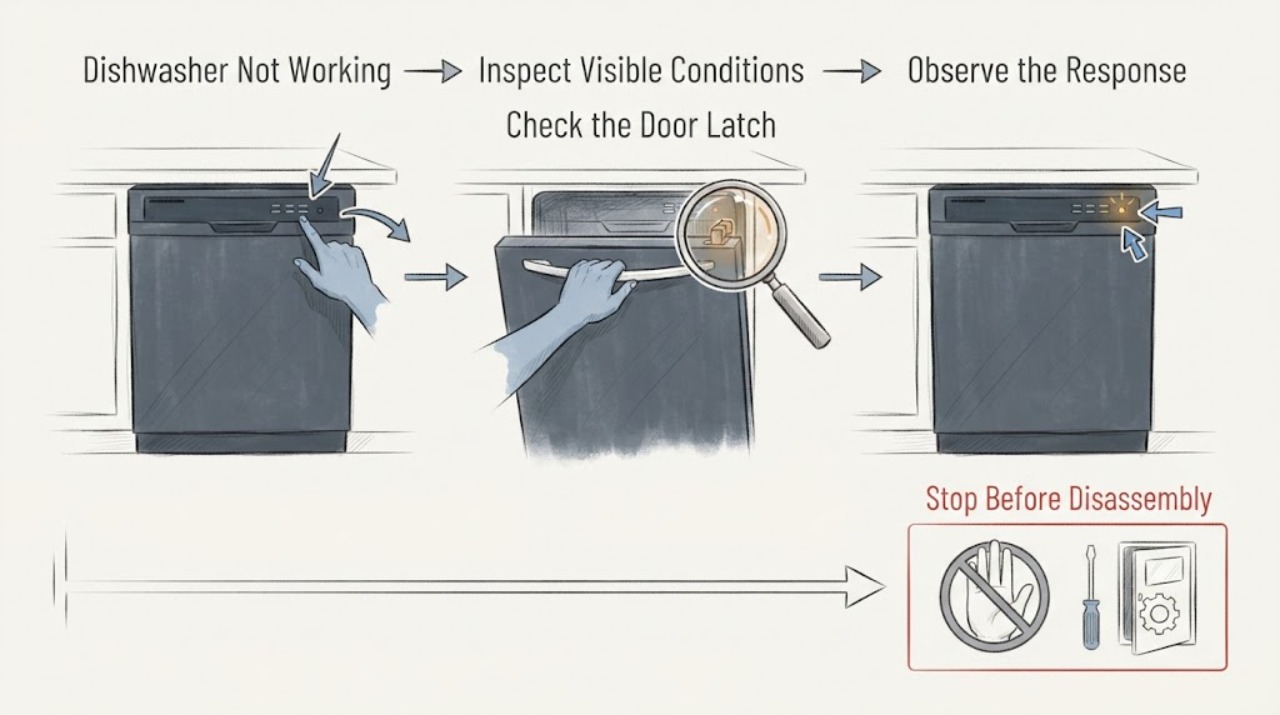
“Not working” can mean a dark panel, a powered panel that will not start, a cycle that stops, or a wash that finishes poorly. Separate those behaviors first: test Power, observe the door and controls, note codes or blinking lights, and check whether it fills, washes, drains, and completes. Use only accessible checks; a recurring fault, leak, burning smell, or repeat breaker trip needs qualified service.
Work through in order
Diagnostic checks
Use only checks that match the exact appliance or system and its official guide.
-
Check 1
Press Power with dry hands and observe whether the panel is dark, partially responsive, or fully lit.
Expected result: No lights respond, the panel responds but Start does not, or the panel and Start respond.
Next step: Follow the matching branch instead of repeatedly pressing buttons or resetting power.
Why this matters
Why: These are different paths: supply/control power, start/door settings, or a later water/cycle issue.
-
Check 2
Close the door firmly, inspect for a rack or dish blocking the latch, and check for a padlock/Control Lock indication.
Expected result: The latch is secure and controls accept input, or the dishwasher still acts as if the door is open/locked.
Next step: Clear only accessible obstructions and use the model-specific lock control; do not force the latch.
Why this matters
Why: Door detection and Control Lock can prevent a cycle even when the dishwasher has power.
-
Check 3
Start a normal cycle with a brief Start press and observe the initial drain, water fill, wash sound, and display codes or blinking lights.
Expected result: It drains then fills, stays in drain, never fills, stops mid-cycle, or shows a code.
Next step: Record the exact behavior and use the applicable model manual; stop if water leaks or the pump runs continuously.
Why this matters
Why: The failed stage narrows the issue to start/cancel behavior, water entry, leak detection, or a code-specific fault.
-
Check 4
If there was a power interruption or code, perform one safe reset only after documenting the symptom; restore power and run one normal cycle.
Expected result: The cycle returns to normal, or the same symptom/code returns.
Next step: Arrange service for recurring symptoms rather than repeating resets.
Why this matters
Why: A one-time electronic interruption may have cleared, but recurrence indicates an unresolved problem.
Use your observations
Decision map
Find the observation that best matches what you see, then follow the next safe action.
-
PATH 01Next step
What you see
The panel is dark and Power does not respond.
Do this next
Check the breaker and switch once; use an electrician or qualified service if power is unstable or absent.
Why this path and its safety boundary
Why it matters: This is a no-power path involving the breaker, nearby switch, installation, or internal control.
-
PATH 02Next step
What you see
The panel is lit but the cycle never begins, or the door/lock indication remains.
Do this next
Correct the accessible control condition and retry once.
Why this path and its safety boundary
Why it matters: Door detection, Control Lock, Delay Start, or Start-button behavior is more likely than a wash-motor failure.
-
PATH 03Next step
What you see
A cycle begins but stops, drains continuously, leaks, or returns a code.
Do this next
Stop use if water or continuous draining is present and request qualified service with the exact code and stage.
Why this path and its safety boundary
Why it matters: The dishwasher has progressed beyond basic power and needs code/leak/flow diagnosis.
Helpful context
Understand the symptom
Name the failure before troubleshooting
A broad no-work symptom is not one mechanism. Samsung's own guides distinguish no power, no start/fill, and a dishwasher that will not turn off, so the first useful observation is which stage fails.
When checks do not resolve it
Need a professional?
Stop and arrange qualified service if the dishwasher leaks, continuously drains, smells burnt, repeatedly stops, shows a recurring code, or trips its breaker. Do not remove panels or probe wiring; keep water away from electrical areas.
Common questions
FAQ
What should I check first when my Samsung dishwasher is not working?
Press Power, identify whether the panel is dark or responsive, then check the door/latch and Control Lock. Next observe whether a normal cycle drains, fills, and progresses.
When should I stop trying home checks?
Stop for a leak, continuous drain, burning smell, recurring code, or repeat breaker trip. Those symptoms need qualified service and should not be diagnosed by opening the appliance.
Read the exact guide
Official sources
- Samsung dishwasher will not turn onSamsung Electronics America · Samsung dishwasher power-button, breaker, switch, and service checks
- How to reset your Samsung dishwasherSamsung Electronics America · Samsung dishwasher reset timing and recurring-fault escalation
- Steps to get your Samsung dishwasher starting and filling with waterSamsung Electronics Canada · Samsung dishwasher door, lock, Delay Start, Start behavior, drain phase, codes, and fill
- Samsung dishwasher will not turn offSamsung Electronics America · Samsung dishwasher continuous draining, leak sensor, moisture, and error checks
Community feedback
Share a repair observation
Share a plain-text repair observation. Accepted observations are published automatically; this page may take a moment to update.