
On this page
Start here
Quick answer
If a Samsung dryer powers on but the drum does not tumble, first check whether an error or Child Lock is blocking Start, close the door fully, and run a short Time Dry test while confirming that the timer counts down. If the timer counts down but the drum remains still, Samsung says service is usually required; do not remove panels or reach into the drive system. If the dryer has no display, loses power, trips the breaker, smells hot or burnt, emits smoke, sparks, or makes a severe rubbing or impact sound, stop using it and arrange qualified electrical or appliance service. A belt, roller, motor, or idler is only a conditional possibility after the safe start checks and the exact model are known.
Work through in order
Diagnostic checks
Use only checks that match the exact appliance or system and its official guide.
-
Check 1
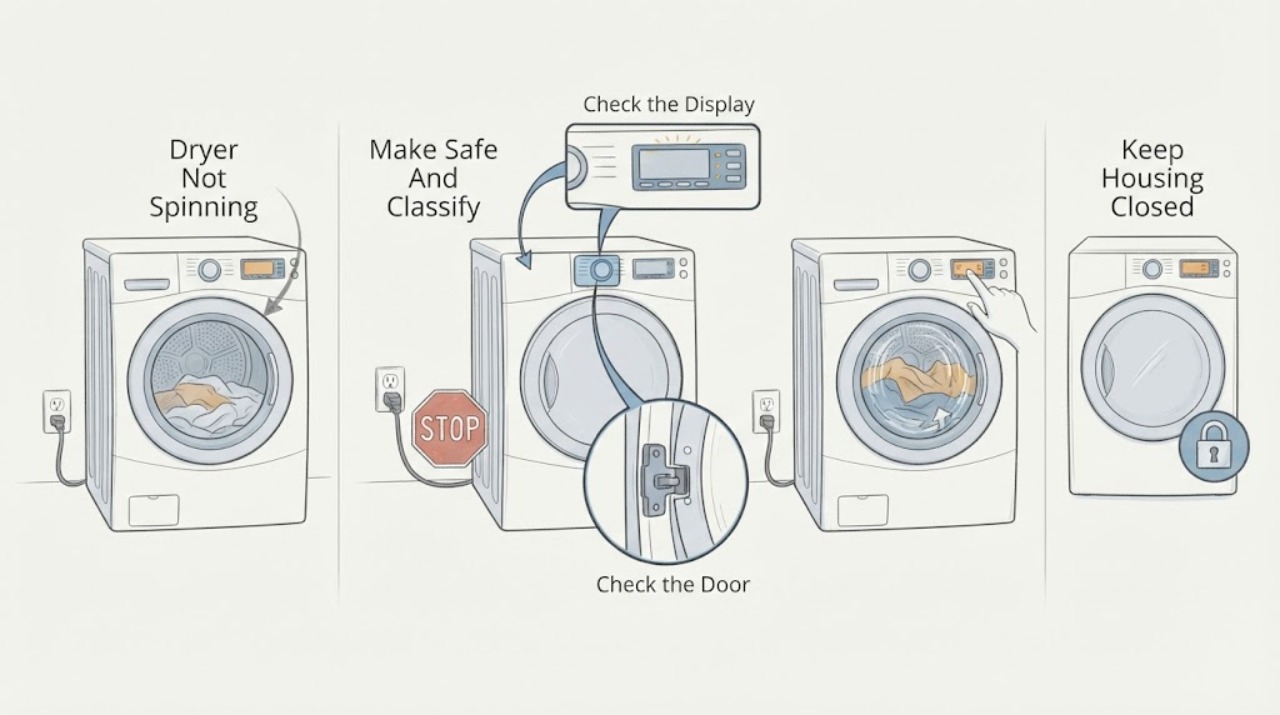
Stop the cycle and classify the symptom from a safe distance: note whether the panel is dark, the panel is lit but the drum is still, the drum stopped mid-cycle, or the drum turns but makes a new rubbing, scraping, or impact sound. If there is smoke, a burning smell, a spark, a hot or damaged cord or plug, an abnormal flame, or a breaker trip, stop immediately and do not restart.
Expected result: Record the last operating state, any code or blinking indicator, whether the load is still warm, and whether the symptom happens every time or only after the dryer has run for a while.
Next step: For a safety symptom, leave the dryer off and request qualified service. For a normal-looking no-spin symptom, continue only with the external control and door checks below.
Stop if: Do not touch exposed wiring, reach through the door, bypass a door switch, run the dryer with a panel removed, or repeatedly reset a breaker.
Why this matters
Why: A dark panel or power loss follows a supply path; a lit panel with a still drum follows a start, door, and drive path; a mid-cycle stop also raises power and airflow questions. Heat, smoke, arcing, damaged wiring, or repeated trips are safety boundaries rather than troubleshooting clues.
-
Check 2
Read and record the complete display message or blinking-light pattern before pressing anything. Check whether the Child Lock icon is lit, then use only the lock-release combination printed on the control panel or in the Samsung manual for that model.
Expected result: The code clears and the controls respond, Child Lock remains active, the door-related indicator remains present, or the same code returns immediately.
Next step: If the indicator clears, continue to the controlled start test. If it returns or the panel remains unresponsive, save the code and model number and request Samsung or qualified appliance service.
Stop if: Do not bridge controls, hold a damaged button down, or remove the console to defeat Child Lock or a door interlock.
Why this matters
Why: A cleared lock or code can explain why Start never engaged. A returning code, a door error, or an unresponsive panel means the control or safety circuit still sees a fault; do not guess a code meaning from another Samsung model.
-
Check 3
With the dryer off, remove any item caught in the door opening, check that the latch and visible seal are not obstructed, and close the door normally. Confirm that the load is not wedged against the opening; do not force the door or reach into a moving drum.
Expected result: The door closes and latches normally, a door indicator remains, the latch or seal is visibly damaged, or the drum is difficult to move only when the dryer is safely off and cool.
Next step: If the door closes normally, run the single controlled start test. If the door cannot latch or the drum has unusual resistance, stop and arrange service with the model and symptom recorded.
Stop if: Do not defeat the door switch, operate with the door forced shut, or place hands inside while power is connected.
Why this matters
Why: Samsung dryers will not start if the door-sensing path does not see a closed door. A damaged latch or seal can prevent the start signal. Unusual resistance from a cool, empty drum is a mechanical symptom and should not be overcome by force.
-
Check 4
After the external checks pass, select Time Dry with the drum empty or with a small safe load, close the door, and touch and hold Start as the model requires. Watch the timer for one to two minutes; do not open the cabinet or try to start the drum by hand.
Expected result: The timer counts down and the drum tumbles, the timer does not count down, an error appears, or the motor hums while the drum stays still.
Next step: If the timer counts down with no tumble, stop the test and request service. If it never starts, recheck the model-specific door and lock indication once, then request service if unchanged.
Stop if: Do not repeat the test if there is a burning smell, smoke, spark, severe vibration, loud impact, or rapid heating; turn the dryer off and use the service path.
Why this matters
Why: A countdown confirms that the cycle command was accepted. If the timer does not count down, the cycle did not start and the door, lock, controls, or code path remains the focus. If the timer counts down but the drum stays still, Samsung identifies service as the next step; a hum or resistance can be reported as a drive symptom but does not justify cabinet disassembly.
-
Check 5
If the panel is dark, resets, or the dryer stopped mid-cycle, turn the dryer off and inspect only the accessible plug, cord, outlet, and dedicated circuit from a dry, safe position. Follow the model's supply requirements; an electric dryer may use a two-part circuit, while a gas dryer uses a different supply arrangement.
Expected result: The panel returns after a normal power restoration, the connection has burn marks or looseness, the breaker trips again, or power is present but the original no-spin symptom remains.
Next step: If the connection is sound and the dryer remains powered, return to the single start test. If damage or repeated tripping is present, leave it disconnected and arrange licensed electrical service.
Stop if: Do not open the outlet, alter the cord, use an extension lead, work on a live circuit, or keep resetting a breaker to make the dryer run.
Why this matters
Why: A restored display can explain a power interruption but does not prove the drum drive is healthy. Burn marks, loose conductors, abnormal voltage, or a repeated trip indicate an electrical fault. Samsung says to contact a licensed electrician when the breaker continues to trip or the power connection is damaged.
-
Check 6
If the dryer stopped after running or reports an airflow or temperature symptom, clean the accessible lint filter and inspect the visible exhaust connection for crushing, kinks, or lint accumulation. Run Samsung's vent blockage test only if the model supports it, the drum is cool and empty, and the dryer can operate without a safety symptom.
Expected result: The filter or vent is blocked, the vent test reports a blockage or temperature issue, the test passes but the drum still will not spin, or the dryer is too hot to handle safely.
Next step: Clean only the accessible lint and vent path according to the model manual, then perform at most one safe retest. If the result persists or the dryer is abnormally hot, request service and have the full exhaust path checked.
Stop if: Do not run with the vent disconnected, bypass an airflow warning, use a damaged or improvised vent, or continue when there is smoke, burning odor, or excessive heat.
Why this matters
Why: Restricted exhaust can trap heat and cause a safety response, but clearing airflow will not repair a failed drive. A passing vent test with a timer that counts down and a stationary drum keeps the problem in the service path.
-
Check 7
If the timer starts but the drum remains still, or if the drum has persistent rubbing, squealing, scraping, or impact noise, stop the dryer and give the service provider the model number, code history, start-test result, power status, and sound timing. Do not order a drive part from the symptom alone.
Expected result: A technician confirms a belt, roller, idler, motor, blower, door-sensing, control, or power fault, or the symptom cannot be reproduced safely.
Next step: Use Samsung Support or a qualified appliance technician for diagnosis and repair. Keep the dryer out of service until a failed drive or safety component has been assessed.
Stop if: Stop immediately for smoke, fire, gas odor, arcing, damaged wiring, a hot plug, repeated breaker trips, or an inability to stop the dryer; follow emergency services or qualified service guidance from a safe location.
Why this matters
Why: Several different parts can produce the same no-spin symptom, and fit varies by model. A confirmed component and model-specific part reference are needed before replacement; an unconfirmed part is not a safe DIY conclusion.
Use your observations
Decision map
Find the observation that best matches what you see, then follow the next safe action.
-
PATH 01Safety boundary
What you see
Smoke, burning odor, spark, arcing, damaged cord or plug, severe heat, or repeated breaker trip is present.
Do this next
Stop using the dryer. If safe without touching damaged equipment or standing in water, switch off the supply; leave electrical and fire conditions to emergency or licensed professionals.
Why this path and its safety boundary
Safety stop: Do not restart, reset a breaker repeatedly, or open the dryer.
-
PATH 02Safety boundary
What you see
The panel is dark or the dryer loses power.
Do this next
Check the accessible connection and dedicated circuit only from a dry, safe position; damage or a repeated trip goes to licensed electrical service.
Why this path and its safety boundary
Safety stop: Do not alter wiring or the outlet.
-
PATH 03Safety boundary
What you see
Child Lock, a door indicator, a code, or an unresponsive control prevents Start.
Do this next
Record the exact indicator and model, use only the model-specific control instructions once, and request service if the indication returns.
Why this path and its safety boundary
Safety stop: Do not bypass the lock or door sensor.
-
PATH 04Safety boundary
What you see
The Time Dry timer does not count down after the door is closed and Start is held.
Do this next
Confirm the door and Child Lock indication once; if the command still does not start, arrange service for the control or door-sensing path.
Why this path and its safety boundary
Safety stop: Do not keep forcing Start or run with the door switch defeated.
-
PATH 05Safety boundary
What you see
The timer counts down but the empty or lightly loaded drum remains still.
Do this next
Stop the test and request service; report any hum, resistance, or sound because drive components need model-specific diagnosis.
Why this path and its safety boundary
Safety stop: Do not remove panels or reach into the drive system.
-
PATH 06Safety boundary
What you see
The dryer stopped after running and the filter or vent test indicates restricted airflow or abnormal temperature.
Do this next
Allow it to cool, clean the accessible filter and vent path as directed by the manual, then use at most one safe retest; persistent results need service.
Why this path and its safety boundary
Safety stop: Do not bypass the warning or continue with excessive heat or smoke.
-
PATH 07Safety boundary
What you see
The safe start and power checks pass but the drum is still, or a persistent abnormal mechanical sound remains.
Do this next
Request qualified appliance service and provide the exact model, symptom timing, and test observations; let the technician identify any belt, roller, idler, motor, or control issue.
Why this path and its safety boundary
Safety stop: Keep the dryer out of use until the fault is assessed.
Helpful context
Understand the symptom
What not spinning tells you
A lit control panel does not prove that the motor and drum drive are being energized. Samsung's start-and-spin guidance separates a cycle that never actually starts from a cycle whose timer counts down while the drum remains still. That distinction matters: a blocked Start command, open door, or active Child Lock can be checked from the controls, while a running timer with no tumble points toward service rather than repeated button presses. Record the model number and any displayed code before contacting support; the exact control combination and code meaning vary by model.
Keep airflow and power symptoms in the same diagnosis
A drum that stops in the middle of a cycle may be affected by a power interruption or a vent safety response, not only by the drum drive. Samsung advises checking the power connection and vent blockage path for the matching symptoms. Lint and a restricted exhaust can also create overheating symptoms. Clean only accessible lint and the vent path as described for the model; do not use a no-spin complaint as a reason to open the cabinet or bypass a safety device.
When a drive part becomes a service diagnosis
A belt, drum roller, idler, motor, or blower can be involved when the door and controls are normal but the drum will not move, turns only with unusual resistance, or makes a persistent mechanical sound. These are not universal Samsung parts and cannot be selected from the symptom alone. Keep the dryer disconnected only when it can be done safely, provide the model and the exact symptom to a qualified technician, and let that technician inspect the drive system.
Safety boundary
Stop conditions
- Smoke, flames, burning smell, visible spark or arcing, or an unusually hot cabinet, plug, or cord.
- Repeated breaker trips, damaged wiring, a loose or scorched outlet, or any need to work on a live circuit.
- A gas odor or abnormal flame on a gas dryer; leave the appliance off and follow local emergency guidance.
- A door that will not latch, a failed door indicator, or a need to bypass a door switch.
- A drum that is jammed or has severe rubbing, impact, or resistance rather than turning normally when cool and empty.
Only after diagnosis
Potential parts
- dryer drum drive belt
Consider only if a qualified diagnosis confirms a worn or broken belt and the exact model fit is verified.
Confirm the complete dryer model and manufacturer fit information before ordering; the no-spin symptom alone does not identify this part. - drum support roller or idler assembly
Consider only when a technician finds abnormal drum resistance or a confirmed support or tension fault.
Use model-specific fit information and do not substitute a generic assembly based only on a noise description. - dryer drive motor
Consider only after the start command, door sensing, power supply, belt, and drum path have been checked and a technician confirms motor failure.
Confirm the exact model and electrical specification with the manufacturer or qualified technician before ordering.
When checks do not resolve it
Need a professional?
Call qualified appliance service when the timer counts down but the drum does not spin, or when the drum remains stationary after the safe start checks., Call licensed electrical service for a repeated breaker trip, damaged plug or cord, burn marks, abnormal voltage indication, or any suspected outlet or circuit fault., Stop immediately and use emergency help from a safe location for smoke, fire, visible arcing, or a gas odor; do not perform another test., Use the model manual or Samsung Support when a code, blinking pattern, control combination, or vent-test result is not identified by the exact model., Arrange service when a drive noise, drum resistance, or recurring mid-cycle stop remains after accessible lint and vent checks.
Common questions
FAQ
Why does my Samsung dryer turn on but not spin?
First check the door, Child Lock, and any code, then run a short Time Dry test and confirm that the timer counts down. If it counts down while the drum stays still, Samsung's next step is service because the drive or control system needs model-specific diagnosis.
Can a full load stop a Samsung dryer from spinning?
A load can make a symptom harder to classify, so a short test with the drum empty or lightly loaded can separate a start problem from a load-related condition. Do not force a jammed drum or keep testing if there is unusual heat, odor, smoke, or mechanical impact.
Should I replace the belt when my Samsung dryer will not spin?
Not from the symptom alone. A belt, roller, idler, motor, door-sensing circuit, control, or power issue can produce a similar result. Have the exact model and test observations assessed before selecting a conditional part.
What if the dryer stopped spinning during a cycle?
Record whether the panel lost power, whether a code appeared, and whether the filter or exhaust is restricted. After the dryer is cool, clean only accessible lint and use an applicable Samsung vent test once; a recurring stop or any safety symptom requires service.
Is it safe to run the dryer with the door switch or panel bypassed?
No. Never bypass a door interlock, operate with a panel removed, or reach into the drive system. Stop for smoke, burning odor, sparks, damaged wiring, a hot connection, or repeated breaker trips and use qualified service.
Read the exact guide
Official sources
- Samsung dryer displays an error codeSamsung · Samsung dryer error-code recording, reset, and service guidance
- Clothes are not dry after using Samsung dryerSamsung · Samsung dryer lint filter, exhaust, vent blockage test, and abnormal temperature guidance
- Samsung dryer turns on but will not start or spinSamsung · Samsung dryer start, door, Child Lock, timer, and no-spin troubleshooting
- Samsung dryer loses power or won't turn onSamsung · Samsung dryer power connection, breaker, vent response, and safe service boundaries
- Control buttons on Samsung dryer do not respondSamsung · Samsung dryer Child Lock and unresponsive control behavior
- Washing Machines SafetyElectrical Safety First · Electrical safety around laundry appliances, damage, arcing, heat, and breaker trips
Community feedback
Share a repair observation
Share a plain-text repair observation. Accepted observations are published automatically; this page may take a moment to update.