
On this page
Start here
Quick answer
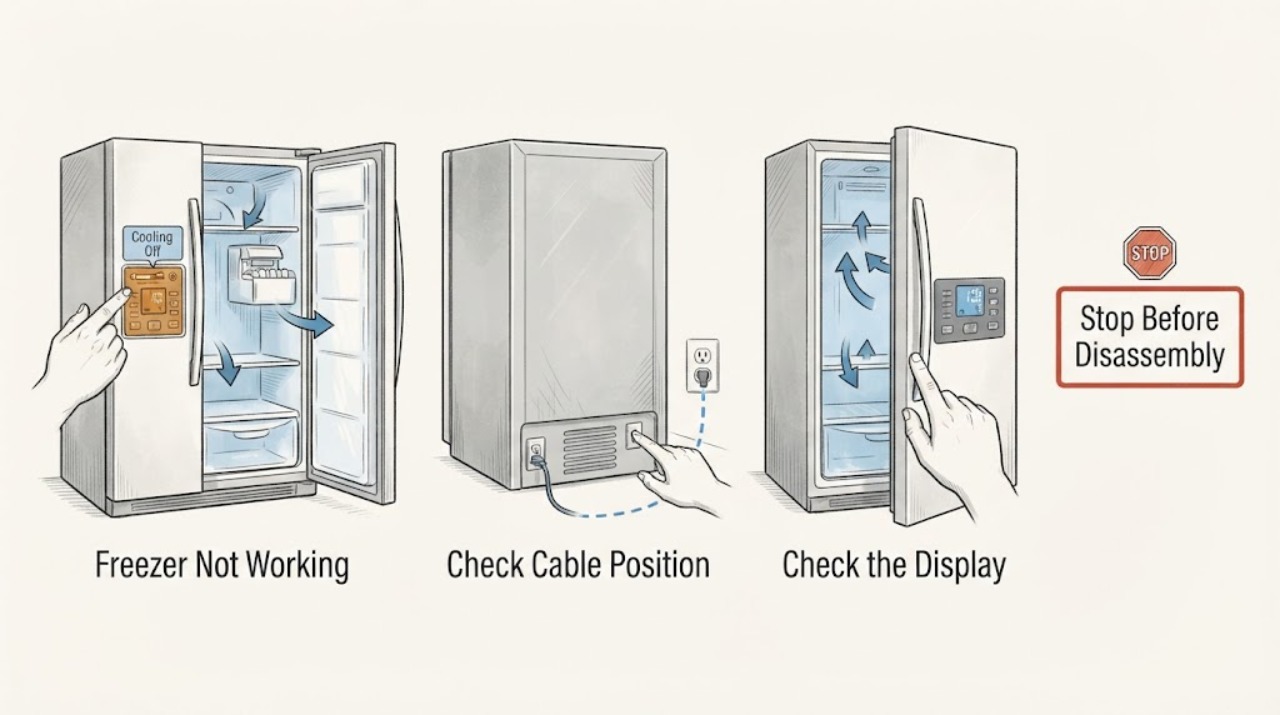
A Samsung freezer that is not working can mean a dark display, a locked or disabled control, Cooling Off or Demo mode, weak cooling, frost blocking airflow, an ice-maker or water issue, unusual noise, or a true refrigeration fault. First protect food if it is warming, then check the accessible power, door seal, displayed temperature, error or Cooling Off indication, and the space around vents. Samsung says Cooling Off mode can leave lights and fans working while the refrigerator and freezer do not cool; displays may show OF OF, O FF, OFF OFF, or moving bars. Use the exact model manual to exit that mode, set the freezer at or below the documented ice-making and food-storage temperature, and make only one safe power cycle when Samsung's guide permits it. Do not use heat to defrost, force a frozen door or bucket, open the sealed cooling system, or work around wet electrical parts. Smoke, burning odor, arcing, a hot cable, continuous leaking, severe grinding, or food that is no longer safely frozen requires immediate shutdown and qualified service.
Work through in order
Diagnostic checks
Use only checks that match the exact appliance or system and its official guide.
-
Check 1
Before changing settings, check the freezer contents and look from a dry, safe position for smoke, burning odor, arcing, a hot or damaged cable, water near controls, continuous leaking, severe grinding, or a damaged door or gasket.
Expected result: Food is warming, a water or electrical hazard is present, an unusual mechanical noise is severe, or the freezer is cold and dry with no immediate hazard.
Next step: If food is warming, move it to a reliably cold location and follow local food-safety guidance. For smoke, arcing, continuous leaking, dangerous heat, or damaged wiring, stop using the unit and isolate power only when safe before arranging qualified service. If safe, continue to classify the display.
Stop if: Do not touch wet electrical areas, keep the appliance running with exposed wiring, or reproduce smoke, odor, arcing, leaking, or severe noise.
Why this matters
Why: Food safety and fire, water, or electrical hazards take priority over diagnosis. A warming compartment may also indicate a whole-refrigerator cooling fault rather than a freezer-only control issue.
-
Check 2
Check the accessible plug or isolator, the household supply, and the labeled breaker without moving a built-in refrigerator or opening a cover. Open the freezer briefly to see whether the interior light and display respond, and note any blinking icons or error code.
Expected result: The refrigerator has no accessible power, the breaker has operated, the display and light are dark, the panel is lit but locked, or power and display appear normal.
Next step: Correct only an obvious accessible supply state and make one permitted reset if there is no hazard. If the breaker operates again, the outlet is damaged, or the display stays dark with normal supply, stop and arrange qualified service.
Stop if: Stop for a hot outlet, damaged cord, exposed wiring, repeat breaker operation, or any need to measure or rewire an energized circuit.
Why this matters
Why: A supply interruption can make the freezer appear completely dead. A powered but dark or locked interface shifts the diagnosis toward controls or mode settings; normal power with warming shifts it toward cooling, sealing, or airflow.
-
Check 3
Read the freezer display and use the exact Samsung manual to determine whether OF OF, O FF, OFF OFF, scrolling bars, a compartment-off state, or another Cooling Off or Demo indication is active. If present, use the documented control sequence once to exit it and confirm that the display returns to normal cooling status.
Expected result: A Cooling Off indication is present and clears, the panel is in a lock or special mode, no Cooling Off indication is shown, or the indication returns after the documented change.
Next step: If the mode clears, close the doors and monitor cooling. If it returns or the unit remains warm without that indication, continue to the temperature, door, and airflow checks; a recurring error needs service.
Stop if: Stop for a returning code, a locked or damaged panel, smoke, overheating, or any need to open the control area.
Why this matters
Why: Samsung says Cooling Off mode disables the refrigerator and freezer cooling systems while the appliance may still appear powered. Button combinations vary by model, so a different display requires the model manual rather than a guessed sequence.
-
Check 4
Check the displayed freezer temperature, whether the door closes fully against a clean gasket, whether food blocks internal vents, and whether the refrigerator has room for external heat to escape. If a setting was recently changed or power was restored, follow Samsung's model guidance for recovery before judging the result.
Expected result: The freezer is warmer than its recommended setting, the door or gasket has a gap, frost blocks a vent, food blocks airflow, the exterior clearance is restricted, or these conditions appear normal.
Next step: Remove only a cool, obvious obstruction, clean and dry an intact gasket, and restore accessible clearance without moving a built-in unit. If the freezer remains warm, the display blinks, or food spoils, arrange service.
Stop if: Stop for a torn gasket, heavy frost, liquid near electrics, a door that will not close, unusual heat, or any need to access the evaporator, compressor, fan, or sealed system.
Why this matters
Why: Samsung links inadequate cooling to settings, blocked airflow, poor door sealing, restricted external clearance, and the time needed after a setting or power change. A normal exterior and sealed door with persistent warmth shifts the issue toward service.
-
Check 5
With the unit operating normally and hands clear, identify where frost is building and when the sound occurs. Check only for a door gap, blocked vent, dirty gasket, fan-on-ice symptom, or loose external contact; do not remove panels or force frozen parts.
Expected result: Light frost has an obvious door or airflow cause, heavy frost blocks the compartment, a fan strikes ice, a normal hum or gurgle occurs, or a loud grinding, knocking, or repeated alarm occurs.
Next step: Correct only an obvious cool door or airflow obstruction. Follow the model's safe frost procedure for light buildup; do not use a hair dryer or sharp tool. For heavy frost, fan-on-ice, loud mechanical noise, or recurring frost, stop ordinary use and arrange service.
Stop if: Stop for heavy ice, a fan striking ice, a damaged seal, smoke, burning odor, severe grinding, or any attempt to heat, chip, or dismantle the freezer.
Why this matters
Why: Samsung attributes frost to warm moist air entering the compartment and distinguishes normal refrigerant and fan sounds from noise that needs service. Heavy frost or a fan blocked by ice can point to a defrost or sealing problem.
-
Check 6
If the freezer is cold but the complaint is ice or water related, check the Ice Off state, bucket seating, visible water-line condition, accessible household valve, and model-approved filter seating. If there is a dispenser, use only the model guide's safe flow check and keep the floor and controls dry.
Expected result: The ice maker is off, the bucket is blocked or not seated, the water line is kinked or leaking, the filter is loose or overdue, water flow is weak, or the freezer is not making ice despite normal temperature and accessible water conditions.
Next step: Use the exact manual to turn ice making on, gently reseat an obvious bucket, restore an accessible valve, or install the model-approved filter. Stop for leaks, a frozen bucket, water near electrics, or any part that needs force, then request service.
Stop if: Do not force a frozen bucket, chip ice, heat the ice maker, open a water fitting under pressure, or work near a wet electrical connection.
Why this matters
Why: An ice-maker or water-path issue can coexist with a working freezer. Samsung links Ice Off state, bucket or sensor position, low water pressure, a kinked line, and filter condition to ice production; it is not a reason to open the refrigeration system.
-
Check 7
If no hazard is present and Samsung's model guide permits it, perform one power cycle using the accessible plug or labeled breaker, then observe the self-test and record any new error code. Do not repeatedly cycle the unit or reset around a persistent code.
Expected result: Cooling returns, a code appears, the display continues to blink, the compressor or fan does not resume, or the freezer remains warm after the permitted recovery check.
Next step: Verify settings and keep doors closed while the unit recovers according to the model guide. If the code returns, cooling does not resume, food is warming, or the freezer remains warm, stop troubleshooting and arrange qualified service.
Stop if: Stop for repeat breaker operation, smoke, arcing, burning odor, dangerous heat, a damaged cable, or any need to test the compressor, fan, harness, or sealed system.
Why this matters
Why: Samsung says the refrigerator can self-test after a power cycle and that error codes can identify a condition needing service. Recovery after one reset is different from a repeat failure or a cooling system that never starts.
-
Check 8
Prepare the exact Samsung model, display and light state, Cooling Off or lock indication, temperature, door and gasket result, frost location, vent clearance, noise timing, ice and water symptoms, power-cycle result, and every displayed code before arranging service.
Expected result: The freezer recovers after a safe external correction, or it remains dark, warm, error-affected, frost-blocked, noisy, leaking, or unable to make ice.
Next step: For persistent or unsafe failure, leave the freezer off when appropriate, protect food, and arrange qualified refrigerator, appliance, plumbing, or electrical service. Do not order a compressor, board, fan, valve, or sensor from a broad symptom alone.
Stop if: Do not open panels, test energized circuits, force frozen parts, bypass a door or temperature safety, or access the sealed refrigerant system.
Why this matters
Why: This record separates power, controls, Cooling Off, sealing, airflow, defrost, water, ice-maker, fan, and sealed cooling faults so the appropriate qualified service path can be selected.
Use your observations
Decision map
Find the observation that best matches what you see, then follow the next safe action.
-
PATH 01Next step
What you see
Food is warming, water leaks continuously or reaches electrical parts, smoke, burning odor, arcing, dangerous heat, damaged wiring, or severe grinding is present.
Do this next
Arrange qualified service and follow the exact model guidance.
Why this path and its safety boundary
Why it matters: Protect food as appropriate, stop using the unit, isolate power only when safe, and arrange qualified refrigerator, plumbing, or electrical service. Do not retest.
-
PATH 02Next step
What you see
The accessible supply is interrupted, the breaker has operated, or the display and interior light are dark.
Do this next
Arrange qualified service and follow the exact model guidance.
Why this path and its safety boundary
Why it matters: Correct only an obvious external supply state and make one permitted reset when safe. A repeat operation, damaged outlet, or dark panel with normal supply needs qualified service.
-
PATH 03Next step
What you see
The display shows OF OF, O FF, OFF OFF, scrolling bars, or another model-specific Cooling Off or compartment-off indication.
Do this next
Arrange qualified service and follow the exact model guidance.
Why this path and its safety boundary
Why it matters: Use the exact Samsung manual or official model guide to exit Cooling Off once. If the indication returns or the freezer remains warm, arrange service after the safe temperature and sealing checks.
-
PATH 04Next step
What you see
The freezer is warm, a door or gasket has a gap, vents are blocked, or frost is building in the compartment or ice area.
Do this next
Arrange qualified service and follow the exact model guidance.
Why this path and its safety boundary
Why it matters: Remove only a cool visible obstruction, restore safe airflow, and use the model frost procedure. Never use a hair dryer or sharp tool; recurring or heavy frost and persistent warmth need service.
-
PATH 05Next step
What you see
The freezer is cold but ice is absent, the Ice Off state is active, the bucket is not seated, water flow is weak, or the filter or line is suspect.
Do this next
Arrange qualified service and follow the exact model guidance.
Why this path and its safety boundary
Why it matters: Use the exact manual for the Ice setting, bucket, visible water line, valve, and approved filter. Stop for leaks, a frozen bucket, or water near electrics and arrange service.
-
PATH 06Next step
What you see
A code returns, the display blinks, a fan strikes ice, or noise is very loud, persistent, or unrelated to normal cooling or ice operation.
Do this next
Arrange qualified service and follow the exact model guidance.
Why this path and its safety boundary
Why it matters: Record the exact code, location, and timing, stop ordinary use for severe symptoms, and arrange qualified refrigerator service. Do not open panels or access the sealed system.
-
PATH 07Next step
What you see
Cooling or normal operation returns after a documented safe setting, door, airflow, Cooling Off, water, or single reset correction and no hazard returns.
Do this next
Arrange qualified service and follow the exact model guidance.
Why this path and its safety boundary
Why it matters: Monitor the freezer and food condition through a normal cycle with limited door opening. Request service if warming, frost, noise, an error, leaking, or ice failure returns.
Helpful context
Understand the symptom
Define what not working means
Record whether the panel and interior light are dark, the freezer is powered but warm, only the ice maker is affected, an alarm or code appears, frost is blocking the vents, the door will not seal, or the compressor or fan sounds unusual. A freezer that is cold but has no ice follows a different path from a compartment that is warming.
Check Cooling Off before assuming a failed compressor
Cooling Off, Demo, or Shop mode is intended for display and storage-empty situations. Samsung says the refrigerator can look powered while its cooling systems and ice making are disabled. If the panel shows OF OF, O FF, OFF OFF, or moving temperature bars, use the exact model instructions to exit the mode; do not guess button combinations if the display does not match.
Protect food while checking temperature and airflow
If frozen food is soft or warming, limit door openings and move perishable items to a reliably cold location. Check the displayed temperature and leave space around internal vents. Samsung says a freezer may need time after a setting change or power restoration, but persistent warming, a blinking temperature display, or food spoilage needs service.
Frost and the door seal can stop cooling
Warm moist air from a door gap can form frost and block air movement. Check for food or drawers holding the door open, a dirty or torn gasket, and frost around vents or the ice bucket. Only remove light, accessible frost using the model guidance. Never use a hair dryer, knife, heated tool, or force against a frozen bucket or panel.
Separate ice, water, and noise symptoms
A cold freezer with no ice may need an Ice Off setting, bucket, water-line, filter, or ice-maker check. A weak water supply or leak is a different branch from a sealed cooling fault. Some humming, bubbling, fan, and ice-drop sounds are normal, but a very loud or persistent grinding, knocking, or fan striking ice should be taken out of service.
Use one controlled reset, then stop
If Samsung's model guide permits it and there is no safety hazard, one power cycle can let the refrigerator run a self-test. Record any code after power returns. Repeating resets, removing covers, testing the compressor circuit, or opening the sealed refrigerant system can create risk and will not identify a safe user repair.
Only after diagnosis
Potential parts
- compressor, condenser, evaporator, or sealed-system component
Consider only after qualified refrigeration service confirms a sealed cooling fault after safe power, mode, door, airflow, and frost checks.
Sealed-system work is not a user repair; model and refrigerant details must be confirmed by qualified service. - evaporator or circulation fan and defrost component
Consider only when qualified service links persistent frost, fan-on-ice, or airflow loss to a named model component.
Do not remove covers or reach into a fan or heater area based on a noise or warmth symptom alone. - control board, temperature sensor, or door-sensing component
Consider only when qualified service confirms a control or sensor fault after the model-specific error and power checks.
Confirm the exact Samsung model and manufacturer fit information before any component decision. - ice maker, water inlet valve, or filter-related component
Consider only for a cold freezer with persistent ice or fill failure after safe Ice setting, bucket, visible water, and filter checks.
Water and ice components vary by model; leaks and pressurized connections require qualified service.
When checks do not resolve it
Need a professional?
Food is warming or spoiling, the freezer remains above its recommended food-storage temperature, or the temperature display keeps blinking., Smoke, burning odor, arcing, dangerous heat, a damaged cable or outlet, water near controls, or continuous leaking appears., The display stays dark after accessible power checks, a breaker operates again, or the appliance has a suspected installation or wiring fault., Cooling Off or a compartment-off indication returns, cannot be cleared using the exact model guide, or the freezer remains warm after it is cleared., Heavy or returning frost, a torn gasket, a door that will not seal, a fan striking ice, very loud grinding or knocking, or a recurring alarm is present., The freezer is cold but the ice maker remains inactive after safe Ice setting, bucket, water-line, filter, and one permitted test checks., The next step would require opening panels, testing energized circuits, using heat or force on ice, accessing the compressor, or opening the sealed cooling system.
Common questions
FAQ
Why is my Samsung freezer not working but the lights are on?
Check for Cooling Off or Demo mode, which can leave lights and fans operating while the refrigerator and freezer do not cool. Then check temperature, door sealing, frost, vents, and errors. Persistent warmth or food spoilage needs service.
What does OF OF mean on a Samsung freezer?
OF OF, O FF, OFF OFF, and scrolling bars can indicate Cooling Off or Demo mode, depending on the model. Use Samsung's exact model guide to exit it once. If the indication returns or cooling does not resume, arrange service.
How do I know whether my Samsung freezer is cold enough?
Check the displayed temperature and compare it with Samsung's recommended freezer setting for your model and food. A freezer that remains warm, blinks a temperature warning, or has softening food needs a cooling and food-safety assessment rather than repeated resets.
Can frost make a Samsung freezer stop working?
Yes. Samsung says warm moist air from a door gap or poor seal can create frost that blocks airflow. Check the door, gasket, and vents. Do not use a hair dryer, knife, or force; heavy or returning frost needs service.
Why is my Samsung freezer making a loud noise?
Some hum, gurgle, fan, and ice-drop sounds are normal. Very loud grinding or knocking, a fan striking ice, or a sound that occurs without the related operation should be recorded and referred to service, especially if cooling is also failing.
Why is my Samsung freezer cold but not making ice?
Check that Ice Off is not active, the bucket is seated, the water line and filter are accessible and correctly installed, and the ice maker has a normal water supply. Use one model-approved test only after those checks. Do not force a frozen bucket or operate near a leak.
When should I stop troubleshooting a Samsung freezer?
Stop for warming or unsafe food, smoke, burning odor, arcing, dangerous heat, water near electrics, continuous leaking, heavy frost, severe noise, repeat breaker operation, or a damaged seal or cable. Also stop before opening panels, testing energized circuits, using heat on ice, or accessing the sealed system.
Read the exact guide
Official sources
- Cooling issues with Samsung refrigerator or freezerSamsung · Opened official Samsung cooling troubleshooting guide; exact controls and recovery behavior vary by model.
- Understanding the different noises coming from your Samsung refrigeratorSamsung · Opened official Samsung noise guide; sound level and source depend on model and operating state.
- Samsung refrigerator shows OF OF, O FF, or scrolling barsSamsung · Opened official Samsung troubleshooting page; the displayed indication and exit controls vary by panel design.
- Cooling Off mode (Demo mode) on your Samsung refrigeratorSamsung · Opened official Samsung support page; button combinations differ by refrigerator model.
- How to replace the water filter in a Samsung refrigeratorSamsung · Opened official Samsung filter guide; filter location and approved family vary by model.
- What temperature should I set my Samsung refrigerator to?Samsung · Opened official Samsung temperature guide; display units and recommended settings vary by model and food use.
- Samsung ice maker is not workingSamsung · Opened official Samsung ice-maker guide; ice-maker layout and control names vary by refrigerator model.
- Connect and install the water line to your Samsung refrigeratorSamsung · Opened official Samsung water-line guide; plumbing routing and access vary by model and installation.
- Samsung refrigerator error codesSamsung · Opened official Samsung error-code guide; code meanings and service actions depend on the model.
- Frost forms in the Samsung freezer, refrigerator, or ice bucketSamsung · Opened official Samsung frost guide; frost locations and safe removable parts vary by model.
- Water leaks in a Samsung refrigeratorSamsung · Opened official Samsung leak guide; exact water-line and door access depends on the model.
Community feedback
Share a repair observation
Share a plain-text repair observation. Accepted observations are published automatically; this page may take a moment to update.