
On this page
Start here
Quick answer
Frost around a Samsung refrigerator ice maker or ice bucket usually means warm, moist air is entering through a door, bucket seal, chute flap, or alignment gap. Clear only light frost with a damp cloth or a plastic scraper as Samsung describes, and never use a hair dryer or other heat source. If frost is heavy, the ice maker is frozen over, a seal is damaged, or frost returns after the accessible seal checks, request service.
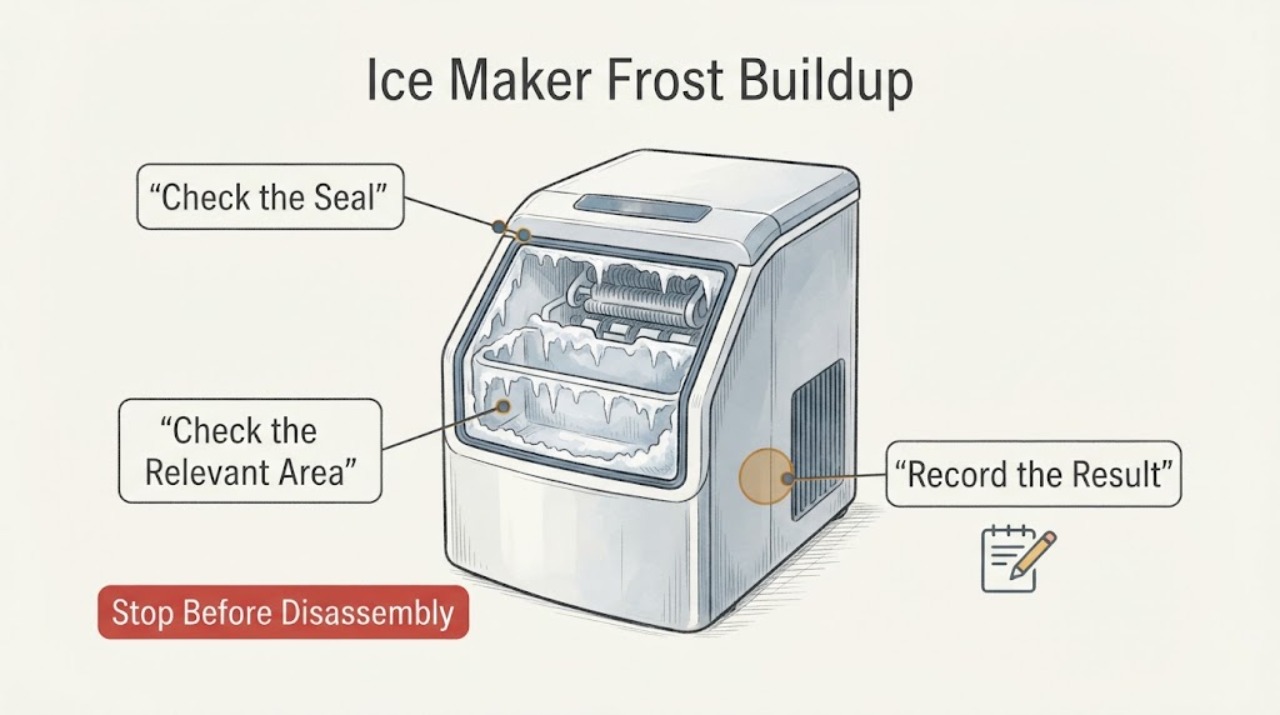
Work through in order
Diagnostic checks
Use only checks that match the exact appliance or system and its official guide.
-
Check 1
Locate the frost: inspect the ice bucket, ice chute, and nearby door gasket for a visible gap, frost bridge, or wet/slushy ice.
Expected result: Frost is concentrated at the bucket/chute interface, on the gasket, or across the ice maker itself.
Next step: Continue with alignment and seal checks; do not pry on frozen parts.
Why this matters
Why: A localized gap or flap that is not airtight can admit warm air; a sheet of frost across the ice maker may indicate an automatic-defrost or internal issue.
-
Check 2
Check that the relevant refrigerator door closes completely and that food or shelves are not preventing the ice-bucket/chute area from sealing.
Expected result: The door closes flush with no visible light gap, or a gap remains around the bucket/chute.
Next step: Remove only the accessible obstruction and level/adjust the refrigerator only as the model manual directs; do not force the door.
Why this matters
Why: A door or bucket alignment gap lets warm air into the ice-maker compartment and can create frost or slushy ice.
-
Check 3
Remove the ice bucket only by the model-approved method and inspect its rubber seal and the dispenser flap for debris or damage.
Expected result: The seal is dirty/damaged, the flap is not flush, or the bucket seats correctly with no defect.
Next step: Clean accessible residue, reseat the bucket fully, and replace a damaged part only after model confirmation; never force a stuck bucket.
Why this matters
Why: A damaged seal or flap left open provides a direct warm-air path; a sound seal shifts suspicion to alignment or an internal fault.
-
Check 4
Remove light frost with a damp cloth and dry the area, or use a plastic scraper for a moderate patch; observe whether the frost returns.
Expected result: Frost clears and stays away, or it returns or is too heavy to remove safely.
Next step: Request service for returning/heavy frost; do not use a hair dryer or other heat source.
Why this matters
Why: No recurrence after correcting the air path supports a seal/alignment cause; recurrence or heavy frost suggests an unresolved defrost or sealing fault.
Use your observations
Decision map
Find the observation that best matches what you see, then follow the next safe action.
-
PATH 01Next step
What you see
Frost is at the bucket/chute gap and the flap or bucket is visibly not sealing.
Do this next
Clean and reseat accessible parts, correct the alignment per the manual, and monitor.
Why this path and its safety boundary
Why it matters: Warm humid air entering at the ice-bucket interface is the leading explanation.
-
PATH 02Next step
What you see
The ice maker is covered by a hard sheet of ice or the bucket cannot be removed without force.
Do this next
Stop and request Samsung service; do not use a heat source or pry the bucket free.
Why this path and its safety boundary
Why it matters: The ice maker may be frozen over or have an automatic-defrost problem; forcing it can damage the assembly.
-
PATH 03Next step
What you see
Frost returns after the door, bucket seal, flap, and accessible alignment are correct.
Do this next
Arrange qualified service and provide photos/location of the recurring frost.
Why this path and its safety boundary
Why it matters: A hidden seal, defrost, or internal temperature problem remains possible.
Helpful context
Understand the symptom
Find the air leak before blaming the ice maker
Frost is a symptom of moisture freezing. Samsung's guidance focuses on door and ice-bucket alignment, seals, the dispenser flap, and safe frost removal; repeated frost after those checks points to a condition needing service.
Only after diagnosis
Potential parts
- ice-bucket seal or dispenser-flap seal
Consider a seal only if inspection confirms that the bucket or dispenser flap is damaged or cannot close airtight after correct seating.
Confirm the complete refrigerator model and Samsung fit information before ordering; frost location alone does not establish fit.
When checks do not resolve it
Need a professional?
Stop and request service for heavy or returning frost, a damaged gasket/bucket/flap, an ice maker frozen over, a stuck bucket, water near electrical parts, or any need to open sealed panels. Never use a hair dryer, heat gun, knife, or other heat/sharp tool to defrost the ice maker.
Common questions
FAQ
Can I use a hair dryer to remove Samsung ice-maker frost?
No. Samsung warns that a hair dryer or other heat source can damage the refrigerator. Use only the low-risk removal described for light or moderate frost, and request service for heavy or returning frost.
Why does frost return after I clear it?
A door, bucket seal, dispenser flap, alignment gap, or internal defrost problem may still admit warm air or fail to clear moisture. Arrange service when the accessible sealing checks do not stop recurrence.
Read the exact guide
Official sources
- Frost forms in the Samsung freezer, refrigerator, or ice bucketSamsung Electronics America · Samsung refrigerator ice-bucket frost, door/bucket alignment, seals, flap, safe removal, and service
- Samsung ice maker is not workingSamsung Electronics America · Samsung ice-maker frozen-over warning, stuck bucket safety, and service
Community feedback
Share a repair observation
Share a plain-text repair observation. Accepted observations are published automatically; this page may take a moment to update.