
On this page
Start here
Quick answer
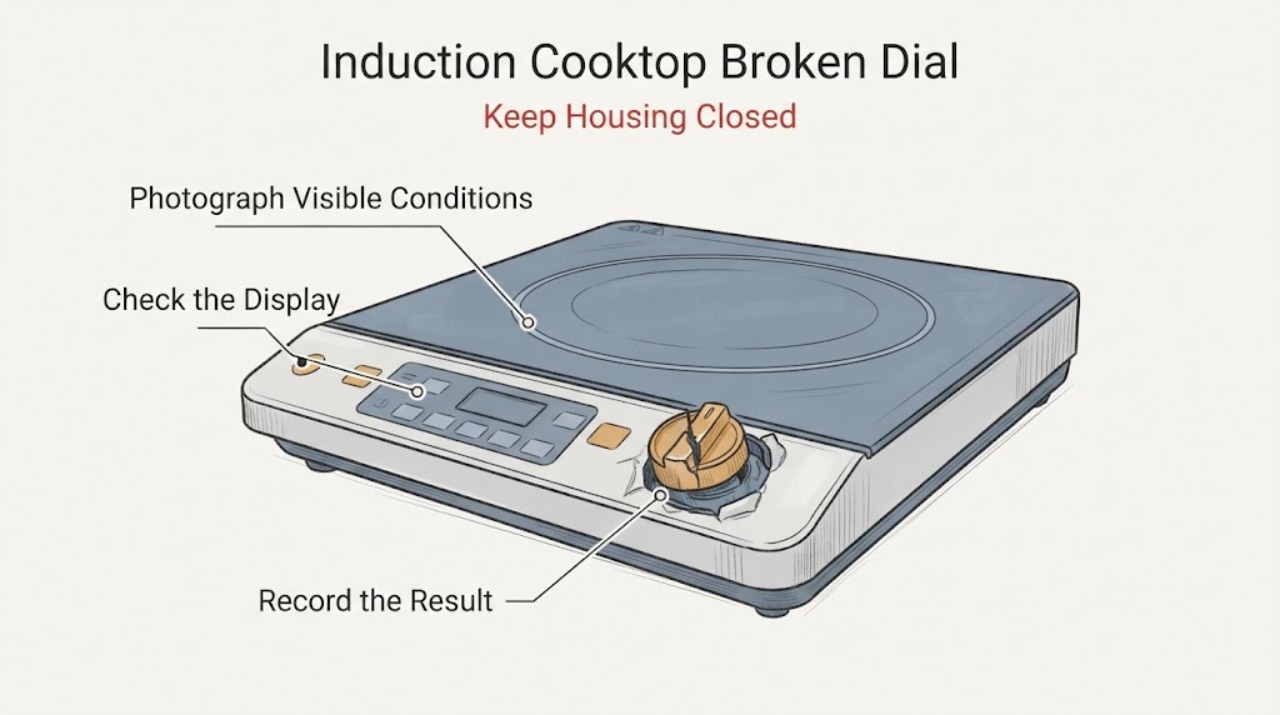
A broken dial on a Samsung induction cooktop needs an interface check before a heating diagnosis. Some Samsung induction models use a removable magnetic analog knob together with digital touch controls, while other models use a different control layout, so confirm the exact model first. With the cooktop off and cool, record whether the dial is missing, cracked, loose, or no longer seats, and whether the touch panel still responds with dry hands. If the model provides working touch controls, use only the documented touch interface for a brief safe check; do not force a loose dial, turn an exposed or damaged shaft, glue a control in place, or open the cooktop. If the touch controls also fail, a zone will not heat a suitable water-filled pan, or the glass, control area, wiring, or power supply is damaged, leave the cooktop off and arrange Samsung or qualified appliance service.
Work through in order
Diagnostic checks
Use only checks that match the exact appliance or system and its official guide.
-
Check 1
With the cooktop switched off and cool, identify the complete Samsung model and photograph the dial, its mounting area, the surrounding glass, and the control display. Determine whether the dial is a removable magnetic knob, a fixed knob on a shaft, or a control piece that is part of the touch panel.
Expected result: The dial lifts away as a separate magnetic piece; it is cracked, loose, missing, or no longer seats; a fixed shaft or panel is bent or damaged; or the control design cannot be identified from the model information.
Next step: Use the exact model manual or Samsung support lookup before ordering anything. Continue only with a dry, intact surface and a control design that is clearly identified.
Stop if: Do not force the dial, rotate an exposed or bent shaft, glue the dial in place, operate a cracked glass or loose control, or open the cooktop.
Why this matters
Why: Samsung documents a removable magnetic analog knob with digital touch controls on some induction models, but a physical dial feature is not universal. A removable accessory and a damaged fixed control require different parts and service paths.
-
Check 2
If the exact model confirms a removable magnetic dial and the glass and control area are intact, leave the damaged dial off and test the documented touch controls with dry bare fingers after wiping the cool panel clean and dry. Check the model procedure if a lock symbol is shown.
Expected result: The touch controls select power and a zone; they respond only after drying or unlocking; they remain unresponsive; or the model has no separate touch controls.
Next step: Use a working touch interface only for the normal documented operation and arrange a model-matched dial replacement or service. If touch remains unavailable, keep the cooktop off and request Samsung or qualified appliance service.
Stop if: Do not bypass Control Lock, press a damaged area repeatedly, install a generic knob, or expose the panel to cleaner or water.
Why this matters
Why: A working touch interface supports a localized magnetic-dial problem on models designed with both interfaces. Moisture, debris, or Control Lock can also block capacitive input. An unresponsive panel or a model without a fallback means the dial or its control path cannot be safely bypassed by guessing.
-
Check 3
After a control path responds and there is no hazard, place a flat magnetic pan containing water in the center of one zone and make one normal selection using the model-documented control. Do not test with an empty pan or touch the glass to judge temperature.
Expected result: The pan is detected and the water heats; the pan is not detected; the pan is compatible but the selected zone stays cold; or the cooktop shuts down or displays an error.
Next step: Turn the controls off, record the zone, pan, display, and dial or touch result, and request service for a repeatable zone failure or error. Do not keep testing through an unexpected shutdown.
Stop if: Stop immediately for smoke, burning odor, sparking, abnormal heat, cracked glass, liquid near controls, or a breaker trip.
Why this matters
Why: Samsung says an induction zone can turn off for unsuitable cookware or an empty pan, so a water test helps separate cookware detection from a zone fault. A known-compatible pan that heats elsewhere but not on this zone points to a localized control, sensor, or heating path issue; it does not prove which part failed.
-
Check 4
Prepare the service or parts request with the complete model and serial information, whether the dial is magnetic or fixed, photographs of the damage, whether touch fallback exists, the affected zone, cookware result, displayed code, and breaker behavior. Use the Samsung model lookup for the user manual and fitment information.
Expected result: The dial is the only failed control and touch works; no control path works; the zone fails with a suitable pan; or the physical damage or electrical symptom is recurring.
Next step: Order a replacement only after the exact model confirms the part, or arrange Samsung/qualified appliance service when the control, shaft, glass, wiring, or heating path is involved.
Stop if: Do not remove the glass, probe live wiring, bypass a lock or sensor, use an improvised dial, or continue operating with exposed or damaged controls.
Why this matters
Why: The same outward symptom can involve a removable accessory, a control interface, a zone circuit, or unsafe physical damage. The exact model is needed to distinguish those possibilities and select a compatible replacement or technician procedure.
Use your observations
Decision map
Find the observation that best matches what you see, then follow the next safe action.
-
PATH 01Next step
What you see
The model is documented with a removable magnetic dial, the dial is the only physical damage, and the separate touch controls respond normally after the cool panel is dry and unlocked.
Do this next
Use the documented touch controls only as a temporary normal interface and obtain a model-matched magnetic dial or Samsung service. Keep the damaged dial out of use.
Why this path and its safety boundary
Why it matters: The evidence supports a localized removable-control problem rather than a confirmed induction heating failure. The touch interface is a model feature, so this result must not be generalized to Samsung induction cooktops without it.
-
PATH 02Next step
What you see
The dial is fixed, the shaft or panel is damaged, the model has no touch fallback, or both the dial and touch controls fail.
Do this next
Leave the cooktop off and arrange Samsung or qualified appliance service with the model, photographs, and control behavior.
Why this path and its safety boundary
Why it matters: The user cannot safely distinguish a broken external control from damage to the control interface or wiring. A generic replacement or forced operation could create unintended heating or electrical damage.
-
PATH 03Next step
What you see
A working control path selects the zone, but a compatible magnetic pan containing water heats on another zone and not on the affected zone.
Do this next
Stop using the affected zone and request service; provide the pan, zone, dial/touch result, and display observations.
Why this path and its safety boundary
Why it matters: Samsung treats a repeatable single induction-zone failure after a compatible cookware and water test as a service issue. The broken dial may be coincidental or may affect that zone selection, but the test does not identify a safe user-replaceable part.
-
PATH 04Next step
What you see
There is cracked glass, exposed or loose control hardware, smoke, burning odor, sparking, abnormal heat, liquid near electrical parts, or a repeated breaker trip.
Do this next
Stop using the cooktop and isolate power only from a dry, safe external point if possible. Obtain qualified appliance or electrical help and do not restart it to reproduce the fault.
Why this path and its safety boundary
Why it matters: The symptom is an electrical, fire, or physical safety event, so a dial replacement or heating test is no longer appropriate.
Helpful context
Understand the symptom
Identify the control design before touching the dial
Look at the exact model label or the matching Samsung manual and describe the control interface. Samsung shows a specific induction model with a removable magnetic analog knob and digital touch controls, but that feature is model-dependent. A dial that simply lifts off the surface is a different service question from a fixed shaft that is bent, cracked, or stuck. Photograph the dial, its seat, the glass around it, and any display or error symbol while the cooktop is off. Do not turn an exposed shaft or continue using a dial that can slip into an unintended setting.
Use a separate touch interface only when the model provides one
If the manual or product information confirms a magnetic dial plus digital touch controls, leave the damaged dial aside and check the touch panel only after the surface is cool, clean, and dry. Samsung says control response can be affected by moisture, grease, debris, or a lock state. Use dry bare fingers and the model-specific unlock procedure. A responding touch panel can show that the dial is the localized control problem; it does not prove that a damaged knob, magnet, sensor, or control board is safe to replace without model confirmation.
Separate a control problem from an induction-zone problem
Once a documented control path responds, test only one zone with a flat magnetic pan containing water. Samsung notes that induction zones may shut off with unsuitable cookware or an empty pan, and it recommends a water-boil check when one induction element does not work. If the same pan heats on another zone but not the selected zone, record the result and stop using the affected zone. The test cannot identify whether the failure is in the dial interface, zone sensor, power electronics, or coil.
Treat a damaged fixed control or glass as a service issue
A cracked dial, broken mounting point, bent fixed shaft, cracked glass, loose control area, smoke, burning odor, sparking, abnormal heat, or repeated breaker trip changes the job from a control check to a safety and service decision. Turn the cooktop off and isolate power only from a safe external point if needed. Samsung directs persistent control or heating problems to support; do not remove the glass, probe the control wiring, bypass a lock, or fit a generic knob based on appearance.
Only after diagnosis
Potential parts
- model-specific removable magnetic control dial
Consider this only when the exact model documentation confirms a removable magnetic dial, the dial itself is damaged or missing, and the touch controls and glass remain intact.
Confirm the complete model and revision with Samsung or an authorized parts source; a visually similar dial is not evidence of fit.
Common questions
FAQ
Can I use my Samsung induction cooktop without the broken magnetic dial?
Only if the exact model is documented with separate digital touch controls and those controls respond normally after the panel is clean, dry, and unlocked. Samsung shows this dual-interface design on some models, so do not assume it applies to every induction cooktop. Keep a damaged or loose dial out of use and replace it using exact model information.
Is the broken dial why one Samsung induction zone is not heating?
It may affect zone selection on a model that uses the dial, but it does not prove a heating-part failure. If a documented touch or dial control selects the zone, Samsung recommends testing with compatible magnetic cookware and water because an empty or unsuitable pan can make an induction zone shut off. A compatible pan that heats elsewhere but not on the affected zone needs service.
Can I glue the Samsung cooktop dial back on or use a universal knob?
Do not glue a loose dial, turn a damaged fixed shaft, or choose a universal knob by appearance. The control design and fit vary by model; use Samsung model information to identify a replacement, and arrange service when the shaft, glass, panel, wiring, or control response is damaged.
Read the exact guide
Official sources
- 30" 4-Element Smart Induction Cooktop with Flex Zone & Virtual Flame Technology™Samsung Canada · Official Samsung product page for the NZ30K7880 family; it documents a removable magnetic analog knob together with digital touch controls and should not be generalized to models without that feature.
- Samsung Cooktop FAQsSamsung US · Official Samsung cooktop FAQ covering power, Control Lock, clean/dry control panels, resets, and escalation to Samsung support; exact options vary by model.
- One burner on the Samsung cooktop does not workSamsung US · Official Samsung guidance for separating induction cookware detection from a single-zone failure.
Community feedback
Share a repair observation
Share a plain-text repair observation. Accepted observations are published automatically; this page may take a moment to update.