
On this page
Start here
Quick answer
A Samsung induction cooktop does not ignite a flame: it heats a compatible magnetic pan through an induction field. If the user-facing symptom is “not igniting,” first check whether the cooktop powers on, whether Control Lock or moisture is preventing input, and whether a flat magnetic pan is centered and large enough for the selected zone. Test with water in the pan rather than an empty pan, because Samsung says an induction zone can shut off when cookware is absent, unsuitable, too small, or empty. If a known-compatible pan does not heat on one zone, an error returns, or the whole cooktop remains dead after safe external power checks, stop and request qualified Samsung service.
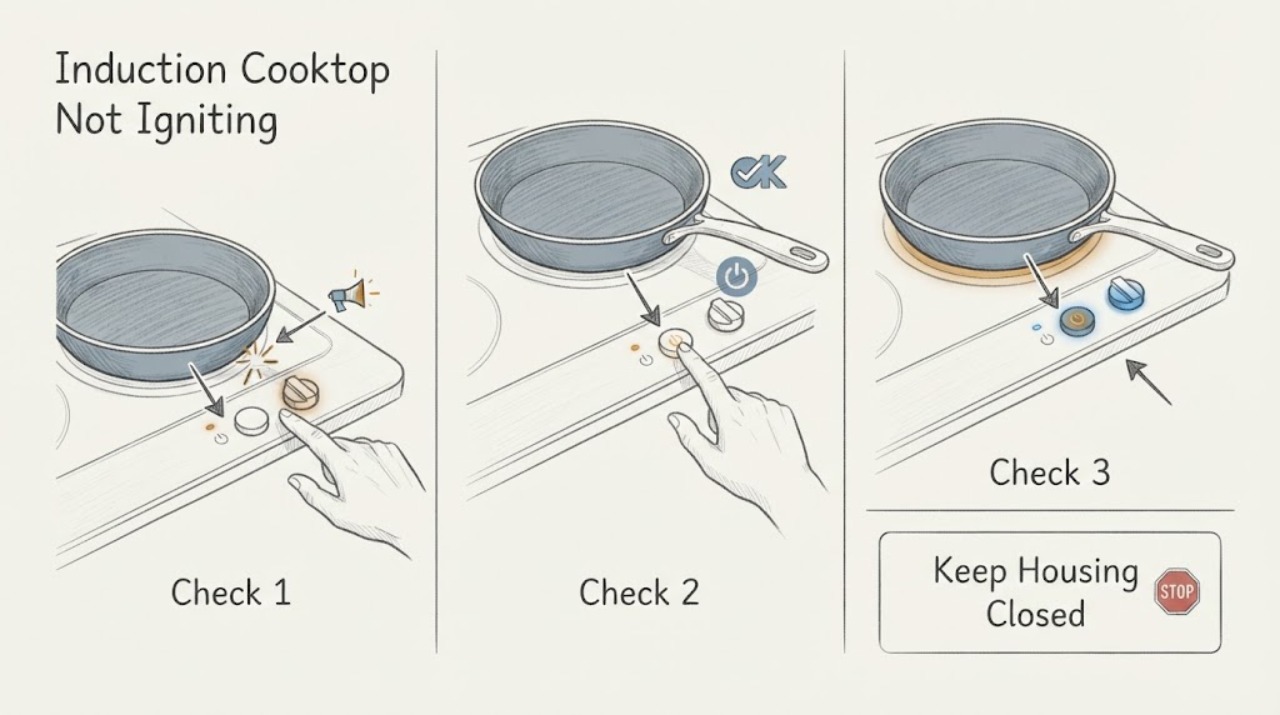
Work through in order
Diagnostic checks
Use only checks that match the exact appliance or system and its official guide.
-
Check 1
Confirm that the appliance is an induction cooktop and identify the actual symptom: no flame (expected), no display, controls that do not respond, a pan-detection symbol, or a zone that powers on but does not heat.
Expected result: The panel is dark; the panel lights but the zone shows a pan symbol or flashing setting; the zone accepts a setting but the pan stays cold; or the user expected a gas-style flame.
Next step: Photograph any symbol or code and continue with the matching induction check. If there is smoke, burning smell, sparking, cracked glass, or exposed wiring, stop and disconnect power only if safe.
Stop if: Do not use a lighter, gas supply, or flame near the cooktop, and do not touch a cracked or electrically damaged surface.
Why this matters
Why: An induction unit does not ignite a flame. The observation separates a normal technology expectation from a power/control problem and from cookware detection or heating failure.
-
Check 2
If the panel is dark or unresponsive, check from a dry, safe position that the cooktop is connected to power and that the external breaker or fuse has not tripped; then inspect the control surface for water, grease, or an object touching it.
Expected result: The breaker is tripped; the plug or connection is not accessible; the panel is wet or dirty; Control Lock is displayed; or the panel remains dark and dry with power apparently present.
Next step: Restore an external breaker only if safe and permitted, dry and clean the panel with the cooktop cool, or turn off Control Lock using the exact manual. If the panel remains dead, request service.
Stop if: Do not remove the cooktop, inspect live wiring, open the breaker enclosure, or keep resetting a breaker that trips again.
Why this matters
Why: Samsung identifies power, Control Lock, and a wet or dirty touch panel as common reasons a cooktop may not turn on or respond. A stable power supply with a dark panel points toward service rather than ignition troubleshooting.
-
Check 3
Place a flat pan with water on the center of the affected induction zone and select a heat setting using dry hands; use a magnet on the outside bottom of the cool pan only if needed to check whether it is magnetic.
Expected result: The pan is magnetic and the zone heats; the pan is not magnetic; the pan is magnetic but too small or off-center; or the zone shows no response with a suitable centered pan.
Next step: Use a known-compatible flat pan of suitable size and repeat the water test once. If water does not warm or the zone shuts off with the suitable pan, stop using that zone and request service.
Stop if: Do not test with an empty pan, place a hand on the glass, use a damaged or warped pan, or force a pan onto a zone.
Why this matters
Why: Samsung says induction cookware must have a magnetic base, fit the zone, and be positioned correctly. A suitable pan that still does not heat is evidence for a zone or control fault, not proof that the unit needs an igniter.
-
Check 4
Compare the affected zone with another zone using the same known-compatible water-filled pan, without running multiple zones beyond the model's stated limits.
Expected result: The same pan heats on another zone but not the affected one; no zone detects the pan; all zones heat normally; or the cooktop shuts down during the comparison.
Next step: Record which zones were tested, the pan used, the setting, and any code. Stop using the affected zone and request service when the known-compatible pan works elsewhere but not on that zone.
Stop if: Do not keep cycling a cooktop that shuts down unexpectedly, trips the breaker, overheats, or displays a persistent fault.
Why this matters
Why: A single-zone failure with a suitable pan points toward a localized component or control issue. Failure on every zone points toward cookware, power, lock, or a broader control problem; a complete shutdown may indicate a safety or fault condition.
-
Check 5
If an error or information code appears, transcribe the exact symbol and consult the exact Samsung model guide; for a pan-detection indication, correct pan material, size, and placement before any reset.
Expected result: The code is the underlined pan-detection symbol; the code indicates a wet or stuck control; a sensor or communication code appears; or another model-specific code returns.
Next step: Use compatible cookware and dry the panel for the documented pan or stuck-button condition. If another code remains after the exact manual's one power-cycle procedure, request qualified service.
Stop if: Do not guess at a code, bypass a safety sensor, enter service mode, or repeatedly reset a persistent error.
Why this matters
Why: Samsung's error guidance distinguishes pan detection from sensor, stuck-button, and communication errors. A pan code can be a cookware issue, while recurring sensor or communication codes require service.
-
Check 6
After one low-risk correction, perform one brief supervised water test with the exact compatible pan and observe whether the panel, selected zone, and heating remain stable.
Expected result: The pan heats normally; the panel works but the affected zone remains cold; the zone repeatedly stops; the breaker trips; or a code, odor, smoke, or abnormal heat appears.
Next step: Turn the zone off, let the surface cool, and use the cooktop only as the exact manual allows. For recurrence or any safety symptom, disconnect power if safe and arrange Samsung service.
Stop if: Stop immediately for smoke, sparks, burning smell, cracked glass, uncontrolled heating, repeated breaker trips, or a persistent code.
Why this matters
Why: A successful water test supports a cookware, placement, lock, moisture, or temporary control issue. A repeatable zone failure or safety symptom indicates a service condition rather than a missing ignition step.
Use your observations
Decision map
Find the observation that best matches what you see, then follow the next safe action.
-
PATH 01Safety boundary
What you see
The user expected a visible flame but the Samsung appliance is confirmed to be an induction cooktop.
Do this next
Test a centered, flat, magnetic pan containing water and use the correct zone control.
Why this path and its safety boundary
Why it matters: No flame or gas igniter is expected; the pan should heat through induction instead.
Safety stop: Do not introduce a flame or gas troubleshooting step to an induction appliance.
-
PATH 02Safety boundary
What you see
The control panel is dark or does not respond, and the surface is wet, dirty, locked, or the external breaker has tripped.
Do this next
Dry and clean the cool panel, restore an accessible external breaker once if safe, or disable Control Lock using the exact manual.
Why this path and its safety boundary
Why it matters: The symptom is power or control input, not an ignition failure.
Safety stop: Do not open wiring, remove the cooktop, or keep resetting a breaker that trips.
-
PATH 03Safety boundary
What you see
The pan is not magnetic, too small, warped, or off-center, and the zone shows pan detection or does not start heating.
Do this next
Use a known-compatible flat magnetic pan of suitable size, center it, add water, and test once.
Why this path and its safety boundary
Why it matters: The cooktop is not establishing the cookware condition required for induction heating.
Safety stop: Do not use an empty pan, force cookware, or judge heating by touching the glass.
-
PATH 04Safety boundary
What you see
A known-compatible water-filled pan heats on another zone but not on the affected zone.
Do this next
Stop using that zone and request qualified Samsung service with the zone, pan, setting, and code details.
Why this path and its safety boundary
Why it matters: The cookware is usable and the failure is localized to the zone or its control path.
Safety stop: Do not remove the glass, test coils, or attempt electrical repair.
-
PATH 05Safety boundary
What you see
A sensor, stuck-button, communication, or other code remains after one exact-manual power-cycle procedure.
Do this next
Record the code and request Samsung service; do not use the affected cooktop if it behaves unpredictably.
Why this path and its safety boundary
Why it matters: The issue exceeds a cookware correction and needs model-specific diagnosis.
Safety stop: Do not bypass safety logic, enter service mode, or repeat resets indefinitely.
-
PATH 06Safety boundary
What you see
Smoke, sparks, burning smell, cracked glass, uncontrolled heat, repeated breaker trips, or other electrical hazard appears.
Do this next
Stop using the cooktop, keep clear, disconnect power only if safe, and contact emergency or qualified appliance help as appropriate.
Why this path and its safety boundary
Why it matters: This is a cooking-appliance safety event, not a missing ignition step.
Safety stop: Do not touch damaged parts, restart the unit, or open the electrical assembly.
Helpful context
Understand the symptom
Translate “igniting” into the right induction symptom
There is no visible burner flame on an induction cooktop. The useful question is whether the control panel activates and whether a correctly placed magnetic pan heats. A pan-detection symbol or flashing setting usually points to cookware or placement; a dark, unresponsive panel points to power, lock, moisture, or a control fault. Samsung notes that layouts and codes vary by model, so the exact manual remains the authority.
Use a water test, not an empty-pan test
An empty pan is not a reliable induction test: Samsung says the zone can shut off automatically when cookware is empty. Use a flat, magnetic pan with water, place it in the center of the zone, select a low or medium setting, and observe whether the water warms. Do not touch the glass to judge heat and do not operate the zone without the pan required by the manual.
Do not open the electrical assembly
A hardwired cooktop, tripped breaker, internal power board, coil, sensor, or cooling system is not a safe user-level repair. Check only the external breaker or plug when dry and accessible, and use model-specific service when one zone fails with a known-compatible pan or when the panel remains unresponsive.
Safety boundary
Stop conditions
- Stop immediately for smoke, sparks, burning smell, cracked glass, uncontrolled heat, exposed wiring, liquid near electrical parts, or repeated breaker trips.
- Do not use a flame or gas step on an induction cooktop, open the cooktop, test live wiring, bypass pan detection or safety sensors, or enter service mode.
- Stop using a zone that fails with a known-compatible water-filled pan or continues to show a code after one exact-manual reset.
When checks do not resolve it
Need a professional?
Call for a failed known-compatible pan test, recurring error, dead panel, repeated breaker trip, unstable heating, or any safety symptom.
Have this ready
- Exact Samsung model and serial details
- Affected zone and whether other zones heat the same pan
- Pan material, flatness, approximate size, placement, and water-test result
- Exact display symbol or error code and when it appears
- Power, Control Lock, moisture, breaker, and safety observations
Common questions
FAQ
Does a Samsung induction cooktop ignite a flame?
No. Induction heats compatible magnetic cookware through an electromagnetic field, so there is no gas flame or igniter to see. Test the appliance by heating water in a correctly placed pan.
Why does my Samsung induction cooktop not detect my pan?
The pan may not have a magnetic base, may be too small, warped, or off-center. Use a flat compatible pan, center it on the zone, and follow the exact model guidance.
Why does a Samsung induction zone turn off with an empty pan?
Samsung says an induction zone can shut off automatically when cookware is empty. Use a water-filled compatible pan for the test rather than an empty-pan test.
What should I do if only one Samsung induction zone does not heat?
Test the same known-compatible water-filled pan on another zone. If it heats elsewhere but not on the affected zone, stop using that zone and request service; do not open the cooktop.
Can I fix a Samsung induction cooktop error code myself?
Only perform the exact model's low-risk pan, dry-panel, lock, or one power-cycle step. Record recurring sensor, communication, or other codes and request qualified service rather than bypassing safety controls.
Read the exact guide
Official sources
- Samsung Range FAQsSamsung Support · Applicable to Samsung ranges and cooktops covered by the US FAQ; model and region can vary.
- Meaning of the error codes displayed on your Samsung cooktopSamsung Support Canada · The opened guidance is for Canadian models; codes and procedures can vary by model and country.
- Samsung Cooktop FAQsSamsung Support · Applicable to Samsung cooktops covered by the US FAQ; exact model instructions govern.
- What is Induction Cooking? How It WorksSamsung · General Samsung induction technology explanation; exact model instructions govern operation.
- One burner on the Samsung cooktop does not workSamsung Support · Applicable to Samsung cooktops covered by the support article; exact model instructions govern.
- Electric cooktop panel isn't responsiveSamsung Support · Applicable to Samsung capacitive-touch electric and induction panels covered by the support article.
- Layout and Features of the Samsung Induction CooktopSamsung Support Australia · The opened guidance is for Australian products; layouts and settings vary by model and region.
Community feedback
Share a repair observation
Share a plain-text repair observation. Accepted observations are published automatically; this page may take a moment to update.