
On this page
Start here
Quick answer
A Thermador induction cooktop does not ignite a flame: it activates a cooking zone by detecting suitable magnetic cookware and applying a selected power level. If the zone does not activate, check the visible power state, control lock, dry touch surface, correct zone selection, flat magnetic pan, and any complete error display. If the control remains dead, an F-code returns, the glass is damaged, there is smoke or arcing, or a breaker trips, stop using the cooktop and arrange qualified service.
Before you begin
Safety first
- Induction cooking does not use gas ignition or an open flame. Do not remove the glass or underside, probe live terminals, bypass a control lock, work with wet hands, or continue after smoke, arcing, glass damage, or a repeated breaker trip. Keep hot cookware attended and never test with unattended empty cookware or oil.
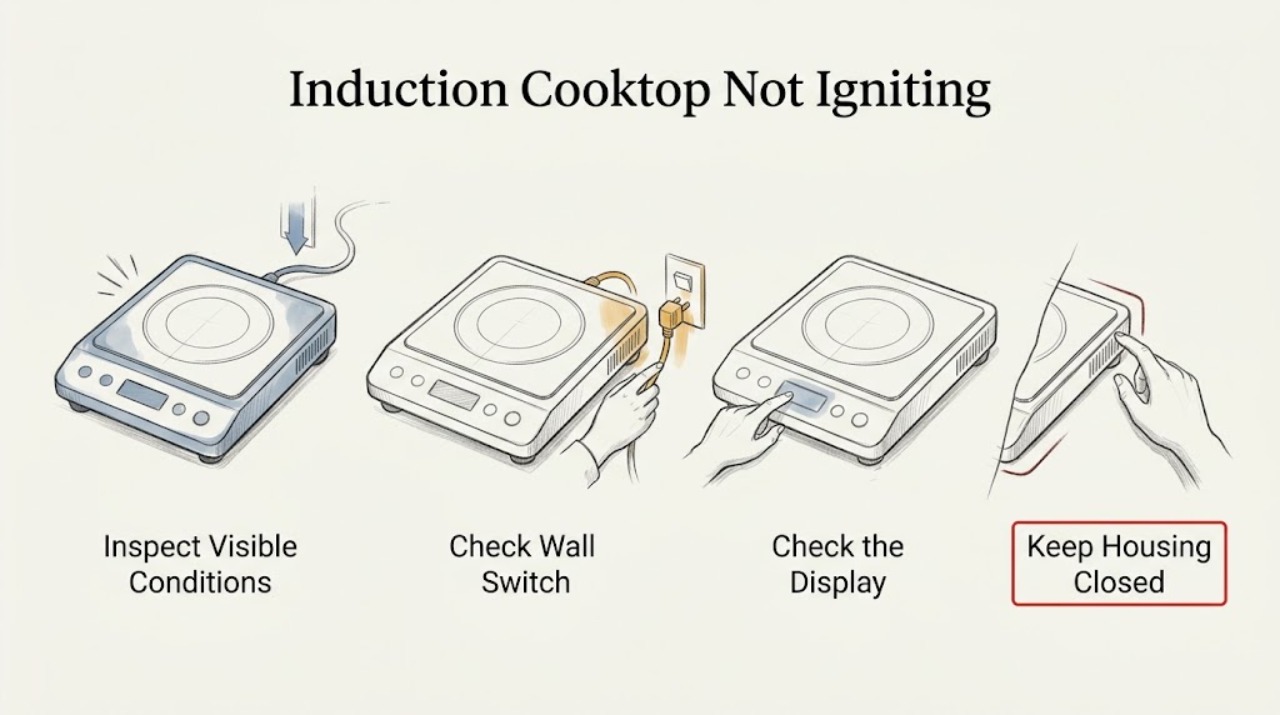
Work through in order
Diagnostic checks
Use only checks that match the exact appliance or system and its official guide.
-
Check 1
Look at the full control display before moving cookware and note whether the cooktop is completely dark, shows a lock indicator, shows a power level that flashes, shows no pan detection, or flashes an F followed by a number.
Expected result: A dark display points to power or control supply. A lock indicator points to a control state. A flashing level or missing pan symbol points to activation or cookware detection. An F and number flashing in alternation is a fault indication.
Next step: Photograph the complete display, including alternating characters and icons, and record the exact model before pressing additional controls.
Stop if: Stop immediately for a hot or cracked glass surface, smoke, visible arcing, burning odor, water at the controls, or a breaker that has tripped.
Why this matters
Why: Thermador treats these as different troubleshooting paths, so a partial symbol or a guessed code can send the diagnosis in the wrong direction.
-
Check 2
If the display is dark, check the accessible power switch, plug or connection, and household breaker from a dry, safe position; do not remove covers or expose wiring.
Expected result: If the main switch is off, the appliance is not connected, or the breaker is open, the cooktop cannot activate a zone. If the accessible supply appears normal but the display remains dark, the cause is not confirmed at user level.
Next step: Restore a breaker only once if there is no moisture, heat damage, smoke, or arcing and the circuit is intended for normal user reset. If it trips again or the display stays dark, leave the cooktop off and arrange qualified service.
Stop if: Do not reset repeatedly, test live voltage, touch exposed conductors, or work near water.
Why this matters
Why: Thermador lists an unpowered unit, main switch, power failure, outlet supply, fuse, and breaker among causes of a cooktop that does not turn on.
-
Check 3
With the surface cool and dry, unlock the visible controls only through the model's documented control-lock method, select one cooking zone, and set a low normal power level.
Expected result: A zone that accepts the setting and shows a stable level is responding to the controls. A lock that will not clear, a zone that was not selected, or a level that flashes without activation indicates a control-state or pan-detection branch.
Next step: Use the exact owner's manual for the model. If the control remains locked or a correct selection still does not activate, record the display and request service.
Stop if: Do not force touch controls, bypass the lock, or continue if the surface is wet, unusually hot, or electrically abnormal.
Why this matters
Why: Thermador's usage instructions require turning on the cooktop, placing cookware, selecting the detected zone, and then choosing the power level; an advanced model feature should not be assumed to use the same controls.
-
Check 4
Place one clean, dry pan with a flat base in the center of the selected zone; if its suitability is uncertain, hold a magnet against the underside while the pan is cool and away from the controls.
Expected result: A magnet that securely clings to the base and a pan that appears on the display support induction compatibility. No detection, a flashing power level, or a pan that is too small or deformed points to cookware size, base, or placement rather than a gas-ignition fault.
Next step: Try one known-suitable, flat pan within the model's stated zone size, then select the zone and power level again. If another suitable pan is also not detected, stop changing cookware and request service.
Stop if: Do not slide heavy cookware across damaged glass or continue if the pan, glass, or control surface is cracked or wet.
Why this matters
Why: Thermador says induction cookware needs a magnetic base and its troubleshooting page identifies unsuitable or undersized cookware as a cause of a heating element that does not heat.
-
Check 5
If the pan is detected, observe whether the zone maintains the selected power level and whether the pan begins warming; keep the pan attended and do not test with an empty pan or unattended oil.
Expected result: A stable level and warming pan indicate normal activation. A detected pan with no heat, an immediate shutoff, or an F-code indicates a fault or model-specific protection condition rather than failed flame ignition.
Next step: Stop the test, allow the cooktop to cool, and consult the exact manual if a documented protection message appears. If normal power still does not produce heat or an F-code returns, arrange qualified service.
Stop if: Stop for smoke, arcing, a burning smell, glass damage, a hot control panel, or a repeated breaker trip. Do not open the appliance.
Why this matters
Why: Thermador notes that cookware detection precedes power selection and that some high-power features can switch off when the cooktop becomes too hot to protect internal components.
-
Check 6
Record the complete error code or alternating display, exact model, affected zone, cookware used, and whether other zones activate; compare only with the matching Thermador owner's manual.
Expected result: An F plus a number that flashes in alternation is a detected fault. If only one zone fails with a known-suitable pan, the affected zone may need service; if every zone and the display are inactive, the power or control path is broader.
Next step: If the code is not documented for the model, the code returns, or the cooktop still will not activate, leave it off and provide the record to a qualified Thermador servicer.
Stop if: Do not clear a diagnostic display by random button presses, replace an induction component, or work inside the cooktop.
Why this matters
Why: Thermador explicitly directs owners to the owner's manual for an F-code and provides model-specific manuals through its support pages; a code should not be converted into a guessed component.
Use your observations
Decision map
Find the observation that best matches what you see, then follow the next safe action.
-
PATH 01Safety boundary
What you see
The glass is cracked, the panel is wet or hot, smoke or arcing is present, a burning odor is present, or the breaker trips again.
Do this next
Stop using the cooktop. From a dry, safe position only, isolate power if it can be done without touching water or exposed conductors; otherwise leave it alone and arrange urgent qualified service.
Why this path and its safety boundary
Safety stop: Do not touch the glass, restart the circuit, remove panels, or test the cooktop again.
-
PATH 02Safety boundary
What you see
The display is dark or no zone responds after one safe accessible power check.
Do this next
Leave the cooktop off and arrange qualified electrical or appliance service for the supply and control path.
Why this path and its safety boundary
Safety stop: Do not repeatedly reset a breaker or inspect internal wiring.
-
PATH 03Safety boundary
What you see
The display works but a lock, flashing level, missing pan indication, small pan, or unsuitable pan prevents zone activation.
Do this next
Use the model-specific unlock and start sequence with one clean, flat, magnetic pan. If the correct pan and sequence still fail, request service.
Why this path and its safety boundary
Safety stop: Do not interpret the missing pan response as a gas or flame problem and do not bypass the control lock.
-
PATH 04Safety boundary
What you see
A complete F-code returns, a detected pan does not warm, or one or more zones shut down unexpectedly.
Do this next
Allow the surface to cool, preserve the display and model information, and arrange qualified service. Use a reset only if the matching manual explicitly directs it.
Why this path and its safety boundary
Safety stop: Do not keep rerunning the zone, open the appliance, or replace a coil, sensor, or board based on the display alone.
Helpful context
Understand the symptom
First, translate “not igniting”
An induction cooktop has no gas igniter, pilot, or open flame. In this context, “not igniting” means that a cooking zone will not activate, the pan is not detected, or the selected power level flashes without heating. Start with the display and cookware checks below rather than looking for a gas component.
What a normal start looks like
Thermador's Freedom guidance says to turn on the cooktop, place cookware on it, wait for detection, select the circle shown on the display, and choose a power level. The exact controls differ between Freedom, Liberty, Heritage, and other models, so use the owner's manual for the appliance in front of you.
Keep electrical and glass risks out of the test
Do not remove the glass, open the underside, probe live terminals, bypass a lock, or continue testing a cooktop with a cracked surface, moisture under the controls, smoke, arcing, or a repeated breaker trip. Let the surface cool before wiping it and keep hands dry.
Only after diagnosis
Potential parts
- induction cooking coil
Consider only after qualified diagnosis confirms a failed zone coil and rules out power, cookware detection, control lock, and surface damage.
Confirm the exact cooktop model and manufacturer fit information before ordering any component. - cookware detection sensor
Consider only if a known-suitable magnetic pan is not detected on one zone and qualified testing identifies a detection fault.
Confirm the exact cooktop model and manufacturer fit information before ordering any component. - induction control module
Consider only after qualified diagnosis confirms a control or communication fault rather than cookware, power, overheating protection, or a damaged surface.
Confirm the exact cooktop model and manufacturer fit information before ordering any component.
When checks do not resolve it
Need a professional?
Arrange qualified service when the cooktop remains dark, a breaker trips again, a suitable pan is not detected on any zone, a detected pan does not heat, a complete F-code returns, or one zone repeatedly shuts down. Stop immediately for cracked glass, smoke, arcing, burning odor, a hot or wet control area, or exposed electrical damage.
Common questions
FAQ
Does a Thermador induction cooktop have an igniter?
No. Induction uses electromagnetic energy to heat suitable cookware; “not igniting” means the zone is not activating or the pan is not being detected. Check the pan, control state, power, and display instead of looking for a flame component.
Why does my Thermador induction cooktop flash the power level?
Thermador identifies an unselected element, cookware that is too small, or cookware that is not suitable for induction as possible causes. Center a clean, flat, magnetic pan on the selected zone and follow the model's start sequence.
What does an F and number mean on a Thermador induction cooktop?
Thermador says an F and number flashing in alternation means the appliance detected a fault. Refer to the owner's manual for the exact model; if the display returns or the cooktop will not heat, arrange qualified service.
Can I reset the cooktop when it will not activate?
Do not use a generic reset sequence. Record the complete display and use a reset only if the matching Thermador manual directs it. Stop for smoke, arcing, cracked glass, moisture, or a repeated breaker trip.
Read the exact guide
Official sources
- Appliance Features | Freedom® Induction Cooktops Support | ThermadorThermador · Thermador Freedom induction cooktop start sequence, cookware detection, power levels, and protection behavior
- Induction Cooktops – Parts, Accessories & Cleaners | ThermadorThermador · Thermador induction cookware suitability, magnet test, manuals, and parts support
- Troubleshooting | Induction Cooktops Support | ThermadorThermador · Thermador induction cooktop power, heating, cookware detection, and error-code troubleshooting
- The Ultimate Guide to Induction Cooking - Expert Tips | ThermadorThermador · Thermador induction technology and magnetic cookware suitability
Community feedback
Share a repair observation
Share a plain-text repair observation. Accepted observations are published automatically; this page may take a moment to update.