
On this page
Start here
Quick answer
Do not use the Samsung ME17R7021ES if the handle or the part it attaches to is broken, if the door cannot close and latch normally, or if the door is bent or misaligned. Unplug it from a dry, accessible outlet only when safe, and do not pull the door by a damaged handle, glue the handle in place, split the door, or open the microwave cabinet. Samsung identifies the ME17R7021ES as a 1.7 cu. ft. over-the-range microwave and directs damaged appliances and high-voltage repairs to service; give Samsung or an authorised technician the full model suffix and photos before ordering a door or handle part.
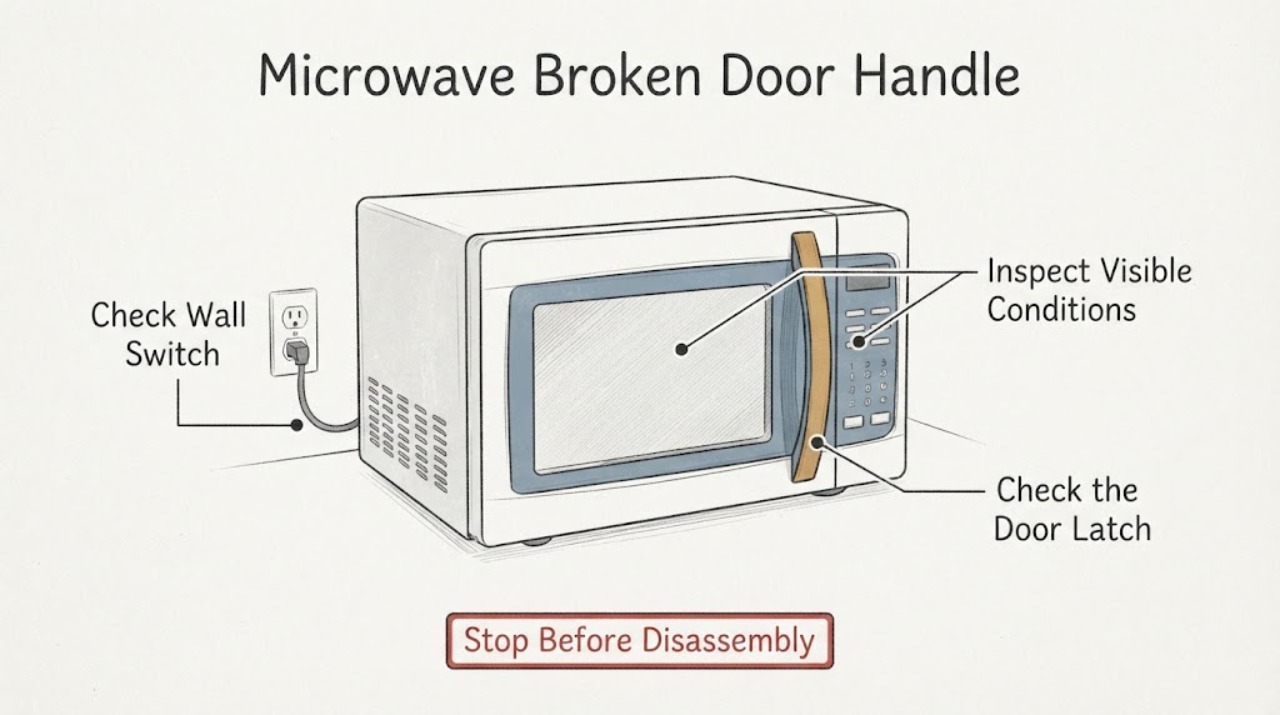
Work through in order
Diagnostic checks
Use only checks that match the exact appliance or system and its official guide.
-
Check 1
Stop using the microwave. If the plug and outlet are dry and safely reachable, disconnect power by gripping the plug; otherwise switch off the dedicated breaker. Do not use the broken handle to force the door open or closed.
Expected result: The handle pulls away from the door, the door is bent or loose, the latch does not engage, the door springs open, or any glass/seal/frame damage is visible.
Next step: Keep the microwave out of service and request Samsung or authorised service. Do not glue, drill, clamp or tape the handle as a substitute for evaluating the door.
Stop if: Do not energise the microwave if the door cannot close completely, the latch is damaged, the door is distorted, or the cord/outlet is damaged.
Why this matters
Why: Samsung says never start an appliance showing damage and identifies high voltage inside the chassis; a broken attachment can also prevent the door from closing correctly.
-
Check 2
With power isolated, inspect the outside of the door and handle without removing trim: look for a loose handle, missing fastener, cracked mounting area, bent door, damaged seal, or a gap between the door and frame. Do not pull the handle to test the attachment.
Expected result: The door sits squarely, the seal is continuous, and the handle is secure; or one of these conditions is not true.
Next step: Photograph the condition and give it to Samsung service. If the door is not square or the handle mount moves, stop at this external check rather than opening the door assembly.
Why this matters
Why: A normal-looking exterior does not prove the internal handle mount or door interlock is sound, while a visible gap, bent panel or damaged seal is a reason not to operate.
-
Check 3
Confirm the door can close fully and remain latched without force, but do not run a cooking cycle as a test. Samsung’s microwave guidance treats complete door closure as necessary for operation; use only the normal handle and latch movement.
Expected result: The door will not close fully, needs pressure to latch, sits unevenly, or closes normally despite the cosmetic handle damage.
Next step: In either case, keep the unit off and ask service to evaluate the handle, door alignment and latch together. Do not hold the door shut or bypass an interlock.
Stop if: Never run the microwave with the door open, misaligned, damaged or manually restrained.
Why this matters
Why: Failure to close or latch means the door/interlock condition is unresolved; normal closure still does not authorise a microwave run when the handle or attachment is visibly broken.
-
Check 4
Read the complete model code and suffix from the rating label or Samsung support record and photograph the broken area. The Samsung support page lists ME17R7021ES/AC and its model-specific manual downloads; do not assume a similar ME17, ME19 or ME21 handle has the same attachment.
Expected result: The label confirms ME17R7021ES with a regional suffix, or the label is missing/does not match the assigned model.
Next step: Give Samsung service the complete model code, serial number, purchase date and photos. If the identity does not match, stop and have the Coordinator recheck the topic rather than selecting a different model.
Why this matters
Why: The suffix and exact model determine the correct documentation and service lookup. A similar Samsung microwave is not proof of handle or door-part compatibility.
-
Check 5
Request an authorised Samsung assessment and describe whether the handle, its attachment point, the door frame, latch or seal is damaged. Ask the provider to confirm whether a handle-only repair is approved for the exact suffix before any part is ordered.
Expected result: The provider confirms an exact model-specific repair path, or says the door assembly/other structure must be evaluated.
Next step: Follow only the exact service documentation for the confirmed suffix. Do not split the door, remove the cabinet, test high-voltage components or substitute a part from another model.
Why this matters
Why: The public Samsung sources establish model identity and safety/service boundaries, but they do not prove which internal fastener, mount, door assembly or replacement part applies to this photographed damage.
Use your observations
Decision map
Find the observation that best matches what you see, then follow the next safe action.
-
PATH 01Next step
What you see
The door will not close or latch completely, the door or seal is bent/torn, the handle attachment moves, or the microwave has exposed damage.
Do this next
Keep power off and arrange Samsung or authorised service. Do not hold the door shut, glue the handle, or bypass a latch/interlock.
Why this path and its safety boundary
Why it matters: The door and safety boundary are not verified, and Samsung says a damaged appliance must not be started.
-
PATH 02Next step
What you see
The handle is loose or broken but the door appears aligned and closes normally without force.
Do this next
Do not run a cooking test. Photograph the damage, confirm the full model suffix and request an authorised inspection before ordering a part.
Why this path and its safety boundary
Why it matters: Normal closure does not prove the handle mount or door interlock is safe under use; the exact attachment and model-specific repair remain unverified.
-
PATH 03Next step
What you see
The label or support record does not confirm ME17R7021ES or the regional suffix differs from the assigned identity.
Do this next
Preserve the assigned identity and obtain the correct model documentation/service lookup; do not use another model’s handle steps or part number.
Why this path and its safety boundary
Why it matters: A similar Samsung microwave may use a different door or handle structure, so the current topic cannot establish compatibility.
Helpful context
Understand the symptom
What the original complaint establishes
The exact indexed question identifies a Samsung ME17R7021ES microwave and a handle broken out of the box, with the lower handle attachment described as broken. The direct Reddit page was not retrievable in this research session, so the public answer does not treat the photograph or the suspected door-key/mount as confirmed. It stays with the manufacturer’s safety boundary: a damaged door or handle must not be turned into a home microwave-door rebuild.
A handle problem can become a door-safety problem
A handle alone is not proof that microwave shielding or the interlock is damaged, but a door that no longer closes, aligns or latches is unsafe to use. Inspect from the outside only. Do not test the microwave with the handle pulled back, do not hold the door shut, and do not remove the inner door panel or cabinet.
Common questions
FAQ
Can I glue the Samsung microwave handle back on?
Do not use glue or a makeshift bracket as a safety repair. The exact attachment and door condition must be checked for ME17R7021ES before use; do not run the microwave while the handle or door is damaged.
Can I use the microwave if the door still closes?
A door that closes normally does not prove a broken handle mount or interlock is safe. Samsung says not to start an appliance showing damage, so keep it off until Samsung or authorised service evaluates the door and handle.
Should I replace the whole door?
The public Samsung sources do not establish that a whole door is required or that a particular handle/door part fits every suffix. Give the complete model and photos to service and follow the exact model-specific recommendation.
Read the exact guide
Official sources
- ME4000R OTR with New Door, Flat Handle | Samsung Support CASamsung Canada · Opened official Samsung model-support page. It identifies the model family and lists the model-specific user and installation manual downloads; it is not used to infer a handle part or internal repair procedure.
- Home Appliance Terms and ConditionsSamsung Electronics America · Opened official Samsung safety/warranty page. Used for not starting a damaged appliance, safe unplugging, avoiding self-repair and contacting Samsung service when damage or high-voltage repair is involved.
- ME17R7021ES 1.7 cu. ft. Over-the-Range MicrowaveSamsung Electronics America · Opened the Samsung-hosted specification PDF and verified its cover/model heading. Used for identity and the manufacturer’s installation note not to grip/use the handle during installation; no repair or compatibility claim is taken from it.
- Samsung microwave does not heatSamsung Electronics America · Opened official Samsung microwave troubleshooting article. Used only for the requirement that the door close completely and for the external door/frame check and service boundary; it is not used to claim that this broken handle caused a heating fault.
- Microwaves | Samsung Support USSamsung Electronics America · Opened official Samsung microwave support hub. Used only to direct the reader to model lookup/manual and request-repair pathways, not as evidence for a particular handle or part.
Community feedback
Share a repair observation
Share a plain-text repair observation. Accepted observations are published automatically; this page may take a moment to update.